

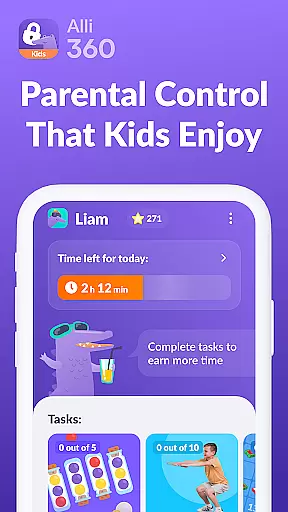
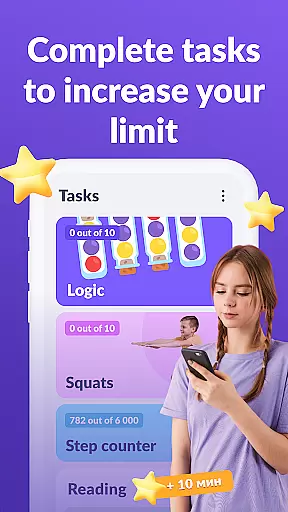
Alli360 by Kids360 is a parental control app designed to help parents manage their children's screen time effectively. The service allows setting specific time limits on entertainment apps and games, ensuring that teens maintain a healthy balance between digital engagement and other activities.
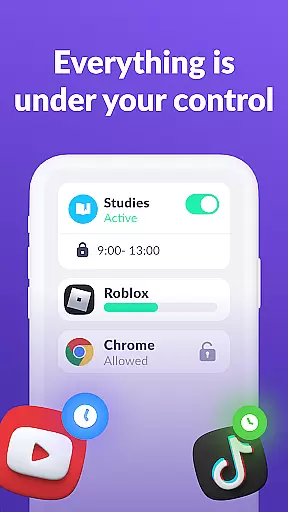
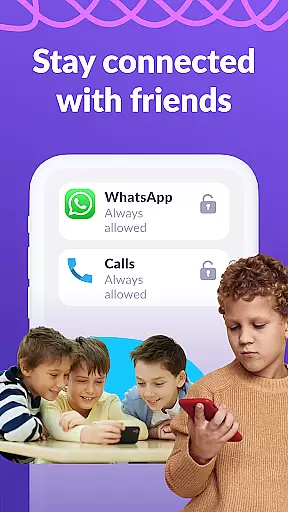
Key features include scheduling capabilities for school hours and rest times, selecting which apps to limit or block completely, and providing detailed usage statistics. Parents can always stay connected through essential communication apps. Alli360 emphasizes transparency and safety, complying with GDPR policies while offering tools for effective family safety.
Alli360 offers robust functionalities tailored for parental control. It enables parents to set precise time limits on apps and games, ensuring that children adhere to healthy usage patterns. The scheduling feature allows blocking access during school hours or late evenings, promoting better time management.
The app provides insights into how much time teens spend on their devices, highlighting frequently used applications. With accessibility services and usage tracking, parents receive comprehensive reports. Importantly, critical communication apps remain accessible, maintaining family connectivity while enforcing necessary restrictions.
When it comes to parenting apps, content credibility and expert validation are crucial factors that determine the reliability of the information provided. Alli360 by Kids360 is a service designed with these principles in mind, ensuring parents have access to trustworthy tools for managing their children's digital habits.
The app offers features such as setting time limits on entertainment applications and games, scheduling school and rest times, and selecting which apps to limit or block entirely. These functions are developed based on expert recommendations regarding healthy screen time habits and digital well-being for teenagers.
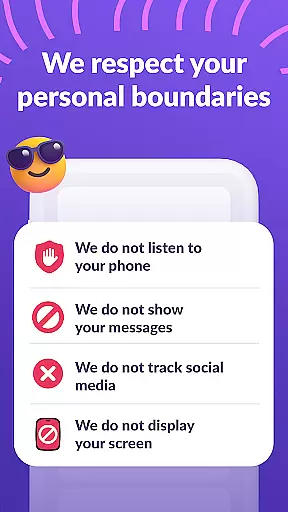
Alli360 cannot be installed without the child's knowledge, promoting transparency and trust within the family. Furthermore, personal data is handled according to strict legislative standards and GDPR policies, reinforcing its commitment to privacy and security.
Parents can feel confident using Alli360 knowing that its features are grounded in expert advice and designed to support positive parenting practices while safeguarding user privacy.
Growth tracking accuracy in parental control apps like Alli360 by Kids360 refers to how precisely the app monitors and reports a teenager's digital activity. This feature allows parents to understand their child's smartphone usage patterns and make informed decisions about screen time management.
Alli360 provides detailed insights into how much time teens spend on their smartphones and identifies their most used applications. By collecting statistics through permissions like usage access and accessibility services, the app delivers accurate data on application uptime and screen time duration.
This level of precision helps parents identify potential issues related to excessive screen time or inappropriate app usage. With this information, they can set appropriate limits and schedules tailored to their child's needs.
Ultimately, growth tracking accuracy empowers parents to foster healthier digital habits among their children by providing them with reliable data-driven insights into their smartphone activities.
Effective time management
Comprehensive app control
Detailed usage reports
Transparent data policies
Essential apps always accessible
Requires explicit consent
Limited free features
Dependent on secondary app
Premium subscription needed
Complex setup process



Free symptom & med tracker with expert-reviewed tips.
 4.30
4.30
All-In-One Pregnancy Tracker, Your Baby's Milestones, Growth Stages & Parenting
4.70
Parental Control including Screen time control, GPS tracking, App/Game blocker.
3.90
Family GPS locator app — child location tracker. GPS kids tracker, family safety
4.70
3D Baby size, Fruit comparisons, Smart Checklist, Trending Names & Training.
4.90
Limit screen time, Block Apps & Games, Monitor with Parental control app
4.20
Lullabies, Night Light & Age-based Routines to help your baby fall asleep
4.5
Introduce real food to baby with First Foods® Database, baby led weaning BLW
4.80
App/Game blocker & GPS tracker
4.50
All-In-One Pregnancy Tracker, Your Baby's Milestones, Growth Stages & Parenting.
4.90
GPS tracker app: Simple GPS phone tracker for fast family location tracking
4.60
With BabyCam you can monitor your baby using your mobile phone, tablet, PC or TV
4.40
All-in-one pregnancy app, contraction timer, kick counter & due date calculator
4.40
Join over 1MM parents & professionals who've used OFW to navigate co-parenting
4.40
Babysitting video camera - Turn your two phones or tablets into a single nanny.
4.40
Keep track of your stored breastmilk
4.40
Affirmations | Stories | Bible
4.10
Play activities, milestones, expert-led classes, baby tracker, and more!
3.00
Track pregnancy health and wellness with pregnant tracker from healthcare advice
4.0

User Reviews