

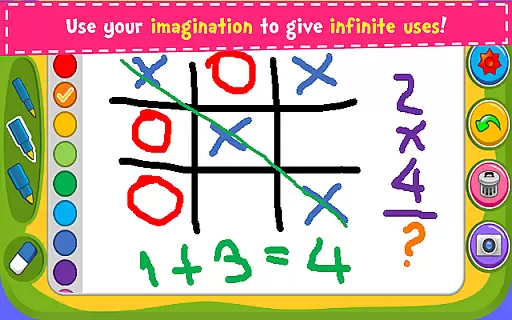
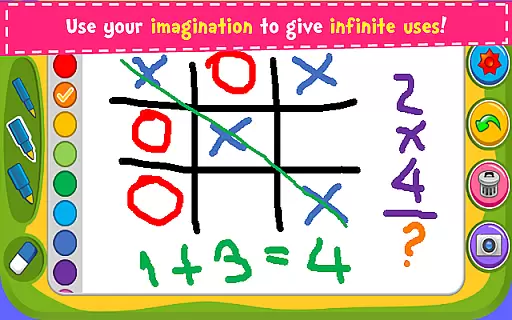
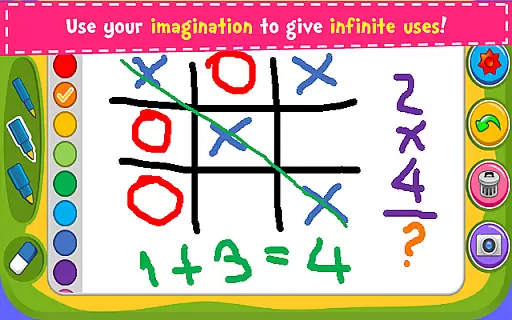
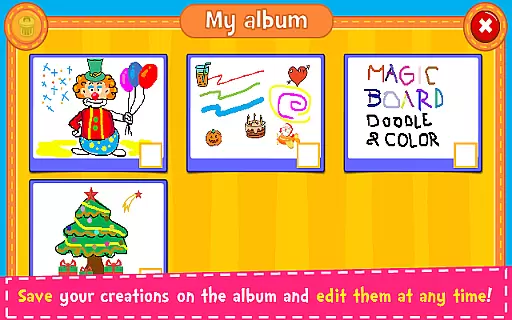
Magic Board is an engaging drawing and coloring game designed for users of all ages. This app offers a realistic drawing experience with various pencil strokes and colors, promoting creativity, concentration, and fine motor skills. With over 100 stickers available, users can decorate their artwork and save it in an album for future editing.
Accessible on both smartphones and tablets, Magic Board supports English and Spanish languages, ensuring broad usability. Its intuitive design makes it simple to use, while features like the eraser, undo function, and dynamic color effects enhance the user experience. The ability to share creations via social media platforms adds a social element to this artistic tool.
Magic Board stands out with its comprehensive set of features tailored for artistic expression. The app provides a variety of drawing tools, including different pencil strokes, vibrant colors, and a unique flash effect that generates endless bright colors dynamically. These features ensure that users can explore their creativity without limitations.
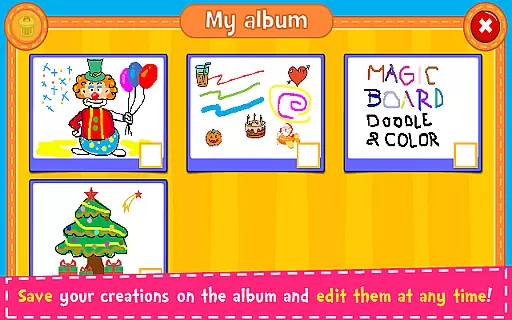
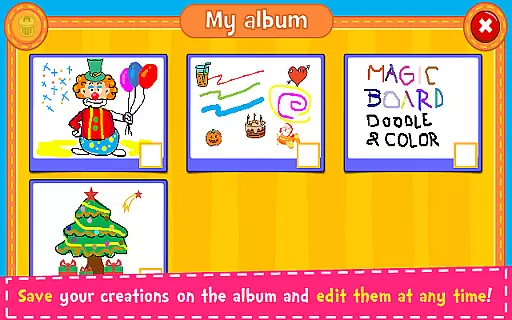
In addition to drawing tools, Magic Board includes over 100 adorable stickers, an eraser function, and both undo and clear-all functions, allowing users to refine their work easily. Artworks can be saved directly to an in-app album, enabling users to edit or share their creations at any time. This combination of creative freedom and practical functionality makes Magic Board an ideal choice for nurturing artistic talent.
When it comes to parenting applications, the credibility of the content is paramount. Magic Board ensures that all its features are designed with educational value in mind. The app offers a drawing and coloring platform that not only entertains but also promotes the development of imagination, fine motor skills, and concentration in children.
The application provides over 100 stickers and various drawing tools which are crafted to enhance creativity and artistic abilities. These elements have been included based on their ability to engage young minds constructively. Furthermore, the simplistic design and intuitive interface have received positive feedback from both parents and educators, affirming its suitability for children.
Magic Board stands out by offering these features without any hidden costs as all content is 100% free. This transparency further solidifies the trustworthiness of the app's content. Parents can feel confident that their children are engaging with a resource that is both enjoyable and beneficial to their developmental growth.
Growth tracking in parenting apps refers to the ability to monitor and record a child's progress over time. Magic Board facilitates this through its album feature, where users can save their creations. This allows parents and children to review past artworks, observing improvements and changes in style and technique.
By revisiting saved drawings, parents can discuss with their children how their skills have developed, providing an opportunity to reflect on their artistic journey. This form of tracking is invaluable as it gives tangible evidence of progress, which can be encouraging for children and informative for parents.
In addition to saving artwork, Magic Board enables sharing via social media platforms or messaging apps. This function extends the growth tracking beyond the app itself, allowing friends and family to witness the child's creative evolution. Such features ensure that Magic Board is not just a creative outlet but also a tool for documenting developmental milestones in artistry.
User-friendly interface
Variety of drawing tools
Dynamic color options
Supports multiple languages
Social sharing capabilities
Limited advanced features
No offline mode
Ads may interrupt
Occasional bugs
Basic design elements



















Comprehensive Parental Control & Child Safety — Hear & Protect Your Child World
 4.30
4.30
AI Motion Video Maker & Ideas
4.2
Discover fun videos, kids songs, bedtime stories and games
3.60
Track your pregnancy, kick & contraction counter, baby & mom's heartrate monitor
4.60
Little loved one's monitoring, Sleep tracking and Parenting content.
3.80
Live Location, Alerts & 2-Way Voice for Kids and Adults with Special Needs
4.60
Findnumber: Real-time location tracker for ultimate family security
4.20
Reliable phone tracker by number & locate phone app. Protect your family.
4.50
Track baby’s development & growth week by week with BabyCenter’s pregnancy app!
4.90
All-In-One Pregnancy Tracker, Your Baby's Milestones, Growth Stages & Parenting.
4.90
Introduce real food to baby with First Foods® Database, baby led weaning BLW
4.80
All-In-One Pregnancy Tracker, Your Baby's Milestones, Growth Stages & Parenting
4.70
GPS phone tracker: find kids on map. Location tracking and parental control.
4.50
It is a screen time management tool for games and mobile applications
4.50
Join over 1MM parents & professionals who've used OFW to navigate co-parenting
4.40
GeoLog - Real-Time Location Tracker
4.40
Fake call application designed for parents and adults to discipline their children through the children's police.
4.20
Parental Control including Screen time control, GPS tracking, App/Game blocker.
3.90
SemLog aims to raise awareness among families and their children
3.40

User Reviews