

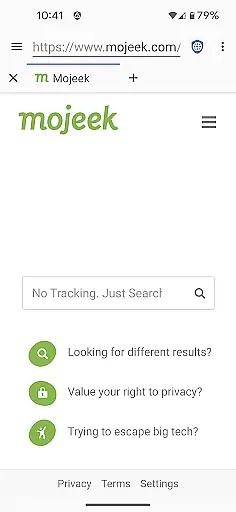
Privacy Browser is a communication app designed to protect user privacy by minimizing data collection both online and locally. Its primary function is to block invasive tracking technologies like JavaScript, cookies, and DOM storage that are commonly used by websites to monitor user activity. By disabling these privacy-sensitive features by default, the app ensures users only enable them temporarily when necessary.
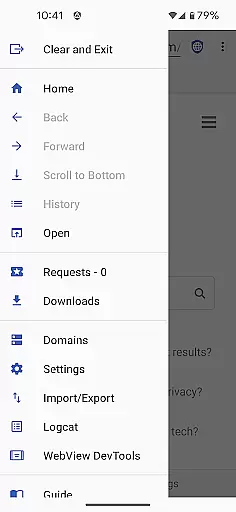
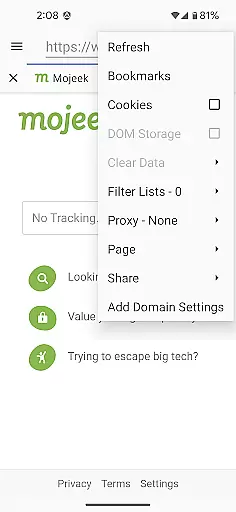
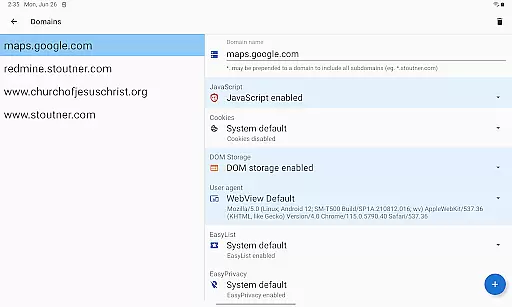
In addition to its privacy-focused architecture, Privacy Browser includes advanced features such as integrated EasyList ad blocking, Tor Orbot proxy support, and SSL certificate pinning. These tools help create a secure browsing environment while allowing users to manage settings on a per-site basis through domain-specific configurations. The app also plans to introduce Privacy WebView in its 4.x series, enhancing its ability to offer advanced privacy protections beyond what Android’s built-in WebView provides.
This app is ideal for individuals who prioritize security and want full control over their personal information while browsing the internet. Whether you're accessing sensitive accounts or simply navigating the web, Privacy Browser offers an essential layer of protection against data misuse.
Privacy Browser stands out with its robust set of privacy-enhancing features tailored for secure communication. One key aspect is its approach to handling web technologies—by disabling JavaScript, cookies, DOM storage, and similar tracking methods by default, it prevents websites from collecting unnecessary data about users. This feature alone significantly reduces the risk of being tracked across sessions or platforms.
The app further strengthens privacy with specialized functionalities such as EasyList ad blocking, which filters out intrusive advertisements, and Tor Orbot proxy support, enabling anonymous browsing via the Tor network. Additionally, SSL certificate pinning ensures secure connections by verifying server identities, protecting against man-in-the-middle attacks. Users can also import and export settings and bookmarks, making it easy to back up preferences or transfer them between devices.
Looking ahead, Privacy Browser's upcoming transition to Privacy WebView in version 4.x will unlock even more advanced privacy capabilities. This shift underscores the app's commitment to providing cutting-edge solutions for safeguarding user data without compromising usability.
Privacy Browser excels in providing real-time messaging speed and reliability by focusing on minimizing data transmission. This ensures that communication happens swiftly without compromising user privacy.
The app achieves this by disabling privacy-invasive features like JavaScript and cookies by default, which reduces the amount of data sent to the internet. Users can enable these features temporarily if needed for specific websites, ensuring optimal performance.
Additionally, Privacy Browser supports SSL certificate pinning and Tor Orbot proxy, enhancing secure and reliable message delivery. These features collectively ensure that your interactions remain private and uninterrupted.
When it comes to media sharing, Privacy Browser offers robust support while maintaining stringent privacy standards. The browser's architecture is designed to minimize data storage on the device, thus safeguarding shared media files from unauthorized access.
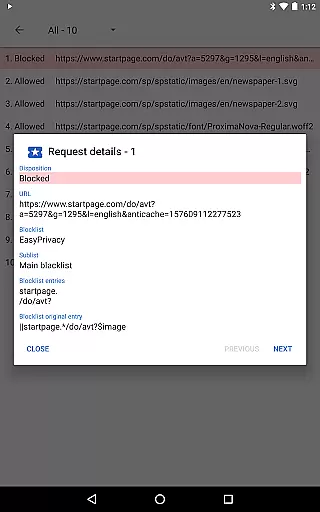
Integrated EasyList ad blocking prevents intrusive ads that could potentially track your activity during media sharing sessions. Furthermore, the option to use domain settings allows users to automatically enable necessary features for trusted sites, streamlining the process of uploading or downloading media content securely.
With future updates introducing Privacy WebView, an advanced fork of Androidu2019s WebView, Privacy Browser aims to further enhance its media sharing capabilities with improved privacy protections.
Enhanced privacy controls
Ad-blocking functionality
Tor proxy integration
SSL certificate pinning
Domain-specific settings
Limited compatibility
No multi-platform sync
Basic UI design
Requires manual updates
Steep learning curve


At select facilities, you now have an easy way to video visit your loved ones!
 3.30
3.30
A Browser with powerful ad blocker to help focus on what really matters.
3.00
WazzapMigrator: transfer your WhatsApp history from iPhone to Android
4.00
Official NDI app: turn your phone into a professional live-streaming IP camera.
3.20
Manage and Fund Calling Accounts and Schedule and Join Video Sessions
3.60
Messenger, an MMS & SMS messages app with Blockers, Driving mode & Private box
4.60
Faster version of Messages. Messenger for your contacts.
4.50
Get through your inbox faster with the mail app designed to simplify your life.
4.40
Group Chat That’s Fun & Games
4.30
Fast internet with AI, Adblock & VPN. Browse on a safe, incognito web browser.
4.70
Enhance browsing with AI-powered features and Copilot.
4.70
FolderSync enables easy sync of files between cloud storage and Android devices.
4.60
Stay in touch with the people who matter most.
4.60
Fast and mini browser with Ad Blocker,Video Downloader and Video Player
4.40
Messenger app for faster and simpler SMS text messaging, and personalized themes
4.10
A softphone with crystal clear SIP Calling & Reliable VoIP dialer
4.00 3.90
3.90
Call Forwarding is easy and simple application to use.
3.80
Pure modern IRC experience for Android
3.70

User Reviews