

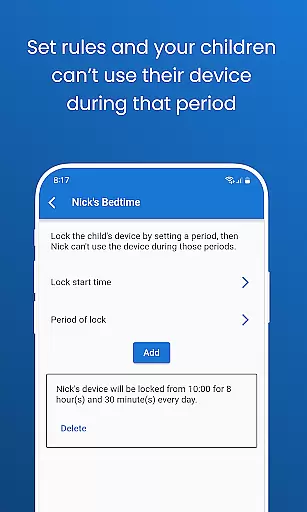
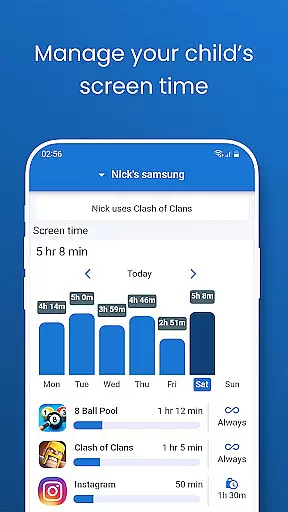
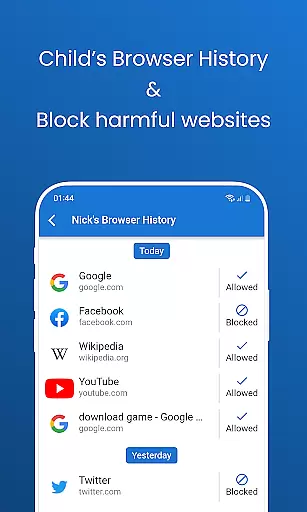
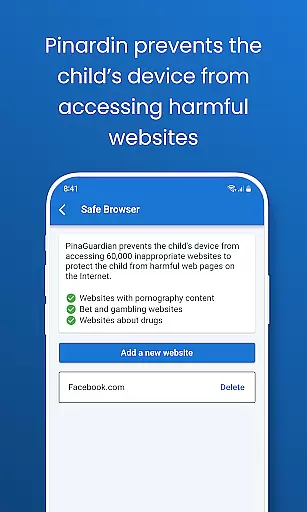
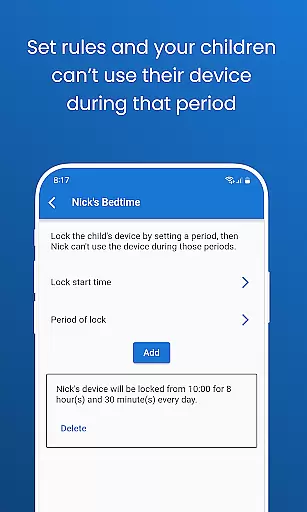
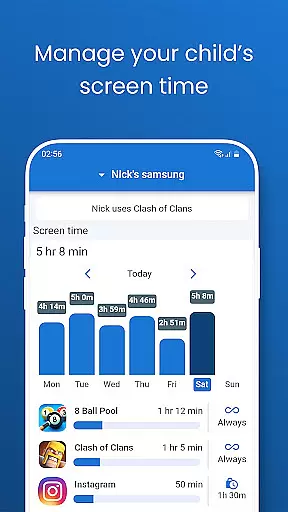
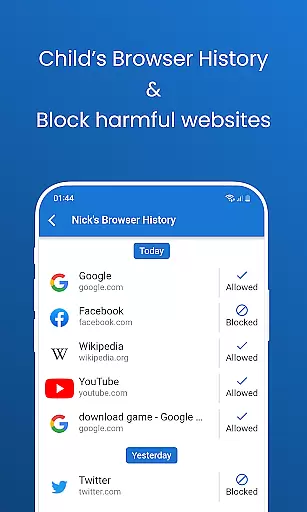
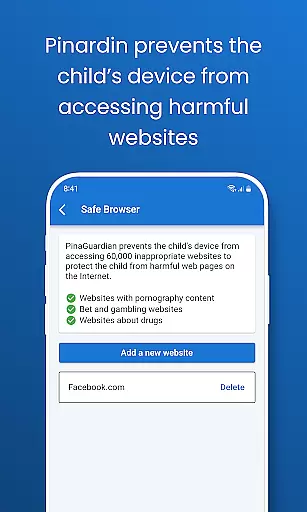
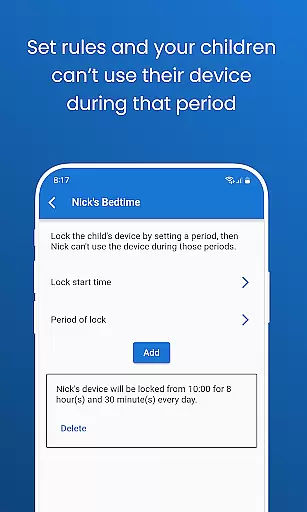
Pinardin is a comprehensive parental control app designed to help parents ensure their children's safety in the digital world. The app offers features such as real-time location tracking, app usage monitoring, and sensitive content detection across various social media platforms. With Pinardin, parents can also set screen time limits, block inappropriate websites, and even activate a bedtime mode to encourage healthy device habits.
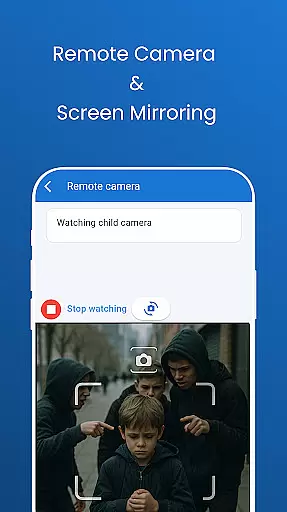
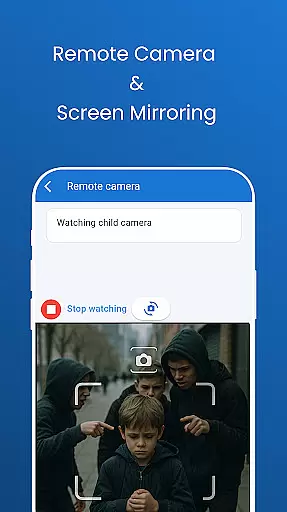
The app provides peace of mind by allowing parents to remotely monitor their child's environment through live camera access and one-way audio. It emphasizes privacy and security, requiring the child's consent for installation and strictly adhering to GDPR policies. Pinardin is more than just a monitoring tool; it aims to strengthen family bonds while safeguarding children's online experiences.
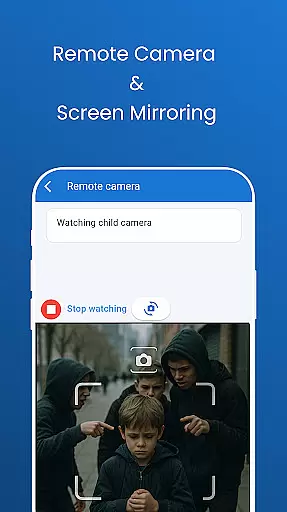
Pinardin stands out with its robust feature set tailored for modern parenting challenges. One of its core functionalities is Live Monitoring, which includes remote camera access and one-way audio, enabling parents to see and hear their child's surroundings in real time. This feature proves invaluable during emergencies or simply to stay connected throughout the day.
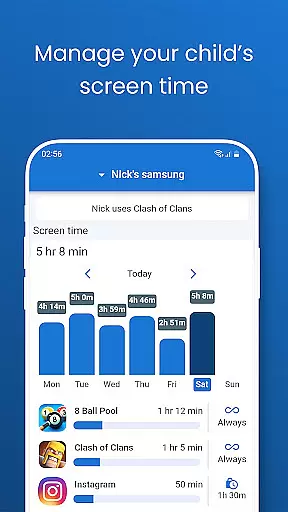
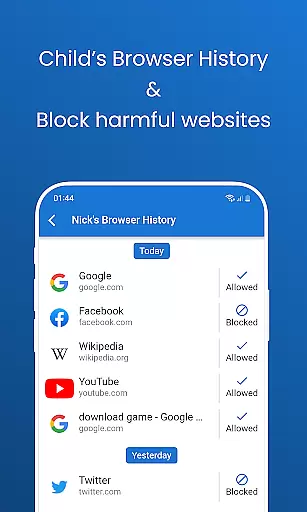
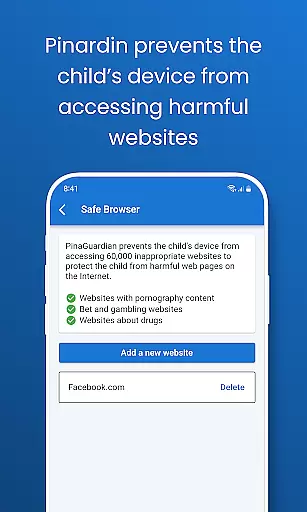
Another significant aspect is the app's ability to sync notifications from the child's device, allowing parents to stay informed about their online interactions. Pinardin also excels in promoting healthy digital habits by providing tools like screen time management, app blocking, and website filtering. These features collectively empower parents to guide their children toward responsible technology use while ensuring their safety in both physical and digital spaces.
Pinardin offers a comprehensive suite of parental control features that are designed and validated by experts in child safety and digital well-being. The app includes functionalities such as Live Monitoring, App Block, and Sensitive Content Detection, which are developed based on thorough research and understanding of children's online behavior patterns.
The credibility of Pinardin's parenting content is evident through its robust feature set aimed at ensuring children's safety. For instance, the Remote Camera & One-Way Audio feature allows parents to see and hear whatu2019s happening around their child in real time, providing an additional layer of security. This feature has been thoughtfully integrated to help parents instantly identify emergencies and stay connected with their children anytime.
Moreover, Pinardin goes beyond just offering monitoring tools; it fosters good phone usage habits among children. Features like Screen Time Limits and Bedtime Mode are crafted to guide children towards healthier digital routines. These features have been validated by experts to ensure they effectively contribute to a balanced lifestyle for children.
By prioritizing privacy and adhering to GDPR policies, Pinardin assures parents that their family's data is handled meticulously. This commitment to privacy and security further enhances the credibility of the app's content, making it a trusted partner for parents who want to safeguard their children's online lives while promoting responsible digital habits.
Pinardin excels in providing accurate growth tracking for children's digital habits through its advanced monitoring features. The app employs high-precision GPS for Live Location Tracking, allowing parents to track their childu2019s location with exactness and review past routes. This ensures parents are always aware of their child's whereabouts, akin to having a 24/7 bodyguard.
In addition to location tracking, Pinardin offers Automated Screenshots that enable parents to view their childu2019s phone screen live on their device. This feature helps monitor app usage at school, spot unsafe apps, and guide healthy digital habits. By capturing real-time snapshots, Pinardin provides precise insights into a child's digital activities, aiding in accurate growth tracking.
Furthermore, the App Notification Sync feature keeps parents updated on their childu2019s chats and app notifications in real time. This allows parents to protect their children from cyberbullying, scams, and harmful interactions by staying informed about their digital communications. Such detailed tracking ensures that any deviation from safe practices is promptly addressed.
Overall, Pinardin's meticulous approach to data handling and its focus on creating a secure environment make it an invaluable tool for accurately tracking a child's growth in terms of digital habits. With these features, parents can confidently guide their children towards responsible and balanced use of digital devices.
User-friendly interface
Comprehensive monitoring tools
Strong focus on privacy
Real-time alerts and updates
Encourages healthy habits
Premium features require subscription
Dependent on child's consent
Limited without pairing code
May feel intrusive to some children
High cost for long-term use








Daily Routine & Timer for kids, ADHD, & Autism
 4.80
4.80
Track your pregnancy & your baby's growth in 3D. Get support from our community
4.60
Parental Control including Screen time control, GPS tracking, App/Game blocker.
3.90
Family GPS locator app — child location tracker. GPS kids tracker, family safety
4.70
Track your pregnancy, kick & contraction counter, baby & mom's heartrate monitor
4.60
Babysitting video camera - Turn your two phones or tablets into a single nanny.
4.40
Track pregnancy health and wellness with pregnant tracker from healthcare advice
4.0
Findnumber: Real-time location tracker for ultimate family security
4.20
Parental control: child monitoring app, screen time control, GPS child tracker
4.40
Track your labor contractions
4.90
Fun Ideas for Parents
4.70
Kids story books for children. Baby reading books with audio for pre-k toddlers
4.70
Parental control App for Location, Remote Camera, Screen Mirroring, Block Apps.
4.60
App/Game blocker & GPS tracker
4.50
Magic chalkboard coloring and drawing!
4.20
Family parental control app: limit screen time, block apps, GPS tracker.
4.20
Pregnancy and baby formula tips for moms, plus Enfamil coupons & cash back
4.10
Save money on diapers. Get the Pampers Rewards app.
3.90
Lullabies, Night Light & Age-based Routines to help your baby fall asleep
4.1


User Reviews