

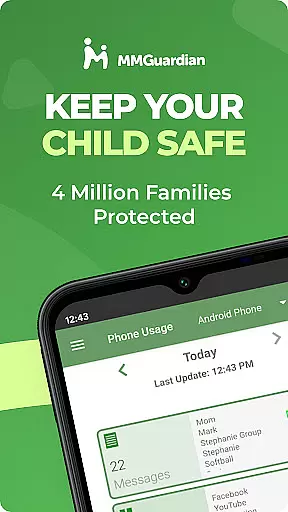
MMGuardian Parental Control is a comprehensive parental monitoring solution designed to ensure children's online safety. This app, intended for parents, allows remote supervision of children's mobile activity. By linking with a separate child app, it enables parents to manage screen time, block inappropriate apps and games, filter web content, and monitor text messages. The app also provides GPS tracking for location monitoring.
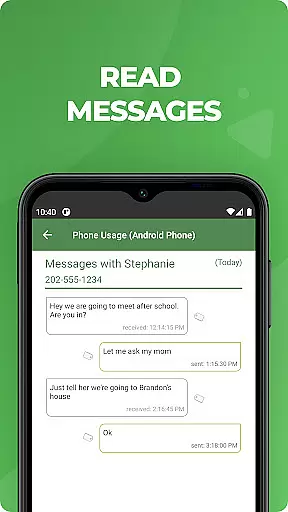
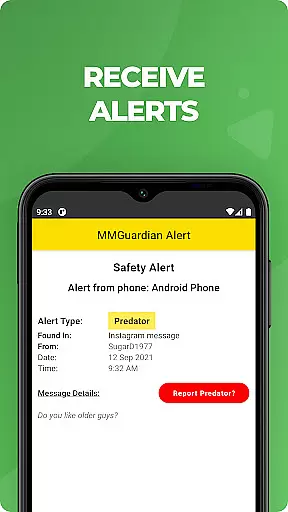
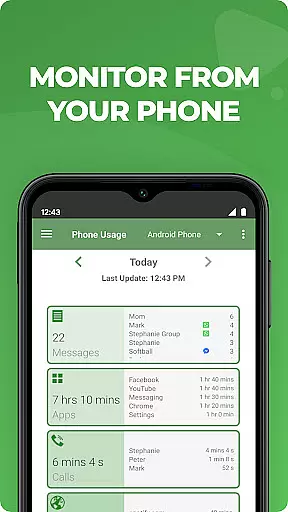
Key features include real-time alerts on potentially harmful text messages or social media chats related to drugs, cyberbullying, or self-harm. Parents can review detailed reports on SMS texts, web browsing history, application usage, and phone calls. The app supports monitoring across various platforms including Android and iPhone devices, making it versatile for different family needs.
This parental control solution proves valuable in maintaining a safe digital environment for children while keeping parents informed and empowered to make timely interventions when necessary.
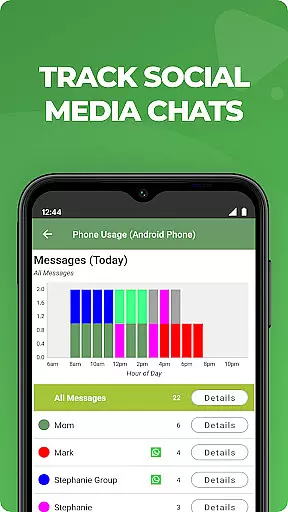
MMGuardian stands out with its advanced monitoring capabilities across multiple communication platforms. The app provides detailed analysis and reporting on SMS text messages, web browsing activities, and application usage patterns. Its unique feature includes monitoring popular social media chat applications such as Facebook Messenger, WhatsApp, Snapchat, Instagram, and others, sending instant alerts when detecting concerning content related to cyberbullying, sexting, or mental health issues.
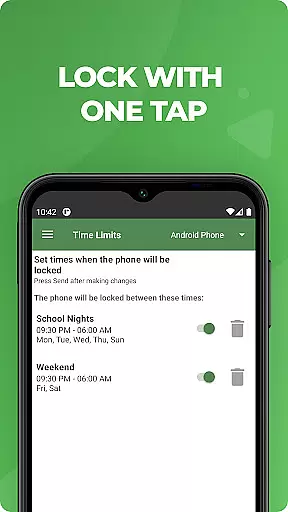
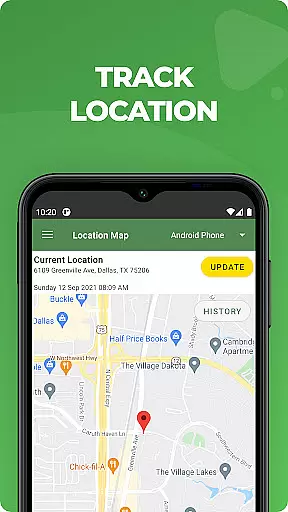
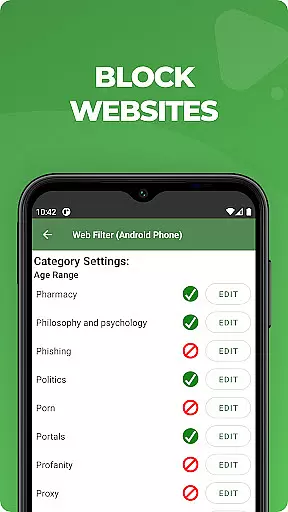
The app's functionality extends beyond basic monitoring. It includes remote device management features that allow parents to lock or unlock their child's phone instantly. Comprehensive web filtering tools help set appropriate boundaries for internet usage while the GPS location tracker ensures parents can always locate their child's device. These features work together to create a robust protective network around children's mobile activities.
What makes MMGuardian particularly valuable is its ability to provide peace of mind through proactive alerts and detailed reporting. The app's capability to analyze both text-based and visual content for potential risks gives parents unprecedented insight into their children's digital lives. Additionally, the free 14-day trial period allows families to test all premium features before committing to a subscription plan.
When it comes to parenting applications, content credibility is paramount. MMGuardian Parental Control ensures that all alerts and monitoring features are developed based on expert-validated criteria. This means the app's algorithms for detecting potential risks like cyberbullying, sexting, or suicidal thoughts have been rigorously reviewed by specialists in child psychology and online safety.
The app provides comprehensive reports on text messages, web browsing activity, and social media interactions. These reports are not only detailed but also designed to offer actionable insights for parents. For instance, if a message contains language indicative of harmful behavior, the system flags it and sends an alert to the parentu2019s phone. This feature ensures that parents receive accurate and meaningful notifications rather than false alarms.
MMGuardian goes beyond basic monitoring by incorporating advanced AI models trained to recognize patterns associated with risky behaviors. The app's ability to analyze both text-based and image-based content adds another layer of reliability. Parents can trust that the flagged content has been evaluated against verified standards, ensuring they are alerted only when necessary.
By combining expert validation with cutting-edge technology, MMGuardian empowers parents to make informed decisions about their children's digital activities while maintaining peace of mind.
Growth tracking in parenting apps often refers to monitoring a child's development across various dimensions, including emotional well-being and responsible device usage. MMGuardian Parental Control excels in this area by offering precise tools to track screen time, app usage, and even location data. These metrics help parents understand how their children interact with technology and identify areas where guidance may be needed.
The app allows parents to set specific limits on screen time and app usage, ensuring that children do not overindulge in digital activities. By providing real-time updates and weekly summaries, MMGuardian enables parents to monitor trends over time. For example, if a child consistently exceeds recommended screen time limits, the app will notify the parent so they can take corrective action.
In addition to usage statistics, MMGuardian includes GPS tracking functionality. This feature helps parents keep tabs on their child's physical whereabouts, adding another dimension to growth tracking. Knowing where your child is at any given moment contributes to overall safety and accountability.
With its combination of behavioral analytics and location services, MMGuardian offers unparalleled accuracy in growth tracking. Parents can rely on these insights to foster healthier habits and ensure their children grow up in a balanced digital environment.
Comprehensive monitoring
Real-time alerts
Cross-platform support
Remote device management
Detailed activity reports
Paid subscription required
Separate child app needed
Network dependency
Limited free features
Complex setup process

AI Motion Video Maker & Ideas
 4.5
4.5
Track your pregnancy & your baby's growth in 3D. Get support from our community
4.60
Track Pregnancy, Baby Feeding, Sleep, Diaper Changes, Postpartum Health & More!
4.80
Pregnancy and baby formula tips for moms, plus Enfamil coupons & cash back
4.10
Magic chalkboard coloring and drawing!
4.20
A simple way to track your baby’s breastfeeding, diaper changes, sleep patterns.
4.90
Findnumber: Real-time location tracker for ultimate family security
4.20
All-In-One Pregnancy Tracker, Your Baby's Milestones, Growth Stages & Parenting.
4.90
Advanced baby tracking, expert sleep help & parenting support for every stage.
4.80
Daily Routine & Timer for kids, ADHD, & Autism
4.80
Pinardin - Smart Parental Control, Online Safety & GPS Tracking!
4.80
All-In-One Pregnancy Tracker, Your Baby's Milestones, Growth Stages & Parenting
4.70
Family GPS locator app — child location tracker. GPS kids tracker, family safety
4.70
FamilyMode helps you manage your family’s digital lives—at home or on the go.
4.30
Fake call application designed for parents and adults to discipline their children through the children's police.
4.20
Educational resource for parents to inspire creativity in their children.
4.00
The Baby’s Bounty App is your hub to register for our diaper banks in Nevada
3.70
Screen Time, App and Web Block & Monitoring, Location Tracker
3.60
Lullabies, Night Light & Age-based Routines to help your baby fall asleep
4.4


User Reviews