

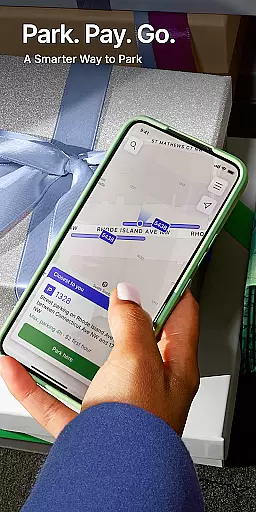
ParkMobile is a leading parking solution app in North America, designed to revolutionize the way users pay for and reserve parking spots. With millions of users, it offers seamless mobile payment options for street parking, garage parking, airport parking, event parking, and parking in major cities like Boston and Atlanta.
One of ParkMobile's standout features is its ability to allow users to reserve parking spots ahead of time, especially useful for major events at venues such as State Farm Arena or Capital One Arena. Whether you're attending an NFL game or a concert, ParkMobile ensures you can secure your parking spot without stress.
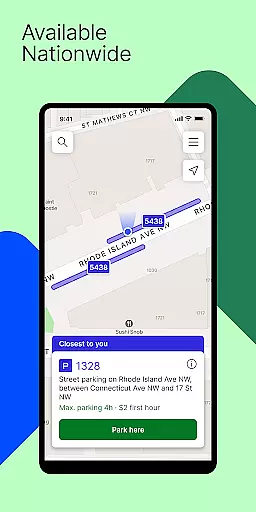
The app operates in over 500 cities across the United States, including major hubs like Miami, Atlanta, and San Francisco. It also provides business solutions, streamlining fleet and business parking expenses through flexible payment methods and easy account management.
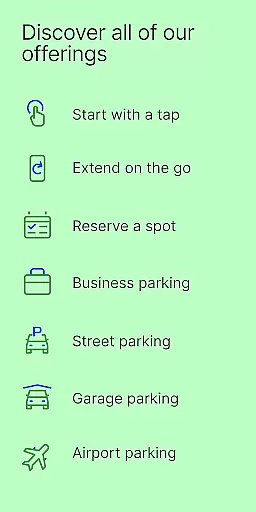
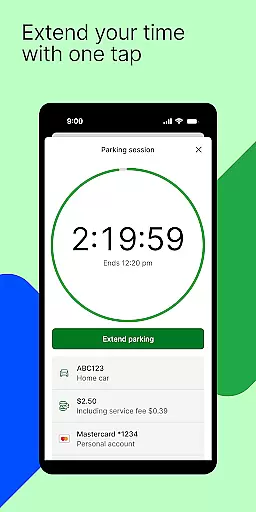
ParkMobile stands out with its comprehensive range of features tailored to simplify parking experiences. The app allows users to make mobile payments for various types of parking, including street, garage, airport, and event parking. This flexibility ensures that users can easily pay for parking from their smartphones, eliminating the need for physical payment methods.
A key feature is the ability to reserve parking spots ahead of time, particularly beneficial for major events. Users can secure parking near top venues, arenas, and stadiums across the country, ensuring they have a spot waiting for them when they arrive. This feature is perfect for concerts, sports games, and other large gatherings.
Additionally, ParkMobile offers solutions for businesses, allowing administrators to manage multiple vehicles and drivers efficiently. The app supports both personal and business accounts, enabling users to switch seamlessly between them. ParkMobile for Business simplifies fleet management and parking expense tracking, making it an invaluable tool for companies.
When it comes to parking, having detailed information about your vehicle is crucial for a seamless experience. ParkMobile understands this need and offers users the ability to input and manage specific details about their vehicles directly within the app.
The app allows you to enter important data such as your vehicle's make, model, color, and license plate number. This ensures that parking attendants and enforcement officers have all the necessary information to accurately identify your vehicle. By maintaining an up-to-date profile, you can avoid potential fines or towing due to misidentification.
ParkMobile takes vehicle management a step further by enabling users with multiple vehicles to switch between different profiles effortlessly. Whether you're driving your car, truck, or an entire fleet for business purposes, managing each vehicle's parking becomes intuitive and straightforward.
This attention to detail in vehicle information management not only enhances user convenience but also contributes significantly to overall parking efficiency. With ParkMobile, every parking experience is tailored to fit both individual and business needs, ensuring stress-free parking wherever you go.
Price transparency is a cornerstone of ParkMobile's service offering, ensuring users are fully aware of parking costs before committing to a spot. This feature eliminates any surprises at the end of your parking session, providing peace of mind and financial clarity.
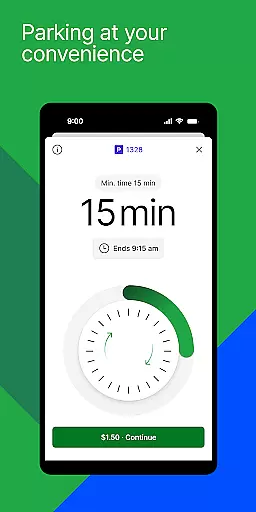
Upon selecting a parking location, whether it's street parking, a garage, or an event venue, ParkMobile displays all associated fees upfront. Users can view hourly rates, daily maximums, and any additional charges that may apply. This level of openness empowers drivers to make informed decisions based on their budget and parking duration requirements.
For businesses utilizing ParkMobile for fleet management, price transparency extends to corporate accounts as well. Admins can monitor expenses across multiple vehicles and drivers, ensuring accurate billing and expense tracking. The app supports various payment methods including credit cards and digital wallets, making transactions smooth and transparent.
By prioritizing clear communication of costs, ParkMobile builds trust with its users. Knowing exactly what you'll pay for parking services enhances the overall customer experience, making every interaction with the app predictable and reliable.
User-friendly interface
Wide city coverage
Event parking reservations
Business account management
Seamless mobile payments
Limited international availability
Occasional app glitches
Additional fees for reservations
Requires stable internet
Varied pricing by location

Practice the drills within MotoJitsu Master Riding Program Volume 1 & 2!
 4.80
4.80
Theme for Car Launcher
4.1
Play what you want through Android Auto
4.90
Boost profits and hit your goals faster with GigU's amazing tools for gigworkers
4.00
AI Powered - Automotive Mechanic Assistant
4.30
Your Path to Driving Licensing Success Begins Here! Develop your driving skills.
4.40
Trip computer+car diagnostic tool with widest variety of features and dashboard!
4.70
O'Reilly Pro will streamline your parts lookup and ordering process!
3.20
Autotrader is your online solution for buying and selling new and used cars.
4.40
The Texaco App allows you to pay for fuel from the comfort of your car!
4.80
Shop, finance, or sell today.
4.80
View your car’s service records and find out when maintenance is due.
4.70
Instantly redesign your car with AI. From sporty to futuristic, try it all.
4.50
Find, search, and browse 40,000+ used cars, SUVs, and trucks.
4.50
OBD2 car scanner and diagnostics: read Check Engine, DTC, economy....
4.30
Club Car Wash Mobile App—the fast lane to managing your wash membership.
3.30
Attention! This is the theme for the Car Launcher app
4.4
Ferrari inspired analog & digital watch face with quick access and premium style
4.3
DIY Vehicle Wheel Alignment
4.0


User Reviews