

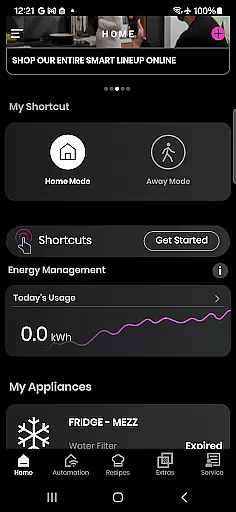
SmartHQ is a comprehensive smart home management application that allows users to effortlessly control and monitor their smart appliances from leading brands such as GE Appliances, Profile, Café, Monogram, Fisher & Paykel, and Haier. The app serves as a centralized platform for managing various smart devices, ensuring convenience and peace of mind.
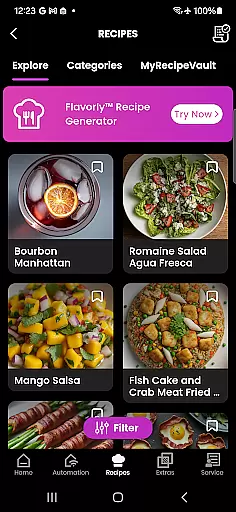
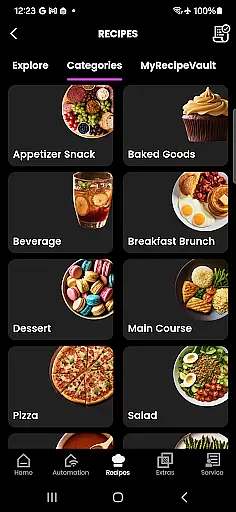
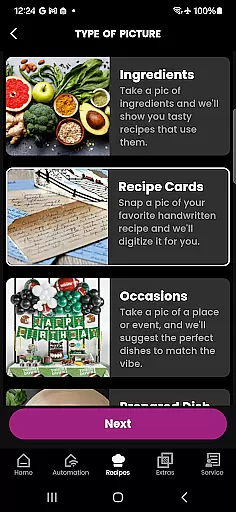
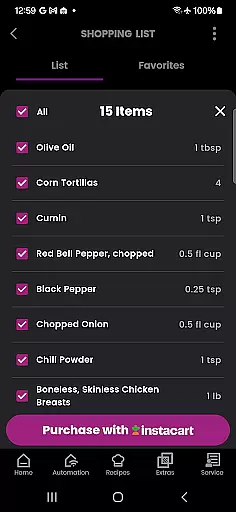
The application offers key features like remote control functionality, voice integration with Amazon Alexa and Google Assistant, timely notifications, software updates, personalized shortcuts, energy and water usage monitoring, and an enhanced cooking experience through AI-generated recipes. Additionally, it provides convenient product registration, expert help via the SmartHQ Assistant, proactive service alerts, diagnostics tools, and scheduling options for technician visits.
SmartHQ is particularly useful for homeowners who want to streamline their smart home management tasks while gaining valuable insights into their appliance usage patterns. By consolidating all smart appliance controls into one intuitive interface, the app delivers both practical utility and enhanced user experience.
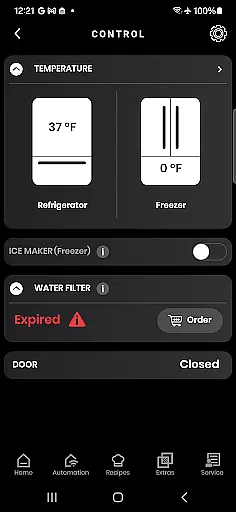
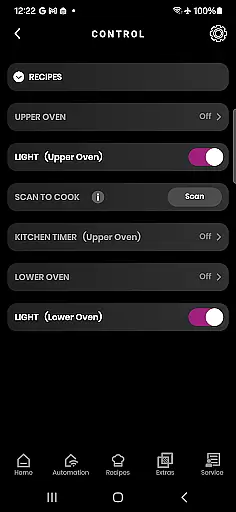
SmartHQ stands out with its diverse range of innovative features designed to optimize smart home management. One of its core functionalities is remote control, which enables users to monitor and manage their appliances from anywhere using their mobile device. This feature ensures real-time access to appliance status and controls, providing unparalleled convenience.
Voice integration is another standout capability, allowing seamless interaction with appliances through Amazon Alexa and Google Assistant. Users can simply use voice commands to execute various functions. The app also supports personalized experiences by enabling users to create shortcuts for frequently used functions and download new modes for their appliances.
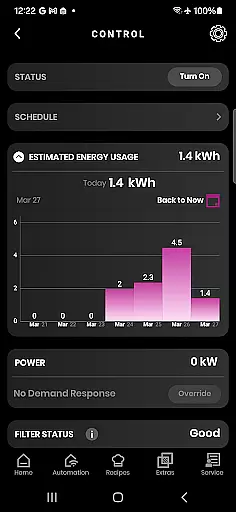
Additional notable features include energy and water usage monitoring, which helps users make informed decisions about resource consumption. The built-in oven camera and AI-powered Flavorly recipe generation enhance the cooking experience, while proactive service alerts and diagnostic tools ensure appliances remain in optimal condition. These robust features collectively deliver significant value to users seeking a smarter, more connected home.
SmartHQ offers a comprehensive lifestyle solution by integrating multiple home appliance brands into one unified platform. The app supports GE Appliances, Profile, Cafu00e9, Monogram, Fisher & Paykel, and Haier, making it versatile for users with diverse appliance portfolios.
With features like remote control, voice integration, and energy monitoring, SmartHQ ensures that every aspect of your home's functionality is covered. Whether you need to manage cooking appliances, monitor energy consumption, or receive timely notifications, the app provides extensive tools tailored to enhance daily living.
The inclusion of advanced functionalities such as Flavorly AI for recipe generation and smart accessories pairing further enriches the user experience. By offering these innovative solutions, SmartHQ not only simplifies appliance management but also elevates the overall quality of life.
Additionally, the app facilitates convenient product registration and expert help through the SmartHQ Assistant, ensuring users have access to manuals, support, and proactive service alerts. This holistic approach solidifies SmartHQ's position as a leader in lifestyle category coverage.
SmartHQ stands out in terms of content authenticity and expert credibility by providing verified information and support directly from appliance manufacturers. Each feature within the app is designed based on genuine product specifications and expert recommendations, ensuring reliable performance and accurate data representation.
The app's integration with Amazon Alexa and Google Assistant showcases its commitment to leveraging trusted technology partners. These voice integrations are developed following rigorous standards, guaranteeing seamless and secure interactions between users and their smart appliances.
Furthermore, SmartHQ's proactive service alerts and diagnostics tool are crafted in collaboration with technical experts to address potential issues efficiently. Users can trust the app to deliver precise troubleshooting steps and facilitate scheduling technician visits when necessary.
By maintaining high standards of content accuracy and partnering with industry leaders, SmartHQ establishes itself as a credible source for managing smart home appliances effectively. This dedication to authenticity and expertise reassures users of the app's dependability and value.
User-friendly interface
Wide brand compatibility
Comprehensive remote control
Proactive maintenance alerts
AI-powered recipe suggestions
Requires compatible appliances
Limited without SmartHQ module
Feature availability varies
Dependent on stable internet
Premium features may cost extra

Big bold digital watch face with 30 colors, 6 complications and AOD.
 4.4
4.4
Pay your rent, submit work orders and much more with the RentCafe Resident App.
4.70
What is my face shape? Find out your face shape from picture, see fitting frames
3.90
Unique Dark Analog style for Wear OS watches.
4.2
Play fun games, complete quick surveys, and earn money. It's fun and easy!
4.40
The cutest Autumn watchface featuring the adorable Mr. Squirrel
4.5
A unique and customizable watch face which rotates its layout every minute.
4.80
The Wyze app is your gateway to a smarter life and a safer home.
4.40
Control your Tapo smart devices from anywhere.
4.60
Made To Order Faves
4.70
Crochet made easy: step-by-step tutorials, beginner patterns & projects
4.60
PARAVOX 4 is a professional ITC paranormal research application.
4.50
Redecor your home with Home AI interior design, room planner and home designer.
4.50
Your home in your hand
3.80
Connect to your Shark ROBOT™ from anywhere using the SharkClean™ App.
3.60
Turn your watch into a key fob for your Tesla
2.90
Celebrate the holidays with Advent Calendar: daily surprises and festive fun!
4.0
Wear your favorite memories, loved ones, pets or travel photos on your watch
4.1
Futuristic watchface inspired by Back to the Future: sleek, retro, timeless
4.4


User Reviews