

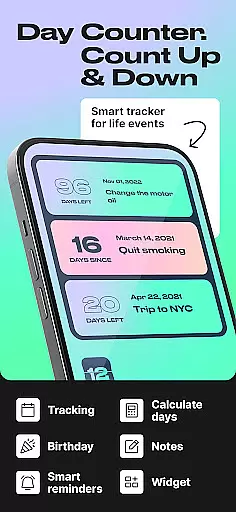
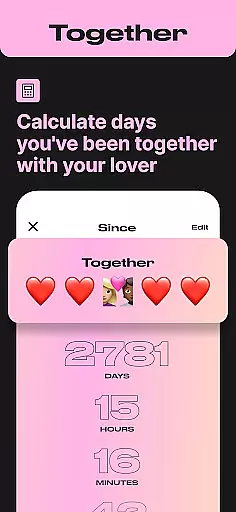
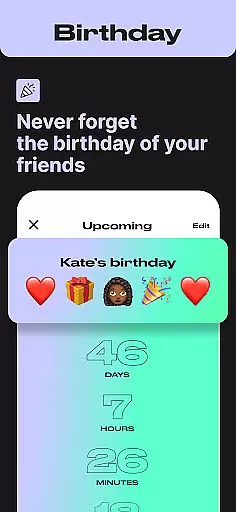
Day Counter is an intuitive Events app designed to help users effortlessly track important dates and milestones. With dual modes for counting up and counting down, it serves as a versatile date calculator for both personal and professional use. Whether you're monitoring work deadlines, tracking habit streaks, or anticipating special occasions like birthdays and holidays, this app keeps you organized and informed.
The app's standout features include unlimited event tracking, customizable notifications, and a sleek minimal design that ensures distraction-free time management. Its practical widgets and reminders make sure you never miss a key moment, while the ability to review past events by week, month, or year adds valuable context to your time tracking.
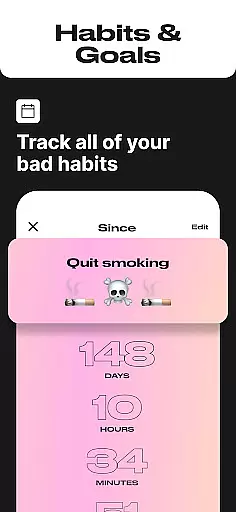
For those focused on productivity, Day Counter acts as a personal assistant, helping you stay ahead of exams, meetings, and project timelines. Meanwhile, features like sober day counters and habit trackers provide meaningful support for personal growth and lifestyle changes. This combination of functionality makes Day Counter an essential tool for managing both daily responsibilities and long-term goals.
Day Counter stands out in the Events category through its comprehensive feature set tailored for efficient time tracking. The app offers two primary modes - count up and countdown - allowing users to either anticipate future events or reflect on time elapsed since a past milestone. These modes are supported by unlimited counter creation, enabling tracking of everything from work deadlines to personal achievements.
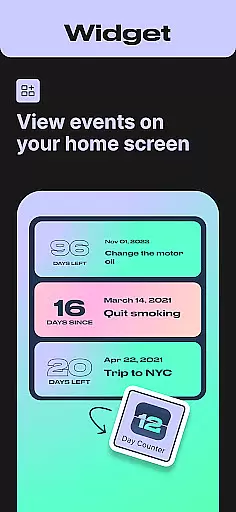
Productivity is enhanced through customizable widgets and reminders that keep users on top of their schedules. The clean, minimal interface ensures distraction-free tracking while maintaining all necessary functionality. Users can set personalized notifications for each counter, guaranteeing they never miss important moments or deadlines.
Advanced features include precise countdown timers with second-by-second accuracy, historical event review by various time periods, and specialized trackers for habits and personal milestones. The app's versatility extends to both professional applications like meeting deadlines and personal uses such as birthday reminders or holiday countdowns, making it an indispensable tool for comprehensive time management.
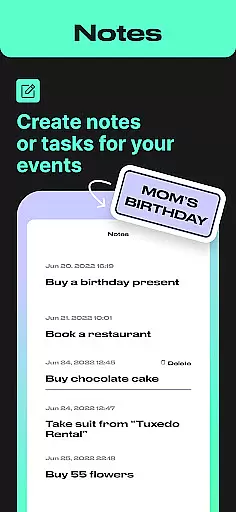
Task creation and detail customization are essential features for any event management app, allowing users to tailor their tracking experience to specific needs. Day Counter excels in this area by offering flexible options for creating and managing countdowns and count-ups for various events. Users can easily set up personalized counters for anything from birthdays and holidays to personal goals like sobriety milestones or habit streaks.
The app provides an intuitive interface where users can name their counters, set specific dates, and add relevant details. This level of customization ensures that each counter is meaningful and easy to identify. Whether it's a countdown to Christmas or a count-up for days of sobriety, the ability to customize these tasks makes the tracking process more engaging and personal.
By enabling detailed customization, Day Counter empowers users to focus on what matters most to them. The app supports unlimited counters, which means users can track multiple events simultaneously without losing sight of any important milestones. This feature not only enhances user engagement but also helps maintain motivation by providing clear, customized reminders of upcoming or ongoing events.
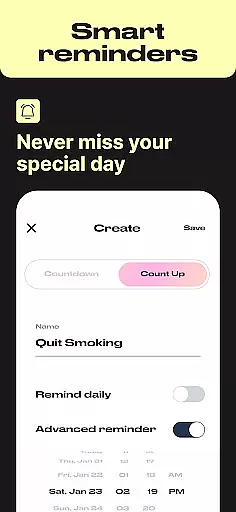
Reminder settings play a crucial role in ensuring users never miss an important event or milestone. Day Counter offers robust reminder functionalities that keep users on track with their personal and professional schedules. Through custom notifications, users receive timely alerts about upcoming events, helping them stay organized and prepared.
The app allows users to set personalized notifications for each counter they create. Whether it's a birthday, exam deadline, or vacation, users can configure reminders to suit their preferences. These reminders can be set to notify at specific times before or after the event, ensuring that users have ample time to prepare or reflect.
With its clean and minimal design, Day Counter ensures that reminder settings do not overwhelm users but rather enhance their time-tracking experience. By integrating seamlessly into daily routines, the app's reminder system helps users build better habits, achieve long-term goals, and celebrate personal milestones without missing a beat. This thoughtful approach to reminders underscores the app's commitment to providing a distraction-free and effective tool for managing life's important moments.
User-friendly interface
Unlimited event tracking
Customizable notifications
Clean minimal design
Versatile functionality
Limited advanced analytics
No team collaboration
Premium features locked
Basic widget options
Occasional sync issues

Audio guide companion APP for SEE's Michelangelo's Sistine Chapel
 3.50
3.50
CUE Live utilizes ultrasonic sound waves to sync devices at CUE enabled events
4.80
Invitation card maker for birthday party & Wedding. Digital greeting card editor
4.90
TV Garden is a video player to play your own TV streams from around the world!
4.5
Find EDM shows near you! See your favorite artists live, and discover new music.
4.90
The Official Football Ticketing App for Fans in Qatar
4.4
Invitation Card Maker, Design & share wedding, birthday & party invites fast
4.40
Design Invitations & Cards for Any Occasion
4.80
Introducing the official Magic: The Gathering app for mobile.
4.20
Discover events, experiences, and things to do near you - Anytime, Anywhere!
4.70
Discover events & experiences in NYC, LA, Chicago, DC, Miami and more!
4.70
For weddings, parties & events
4.60
Connect with an ecosystem of 5M+ eventgoers and organizers.
4.50
Octrober 2025: We've updated the MyGenMobile App with a new look and feel!
4.40
Manage all your events, leads, ticketing, payments and check-ins.
4.30
The official app for Sched events! View your event schedule here.
4.20
Buy and sell tickets to sports, concerts, theater, festivals, and comedy events
4.10
No invest, Easy way to earn USDT through crypto cloud mining
3.80
TV Garden - World Live TV : Play & cast your videos seamlessly!
3.20

User Reviews