

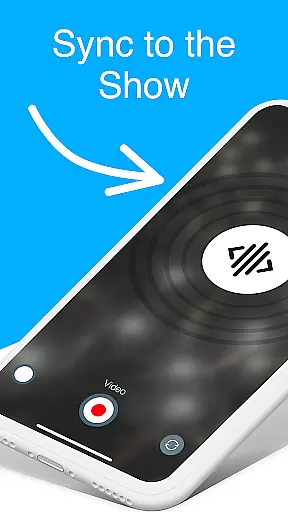
CUE Live is an innovative application designed to enhance event experiences through the use of inaudible, ultrasonic sound waves. This technology facilitates the transmission of data and synchronization of devices at events enabled with CUE technology. Attendees can activate their smartphones to participate actively in shows, making them not just spectators but part of the spectacle itself.
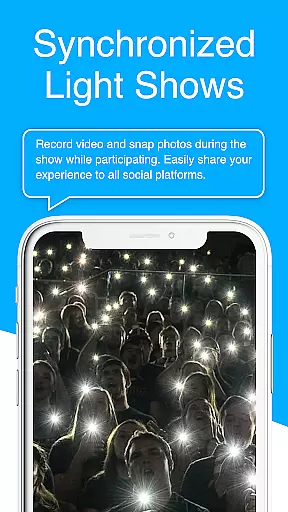
One of the standout features of CUE Live is its ability to transform a passive audience into active participants. By simply using their phones, users can influence the visual and auditory atmosphere of the event, creating a more engaging and personalized experience. Whether attending in person or participating remotely, CUE Live bridges the gap between the audience and the event, enhancing connectivity and interaction.
The app's unique use of ultrasonic sound waves ensures seamless synchronization without the need for traditional connectivity methods like Bluetooth or Wi-Fi. This makes it an ideal solution for large-scale events where network congestion might otherwise hinder device synchronization. With CUE Live, event organizers can offer attendees an unparalleled interactive experience that truly brings the show to life.
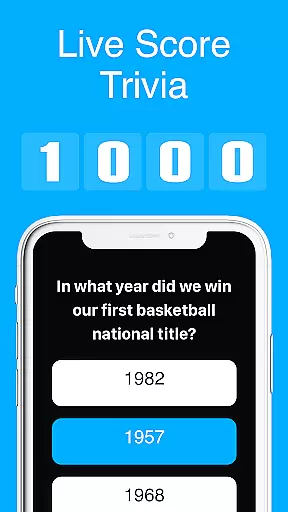
CUE Live offers a range of distinctive features that set it apart from other event applications. At its core, the app leverages cutting-edge ultrasonic technology to enable real-time interaction between the event and attendees' smartphones. This feature allows users to engage with live demos and trigger various effects on the event's website, such as changing colors and themes, with just a touch of a button.
In addition to its primary functionality, CUE Live includes specialized modes like UPN and DJ Mode, which further elevate the event experience. UPN mode enables unique personal notifications, while DJ Mode empowers users to influence the event's audio and visual elements dynamically. These modes provide an added layer of customization and interactivity, ensuring that each participant's experience is unique and memorable.
Another significant advantage of CUE Live is its reliability in environments where traditional wireless technologies may falter. By utilizing ultrasonic sound waves, the app avoids common issues associated with network congestion and interference. This ensures consistent performance even in crowded venues, making it an invaluable tool for event organizers aiming to deliver a flawless and immersive experience to their audience.
Task creation and detail customization are essential features for event management applications like CUE Live. This functionality allows users to design and modify event tasks with precision, tailoring each aspect to fit the unique needs of their events.
CUE Live leverages ultrasonic technology to enable task activation through inaudible sound waves, ensuring seamless synchronization between devices at events. Users can customize tasks by setting specific triggers that correspond to different actions within the app, enhancing the interactive experience.
The benefit to users is a highly personalized event participation where they can activate their phones to trigger various visual effects on websites or participate in the show dynamically. This level of customization empowers event organizers and attendees alike to contribute creatively to the atmosphere and flow of the event.
By integrating UPN and DJ modes, CUE Live offers advanced options for taking events to new heights. These features provide an additional layer of personalization and control over how sound waves influence the environment, making every event not just attended but felt and remembered.
Reminder settings in event applications such as CUE Live play a crucial role in keeping users informed and engaged. By configuring reminders, users ensure they never miss out on key moments or interactions during an event.
CUE Live uses its innovative ultrasonic technology to synchronize devices, which also extends to delivering timely reminders. Users can set up notifications that alert them when it's time to engage with certain aspects of the event, whether they're physically present or participating remotely.
This feature significantly enhances user engagement by providing timely prompts that guide users through the event experience. Attendees receive alerts for activating their phones at just the right moment to become part of the show, thus enriching their involvement.
Moreover, reminder settings help maintain a smooth flow of activities throughout any CUE-enabled event. With customizable notification options, users gain control over how and when they interact with live demos or other interactive elements, ensuring a memorable and cohesive event experience.
Unique ultrasonic tech
Real-time interaction
Enhances event engagement
Reliable in crowded venues
Customizable user experience
Limited to CUE-enabled events
Requires smartphone
Dependent on sound waves
No offline functionality
Potential battery drain

Create Birthday Cards in Birthday Invitation Maker and Birthday Card Creator App
 3.00
3.00
Browse events, find transportation, keep up with the latest news from your team
4.5
Here you can choose tickets for films, performances, concerts and other events
4.60
Purchase line-skip passes, drinks, cover, and more at bars and clubs
3.50
The official app for Sched events! View your event schedule here.
4.20
The Official App
3.70
RAISE-365 makes fundraising easy and fun!
3.20
Connect with an ecosystem of 5M+ eventgoers and organizers.
4.50
Octrober 2025: We've updated the MyGenMobile App with a new look and feel!
4.40
Clubs, Festivals, Discounted Tickets, Guest Lists & VIP Tables
4.90
The KRUU app - plan, celebrate, remember
4.80
Discover events, experiences, and things to do near you - Anytime, Anywhere!
4.70
Buy and Sell Tickets for Concerts, Sports, and Theater.
4.70
Wedding planner app with wedding venues, wedding checklist, countdown & budget.
4.60
Everything you need for the Best Thursday Ever.
4.40
Invitation Card Maker, Design & share wedding, birthday & party invites fast
4.40
Buy and sell tickets to sports, concerts, theater, festivals, and comedy events
4.10
Instant photo sharing for every occasion
3.80
TV.Garden is a video player to play your own TV streams from around the world!
3.40


User Reviews