

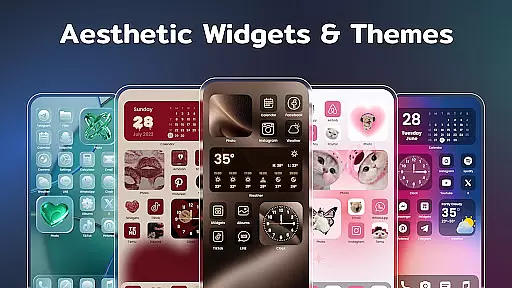
Color Widgets, Theme is a comprehensive lifestyle app designed to enhance your Android device's home screen with customizable widgets and themes. The app offers a wide range of aesthetic themes and practical widgets including clocks, photos, X-panel, calendar, weather, battery level, Bluetooth status, and event timers. These widgets come in multiple sizes to cater to various user needs and preferences.
The app stands out with its ability to make your phone screen unique and personalized. You can customize app icons, set up event timers for important dates, and choose from diverse widget styles that match your personal taste. Whether you want to check the local weather, display cherished photos, or manage your schedule with a stylish calendar, Color Widgets, Theme provides all the tools necessary to design a perfect and functional home screen.
This app is particularly useful for users who wish to express their individuality through their device's appearance while maintaining practical functionality. With easy-to-use features and one-click operations, it ensures both style and convenience are at your fingertips.
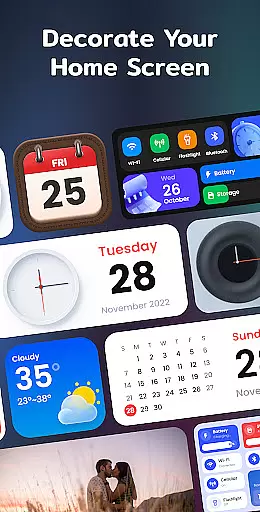
Color Widgets, Theme boasts an impressive array of features designed to offer both aesthetic appeal and practical utility. One of the key highlights is the X-Panel Widget, which consolidates shortcuts and essential phone information like date, time, network connection, Bluetooth status, and battery level onto your home screen. This allows for quick access and control over your device’s settings.
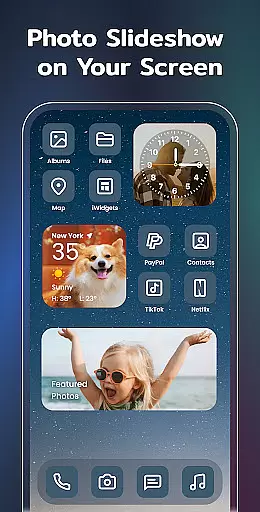
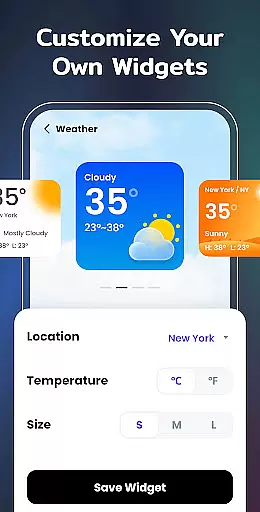
In addition to the X-Panel, the app includes specialized widgets such as Photo Widgets for displaying cherished memories, Clock Widgets available in analog and digital formats, Weather Widgets providing real-time local weather updates, and Calendar Widgets offering creative styles for date management. Each widget type is crafted to provide not only functionality but also a visually pleasing experience.
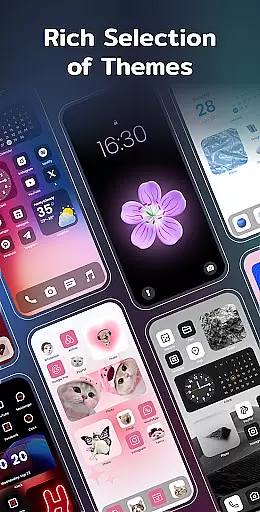
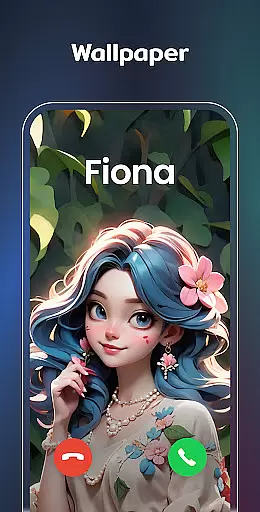
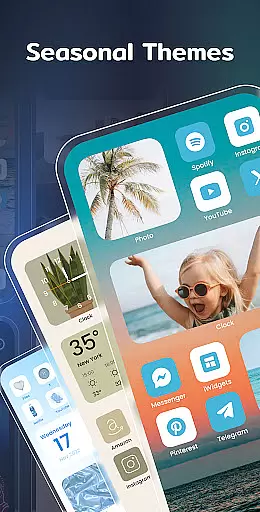
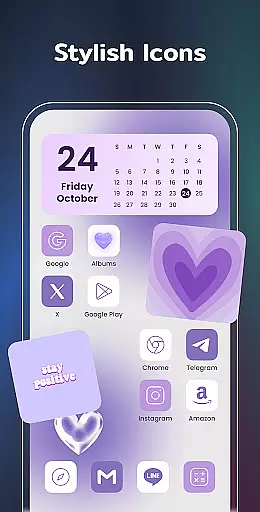
Customization is at the heart of Color Widgets, Theme. Users can enjoy preset themes in different styles—ranging from anime to neon—and even redesign app icons to reflect their personal style. The Event Timer feature helps users keep track of important events with clear countdowns. Overall, these features ensure that users can create a home screen that is both highly functional and uniquely theirs.
Color Widgets, Theme offers an extensive range of widgets and themes that cater to various lifestyle needs, ensuring users can find the perfect match for their personal style and functional requirements. The app provides a plethora of options including clock, photo, X-panel, calendar, weather, battery level, Bluetooth status, and event timer widgets.
Each widget is designed with attention to detail, offering multiple sizes and styles to meet diverse user preferences. Whether you're looking for vintage calendar designs or sleek modern clock faces, this app has something for everyone, making it a one-stop solution for personalizing your device's home screen.
The inclusion of practical features such as network connection status, storage information, and quick toggles for Wi-Fi and flashlight enhances daily life convenience. By covering a wide array of lifestyle categories, Color Widgets, Theme ensures that users can truly make their devices an extension of themselves.
Moreover, the app's commitment to continuously introduce new widget types like to-do lists and notes further demonstrates its dedication to comprehensive lifestyle coverage. This ongoing expansion guarantees that users will always have fresh and innovative ways to enhance their digital experience.
The content provided by Color Widgets, Theme is crafted with authenticity and precision, ensuring that users receive accurate and reliable information through its various widgets. Each element, from weather updates to battery levels, is designed to deliver real-time data that users can depend on in their daily lives.
Expertise is evident in the app's design, which boasts a variety of aesthetic themes and customizable icons. These features are not only visually appealing but also optimized for usability, reflecting a deep understanding of user needs and preferences in personalizing their devices.
Furthermore, the app's support team actively encourages user feedback, indicating a strong commitment to maintaining high standards of content quality and credibility. Users can reach out with questions or suggestions, fostering a community-driven approach to continuous improvement.
By combining stylish aesthetics with practical functionality, Color Widgets, Theme establishes itself as a credible source for enhancing both the appearance and utility of Android devices. Its dedication to authentic content creation ensures that every user can trust the information displayed on their personalized widgets.
User-friendly interface
Highly customizable options
Variety of aesthetic themes
Practical and stylish widgets
Regular updates with new features
Requires multiple permissions
Some features may feel redundant
Premium themes need purchase
Occasional performance lags
Limited iOS compatibility

Design and brew great homebrewing beer, mead, cider and wine recipes on the go!
 3.60
3.60
Chat, meet genuine singles in your area. Real connections start with being real.
4.30
Get your life organized with My Agenda!
4.30
This minimalist yet classic board design brings a futuristic twist to your wrist
4.20
SmartHQ: Your Connected Home Command Center
4.10
Kasa Smart is your portal to your TP-LINK Smart Home.
4.70
Mixing Colors for Menswear
4.20
The Miracle Box includes methods used by Steve Huff of Huff Paranormal.
3.20
Create slime on your phone and enjoy satisfying and relaxing ASMR games
4.50
Daily lessons from A Course in Miracles with scheduled reminders
4.80
Have your Tehillim with you at all times
4.70
Earn money & gift cards when you take surveys, play games, scan receipts & more.
4.50
The Work of Byron Katie— the mobile app for inner peace.
4.40
Earn points with every purchase with Moe Rewards.
4.20
This is a simple and highly functional alarm clock "Smart Alarm" paid version.
4.20
An Eerie Musical Trigger Toy for Spirits to Play with!
3.50
Smart home security protection
3.20
Unique Dark Analog style for Wear OS watches.
4.4
Immerse yourself in the serenity of lavender fields and white butterflies
4.3

User Reviews