

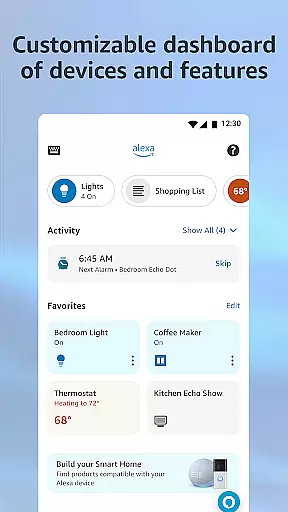
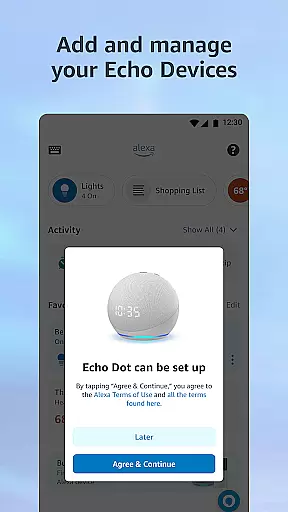
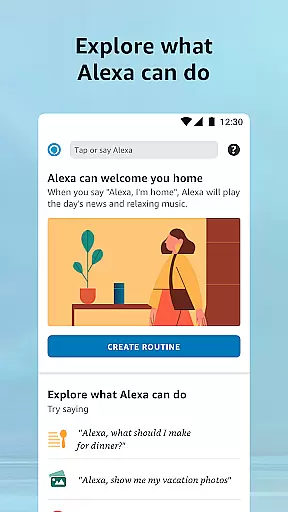
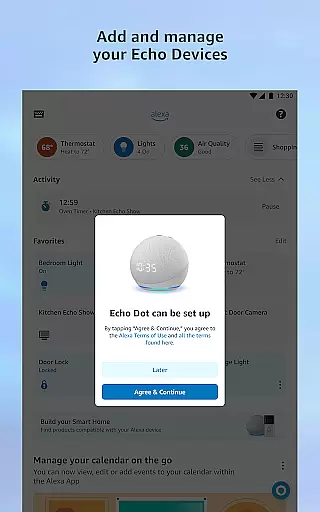
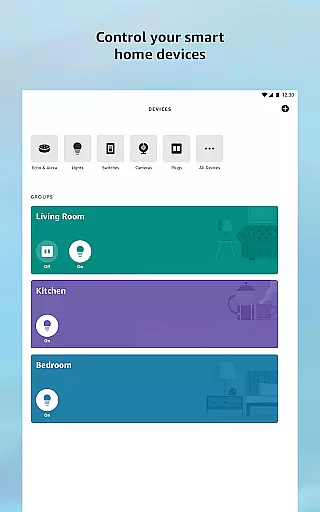
Amazon Alexa is a comprehensive lifestyle app designed to enhance your daily living through voice-enabled convenience. The app serves as the control center for all Alexa-enabled devices, allowing users to manage smart home devices, create routines, and access personalized recommendations. With features ranging from setting up devices to controlling your smart home ecosystem, Alexa ensures seamless integration into your lifestyle.
Alexa's adaptability to user preferences makes it an indispensable tool for personalized assistance. Whether you're looking to automate your home, enjoy multi-room music, or stay organized with shopping lists and reminders, Alexa provides intuitive solutions. Its ability to learn from user interactions ensures that the more you use it, the better it gets at anticipating your needs.
The app also excels in entertainment and connectivity, offering easy access to music services, audiobooks, and real-time communication features like Drop In and messaging between supported devices. This makes Alexa not just a smart home manager but also a central hub for entertainment and staying connected with family and friends.
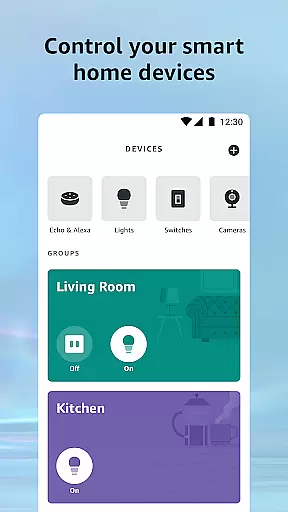
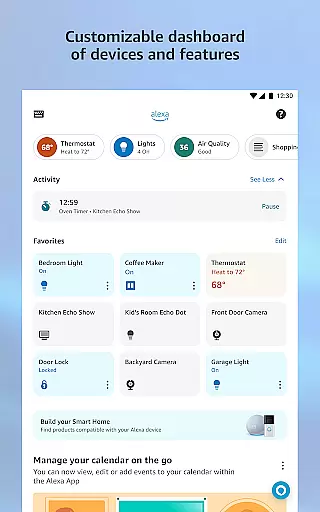
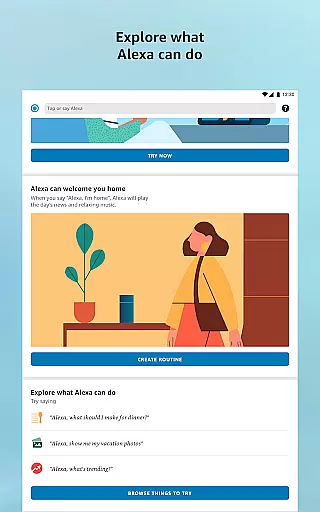
Amazon Alexa stands out with its robust feature set tailored for modern living. One of its core strengths is the ability to control and monitor smart home devices remotely. Users can adjust thermostats, lock doors, and manage lighting through intuitive interfaces within the app. The creation of automated routines allows for a truly customized smart home experience, adapting to your schedule and preferences.
Music enthusiasts will appreciate Alexa's seamless integration with popular streaming services like Amazon Music, Spotify, and Pandora. The app enables users to orchestrate multi-room audio experiences by grouping Echo devices, ensuring synchronized playback throughout the home. Additionally, Alexa's skill recommendations help users discover new functionalities, expanding the capabilities of their devices.
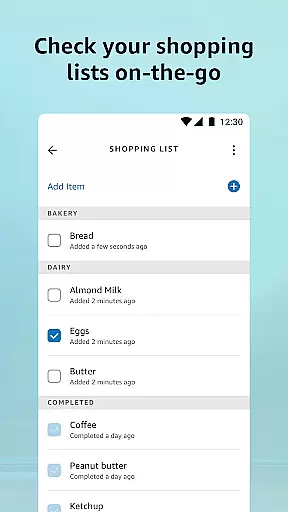
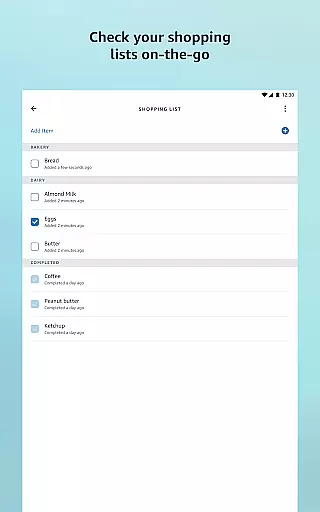
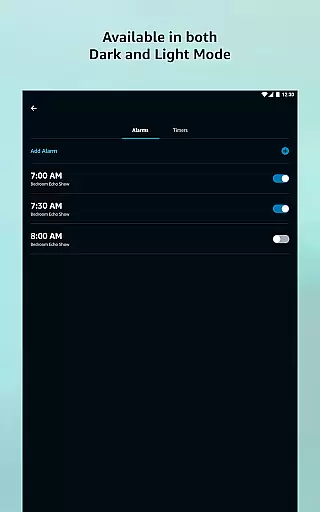
Beyond device management and entertainment, Alexa offers practical tools for daily organization. The app consolidates shopping lists, to-do items, and calendar events while providing timely weather and news updates. Its communication features, including Drop In and free calls between supported devices, make staying connected effortless. These comprehensive features position Alexa as an essential companion for smart living.
The Amazon Alexa app offers extensive coverage across various lifestyle categories, making it an essential tool for managing smart home devices, entertainment, and daily tasks. With features ranging from controlling smart lights, locks, and thermostats to accessing personalized recommendations for skills and content, the app ensures users can tailor their experience to fit their unique needs.
One of the standout aspects of Alexa's lifestyle integration is its ability to adapt to individual preferences over time. The more you interact with Alexa, the better it understands your voice, vocabulary, and personal tastes. This creates a highly customized user experience that improves with continued use, offering personalized feature suggestions and enhancing overall usability.
In addition to smart home management, the app provides seamless access to music services like Amazon Music, Pandora, and Spotify, as well as audiobooks. Users can easily create routines and speaker groups, allowing for automated control of household devices and synchronized multi-room audio playback. These capabilities ensure that Alexa fits naturally into users' lifestyles, whether they're managing chores or enjoying entertainment.
When it comes to content authenticity and expert credibility, the Amazon Alexa app excels by providing reliable information and services from trusted sources. For instance, news updates and weather forecasts are sourced from reputable providers, ensuring accuracy and timeliness. This commitment to credible content helps users make informed decisions in their daily lives.
Alexa's integration with verified smart home devices adds another layer of trust. Users can confidently manage their connected devices, knowing that all interactions are secure and supported by leading brands in the industry. Additionally, the app's recommendations for Alexa skills come from a curated selection, ensuring that users receive high-quality and dependable options.
Furthermore, Alexa's partnerships with major music and audiobook platforms like Spotify, Audible, and TuneIn guarantee access to authentic and legally licensed content. Whether creating shopping lists, setting reminders, or enjoying entertainment, users can rely on the app to deliver accurate and trustworthy information, enhancing both convenience and peace of mind.
User-friendly interface
Voice customization options
Wide device compatibility
Robust smart home integration
Free communication features
Occasional voice recognition issues
Limited third-party app support
Privacy concerns with always-on devices
Dependent on stable internet connection
Some features require premium subscription





A watch face with transparency and fluid visuals inspired by liquid glass design
 4.1
4.1
Paranormal EVP, Ghost Box, Spirit box, ITC, Haunted, Spirit communication device
3.70
Tap to the beat with interactive videos — warm up your reflexes & have fun
4.70
A uniquely designed isometric digital watch face made for Wear OS
4.0
SmartHQ: Your Connected Home Command Center
4.10
Futuristic watchface inspired by Back to the Future: sleek, retro, timeless
4.0
A unique and customizable watch face which rotates its layout every minute.
4.80
Vehicle ownership simplified. Get the myChevrolet® app today.
4.60
Your store’s deals, where you are.
4.80
Good magnifier app to see tiny things bigger and more clearly!
4.80
Digital smart watch face made for Wear OS.
4.70
Have your Tehillim with you at all times
4.70
Crochet made easy: step-by-step tutorials, beginner patterns & projects
4.60
Retro animated weather with hourly forecast Watch Face for Wear OS
4.60
Get your life organized with My Agenda!
4.30
Material You inspired colors with BIG and Bold looks for Wear OS watches.
4.20
Big bold digital watch face with 30 colors, 6 complications and AOD.
4.4
Cute animated Thanksgiving watchface for your WearOS smartwatch
4.1
Wear your favorite memories, loved ones, pets or travel photos on your watch
4.2


User Reviews