

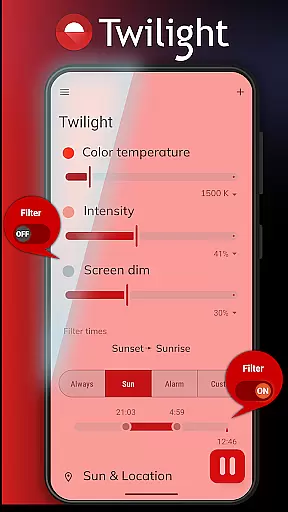
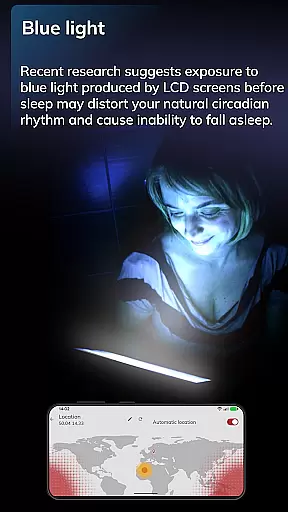
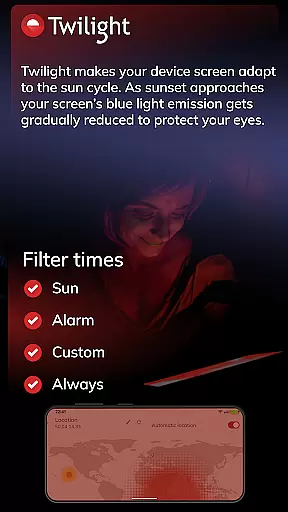
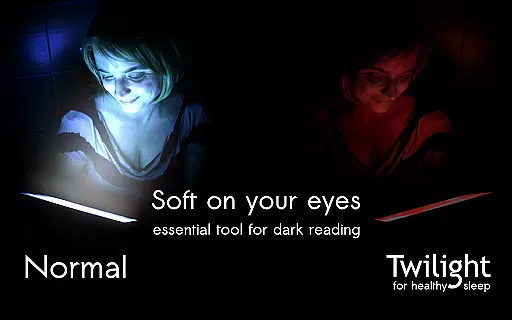
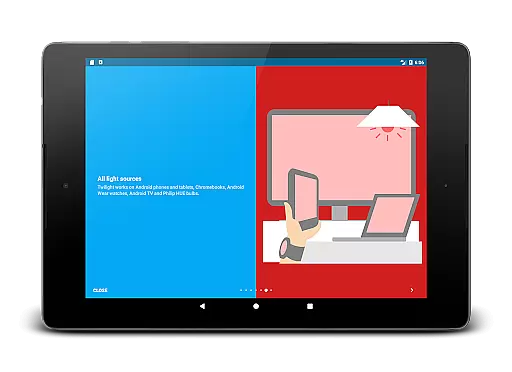
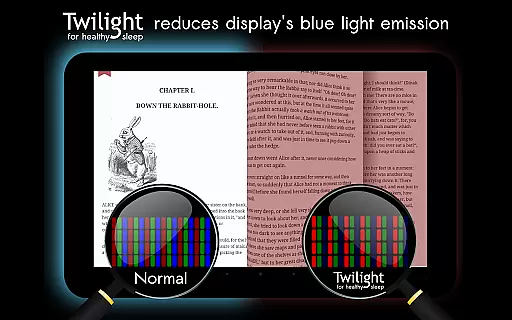
Twilight Pro Unlock is a specialized application designed to help users improve their sleep quality by reducing blue light exposure from their devices. The app filters the blue spectrum on your phone or tablet after sunset, replacing it with a soft red filter that adjusts based on your local sunrise and sunset times.
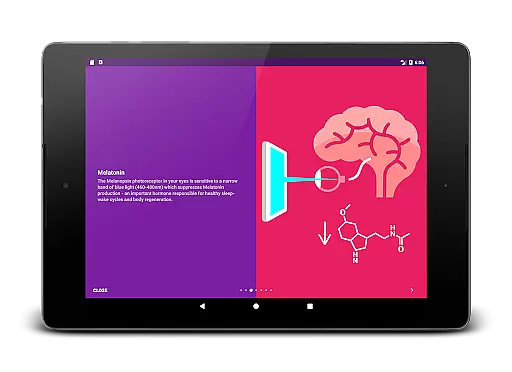
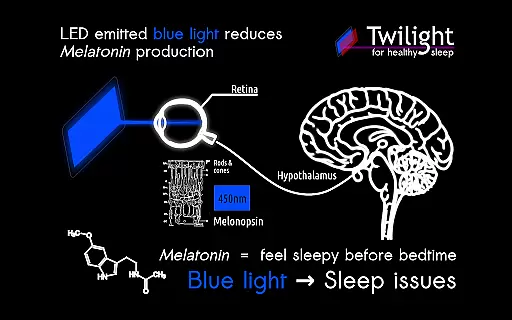
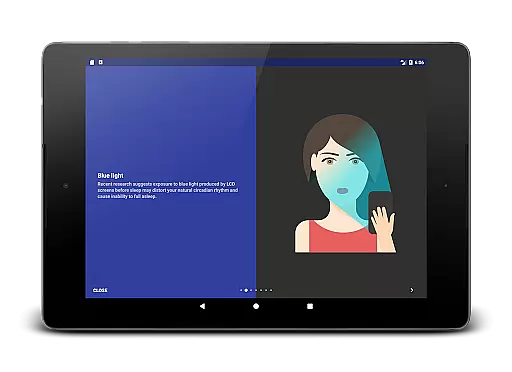
This health-focused solution addresses issues related to circadian rhythm disorders by minimizing melatonin suppression caused by evening screen time. Its advanced features include customizable profiles, adjustable transition periods, and the ability to disable the service during inactive hours.
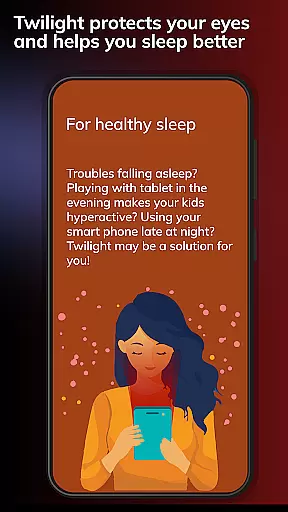
Particularly beneficial for individuals who use smart devices before bedtime, Twilight Pro helps restore natural sleep patterns while providing a pleasant visual experience. The app's scientific foundation makes it a valuable tool for both adults and children struggling with sleep-related issues.
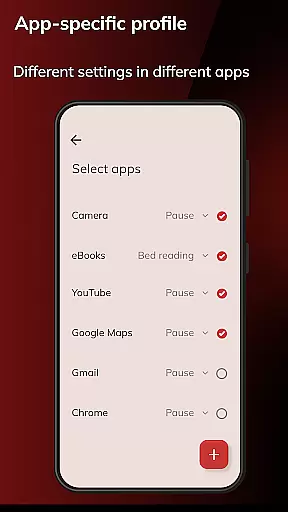
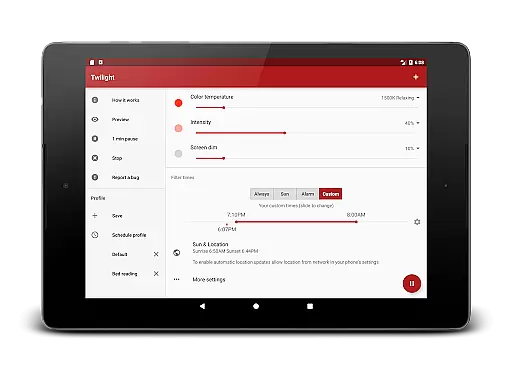
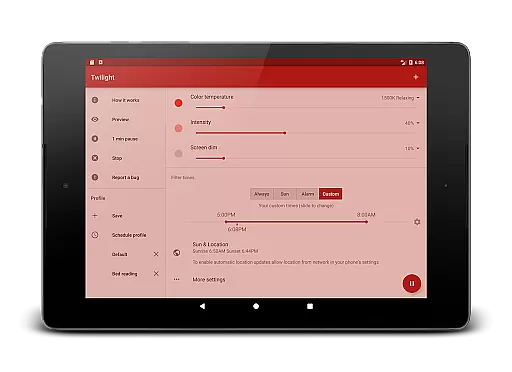
Twilight Pro Unlock offers several distinctive features that set it apart from basic blue light filtering apps. The application provides more than two predefined profiles, allowing users to customize their experience according to different scenarios and preferences.
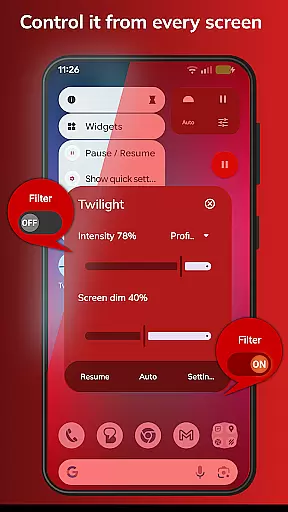
A key innovation is the adjustable transition time feature, which enables smooth changes in filter intensity corresponding to natural light variations. Users can also completely turn off the Twilight service during specific hours, ensuring optimal device performance when needed.
The PRO version often receives new features first, making it the preferred choice for power users. These capabilities, combined with its scientifically-backed approach to sleep improvement, make Twilight Pro Unlock a comprehensive solution for managing digital device usage before bedtime.
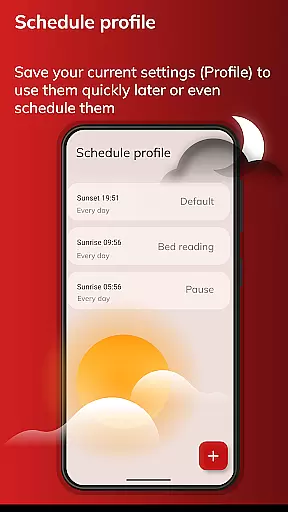
Personalized planning in Twilight Pro Unlock refers to the app's ability to adapt its blue light filtering based on individual user schedules and local sunset and sunrise times. This feature is crucial for maintaining a natural circadian rhythm.
The application intelligently adjusts the screen's color temperature throughout the day, aligning with your body's melatonin production. Users can customize transition times and choose from more than two predefined profiles, ensuring that the app fits their unique daily routines.
By using Twilight Pro Unlock, individuals gain the advantage of reduced blue light exposure during evening hours, which helps promote healthier sleep patterns. The personalized scheduling ensures that the filter intensity is optimal, without being too intrusive.
This tailored approach demonstrates the app's value in delivering an adaptive solution that caters to individual needs, enhancing both sleep quality and overall well-being by promoting a more natural interaction with digital screens after dark.
Progress visualization within Twilight Pro Unlock involves tracking and displaying the changes in screen filtering over time. This feature allows users to understand how their screen's blue light reduction evolves throughout the evening and night.
Twilight provides visual feedback on the current filter level and how it correlates with the time of day. Users can observe the gradual shift from unfiltered daylight conditions to the deeper red tones after sunset, reinforcing the connection between the app's function and their sleep improvement goals.
With this visualization, users are empowered to make informed decisions about their screen time habits. They can see the direct impact of Twilight's filtering on their device usage, helping them adjust behaviors that may interfere with sleep.
Ultimately, progress visualization enhances user engagement by making the benefits of Twilight's filtering tangible. It serves as a reminder of the app's role in protecting sleep cycles, encouraging consistent use and contributing to better health outcomes through improved sleep hygiene.
Effective blue light reduction
Fully customizable profiles
Smooth transition adjustments
Scientifically proven methodology
Regular feature updates
Paid version only
Requires manual setup
May affect color accuracy
Limited daytime functionality
Device compatibility varies

Easy access to health benefits
 4.70
4.70
Your Health Has Met Its App (℠)
3.90
Beauty Care, Makeup & Skin Care Scanner | Pregnancy App For A Mom | Healthy Baby
5.00
Show your support for the development of FitNotes - Gym Workout Log
4.90
Load the bar with this barbell & plate calculator. It's leg day, not brain day!
4.70
Your AI pet BFF. Talk, play, and beat anxiety in this calming game.
4.60
Your portable blood pressure tracker. Record, monitor, and analyze BP anytime.
4.30
Monitor, analyze, track, and convert blood sugar & help you control diabetes.
4.10
Lazy home workouts with your virtual fitness coach for weight loss.
4.30
App to stop smoking slowly or now with a motivational badges and helpful tips
4.80
The Official Blood Type Diet® App - know your categorized foods anytime.
4.50
The OFFICIAL Couch to 5K® running training app! A 9 week walk-run workout plan.
4.50
Raccoon AI Calorie Counter. Intermittent Fasting & Timer. Macro, Carb, Protein
4.50
Eat smarter with Eato, your personal calorie counter and nutrition tracker!
4.40
Download MadMuscles to start your positive body transformation!
4.30
This is an application that serves as a companion app for smart watch.
4.20
Your plan in your pocket 24/7
3.00
Text notifications, button control, heart monitor & more for your Amazfit.
2.40
Optimization for TRT & Enhanced Athletes
4.3

User Reviews