

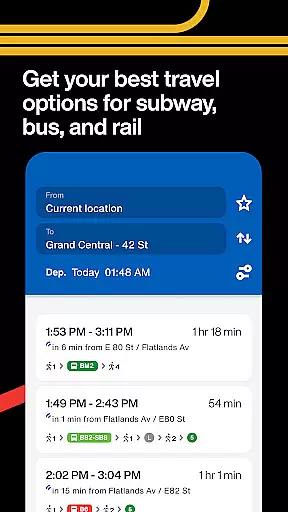
The Official MTA App is a comprehensive travel solution for navigating New York's subway, bus, and rail systems. Designed with user convenience in mind, it combines real-time tracking, service updates, and personalized features to streamline commutes across the MTA network.
Key functionalities include interactive map-based trip planning, live bus and train tracking, saved locations for frequent travelers, and proactive smart alerts that notify users of delays or disruptions. Whether you're a daily commuter or an occasional traveler, this app ensures reliable navigation through the complexities of public transportation.
With its intuitive interface and regular updates based on rider feedback, The Official MTA App serves as an essential tool for anyone relying on mass transit in NYC. Its ability to provide accurate information at your fingertips makes commuting faster, easier, and more predictable.
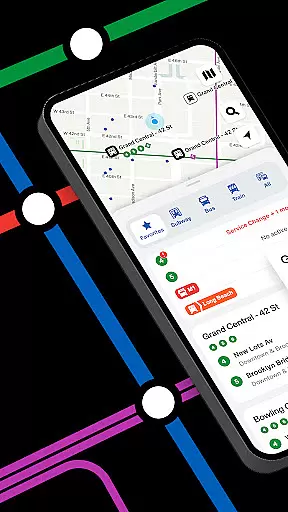
This app stands out due to its robust integration of real-time data and user-centric design tailored specifically for MTA riders. One notable feature is the map-based interface, which simplifies trip planning by visually presenting routes and alternatives, making navigation effortless even for first-time users.
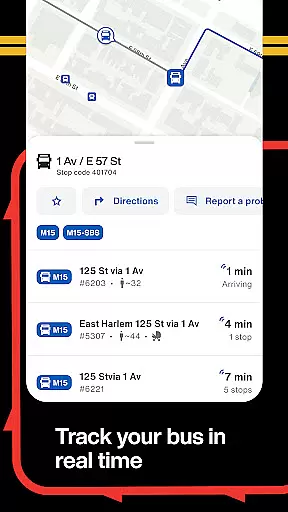
Another standout capability is the real-time vehicle tracking system, allowing users to monitor buses and trains as they approach their stops. This eliminates guesswork about arrival times and enhances scheduling efficiency. Additionally, customizable options such as saving frequently used lines and setting up smart alerts ensure a personalized experience that adapts to individual commuting patterns.
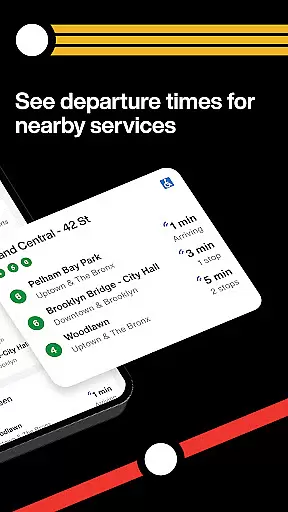
Interactive widgets further enhance usability by providing quick access to live departure schedules and service statuses directly from the home screen. These thoughtful innovations not only save time but also empower users to make informed decisions while traveling.
Booking authenticity is a crucial aspect of any travel app, ensuring that all reservations and trip details are accurate and reliable. The Official MTA App provides users with dependable real-time information directly from the MTA, which eliminates uncertainties about service issues or delays. This guarantees that every planned journey is based on verified schedules and statuses.
The app allows users to track buses in real-time, offering precise locations and arrival predictions. This feature ensures that riders can plan their trips confidently, knowing exactly when their bus will arrive. Additionally, the ability to save frequently used lines, stops, and stations streamlines the process of making future bookings, enhancing overall user trust in the system.
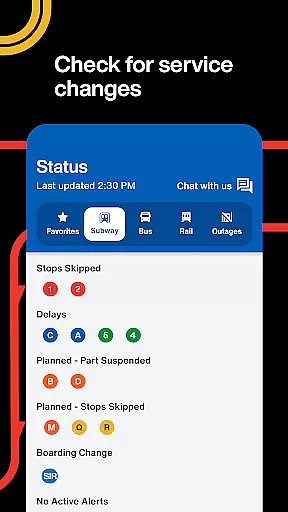
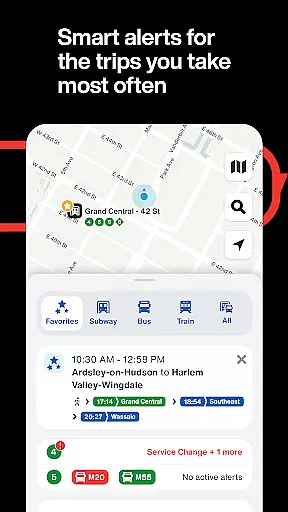
Furthermore, personalized smart alerts proactively check for service changes before users embark on their journeys. These notifications provide timely updates regarding any disruptions, reinforcing the reliability of each booking made through the app. With these comprehensive tools, The Official MTA App not only simplifies trip planning but also assures passengers of the authenticity and accuracy of their travel arrangements.
Price transparency is essential for travelers to understand the cost associated with their journeys clearly. While The Official MTA App does not handle direct payments, it offers features that enhance clarity around fare structures and potential costs related to commuting. Users can easily access live departures and service statuses across the MTA network, helping them make informed decisions about their travel plans without unexpected expenses.
By providing reliable real-time information and optional alerts for delays or disruptions, the app helps prevent unnecessary expenditures caused by missed rides or last-minute changes. Riders can track buses in real-time, ensuring they reach stops at optimal times and avoid costly alternatives like taxis or ride-shares due to missed public transport options.
Additionally, interactive widgets on the home screen display current departure times and service statuses, allowing users to adjust their plans as needed without incurring extra costs. By focusing on delivering clear, actionable data, The Official MTA App empowers users to navigate the transit system efficiently while maintaining full visibility into any financial implications of their travel choices.
User-friendly interface
Real-time tracking
Personalized alerts
Regular updates
Comprehensive transit info
Limited to NYC area
Occasional bugs
Requires internet
No offline maps
Ads in free version

The #1 Parent App in Brevard County
 4.1
4.1
View current Montana road conditions, cameras, plows, and timelapse videos.
4.70
Discover the power of one-way location tracking. Share your location securely.
4.50
Meet Allyz®, your ultimate travel companion
4.70
Bus tickets at unbeatable prices with routes across the US. All aboard FlixBus!
4.70
Replace your car trips with the world’s largest shared electric vehicle company.
4.90
The official app of Allegiant Travel & Allegiant Airlines
3.30
Streamline your U.S. entry
4.90
Download now and start earning rewards on hotels, tours, and everything travel.
4.50
Rent the perfect car for wherever you’re going
4.90
It drives. You ride.
4.90
With the Spirit Airlines app, easily manage all your trips in one place.
4.70
Stay at Motel 6 for less - book fast, save more with MY6 app!
4.70
Take JetBlue everywhere you go! Book, manage and check in for your trips & more.
4.60
Tickets, hotels, wait times, maps, mobile ordering, Disney PhotoPass & more
4.50
Offline WiFi Hotspot Finder, eSIM, Caller ID, Dialer, Home Screen Launcher & VPN
4.20
MyTSA gives you 24/7 access to info that passengers frequently request from TSA.
4.10
View delays, closures, and weather-related conditions on Missouri state roads.
3.30
View current Idaho road conditions, road cameras, and timelapse videos.
4.0


User Reviews