

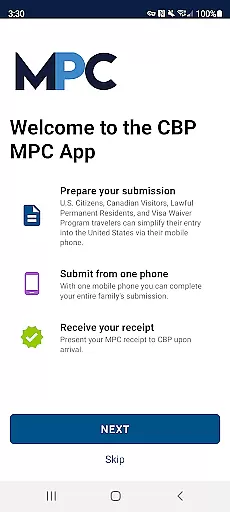
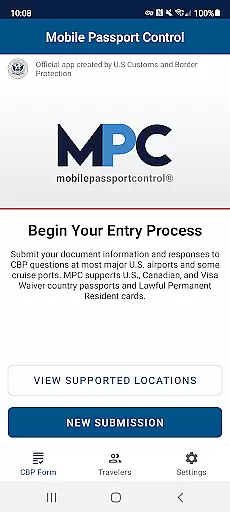
Mobile Passport Control (MPC) is a specialized application designed to streamline the CBP inspection process for travelers entering the United States at select entry points. This app allows users to complete their travel information and answer CBP inspection questions before arrival, significantly reducing wait times. By capturing photos of themselves and each member of their group, travelers can receive a virtual receipt that expedites the inspection process.
The app is particularly useful for U.S. citizens, certain Canadian visitors, lawful permanent residents, and Visa Waiver Program applicants with an approved ESTA. While MPC does not replace the need for a physical passport, it offers a convenient way to manage travel documents digitally. The streamlined process enhances the travel experience by minimizing the time spent in inspection lines.
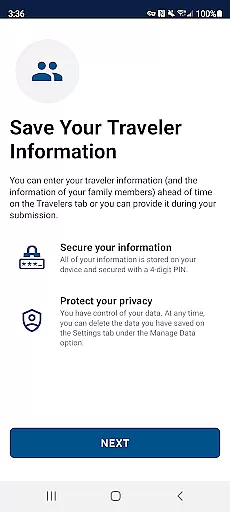
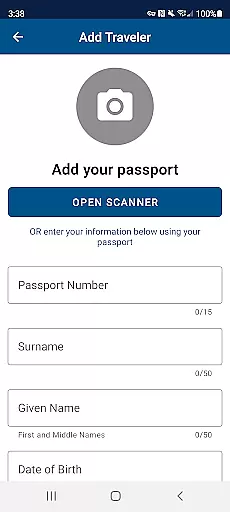
Mobile Passport Control offers several key features that enhance the traveler's experience. Users can create a primary profile to securely store their travel documents and biographic information on their device. This feature allows for quick access and easy updates for future travel. Additionally, the app supports adding up to 11 group members, making it ideal for families or groups traveling together.
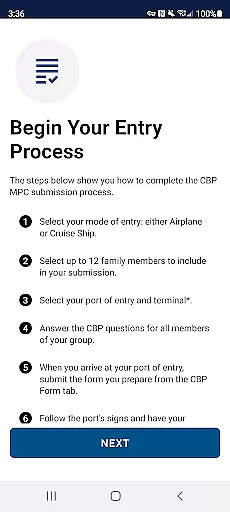
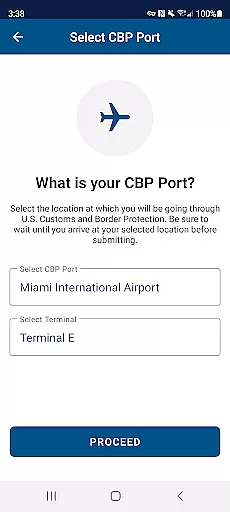
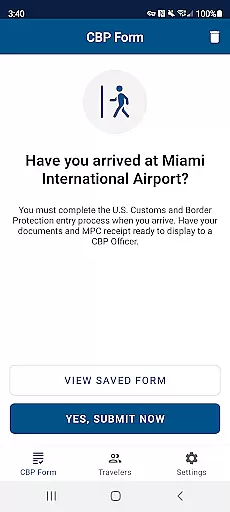
Another notable feature is the ability to select your CBP port of entry and terminal, ensuring that you receive location-specific instructions. The app also provides a virtual receipt upon submission of your travel information, which guides you through the remaining steps of the inspection process. These features collectively contribute to a more efficient and organized entry procedure, benefiting both travelers and border protection officers.
Mobile Passport Control (MPC) ensures booking authenticity by providing a streamlined and official process for travelers entering the United States. This application, created by U.S. Customs and Border Protection, allows users to complete their travel information and inspection questions before arrival.
The app's functionality includes capturing photos of travelers and their group members, ensuring that the identity verification process is both accurate and efficient. By following the instructions provided on the virtual receipt after submission, users can be confident in the authenticity of their travel documentation.
While Mobile Passport Control does not replace the need for a physical passport, it offers a reliable digital alternative that expedites the CBP inspection process at select entry locations. Travelers can trust that their submissions are processed by CBP officers, who may request additional verification if needed.
Although Mobile Passport Control (MPC) does not involve monetary transactions, it excels in providing transparency regarding the requirements and processes involved in the CBP inspection. The app clearly outlines the eligibility criteria and supported entry locations on its website.
Users are informed upfront about the necessity of possessing a valid passport and other relevant travel documents. There are no hidden fees or costs associated with using MPC, making it an accessible tool for eligible travelers, including U.S. Citizens, certain Canadian visitors, Lawful Permanent Residents, and Visa Waiver Program applicants with an approved ESTA.
By detailing each step of the processu2014from creating a profile to receiving a virtual receiptu2014MPC ensures that travelers understand what is expected of them at every stage. This clarity helps users prepare adequately for their journey, enhancing their overall travel experience without unexpected surprises.
User-friendly interface
Secure document storage
Reduced inspection times
Supports group submissions
Convenient digital solution
Limited to select ports
Requires internet access
Not a passport replacement
Restricted eligibility
Potential technical issues

OFFLINE detailed information about the Florida National and State Parks
 4.2
4.2
The mobile panorama panel. Works offline - worldwide!
4.40
Find the best prices, pay for the cheapest gas, and save on every fill up
3.30
Book neighborhood dog boarding, dog walking, pet sitting, and doggy day care.
4.60
MyTSA gives you 24/7 access to info that passengers frequently request from TSA.
4.10
Walt Disney World Resort maps, wait times, tickets, dining & more.
4.50
Find your perfect somewhere with last minute hotel & travel deals!
4.80
Book now to save with exclusive travel deals on hotels, flights, cars & packages
4.70
Flight booking, hotel booking & more - all in one place with the Southwest App!
4.50
Plan where to stand and shave minutes off your trip!
4.80
Meet Allyz®, your ultimate travel companion
4.70
Take JetBlue everywhere you go! Book, manage and check in for your trips & more.
4.60
Download now and start earning rewards on hotels, tours, and everything travel.
4.50
A tool for outdoor activities.
4.30
Managing your travel should be easy. With the Amtrak app, it is.
4.30
Navigate your world faster and easier with voice navigation & street view map
4.20
View US public land boundary maps on your device.
3.70
A Camino de Santiago Guidebook from St. Jean Pied de Port to Santiago
3.60
The #1 Parent App in Brevard County
4.1


User Reviews