

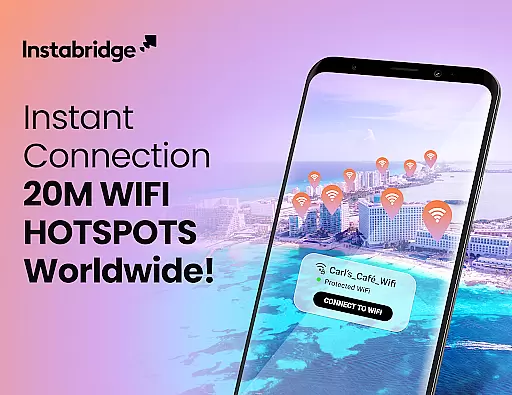
Instabridge is a comprehensive travel and connectivity app designed to simplify WiFi access for users worldwide. The app's core functionality revolves around its extensive offline WiFi Hotspot map, which provides instant connections to over 20 million secure networks globally. This eliminates the need for manual password entry or network searching, making it an ideal solution for travelers.
Beyond basic WiFi connectivity, Instabridge incorporates advanced features including integrated Caller ID for identifying and blocking spam calls, detailed network statistics, and speed tests. The app also supports various security protocols (WEP, WPA, WPA2, WPA3) while offering mobile data solutions through eSIM technology for seamless internet access in 190+ countries.
The true value of Instabridge lies in its community-driven approach to global connectivity. By building a shared network of WiFi hotspots, the app creates opportunities for users to maintain internet access regardless of location, while contributing to a larger mission of universal connectivity.
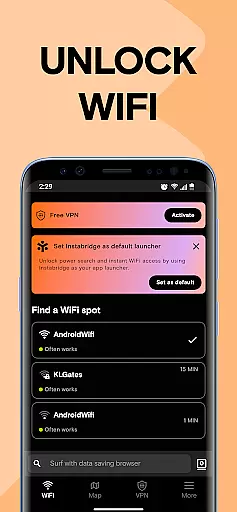
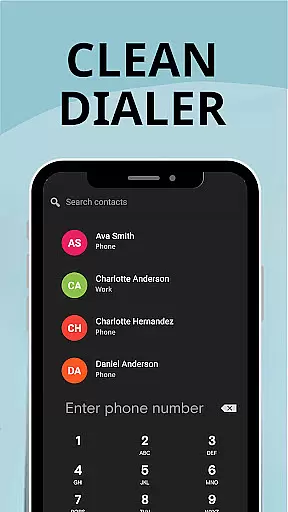
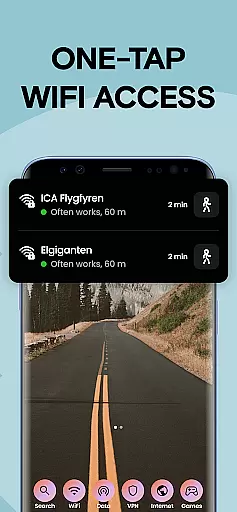
Instabridge distinguishes itself through several innovative features that enhance user experience. The app's Quick WiFi Access function enables one-tap connection to verified hotspots, while its Power Search capability consolidates app, contact, and web access through a single interface. These features work together to streamline device usage and information retrieval.
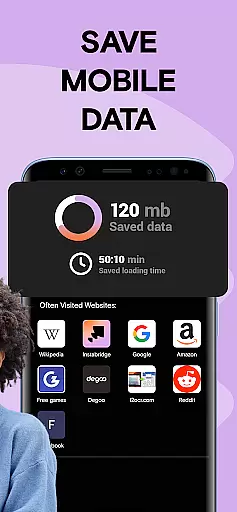
A particularly noteworthy aspect is the app's commitment to data efficiency and security. The built-in data-saving browser compresses web content up to 10 times more effectively than standard browsers, while the detailed WiFi statistics help users make informed connection decisions. The offline map functionality ensures reliable access even without cellular service.
What sets Instabridge apart from similar applications is its integration of mobile data solutions through eSIM technology. This feature, combined with automatic WiFi connection capabilities and comprehensive network support, creates a robust connectivity ecosystem that serves both casual users and frequent travelers equally well.
When it comes to travel and local apps like Instabridge, ensuring the authenticity of bookings is paramount. Instabridge offers a reliable WiFi hotspot map that connects users instantly to millions of secure hotspots worldwide without the need for passwords or network hunting. This seamless connection process guarantees that each booking or connection is legitimate and functional, providing users with peace of mind.
The app's offline capabilities further enhance booking authenticity by allowing users to access the WiFi map without an internet connection. This feature ensures that even in areas with no cellular data, users can trust the information provided by Instabridge to find working networks. The detailed WiFi stats, including speed and popularity, add another layer of credibility to each connection point listed within the app.
Instabridge also supports various security protocols such as WEP, WPA, WPA2, and WPA3, ensuring that each connection is not only authentic but also secure. By integrating these advanced security measures, Instabridge assures users that their connections are protected against unauthorized access, making it a trustworthy tool for travelers seeking dependable internet access.
Price transparency is a crucial aspect of any service-oriented application, and Instabridge excels in this area by offering free access to its extensive network of over 20 million WiFi hotspots globally. Users can connect to these hotspots without worrying about hidden fees or unexpected charges, making it an ideal solution for budget-conscious travelers who require consistent internet access.
In addition to its free services, Instabridge introduces Mobile Data plans designed for eSIM-enabled phones, providing global internet coverage in more than 190 countries without roaming charges or SIM card swaps. These plans are clearly outlined within the app, ensuring users understand the costs associated with opting for mobile data services while traveling internationally.
Furthermore, Instabridge enhances price transparency through features like a data-saving browser that compresses data usage up to ten times more efficiently than standard browsers. This functionality allows users to manage their data consumption effectively, avoiding excessive charges while staying connected. Overall, Instabridgeu2019s clear pricing structure and additional cost-saving features make it a transparent and economical choice for maintaining connectivity on the go.
Extensive WiFi network
Offline map access
Caller ID protection
Data compression tech
Global eSIM support
Limited iOS features
Occasional bugs
Ads in free version
Location required
Varied hotspot quality




Mix of explore game, travel mapping & tracking to memorize everywhere you go
 3.60
3.60
A tool for outdoor activities.
4.30
Navigation on hikes is no longer a problem. Download the map, put notes and go!
4.60
CLEAR provides a safer, easier way through airports, stadiums, and beyond.
4.20
Get all MTA services, Subway, Bus, LIRR, Metro-North and More all in one place.
4.60
Download now and start earning rewards on hotels, tours, and everything travel.
4.50
Amplify Your Experience
3.00
Rent the perfect car for wherever you’re going
4.90
Managing your travel should be easy. With the Amtrak app, it is.
4.30
All-in-one delivery and taxi app. Ride, food, & grocery delivery app.
4.80
Find your perfect somewhere with last minute hotel & travel deals!
4.80
Frontier’s Android app makes travelling easier than ever before!
4.70
Stack Upside with your current credit & debit rewards for even more cash back!
4.50
Take your pick from over 5 million accommodation deals from major booking sites.
4.40
GPS Live Satellite Earth to find route navigation and current location map
4.00
Examine the planet
3.80
A Camino de Santiago Guidebook from St. Jean Pied de Port to Santiago
3.60
Get Moving Made Easier® with the official U-Haul® Moving & Storage app.
3.40
Every Diners, Drive-in & Dives location in one place! Your guide to Flavortown!
3.00
User Reviews