

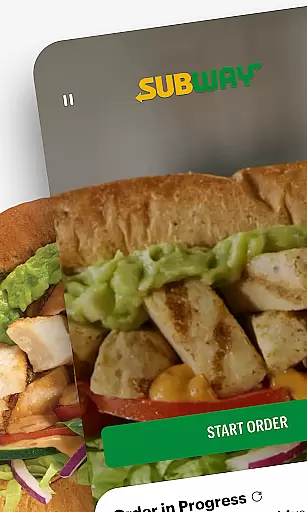
Subway is a leading food and beverage app that allows users to customize their meals, earn rewards, and enjoy fast ordering. With its intuitive interface, the app lets you personalize your sandwich just like in-store, while offering exclusive benefits through the Subway Rewards program. Whether you're ordering for pickup, curbside, or delivery, Subway ensures a seamless experience tailored to your preferences.
The app also features Rapid Re-Order, enabling users to reorder their favorite meals with a single tap. Designed for convenience and personalization, Subway caters to busy professionals, families, and anyone craving fresh, customizable meals on the go.
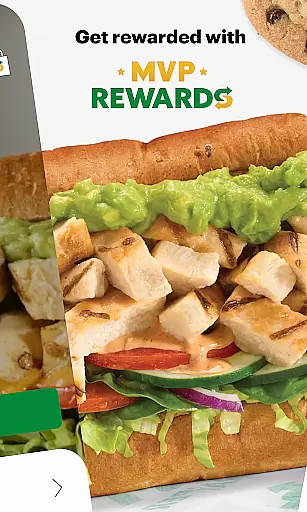
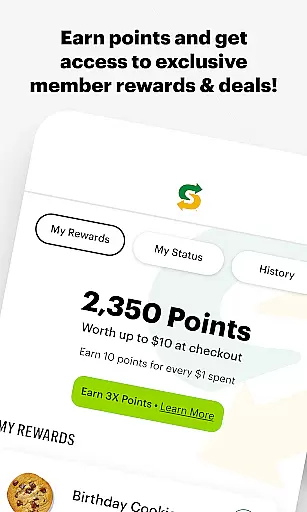
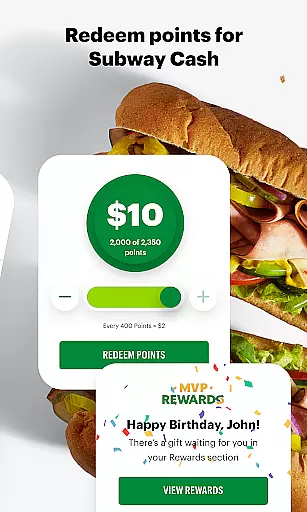
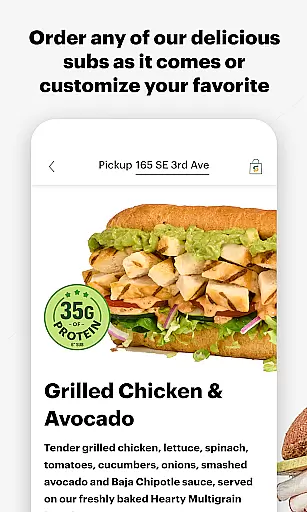
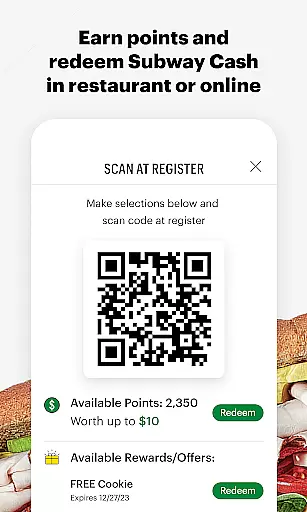
Subway offers a variety of standout features designed to enhance user experience. The customization tool allows users to modify every aspect of their meal, from bread type to toppings, ensuring each order matches their exact preferences. Additionally, the Subway Rewards program provides members with exclusive discounts, faster point accumulation, and member-only perks, creating added value for frequent users.
Another key feature is Rapid Re-Order, which simplifies the process of reordering past favorites directly from the dashboard. Combined with multiple fulfillment options like Pick Up, Curbside, and Delivery, Subway ensures customers can access fresh meals quickly and conveniently, no matter their schedule or location.
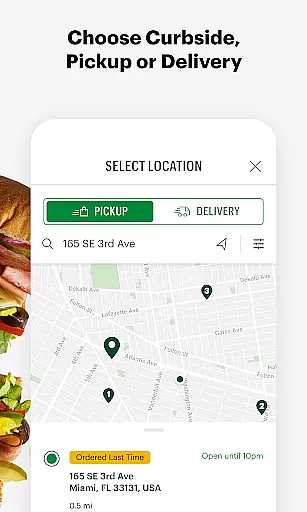
Locating your nearest Subway restaurant has never been easier. The app's store locator feature provides accurate location data, ensuring you can find a Subway wherever you are. It offers detailed filters to refine searches by distance, amenities like Wi-Fi or drive-thru, and operating hours.
The intuitive interface allows users to quickly view essential details about each location, including address, contact information, and real-time updates on wait times. This ensures a seamless experience whether you're planning a dine-in meal or grabbing a quick bite.
For frequent Subway visitors, the store locator also supports saving favorite locations. This personalized functionality helps streamline future visits while providing timely notifications about special promotions in your preferred branches.
Subway's app excels in offering flexible delivery and pickup options tailored to modern lifestyles. Customers can choose between home delivery, curbside pickup, or in-store collection, all integrated into a single streamlined interface.
The delivery service guarantees timely arrivals with real-time order tracking. You can monitor every step of the process, from preparation to dispatch, ensuring transparency and reliability. For those opting for pickup, the app provides designated time slots to minimize wait times.
Additionally, the app enhances convenience by allowing users to customize their orders during checkout. Whether adding extra cheese or adjusting condiments, these personal touches ensure that your meal is prepared exactly as per your preference before itu2019s ready for pickup or delivery.
User-friendly interface
Extensive customization
Rewards program benefits
Fast reordering system
Multiple fulfillment options
Limited global availability
Occasional bugs
Delivery fees apply
Requires account setup
Points expiration policy

Order ahead at your favorite restaurants.
 4.70
4.70
Delivery. Pickup. Rewards.
4.70
Restaurant Reservations
4.90
Order and pay ahead with the Raising Cane's app. Get Clickin' for Chicken™!
4.80
Stashcook: Keep healthy food recipes, cooklist & weekly meal plans for any diet.
4.50
Simple recipes and kitchen tips for easy meal planning. Your digital cookbook.
4.60
Get exclusive food deals, earn rewards, fast reordering & order ahead options.
4.30
Discover restaurants, reservations, food delivery, reviews & services near me
4.60
Order your Domino's favorites then follow the progress with Domino's Tracker®!
4.60
Bringing a piece of Louisiana to your fingertips!
4.90
Order for Pickup and Delivery
4.70
Mobile Ordering - Order your favorite burgers, chicken, breakfast, and desserts
4.60
Earn rewards when you order online for delivery or pickup from Sonic Drive-In.
4.60
Find the perfect restaurant for any occasion on OpenTable.
4.60
NEW digital gift cards available in exclusive designs!
4.60
The ultimate app to save recipes from Instagram, TikTok, Facebook & more.
4.60
Order ahead & earn rewards
4.60
Order Beer, Snacks & More 24/7
4.20
Order Food, Track, and Earn Rewards
3.80


User Reviews