

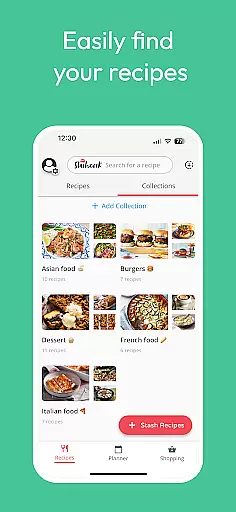
Meal Planner & Recipe Keeper is a comprehensive food and drink application designed to simplify meal planning, recipe management, and grocery shopping. The app allows users to organize recipes into collections, create weekly meal plans, and generate shopping lists efficiently. With its innovative features, it serves as a personal virtual cookbook for home chefs.
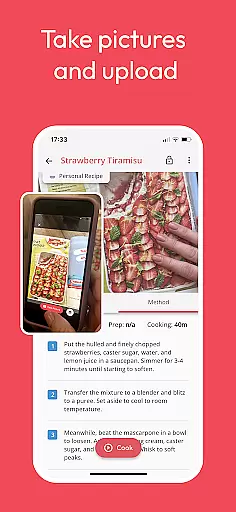
The app stands out with its ability to save recipes from any website, provide nutritional analysis, and offer family sharing options. Whether you're looking to streamline your cooking process or reduce food waste, Meal Planner & Recipe Keeper provides the tools to make meal planning effortless and enjoyable. Its user-friendly interface ensures that even those new to cooking can easily navigate and utilize its robust features.
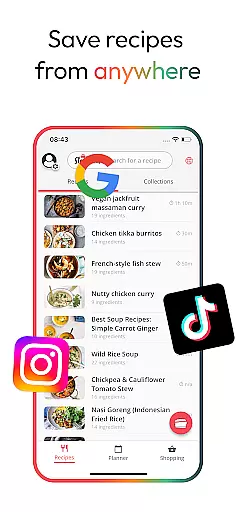
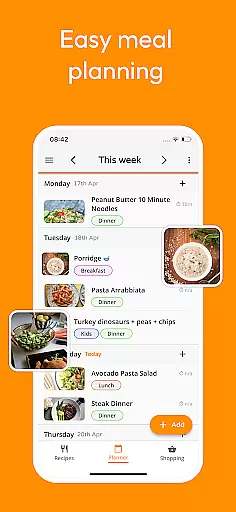
One of the standout features of Meal Planner & Recipe Keeper is its versatile functionality. Users can save recipes from various websites like BBC Good Food and Pinterest, ensuring they never lose a favorite dish. The meal planning tool helps organize weekly menus, rearrange based on preferences, and add notes for specific dietary needs.
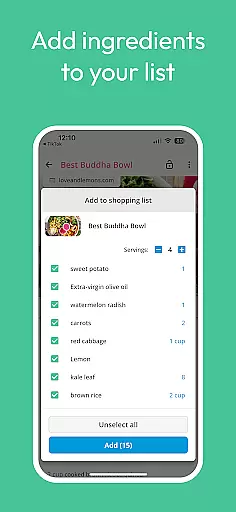
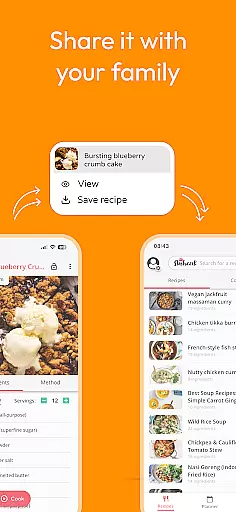
In addition to saving and organizing recipes, the app offers practical tools such as automatic shopping list generation sorted by supermarket aisle, nutritional analysis for stashed recipes, and the ability to scale ingredients. The Family Share feature allows up to six accounts to sync, making it easy for households to collaborate on meal planning and grocery shopping.
With no limitations on the number of recipes or meal plans, users can enjoy unrestricted access to all core features for free. For those seeking additional capabilities, a premium upgrade is available, enhancing the overall experience with extra functionalities tailored to avid cooks.
Locating the right store for grocery shopping can be a daunting task, but with Meal Planner & Recipe Keeper, users are equipped with an intuitive store locator feature. This functionality is designed to help you find nearby supermarkets and specialty stores effortlessly. By integrating advanced mapping technologies, the app ensures that users can rely on accurate location data to plan their shopping trips efficiently.
The store locator in Meal Planner & Recipe Keeper goes beyond just pinpointing locations. It provides essential details such as store hours, contact information, and user reviews, which are crucial for making informed decisions. Whether you're looking for a store that's open late or one that specializes in organic produce, this feature has got you covered. The app aggregates data from multiple sources to present a comprehensive view of each store, ensuring that users have all the necessary information at their fingertips.
For users, this means saving time and reducing the stress associated with grocery shopping. Imagine being able to locate a store that meets your specific needs without having to search through multiple websites or apps. With Meal Planner & Recipe Keeper, you can quickly identify stores that align with your shopping list, dietary preferences, and schedule. This seamless integration of store locator functionality not only enhances convenience but also contributes to a more organized and efficient shopping experience.
In today's fast-paced world, delivery services and pickup options have become essential features for any food-related app. Meal Planner & Recipe Keeper excels in this area by offering users flexible and reliable delivery and pickup solutions. Whether you're too busy to shop or simply prefer the convenience of home delivery, this app ensures that your groceries arrive promptly and in perfect condition.
The app partners with numerous local and national grocery chains to provide a wide range of delivery and pickup options. Users can choose from various time slots that best fit their schedules, ensuring that they receive their groceries when it's most convenient for them. Additionally, real-time tracking updates keep users informed about the status of their orders, adding an extra layer of transparency and trust to the process.
Moreover, Meal Planner & Recipe Keeper offers cost-effective solutions by clearly displaying delivery fees and potential discounts for pickup orders. This transparency allows users to make financially savvy decisions while enjoying the convenience of modern technology. By integrating these services, the app not only simplifies meal planning and grocery shopping but also caters to the diverse needs and preferences of its users, making everyday life just a little bit easier.
User-friendly interface
Comprehensive recipe management
Efficient meal planning tools
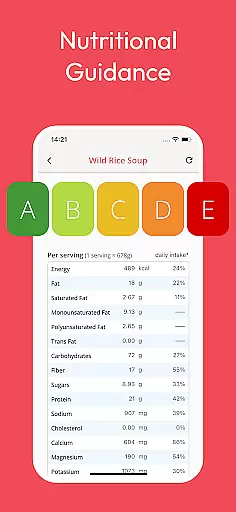
Nutritional insights provided
Family sharing capabilities
Premium features locked
Limited offline functionality
Occasional syncing issues
Ads in free version
Steep learning curve

My Recipes Your personal recipe collection in one APP. Private, offline, adfree.
 4.2
4.2
Easy and fast ordering, improved customization, and an enhanced guest experience
4.20
Order from local pizzerias
4.20
Wings for Delivery or Carryout
4.80
Papa Johns Pizza, delivering an awesome pizza ordering experience for Android!
4.80
Food delivery from your favorite places. Order food, alcohol and more nearby
4.50
Order Food, Track, and Earn Rewards
3.80
The ultimate app to save recipes from Instagram, TikTok, Facebook & more.
4.60
Food Delivered to your door! Order from 1800+ Grocery & Retail Store Brands.
4.10
Restaurant Reservations
4.90
Enjoy Exclusive Deals, Rewards, Gas Benefits, and 24/7 Food Delivery!
4.90
Order and pay ahead with the Raising Cane's app. Get Clickin' for Chicken™!
4.80
Tons of tasty options, ready in an instant! Order for pickup or delivery.
4.70
Simple recipes and kitchen tips for easy meal planning. Your digital cookbook.
4.60
Mobile Ordering - Order your favorite burgers, chicken, breakfast, and desserts
4.60
Earn rewards when you order online for delivery or pickup from Sonic Drive-In.
4.60
Your most rewarding experience is in the Cracker Barrel app.
4.20
Check out the most rewarding way to get Whataburger just like you like it!
3.30
Order ahead. Earn Delicious Rewards.
3.20


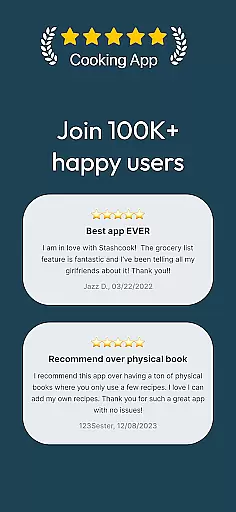
User Reviews