

Soundstorm for Nanoleaf is an entertainment app designed to enhance your party experience by synchronizing Nanoleaf devices with music. Compatible with Nanoleaf Wall Lights and Nanoleaf Matter (Wi-Fi) Smart Devices, it allows users to create vibrant light shows that pulse and flash to the rhythm of their favorite songs.
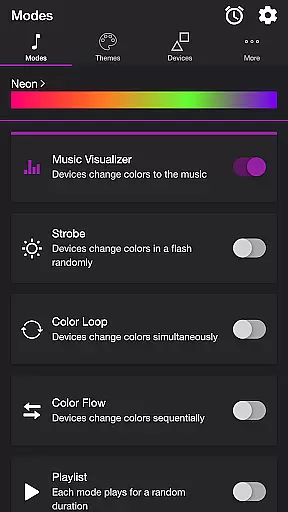
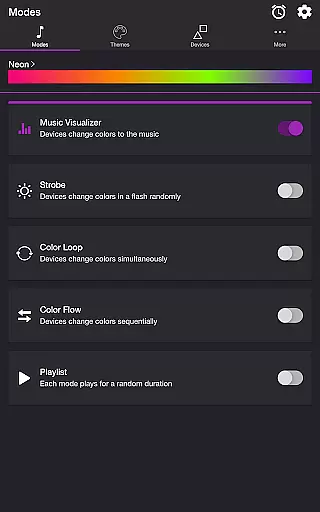
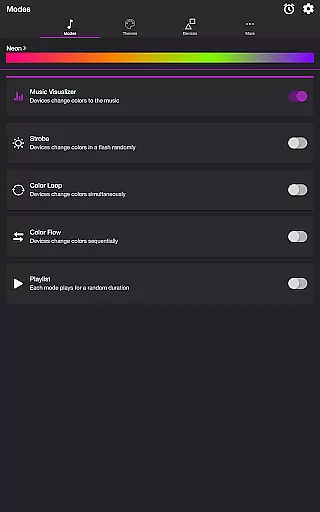
The app features multiple modes including Music Visualizer, Strobe, Color Loop, Color Flow, and Playlist. Each mode offers unique ways to interact with your Nanoleaf devices, from changing colors in sync with music to sequential color transitions. With customizable themes and detailed settings, users can tailor the visual effects to match their preferences and create personalized light displays.
Whether you're hosting a party or simply want to elevate your listening experience, Soundstorm for Nanoleaf provides a dynamic way to enjoy music through captivating light effects. Its intuitive interface and robust customization options make it an essential tool for any Nanoleaf user looking to add excitement to their environment.
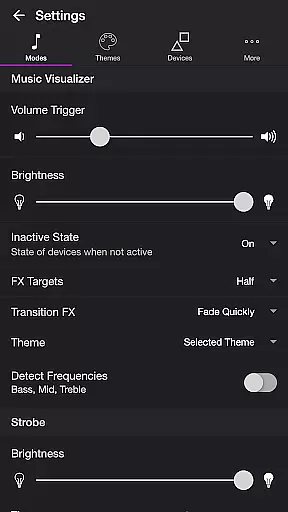
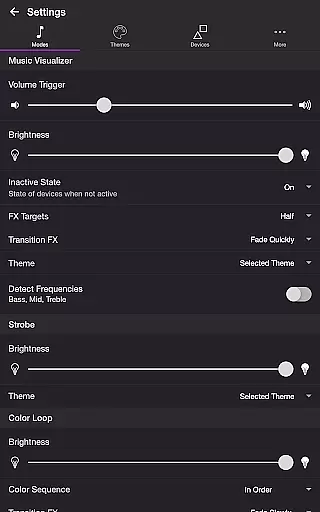
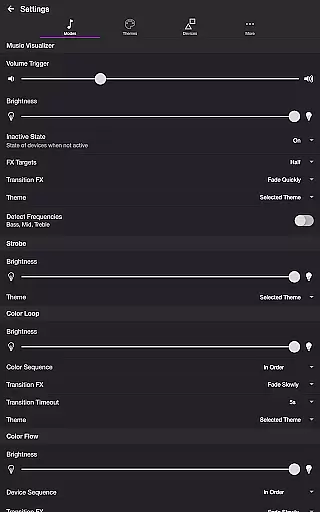
Soundstorm for Nanoleaf boasts a variety of features that cater to both casual listeners and party hosts. The Music Visualizer mode uses microphone access to change device colors in response to music, while offering adjustable volume triggers and brightness levels. Users can also customize transition effects such as Random, Pulse, Fade Quickly, or Fade Slowly, providing granular control over how lights react to different frequencies like Bass, Mid, and Treble.
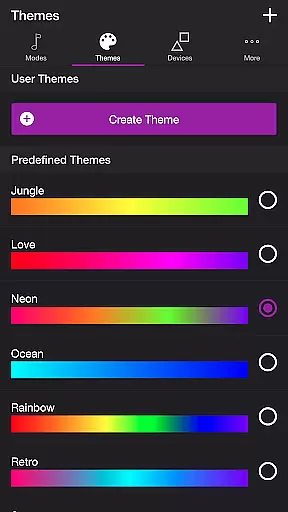
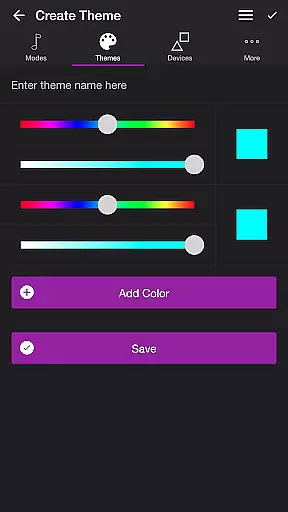
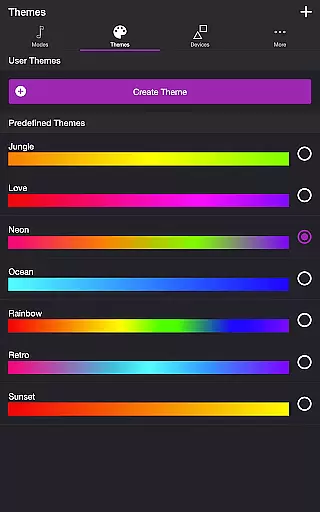
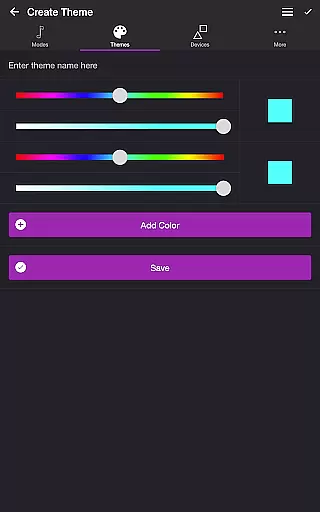
In addition to Music Visualizer, the app includes several other engaging modes. Strobe mode creates random flashes of color, while Color Loop and Color Flow offer simultaneous or sequential color changes respectively. The Playlist mode cycles through these effects randomly, ensuring a constantly evolving light show. Each mode can be further customized through themes, which allow users to select predefined color schemes or create their own.
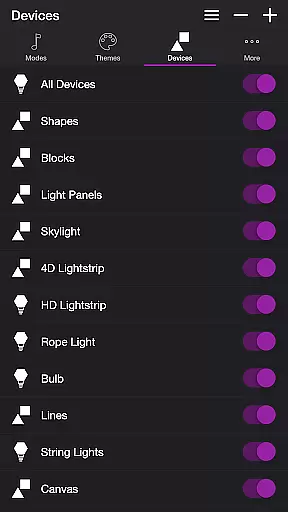
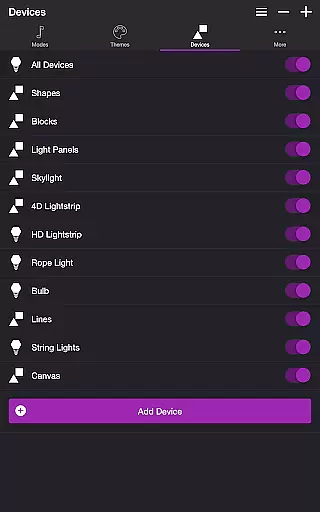
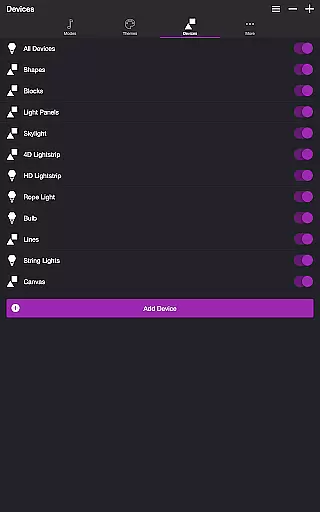
Device management is straightforward thanks to the dedicated Devices tab where users can toggle individual Nanoleaf devices on or off. Additional features include a Sleep Timer and general settings that let users automate mode selection and set stop times. These comprehensive controls ensure that Soundstorm for Nanoleaf remains versatile and adaptable to various scenarios, enhancing its appeal across different user groups.
Soundstorm for Nanoleaf offers a diverse range of content through its multiple modes and themes, ensuring users have a fresh experience every time. The app includes modes like Music Visualizer, Strobe, Color Loop, Color Flow, and Playlist, each providing unique ways to interact with Nanoleaf devices.
The Music Visualizer mode listens to the ambient sound or music and translates it into color changes on the Nanoleaf devices, creating an immersive atmosphere. With additional settings such as volume trigger, brightness adjustment, and frequency detection, users can customize their visualizer experience according to their preferences.
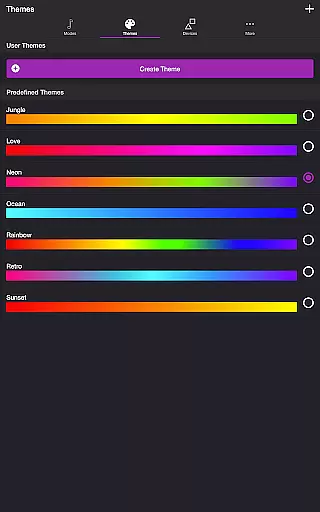
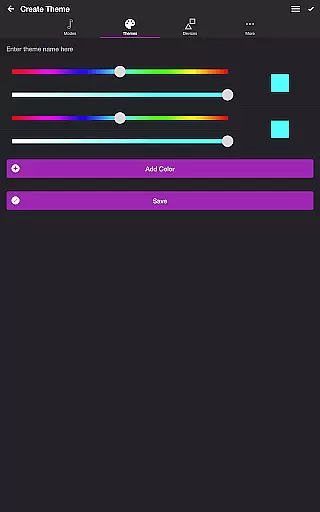
Moreover, the app allows users to choose from predefined themes or create their own, offering endless possibilities for personalization. Each mode utilizes the selected theme's colors, ensuring that the light shows remain vibrant and engaging.
By incorporating various transition effects and the ability to reorder colors or device sequences, Soundstorm for Nanoleaf guarantees that users will enjoy a dynamic and ever-evolving entertainment experience.
User engagement is at the heart of Soundstorm for Nanoleaf, with features designed to keep users interacting with the app for extended periods. The app's Playlist mode cycles through different lighting effects randomly, encouraging users to see all possible combinations and variations.
With adjustable settings for each mode, including transition effects, timeouts, and duration ranges, users are empowered to fine-tune their experience, which enhances retention. For instance, in the Bass, Mid, Treble mode, users can toggle light effects and adjust frequency ranges to match the music they are playing.
Additionally, the Sleep Timer feature ensures that the light show can be set to automatically stop after a certain period, allowing users to enjoy the ambiance without worrying about manually turning it off.
These customizable options not only increase the time users spend within the app but also encourage them to return frequently, knowing they can achieve a personalized and captivating light show tailored to their specific tastes and environments.
User-friendly interface
Highly customizable themes
Versatile device compatibility
Dynamic music synchronization
Intuitive device management
Requires specific hardware
Microphone access needed
Limited free features
Premium subscription cost
Complex initial setup

* Multiple Matches * Intuitive UI * Scoring Made Easy!
 4.40
4.40
Watch whatever you want, whenever you want, wherever you want.
3.30
Find out if you're on Santa's Naughty or Nice List with this magical scanner!
4.60
Atomus is a 10-finger multi-touch interactive visualizer.
4.30
5 funny and lovely ponies waiting for you to style them!
4.80
Watch Reels, Drama Shorts & TV Series Anytime. Download DramaWave Now!
4.70
Pop Drama is a premier app crafted for short drama lovers
4.60
An app made just for kids
4.20
Scary prank camera & on face app: Shoot videos, selfies with spiders & scorpions
4.60
SpiritWave is paranormal ITC application.
5.00
Colorful flows will relax and calm you down, or get you trippy and creative!
4.90
Stories that spark in seconds.
4.80
Original short dramas with diverse genres for a rich viewing experience!
4.80
Scan sets, track your builds, and enjoy intuitive digital instructions.
4.70
Browser for Chromecast to stream webvideos, online movies, IPTV & HD livestreams
4.40
Alice Box is an Instrumental Trans Communication app.
3.80
Create your Songs. Cover Maker with any Voice, Song Generator
3.30
NFL, NBA, NHL, MLB, local sports coverage, shows, movies & news!
3.20
With the credits you earn play more games
2.90


User Reviews