

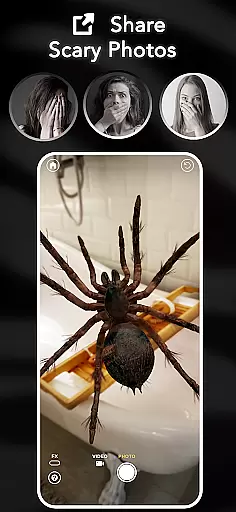
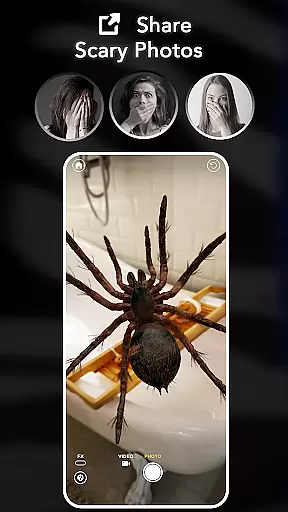
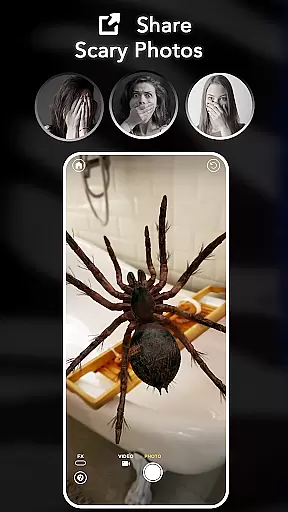
ARSpiders.com is an innovative entertainment app that brings realistic 3D spiders and other creepy-crawlies to life through augmented reality. The app allows users to place ultra-realistic spiders, tarantulas, and scorpions in real-world environments using AR technology. These creatures can crawl on walls, floors, tables, or even the user's face, creating a truly immersive experience.
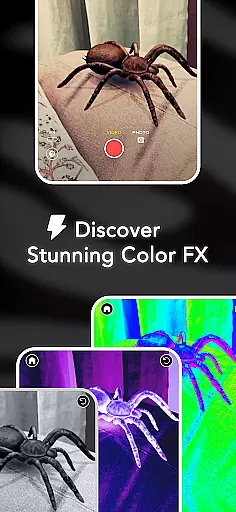
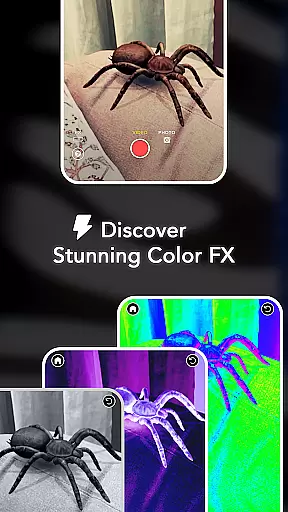
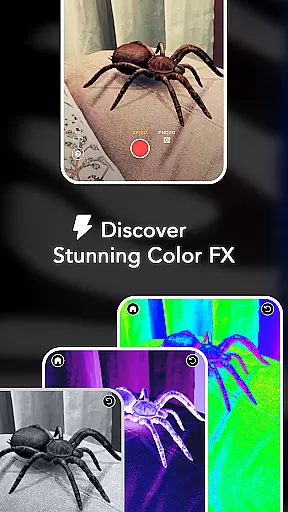
The app offers interactive gameplay where users can control the movements of these virtual creatures, making them 'attack' for a shocking prank effect. It also includes advanced camera features such as Color Correction, Vignette, and Film Grain to enhance the realism of captured photos and videos. With its offline functionality and no ads or in-app purchases, ARSpiders.com provides a complete package for users seeking horror-themed entertainment.
This application is particularly useful for those who enjoy pranks, AR filters, and horror effects. Whether you're looking to scare your friends, test your courage, or overcome arachnophobia, this app offers a unique way to experience realistic spiders in full 3D AR.
ARSpiders.com stands out with its comprehensive set of features designed for maximum user engagement. The core functionality revolves around placing realistic 3D spiders and other creatures in real-world environments through advanced AR technology. This feature works seamlessly across different surfaces, including faces, walls, and furniture, providing an unparalleled level of realism.
The app's interactive gameplay allows users to control their virtual spiders, directing them to 'attack' or move in specific patterns. This creates a dynamic prank experience that can be customized for different scenarios. Additionally, the built-in camera effects, including professional-grade color correction and film grain, elevate the quality of captured content beyond typical mobile recordings.
What sets ARSpiders.com apart from similar apps is its commitment to user experience through unrestricted access to all features without ads or in-app purchases. The inclusion of offline mode ensures consistent performance regardless of internet connectivity. Furthermore, the specialized Spider Selfie Mode (available on devices with TrueDepth API support) enables users to create highly convincing spider selfies for social media sharing or personal amusement.
In the realm of digital entertainment, content diversity and regular updates are crucial for user engagement. ARSpiders.com excels in this area by offering a unique blend of augmented reality experiences centered around spiders and other creepy crawlies. The app provides users with ultra-realistic 3D models of spiders, tarantulas, and scorpions that can be placed in real-world environments through AR technology.
What sets ARSpiders.com apart is its interactive gameplay feature, allowing users to control these virtual creatures and orchestrate pranks or simply explore their behavior. This interaction adds an element of surprise and personalization to each session, ensuring that the experience remains fresh and engaging over time.
Moreover, the app's commitment to providing cinematic effects such as Color Correction, Vignette, and Film Grain enhances the overall realism of the horror-themed visuals. These features not only enrich the visual appeal but also contribute to a more immersive experience, making it ideal for those who appreciate high-quality AR filters and effects.
User engagement duration and retention are key metrics for evaluating the success of any entertainment application. ARSpiders.com addresses these aspects effectively by integrating several features designed to keep users coming back. One standout feature is the Spider Selfie Mode, which leverages TrueDepth API support to create ultra-realistic selfies with spiders, perfect for sharing on social media platforms or pranking friends.
The app also ensures sustained interest through its offline mode capability, enabling uninterrupted access to all features without requiring an internet connection. This flexibility allows users to enjoy the full range of functionalities anytime, anywhere, thus enhancing both convenience and accessibility.
Additionally, ARSpiders.com fosters long-term retention by continuously updating its creature roster based on user feedback and votes. By involving the community in future developments, the app maintains a dynamic ecosystem where users feel invested and engaged, leading to prolonged usage and loyalty.
User-friendly interface
High-quality AR effects
No in-app purchases
Offline functionality
Interactive gameplay
Limited to supported devices
Potentially scary content
Requires storage space
May cause discomfort
Specialized hardware needed










A companion app for the game Elite Dangerous
 4.10
4.10
Best of icon for christmas
4.30
Earn gift cards for playing games. Become a real game tester!
4.40
Your choice of 350+ networks plus movies and full TV series on-demand.
3.70
Unleash Your AI Imagination
4.60
Binaural Brainwave Doses for Every Imaginable Mood
3.60
Companion app for Elden Ring to track quests, bosses, progress and more.
4.70
Daily immersive workout plan: Body warm up & finger yoga exercises
3.80
With the Steam Mobile App, you can take Steam with you anywhere.
3.00
SpiritWave is paranormal ITC application.
5.00
Colorful flows will relax and calm you down, or get you trippy and creative!
4.90
Your Avatar, Endless Fun
4.60
Create, chat & bond with AI souls who truly listen.
4.50
Catch the latest episodes of The Voice or live stream NFL games with The NBC App
4.20
Start EVP/Spirit Box tonight: real EMF, offline, recording. One-time purchase.
4.10
Binge-worthy short dramas on DramaRush—engaging stories that fit your day.
3.90
Watch New Episodes & Live TV
3.80
Stream live TV shows, sports, news, movies & more - all without cable.
3.00
Christmas Globe: Transform your Wear OS device into a festive timekeeper!
4.4


User Reviews