

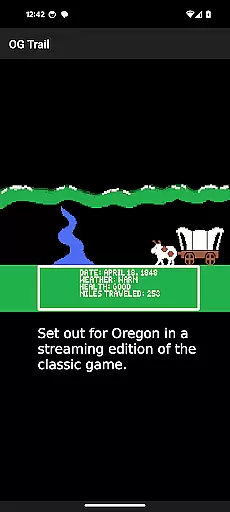
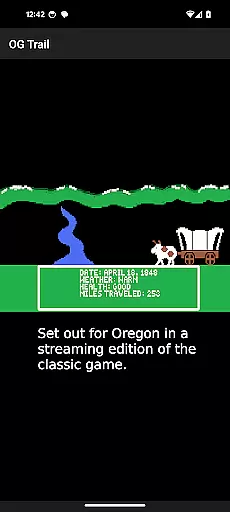
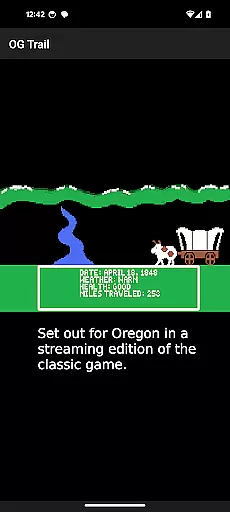
OG Trail is an educational app that brings the classic Oregon Trail simulation to Android devices. This app provides a seamless interface for users to access and play the original game directly from the Internet Archive. It requires an internet connection only during the initial load, ensuring minimal data usage.
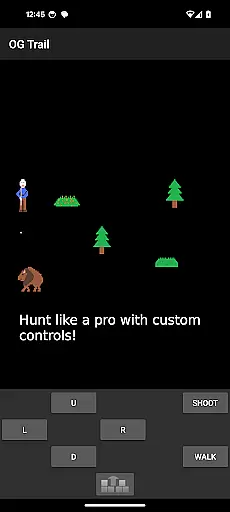
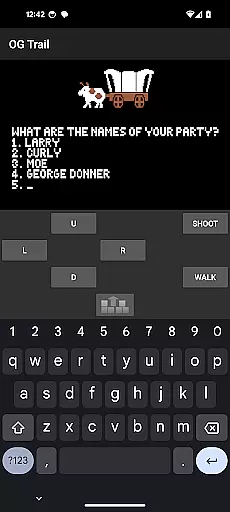
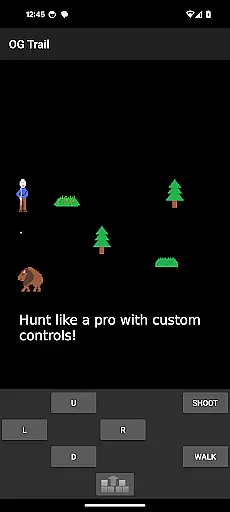
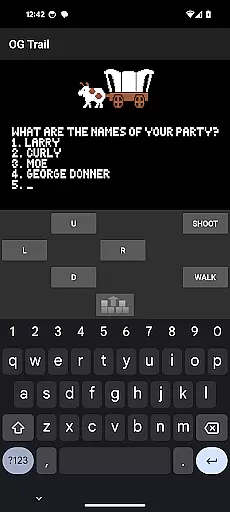
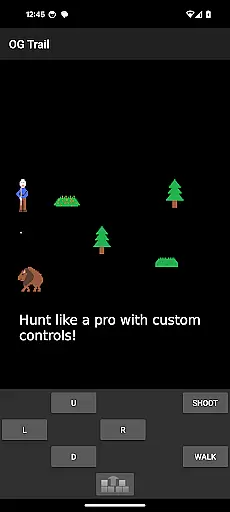
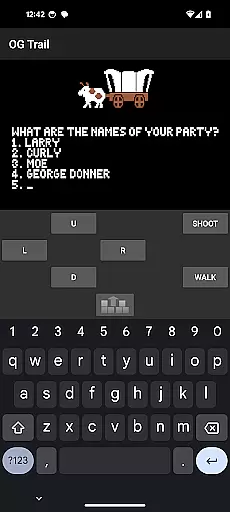
The app features an onscreen keyboard and control pad, allowing users to interact with the game as if they were using the original hardware. This makes it possible to experience the authentic gameplay of The Oregon Trail (TM) without requiring any ROM files or modifications. OG Trail is perfect for educators, students, and nostalgic gamers who want to relive the iconic educational experience.
With its straightforward setup and intuitive controls, OG Trail offers a valuable resource for learning history and decision-making skills through interactive gameplay. The app's design ensures accessibility while preserving the integrity of the original simulation.
OG Trail stands out with its unique approach to delivering classic educational content. The app connects users to the publicly available streaming version of The Oregon Trail hosted by the Internet Archive. This implementation requires no downloads or installations beyond the app itself.
A key feature is the virtual onscreen keyboard and control pad, designed specifically for touchscreen interaction. These tools enable users to navigate the game's menus and make decisions just as they would on the original system. The app also includes helpful instructions for new users and links to additional resources about the game.
Additional features include automatic saving of progress and compatibility with modern Android devices. The developers have maintained the original game's authenticity while optimizing the interface for mobile play. This combination of historical preservation and modern convenience makes OG Trail a valuable educational tool.
In the realm of educational gaming, content authority and curriculum alignment are crucial for ensuring that learning is both accurate and relevant. OG Trail - Travel to Oregon offers a unique opportunity to engage with historical content through its simulation of The Oregon Trail game. This classic game has been utilized in educational settings to teach students about American history, decision-making, and resource management.
OG Trail provides an interface to the original unmodified version of The Oregon Trail, which was publicly posted by the Internet Archive. By doing so, it preserves the integrity and authenticity of the educational material. The game's content aligns with historical curricula focused on 19th-century American expansion and pioneer life, making it a valuable tool for educators seeking to supplement their teaching with interactive experiences.
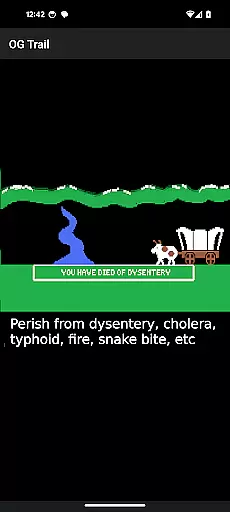
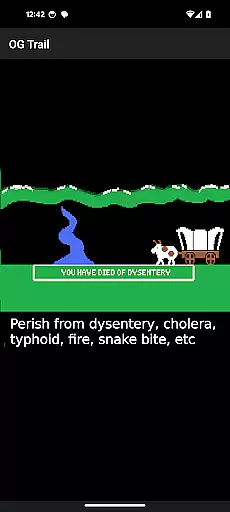
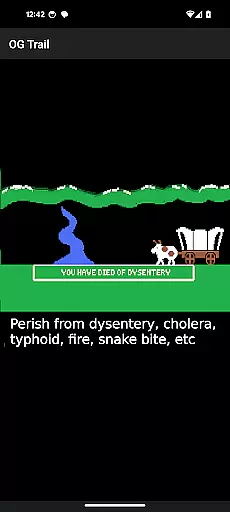
For users, this means access to a piece of educational software that has been vetted by generations of teachers and students. The game's challenges mirror real-life decisions faced by pioneers, such as managing supplies and navigating difficult terrain, offering players a chance to learn through experience. OG Trail ensures that these lessons remain accessible on modern Android devices without compromising the original educational intent or content.
Gamification-learning integration represents the fusion of game mechanics with educational content to enhance user engagement and retention. OG Trail - Travel to Oregon exemplifies this approach by providing an accessible platform for playing The Oregon Trail, a game renowned for its ability to combine entertainment with education. Through gamified elements like decision-making scenarios and survival challenges, players learn about history and resource management in an engaging way.
The application facilitates interaction with the game via onscreen controls, adapting the original computer-based gameplay for touchscreen devices. This adaptation maintains the core educational aspects while updating the delivery method for contemporary users. Players must utilize strategic thinking and planning, skills that are directly transferable to real-world problem-solving scenarios.
By integrating these gamified learning experiences into a mobile format, OG Trail supports self-paced exploration of historical events. Users can experiment with different strategies within the game, receiving immediate feedback on their choices, much like they would encounter in educational simulations designed to teach through trial and error. This not only makes learning more dynamic but also allows individuals to develop critical thinking skills in a context that is both enjoyable and informative.
User-friendly interface
Authentic gameplay experience
Educational value preserved
Minimal data requirements
Free to use
Requires internet connection
No touch-based gameplay
Limited to original game features
Interface may feel dated
Not suitable for offline play

A logic puzzle game for 1 - 3 players
 4.0
4.0
Play the fun princess party game for kids with Cocobi the little dinosaurs.
4.10
Educational game for children about emergency and other service vehicles
3.80
Practice Early Literacy Skills and Build Vocabulary with Elmo & Cookie Monster!
3.90
Amazing toddler coloring games for 2+. Enjoy painting games
4.60
Find the hidden Numberblocks, add them together and see what happens.
3.50
Companion app for Cozmo, the educational toy robot who’s got a mind of his own.
3.30
Games, music, crafts and coloring with cats
4.10
Coloring book for kids! Learn Color, paint, neon drawing with educational games.
4.40
Design dreamhouses and dress up creatively in the ultimate role-playing game!
4.70
Tons of kids safety games, cartoons, and stories are included in one kids app!
4.70
Kids math games, abc games for kids 4-5 years old. Kindergarten learning games
4.50
Fun baby games for kids. Play baby piano, musical instruments & nursery rhymes.
4.50
Build your own BRIO railway!
4.30
Explore Fantasy Land, get to know the world and create stories!
4.30
Clean the messy house & play with cute kitty in this fun cleaning game for kids!
3.70
Help your child improve their number literacy with Numberblocks: Card Fun!
2.60
Creating emotional connections
4.2
Fun step-by-step drawing & coloring app to learn and create art!
4.5

User Reviews