

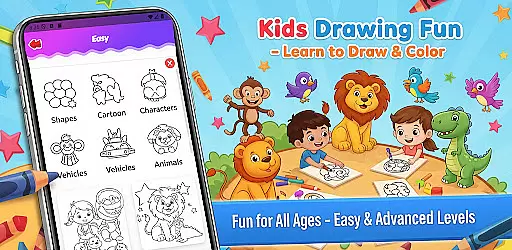
Fun Drawing & Color: Learn Art is an innovative educational app designed to make drawing and coloring both fun and instructional. This app caters to users of all ages, from beginners learning the basics to experienced artists looking to refine their skills. With its ad-free interface, users can enjoy a seamless creative experience on both tablets and smartphones.
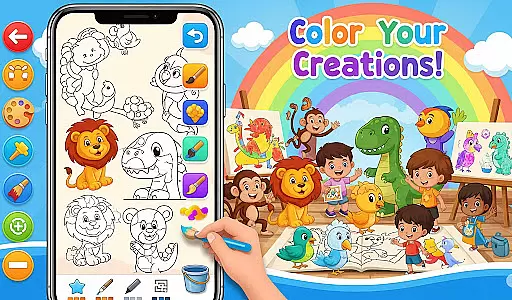
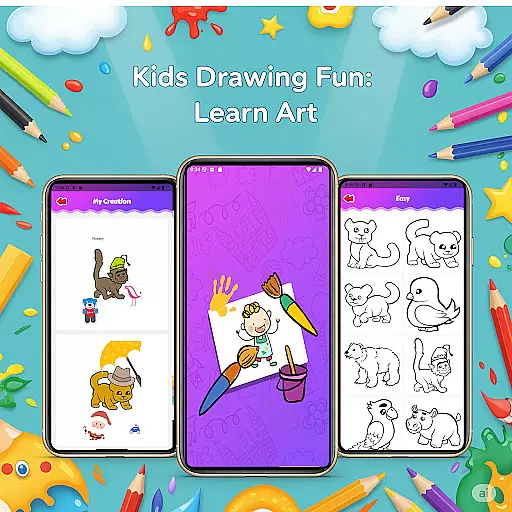
The app offers step-by-step drawing guides that simplify complex shapes into easy-to-follow lessons for various subjects such as animals, vehicles, and characters. Additionally, it provides a rich set of creative tools including vibrant coloring options, decorative stickers, customizable text styles, and a variety of brush types. Users can save their artwork in a personal gallery, revisit projects, and continue their creative journey anytime they wish.
Whether you're a child expressing imagination or an adult honing artistic abilities, Fun Drawing & Color: Learn Art delivers a complete package for creativity without interruptions. Its compatibility with multiple Android devices ensures accessibility and convenience for everyone.
Fun Drawing & Color: Learn Art stands out with its comprehensive suite of features tailored to enhance the drawing experience. One of the key highlights is the step-by-step drawing guides which break down intricate drawings into manageable steps, making it easier for users to follow along and learn at their own pace. These guides cover a wide range of subjects, ensuring there's something for everyone to explore and master.
In addition to structured lessons, the app boasts a plethora of creative tools. Users can experiment with different brush types, pencil colors, and magic brushes to bring their artwork to life. The inclusion of vibrant stickers and customizable text options allows for further personalization and creativity. The color fill and palette tools enable effortless coloring of large areas, while the erase, undo, and redo functions provide flexibility to correct mistakes and try new ideas without hassle.
Another significant feature is the personal gallery where all creations are automatically saved. This allows users to track their progress over time, revisit past projects, and continue working on them whenever inspiration strikes. With support for multiple skill levels and compatibility across various Android devices, Fun Drawing & Color: Learn Art ensures a versatile and enriching experience for every user.
In the realm of educational drawing apps, content authority and curriculum alignment are crucial for ensuring that users receive accurate and pedagogically sound instruction. Fun Drawing & Color: Learn Art positions itself as not just a creative outlet, but also an educational tool.
The app offers step-by-step drawing guides that teach users how to draw various subjects using simple shapes. This method aligns with foundational art curricula that emphasize basic forms and structures before progressing to more complex compositions. By providing lessons on animals, vehicles, objects, food, and characters, the app covers a broad spectrum of themes that are typically explored in both casual learning environments and structured art classes.
Moreover, the presence of multiple skill levels within the app ensures that learners can progress at their own pace, which is indicative of a well-thought-out curriculum. The ability to choose from beginner to advanced activities allows users to naturally advance their skills, mirroring the progression found in traditional art education settings.
By offering this structured approach to learning art, Fun Drawing & Color: Learn Art not only fosters creativity but also instills confidence in users' artistic abilities, establishing its credibility as an authoritative source for drawing education.
Gamification has become a pivotal element in modern educational tools, merging enjoyment with learning to enhance user engagement. Fun Drawing & Color: Learn Art incorporates gamification principles seamlessly into its framework, creating an interactive and enjoyable learning environment.
One of the key gamification features is the use of playful stickers and fun fonts that allow users to decorate their drawings and add personalized text. These elements serve as motivational tools that encourage users to complete their artwork and experiment with different styles, effectively turning each drawing session into a game-like experience.
Additionally, the app's color fill and palette tools provide instant gratification as users see their creations come to life with vibrant colors. The ability to erase, undo, and redo also adds a layer of interactivity akin to video games, where trial and error are part of the fun. Users can attempt new ideas without fear of permanent mistakes, promoting a growth mindset conducive to learning.
Furthermore, the personal gallery feature acts as a reward system where users can save, revisit, and take pride in their completed works. This sense of accomplishment is a powerful motivator that keeps users engaged and eager to continue their artistic journey with Fun Drawing & Color: Learn Art.
User-friendly interface
Wide range of drawing tools
Step-by-step tutorials
Ad-free environment
Cross-device compatibility
Limited advanced features
No social sharing options
Premium version only
Fewer updates
Basic community interaction

 2.80
2.80
Draw shapes, mix colors, and dodge traps to defeat foes in the vibrant Art Zone!
4.3
Puzzles, Cats and Programming
4.80
Join the pirate math adventure!
3.60
Fun educational games for kids that teach number tracing, counting with modes!
4.50
Fun educational game: Learn, imagine, create, draw and color!
4.20
Learn numbers, letters, and shapes playing toddler balloon pop games ►NoAds◄
4.60
A speed-learning English vocabulary game designed for user to reach proficiency
4.0
Games, music, crafts and coloring with cats
4.10
Tracing, phonics & spelling games for toddlers, preschool & kindergarten kids!
4.50
Creative beauty & fashion
4.50
A must-have sequel to our Learn Letter Sounds with Carnival Kids app
4.30
Endless runner fun packed with animal facts, exciting wildlife, & adventure.
4.10
Welcome to the dollhouse! Unboxing, doll games, dress up & cute pets await!
4.00
The Squirrels have been learning how to look after animal, now it's your turn!
3.90
Baby Phone Game for Kids & Toddlers to Learn Sounds, Numbers, ABCs, Phone Calls
3.80
Create, design & explore Mia’s avatar game world! Dress up a dreamhouse you love
3.80
Safe, fun, ad-free games for kids! For babies, toddlers, & kids age 2-6
3.60
Play pretend & explore at the doctor's & school in Daniel Tiger's Neighborhood.
3.30

User Reviews