

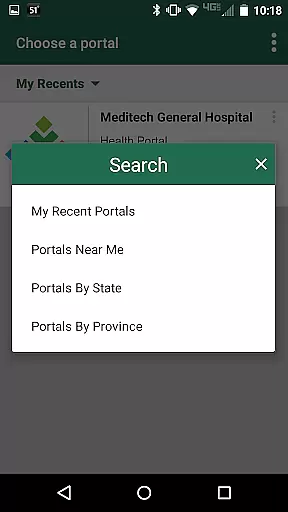
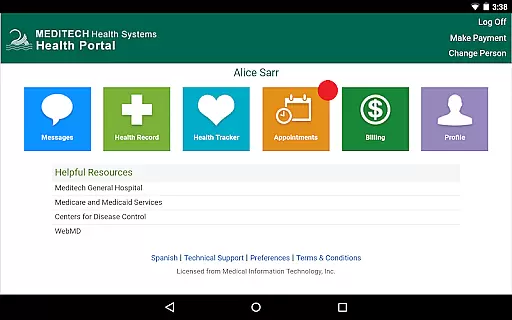
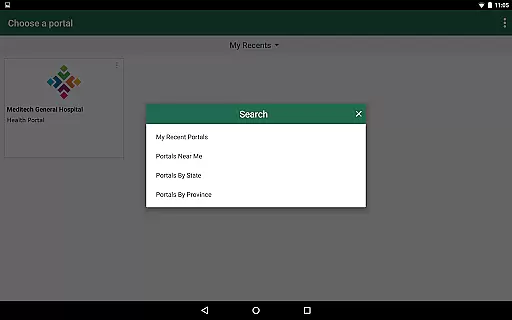
MEDITECH MHealth is a mobile health application designed to provide patients with secure and convenient access to their personal health information. The app serves as the mobile extension of MEDITECH's Patient and Consumer Health Portal, enabling users to manage their healthcare directly from their mobile devices or tablets.
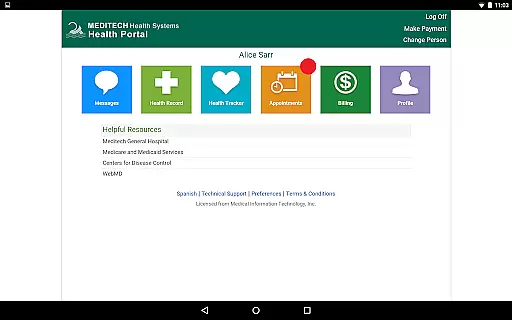
With features such as secure communication with care teams, appointment scheduling, pre-registration, and review of laboratory results, MHealth empowers users to take control of their medical care and that of their families. This makes it an essential tool for anyone seeking to streamline their healthcare management on-the-go.
The app is particularly useful for individuals who want instant access to their health records, medication lists, immunization histories, and upcoming appointments. By offering these capabilities in a user-friendly interface, MHealth enhances patient engagement and ensures timely access to critical health information.
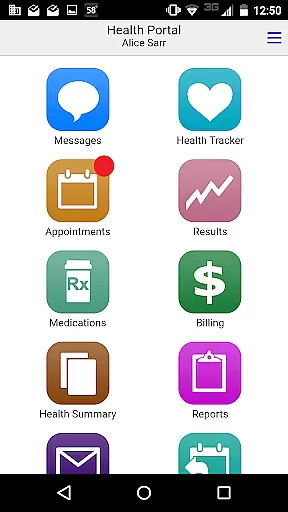
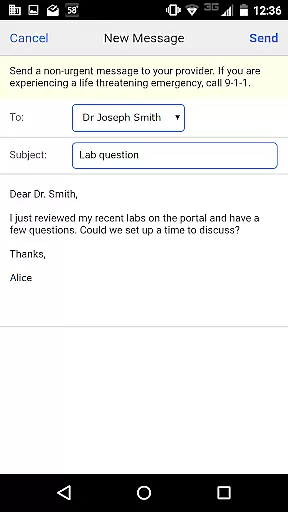
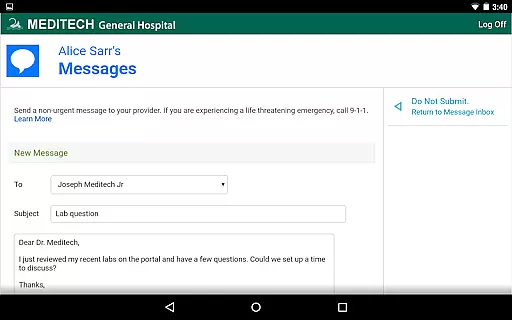
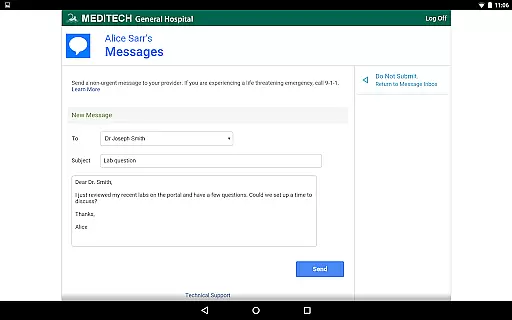
MEDITECH MHealth offers a comprehensive suite of features tailored to enhance patient engagement and simplify healthcare management. One of its standout capabilities is secure messaging, which allows users to communicate directly with their care team, ensuring privacy and efficient exchange of important health updates.
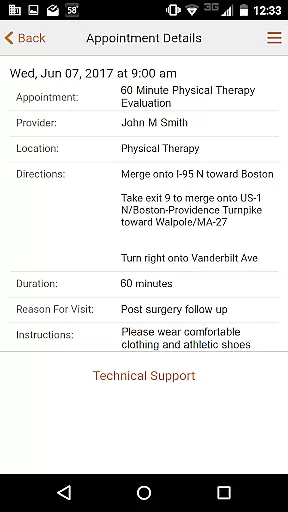
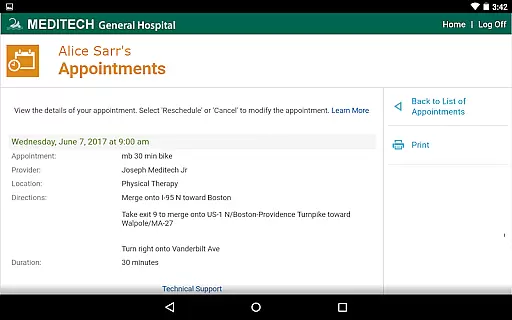
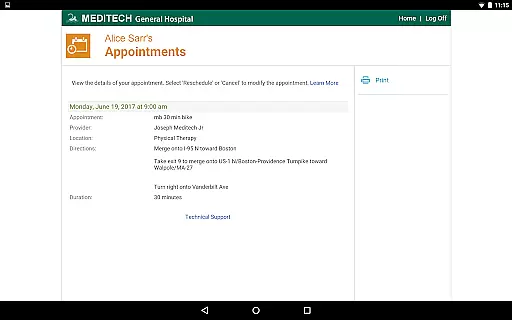
In addition to secure messaging, the app provides robust tools for appointment management. Users can request new appointments, view details of upcoming visits, and even pre-register for scheduled appointments. This functionality not only saves time but also reduces administrative burdens for both patients and healthcare providers.
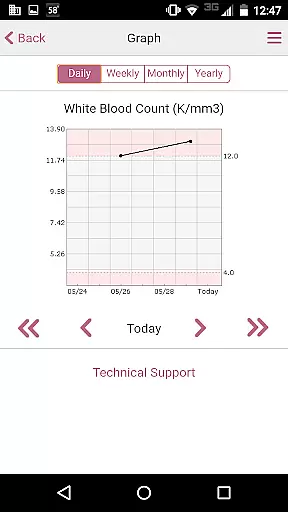
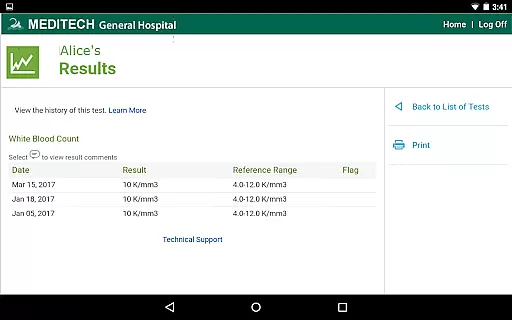
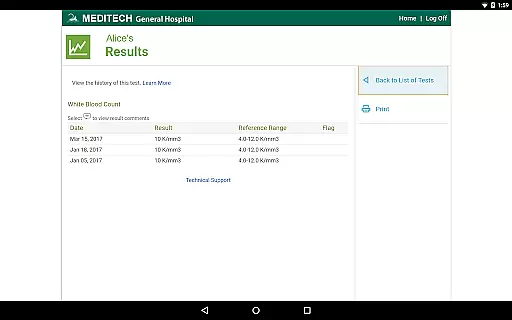
Another key feature is the ability to review laboratory results and radiology reports directly within the app. Patients can track their immunizations, allergies, and conditions, as well as manage home medications and request prescription renewals. These features collectively ensure that users have all necessary health information at their fingertips, empowering them to make informed decisions about their care.
In the realm of mobile health applications, the credibility of medical content is paramount. MEDITECH MHealth ensures that all the information provided through its platform is thoroughly vetted by healthcare professionals. This guarantees that users receive accurate and reliable data regarding their health records, including laboratory results, radiology reports, and discharge instructions.
The app consolidates medical records from various visits and treatments, presenting them in an organized manner. Each piece of data, such as tracked immunizations, allergies, and conditions, is reviewed for accuracy. This rigorous process provides peace of mind to users who need to manage their family's healthcare needs on-the-go.
Furthermore, the secure communication feature with care teams within the app assures users that they are receiving expert advice. The ability to request prescription renewals and appointment scheduling is backed by professional oversight, ensuring that every action taken is based on verified medical information.
MEDITECH MHealth offers a teleconsultation feature that allows users to communicate securely with their care team. This functionality is crucial for maintaining the quality of virtual healthcare services. By enabling patients to discuss their health concerns without the need for physical visits, the app enhances the accessibility and convenience of obtaining medical advice.
The quality of teleconsultations within MHealth is upheld by ensuring that all interactions are secure and confidential. Users can trust that their discussions with healthcare providers are protected, thus encouraging open and honest communication about their health issues.
Additionally, features like requesting new appointments and pre-registering for upcoming ones contribute to a seamless teleconsultation experience. Patients can efficiently manage their healthcare schedule while having all necessary information, such as visit details and forms, readily available at their fingertips.
User-friendly interface
Secure communication
Comprehensive health tracking
Appointment management
Medication management
Limited to existing portal users
Dependent on provider activation
No offline functionality
Potential connectivity issues
Requires account setup

A scientifically-proven method to help people with dementia or memory impairment
 4.3
4.3
Blue Cross and Blue Shield of Texas member information
4.60
Modivcare members can book and manage trips.
4.50
World's largest contact lens store
4.60
Molina Members: My Molina. Manage your health anytime, anywhere!
4.30
Perform pure-tone audiometry and a speech intelligibility test on your phone.
4.50
Pelvic Floor Muscle Exercises
4.80
Update medical records, view upcoming appointments, message your provider & more
3.80
Continuous Glucose Monitoring
3.40
Amplify surrounding sounds, conversations, TV or lectures for louder hearing.
4.70
Boost reading, writing, speaking and listening with a scientifically proven app.
4.70
Adaptive-learning flashcards and quizzes for the Top 250 Drugs
4.60
Identify pills, search different drugs, get drug information and much more!
4.50
The official DSM-5-TR® app
4.50
Use the phone microphone or headset mic as sound amplifier for louder hearing.
4.30
Your pocket guide to following The Monash University Low FODMAP diet.
4.20
Crush your paramedic exam with NREMT-style tests, ECGs, and top-tier prep!
3.90
The world's best selling 3D Human Anatomy app with groundbreaking 3D technology
2.00
ECG modules improve rhythm ID. ACLS is a simulator for cardiac arrest scenarios.
4.3


User Reviews