

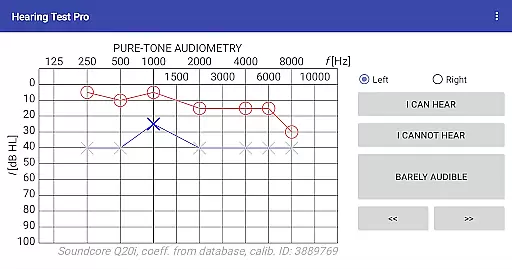
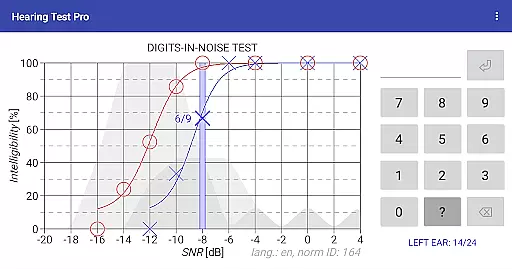
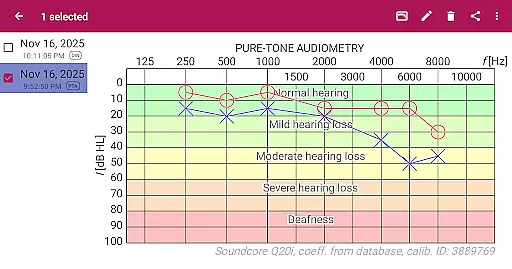
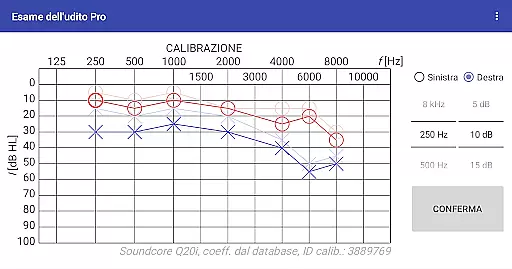
Hearing Test Pro is a comprehensive mobile solution designed for users to assess their hearing capabilities with clinical precision. The app provides two primary testing methods: pure-tone audiometry and the digits-in-noise test (digit triplet test). Pure-tone audiometry evaluates the degree of hearing loss across different sound frequencies, identifying the quietest sounds detectable by the user. The digits-in-noise test measures speech intelligibility by having users recognize spoken digits amidst background noise.
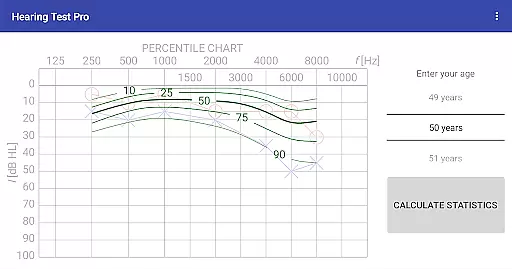
In addition to these core tests, the app includes advanced features such as high-frequency audiometry, classification of hearing loss, and comparison with age-related norms. Users can also calibrate their devices, measure ambient noise levels, and adjust calibration coefficients based on clinical audiometer results. With its Pro version, Hearing Test Pro offers offline access to test results, cloud synchronization, and manual stimulus control during audiometry tests.
This app is particularly useful for individuals who need regular hearing assessments or those who want to monitor changes in their hearing over time. By providing detailed reports and customization options, Hearing Test Pro empowers users to take charge of their auditory health with professional-grade tools at their fingertips.
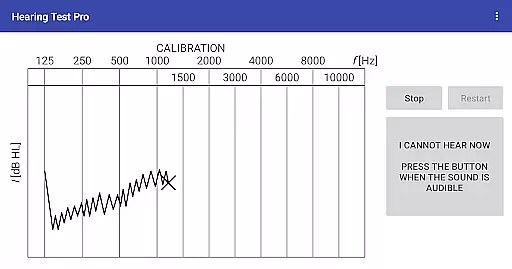
Hearing Test Pro stands out with its robust feature set tailored for both basic and advanced hearing assessments. The app's pure-tone audiometry function uses bundled headphones and predefined calibration data to determine hearing thresholds accurately. For users seeking more flexibility, device calibration allows adjustments when using non-standard headphones or when predefined settings are unavailable.
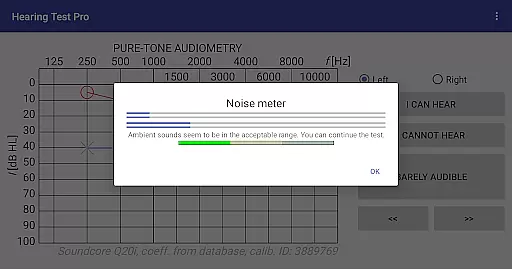
Beyond standard testing, the app includes a digits-in-noise test that evaluates speech recognition in noisy environments, making it highly relevant for real-world scenarios. Additional functionalities like a built-in noise meter ensure optimal testing conditions by measuring background noise levels. Advanced features such as high-frequency audiometry and classification of hearing loss provide deeper insights into auditory health.
The Pro version enhances usability further with offline database access, cloud synchronization, and manual stimulus control during tests. These premium features make Hearing Test Pro an indispensable tool for anyone requiring frequent, reliable, and professional-level hearing evaluations without visiting a clinic.
When it comes to medical applications, the credibility of content and expert review is paramount. Hearing Test Pro offers a comprehensive suite of hearing assessments developed with professional audiometry standards. The app includes pure-tone audiometry and digits-in-noise tests, both recognized methods for evaluating hearing acuity and speech intelligibility.
The inclusion of high-frequency audiometry and classification of hearing loss ensures that users receive detailed insights into their auditory health. These features are designed based on clinical practices, providing reliable data that can be compared against age-related norms. Such an approach not only enhances the app's reliability but also supports informed discussions with healthcare providers.
Furthermore, the ability to adjust and verify calibration coefficients adds another layer of accuracy to the testing process. This feature allows users to align their results with those obtained from clinical audiometers, reinforcing the trustworthiness of the app's evaluations. With these expert-reviewed functionalities, Hearing Test Pro establishes itself as a credible tool in managing personal auditory wellness.
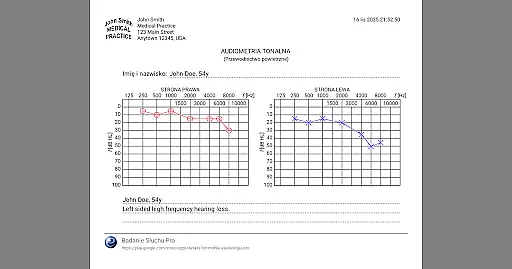
While Hearing Test Pro does not offer teleconsultation services directly, its features support high-quality remote consultations with healthcare professionals. The app provides detailed test results, including printable reports and the option to add notes, which can be shared during virtual appointments. This capability ensures that users can effectively communicate their auditory status to audiologists or doctors.
The Pro version enhances this experience by offering local database storage and synchronization options. Users can store their test results offline and access them across multiple devices through cloud synchronization. This seamless data management facilitates easier sharing and retrieval of information, making remote consultations more efficient and productive.
Additionally, manual stimulus control in pure-tone audiometry empowers users to conduct tests at their convenience, ensuring they can gather necessary information before consulting with a specialist. By enabling precise and accessible hearing assessments, Hearing Test Pro significantly contributes to the quality of teleconsultations, bridging the gap between patients and healthcare providers.
User-friendly interface
Comprehensive hearing tests
Advanced calibration options
Cloud synchronization in Pro version
Detailed reporting features
Premium features require payment
Calibration may be complex for some
Limited to bundled headphones initially
No instant customer support
High-frequency tests need updates

The OptumRx app empowers you to become an advocate of your pharmacy benefits.
 4.40
4.40
A rapid reference for prehospital providers caring for pediatric patients.
4.4
Voice pitch monitor for speech therapy, LSVT, Parkinson's, singing & trans
4.30
Pelvic Floor Muscle Exercises
4.80
Get your lab results on your smartphone with MyQuest.
4.40
Download OctaApp for easy access to your plasma donation info
4.40
The Client Portal app empowers you to manage care from one secure place
4.10
Anthem/Wellpoint and other health insurance plans
4.60
Online Doctors & Condition Management
4.40
CPR Timer for High Performance AHA BLS / ACLS
5.00
Search by insurance, see real-time openings & verified reviews, get care fast.
4.80
The NightOwl Companion app allows you to interact with the NightOwl sensor.
4.70
This app is simply 1 book (also large app) and 17 other apps combined into 1
4.70
Adaptive-learning flashcards and quizzes for the Top 250 Drugs
4.60
The Omada app enhances your program experience and helps you stay engaged.
4.50
Over 1,200 review questions and 5 exams—pass the NREMT with EMT Review Plus!
4.10
Conveniently receive lab results, schedule lab appointment and pay your bills
3.70
Easy access to benefits and rewards
3.70
X-Vein: Advanced vein detection for medical practice
3.10

User Reviews