

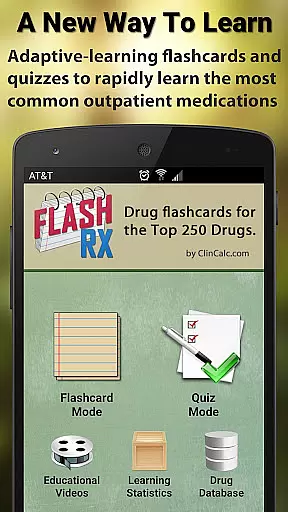
FlashRX is a specialized medical education app designed for healthcare students and professionals to master the top 250 outpatient medications. It emphasizes concise, practical knowledge through flashcards and quizzes rather than serving as a comprehensive drug reference. The app focuses on usability, offering customizable learning tools that cover brand/generic names, drug classes, indications, adverse effects, and dosing.
With its adaptive learning algorithm, FlashRX optimizes study time by focusing on areas where users need improvement. Its sleek interface includes audio pronunciations, detailed drug entries, and grouping options for therapeutic classes. This makes it ideal for pharmacy technicians, nurses, physicians, and students preparing for exams like NAPLEX or NCLEX.
Although FlashRX is no longer updated, its functionality lives on in RxFlip, a modernized version with enhanced features. FlashRX remains a valuable tool for building foundational drug knowledge efficiently.
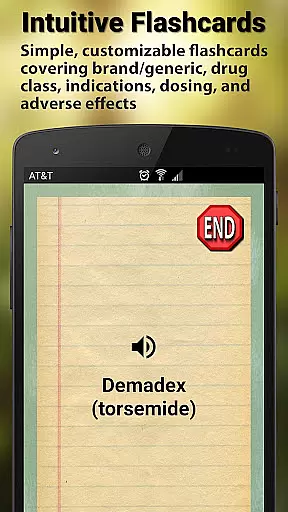
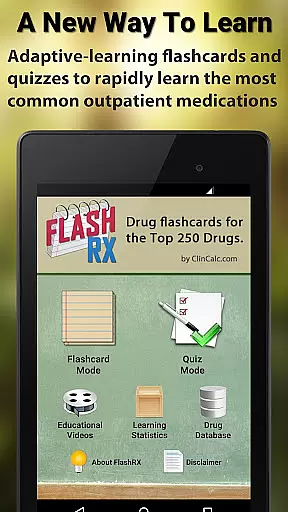
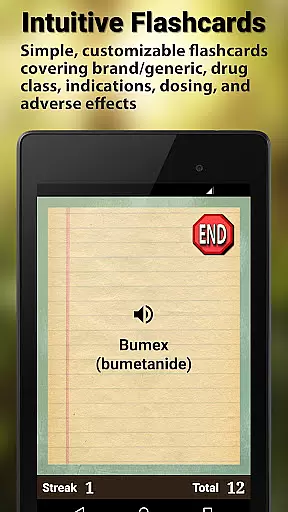
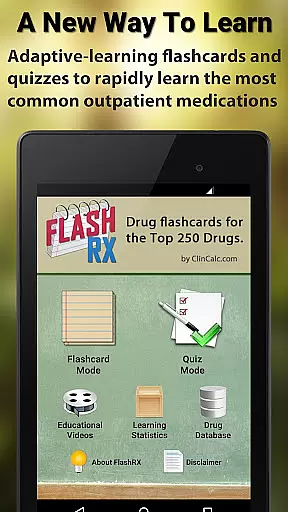
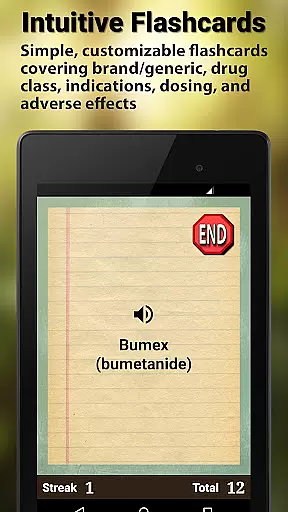
FlashRX offers a robust set of features tailored for effective medication learning. Its flashcard mode allows users to review critical drug details such as brand names, generic names, indications, and adverse effects. Users can customize their experience by selecting specific categories to test themselves on, ensuring focused learning.
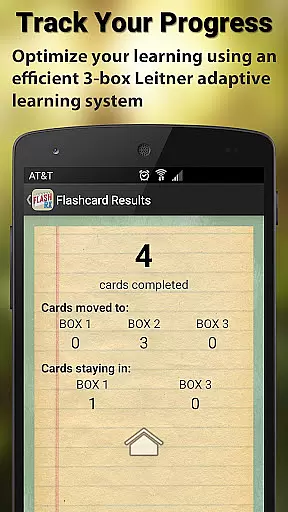
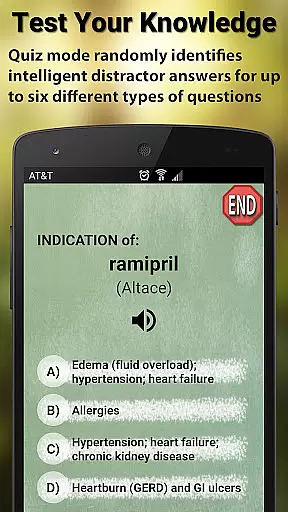
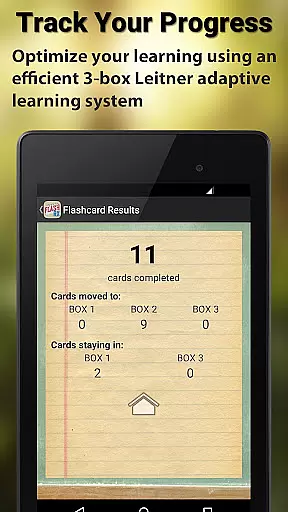
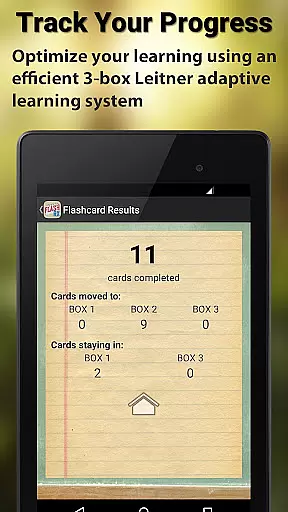
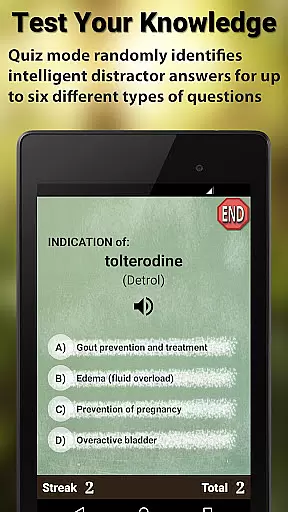
The quiz mode enhances retention with intelligent distractor answers and random question generation. An adaptive Leitner system prioritizes less familiar content, helping users master challenging topics faster. Additionally, the app provides detailed statistics after each session, enabling learners to track progress over time.
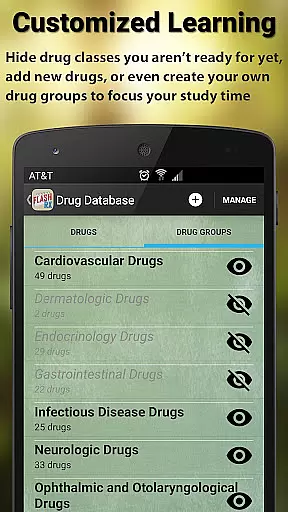
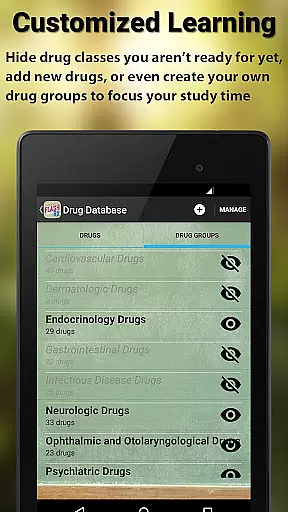
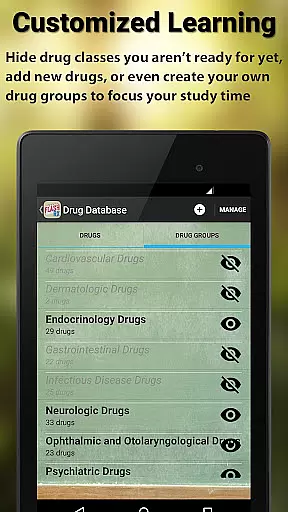
Other notable features include audio pronunciations for both brand and generic drug names, fully editable drug entries, and custom group creation for organizing drugs into therapeutic classes. These tools collectively create an engaging, personalized learning environment.
In the realm of medical applications, content credibility is paramount. FlashRX - Top 250 Drugs ensures this by basing its drug database on information curated by Sean P. Kane, PharmD, BCPS, a reputable clinical pharmacist and assistant professor. This guarantees that users are accessing information reviewed by an expert in the field.
The app focuses on delivering concise and practical knowledge about the top 250 medications used in outpatient settings. By emphasizing core knowledge over comprehensive details, it aids healthcare students and professionals in building a reliable foundational understanding of these drugs.
FlashRX's drug entries include brand names, generic names, indications, adverse effects, and typical dosing. This selective inclusion of information ensures that users can efficiently learn and comprehend essential drug facts without being overwhelmed by extraneous data.
Moreover, the app offers audio pronunciations and customizable features, allowing users to tailor their learning experience. These elements not only enhance usability but also reinforce the credibility of the content through interactive engagement with the material.
While FlashRX - Top 250 Drugs does not provide teleconsultation services directly, it significantly enhances the quality of remote consultations by equipping healthcare professionals with critical drug knowledge. This preparation is vital for delivering accurate advice during teleconsultations.
The adaptive learning algorithm integrated into both flashcard and quiz modes helps track which drug facts users know well and which require more review. This feature ensures that healthcare providers maintain a high standard of knowledge, indirectly supporting the quality of teleconsultations.
By focusing on practical information such as brand names, generic names, drug classes, indications, adverse effects, and typical dose ranges, FlashRX prepares users to handle queries effectively during virtual appointments. The ability to customize drug lists further allows practitioners to focus on relevant medications for their practice.
Additionally, the app's emphasis on simplicity and usability means that even those new to digital tools can easily incorporate FlashRX into their study routine, ensuring they are well-prepared for any form of patient interaction, including telemedicine.
User-friendly interface
Customizable quizzes
Adaptive learning
Audio pronunciations
Ideal for exam prep
No longer updated
Limited drug info
Outdated design
Fewer features
Replaced by RxFlip


Health Care at Your Fingertips
 4.60
4.60
An easy way to earn money donating plasma. Book a visit, sit back, and get paid.
3.80
The MDLIVE app makes connecting with a doctor fast, easy, and convenient.
4.60
Conveniently receive lab results, schedule lab appointment and pay your bills
3.70
Your pocket guide to following The Monash University Low FODMAP diet.
4.20
Donating plasma just got easier with the BioLife Plasma Services mobile app.
3.90
Update medical records, view upcoming appointments, message your provider & more
3.80
The Client Portal app empowers you to manage care from one secure place
4.10
Find and Price Care
4.60
CPR Timer for High Performance AHA BLS / ACLS
5.00
Live vet support by text/video
4.80
Pelvic Floor Muscle Exercises
4.80
Want to make it easier to manage your health? We’re with you, wherever you are.
4.70
Download the PulsePoint app and use your CPR skills to save a life!
4.60
Enjoy 200%+ volume booster with bass booster, equalizer and headphone supported.
4.60
Modivcare members can book and manage trips.
4.50
Download OctaApp for easy access to your plasma donation info
4.40
Control your hearing aids discreetly with the touch of a finger
4.30
A rapid reference for prehospital providers caring for pediatric patients.
4.2


User Reviews