

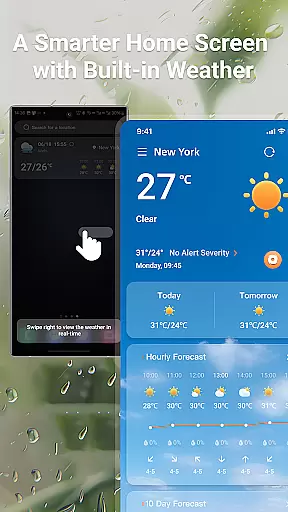
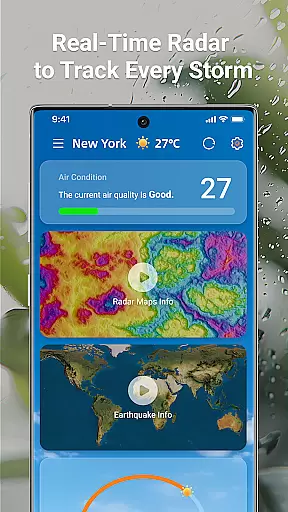
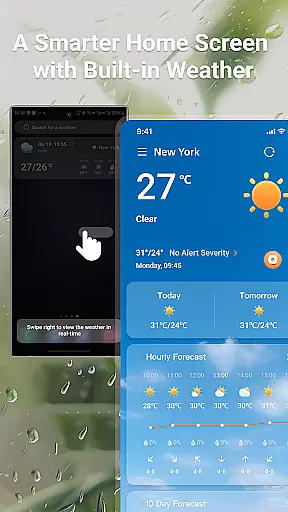
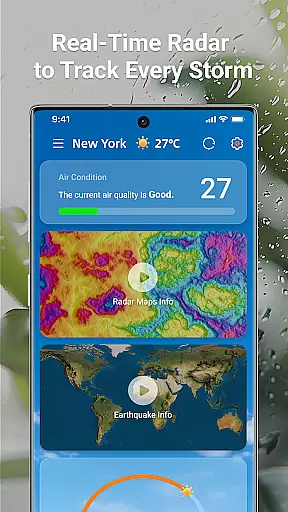
LaunchWeather is a powerful weather application designed to provide real-time weather updates directly from your home screen. With its intuitive shortcut feature, users can instantly access current and upcoming weather forecasts without navigating through multiple apps. The app offers interactive radar maps that track rain, snow, and storm paths in real time, ensuring you stay informed about changing weather conditions.
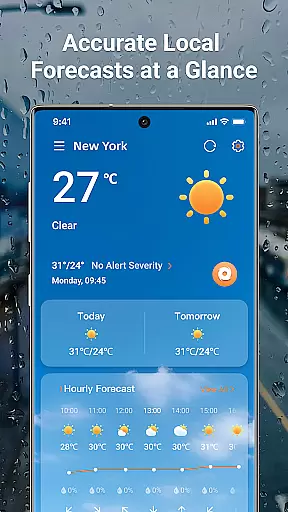
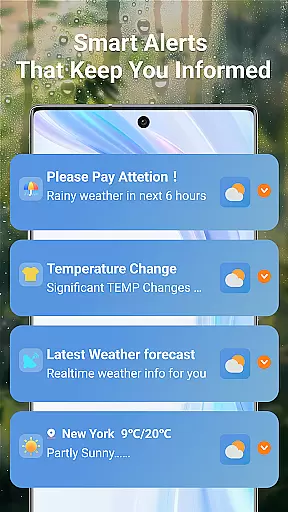
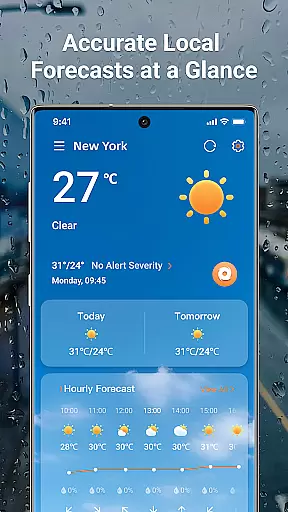
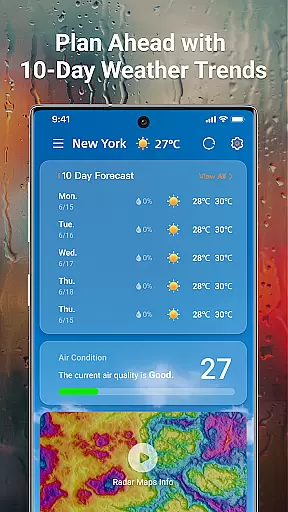
In addition to live radar tracking, LaunchWeather provides comprehensive weather forecasts with hourly updates and 10-day trend predictions. Users can view key metrics such as temperature, humidity, UV index, and air quality, all accessible with just one tap. Its smart alert system notifies you of sudden weather changes, severe storms, and other critical updates, helping you plan your day with confidence.
This app is particularly useful for travelers and outdoor enthusiasts who need reliable weather data on the go. Whether you're checking local weather or accessing global forecasts, LaunchWeather ensures accurate information across multiple languages, making it an essential tool for staying prepared no matter where you are.
LaunchWeather stands out with its innovative features tailored to simplify weather tracking. One of its core functionalities is the interactive live radar, which allows users to zoom and move maps for precise, location-specific details. This feature helps individuals monitor weather patterns like rain, snow, and storms in real time, providing a deeper understanding of how weather systems evolve.
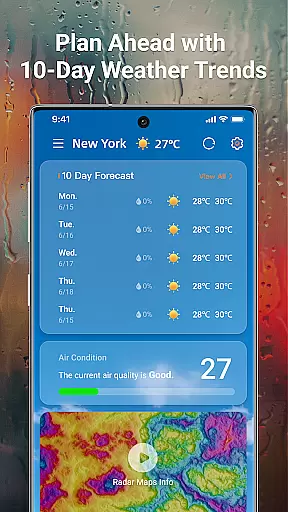
The app also excels in delivering complete weather forecasts. It includes hourly updates, 10-day trend predictions, and detailed metrics such as 'RealFeel' temperatures, humidity levels, UV indexes, and air quality ratings. These insights empower users to make informed decisions about their daily activities while avoiding potential weather-related disruptions.
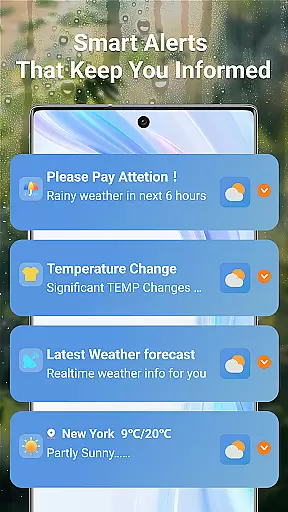
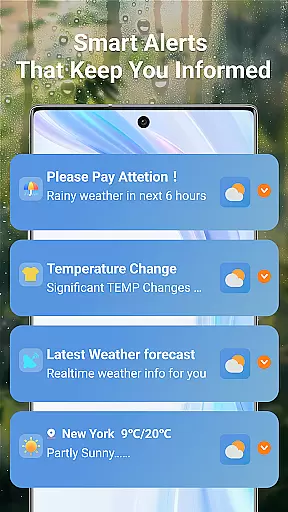
Another standout feature is the smart alert system, which sends timely notifications for sudden weather changes, including rain alerts, temperature shifts, strong winds, and air quality warnings. Designed with user experience in mind, these alerts are concise yet informative, ensuring users remain prepared without feeling overwhelmed by excessive notifications.
Forecast accuracy and data credibility are essential for any weather application, and LaunchWeather excels in these areas. The app provides real-time updates and 10-day trend forecasts, ensuring users have access to the most current and reliable weather information available. By leveraging trusted sources, LaunchWeather delivers precise local and global forecasts, empowering users with accurate details on temperature, realfeel, humidity, UV index, and air quality.
The app's dedication to accuracy is evident through its interactive radar maps that track rain, snow, and storm paths. These maps offer real-time updates, allowing users to monitor weather changes as they occur. With zoom and move functionality, LaunchWeather ensures location-specific details are both accessible and precise, enhancing the user's ability to make informed decisions based on live weather conditions.
LaunchWeather also offers smart weather alerts, notifying users of sudden weather changes, severe weather warnings, and important updates like rain or temperature shifts. This feature not only keeps users prepared but also prioritizes their safety by delivering timely notifications. Such comprehensive coverage and attention to detail reinforce the app's commitment to providing credible and actionable weather data.
Temporal and spatial forecast range is a critical aspect of weather forecasting, and LaunchWeather stands out by offering extensive coverage across both dimensions. Users can access hourly updates along with forecasts extending up to 10 days ahead. This broad temporal range allows individuals to plan their activities with confidence, knowing they have detailed insights into upcoming weather patterns. Whether it's daily scheduling or long-term travel plans, LaunchWeather equips users with the necessary tools to anticipate environmental conditions effectively.
In addition to its temporal capabilities, LaunchWeather boasts impressive spatial coverage. The app supports global forecasts while maintaining precision at the local level. Regardless of where users find themselvesu2014be it urban centers or remote locationsu2014they benefit from localized weather predictions tailored specifically to their geographical coordinates. Multi-language support further enhances accessibility, making this service universally usable regardless of language barriers.
By integrating advanced technologies such as interactive radar maps, LaunchWeather enables users to explore spatial data dynamically. These maps display various meteorological phenomena including precipitation types and storm trajectories, facilitating deeper understanding and better preparation for impending weather events. Overall, LaunchWeatheru2019s expansive temporal and spatial forecast ranges ensure comprehensive readiness against unpredictable climate fluctuations.
Accurate forecasts
Live radar maps
Smart alerts
Global coverage
Multi-language support
Premium subscription
Limited free features
Occasional ads
Data usage concerns
Regional limitations
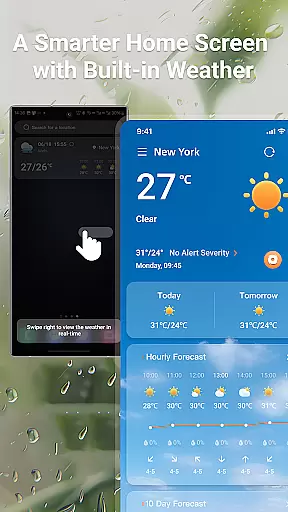
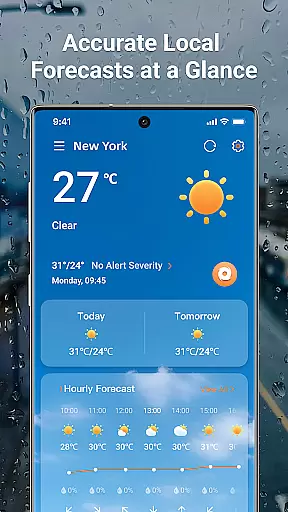
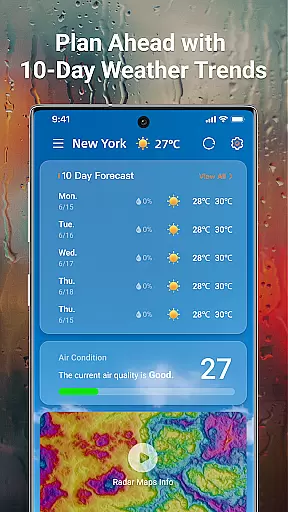
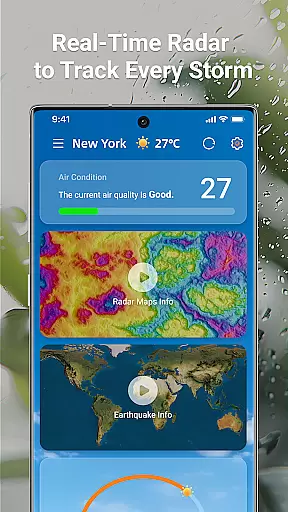

A powerful tool for ultimate weather awareness
 3.50
3.50
Personal Weather Station PRO - Meteo monitor to check your WU info and charts.
4.20
Hurricane Tracker, Rain Map
4.80
Stay ahead of the weather with Daily Weather
4.10
Download now and give your smartwatch a fresh, premium look!
4.20
My Aurora Forecast Pro is the app for the Northern Lights and Aurora Borealis.
4.70
Powerful US and worldwide earthquake feed with earthquake alerts and maps.
4.70
Your Reliable Weather Companion
4.10
Live NOAA weather app to track storm, rain, wind, lightning & real local updates
4.20
Weather radar, hyperlocal tracker and weather maps: follow your weather station
4.80
NOAA forecast & radar for your exact location.
4.80
Road weather, live radar, wind, snow, and conditions along your driving route.
4.70
weather forecast, weather radar, weather widget in one local weather app
4.70
Weather watch face for Wear OS 5+
4.10
Moon phase calendar with live wallpaper, lunar widget, & 3D simulation.
3.60
A powerful weather forecast to get real-time weather information
3.60
Magnetic Compass meets smart tech: Get directions and weather alerts seamlessly
3.30
Get instant weather & temperature predictions right on your Wear OS smartwatch!
4.1
Digital Weather Watch Face for Wear OS 5+
4.4

User Reviews