

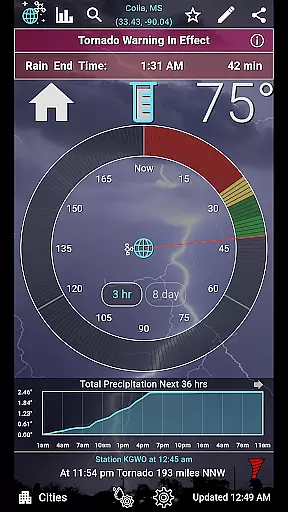
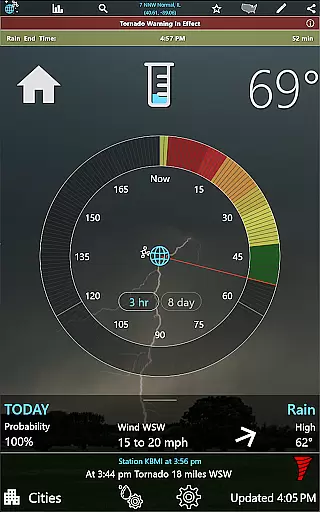
RainAware is a comprehensive weather application designed to provide users with detailed and localized weather information. The app's core functionality revolves around its ability to predict rain and other weather conditions up to 3 hours in advance, making it an essential tool for planning outdoor activities. It offers interactive graphs, notifications for significant weather changes, and a unique Rain Clock feature that visually represents upcoming weather patterns.
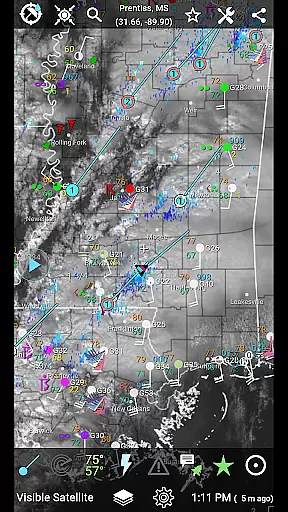
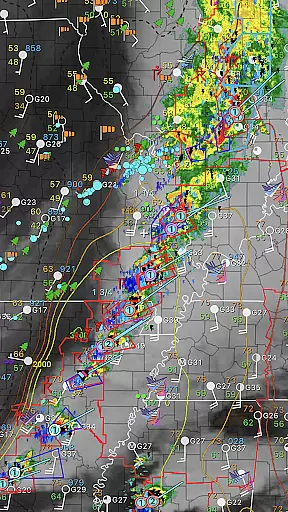
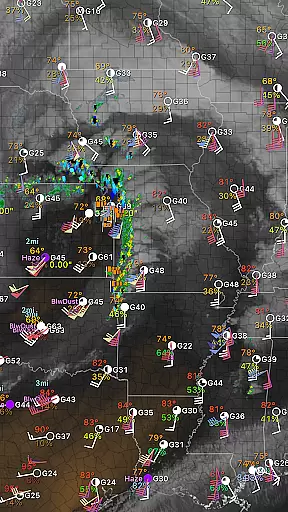
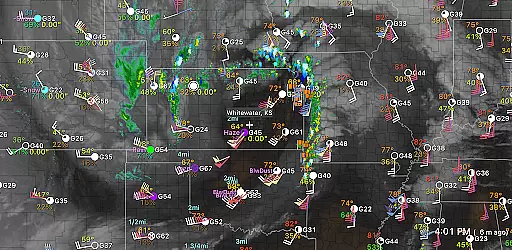
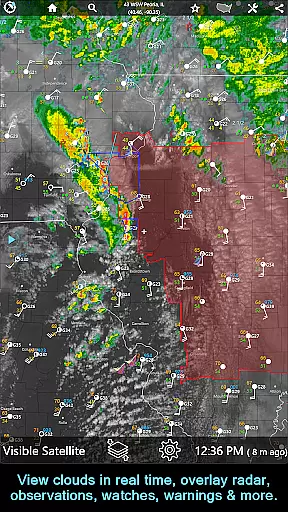
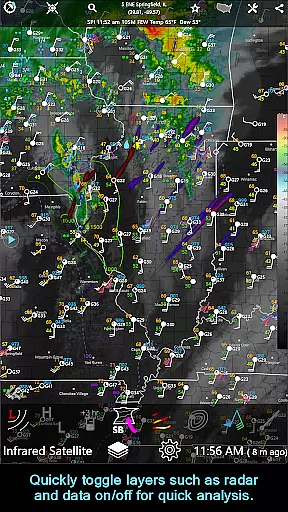
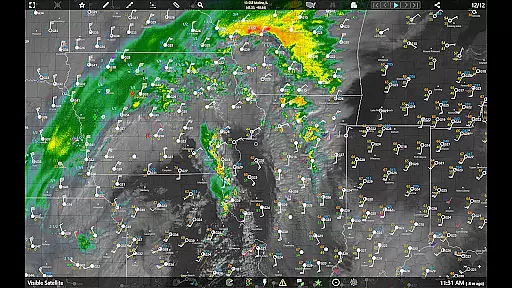
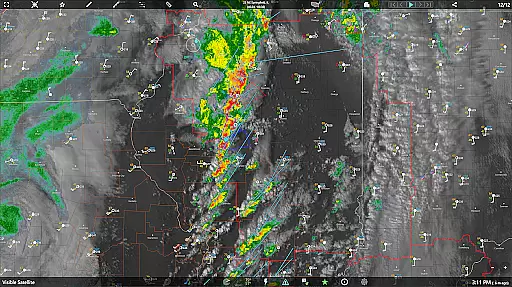
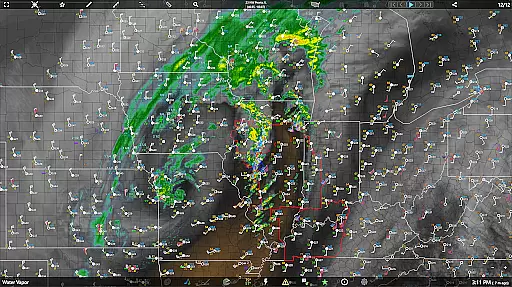
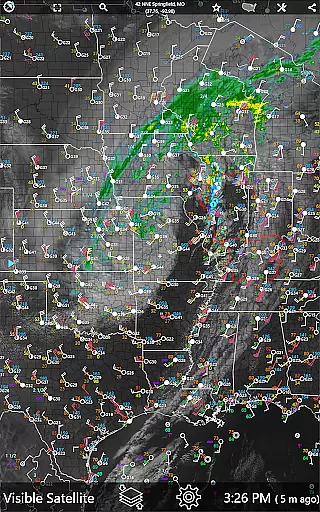
One of the standout features of RainAware is its highly customizable notification system. Users can set specific parameters for receiving alerts, such as proximity boundaries and duration thresholds for precipitation. The app also provides advanced weather visualization tools including satellite imagery, radar maps, and surface observation data. These features make RainAware particularly valuable for both casual users and weather enthusiasts who need precise and timely weather information.
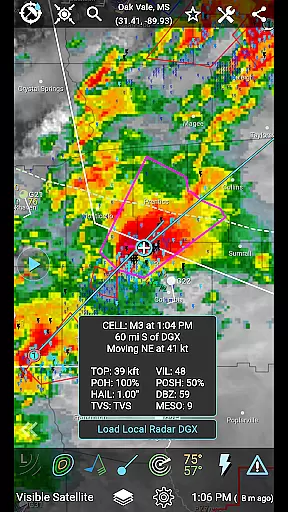
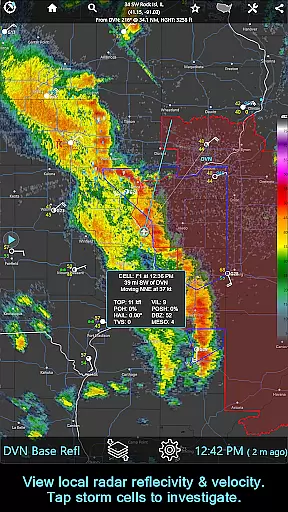
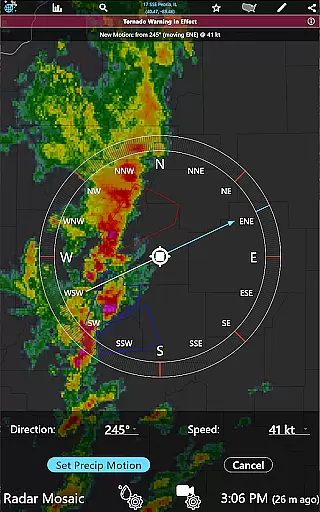
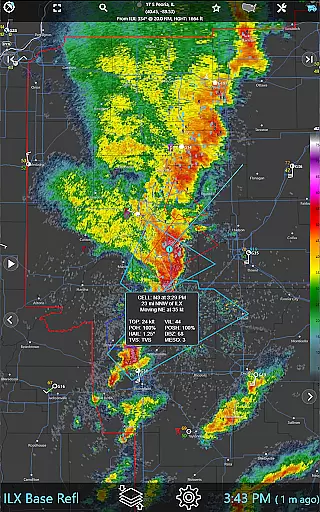
The application caters to various user needs through its subscription-based RainPro version, which offers enhanced features like national radar products, storm cell tracking, and aviation mode. Whether you're a homeowner planning weekend chores or a professional meteorologist analyzing weather patterns, RainAware delivers accurate and actionable weather intelligence across the USA and southern Canada region.
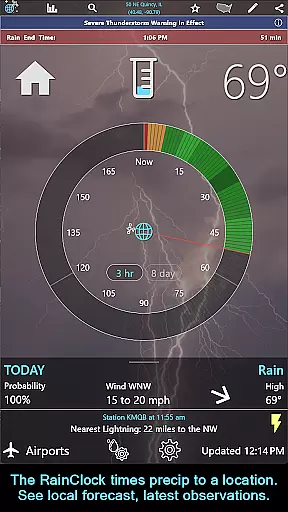
RainAware distinguishes itself through its extensive collection of weather analysis tools and customizable features. The app's primary strength lies in its ability to deliver hyper-local weather predictions through its proprietary Rain Clock technology. This innovative feature combines traditional clock interface with dynamic weather forecasting, showing users exactly when rain will start and stop at their location. The accompanying background images that reflect current weather conditions provide an intuitive visual representation of upcoming weather patterns.
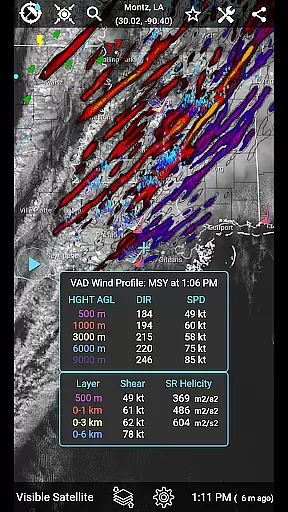
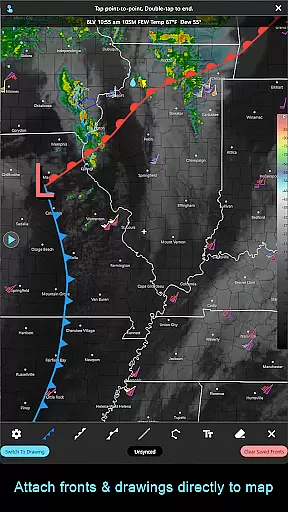
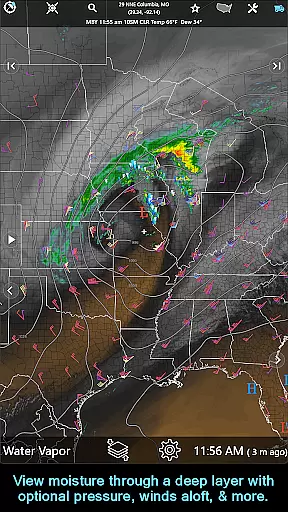
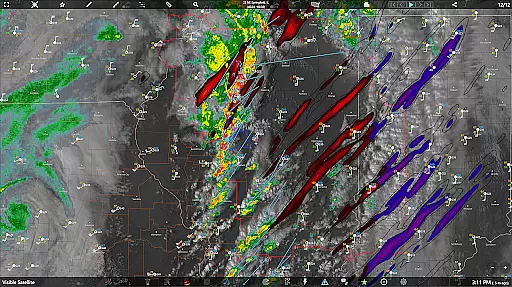
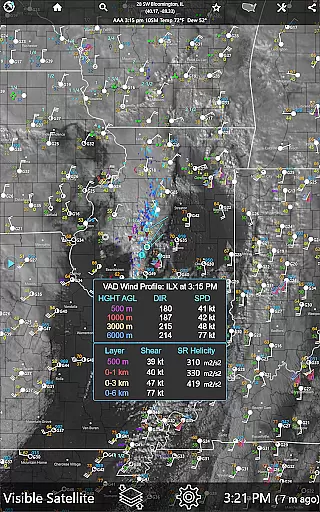
For power users, RainAware offers advanced meteorological tools including interactive graphs that display multiple weather parameters over 36 hours. The app's mapping capabilities are particularly impressive, allowing users to view regional weather patterns while providing options to adjust map overlays for different weather elements. Unique features like the drawing tool enable users to annotate weather maps with custom markings and share them with others. Additionally, the subscription-based RainPro version unlocks professional-grade tools such as VAD Wind Profiles, CAPE analysis, and storm cell tracking with filtering options.
The app's flexibility extends to its notification system, where users can fine-tune alert settings based on their specific needs. From setting minimum precipitation thresholds to defining geographical boundaries for alerts, RainAware puts complete control in users' hands. The inclusion of specialized modes like aviation view and advanced environmental field analysis makes this application suitable for both personal and professional use cases, setting it apart from standard weather applications.
When it comes to weather applications, forecast accuracy and data credibility are paramount. RainAware sets a high standard in this domain by providing users with precise precipitation timing and detailed weather information up to 3 hours in advance. The app's Rain Clock feature is designed to deliver accurate start and end times for rain at the user's location, ensuring that you're never caught off guard.
The application leverages advanced meteorological data sources and algorithms to ensure the reliability of its forecasts. Users can trust the notifications they receive regarding incoming rain or severe weather threats, as these alerts are based on credible data. Additionally, the interactive graphs provide a visual representation of temperature, wind speed, cloud cover, and precipitation types over the next 36 hours, allowing users to plan their activities with confidence.
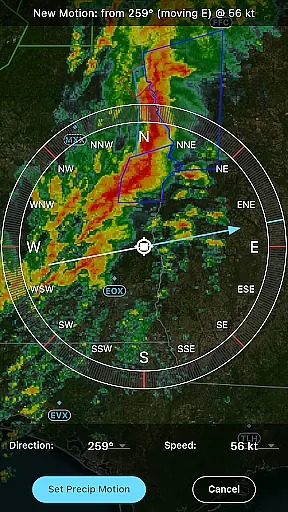
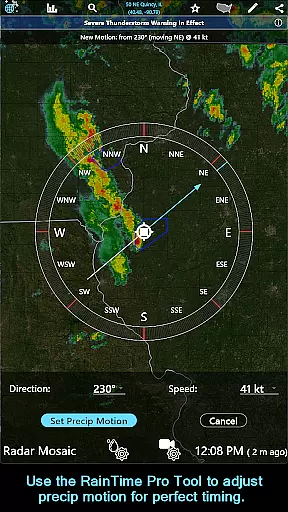
For those who require even more precision, the subscription version offers enhanced features such as the RainPro Tool, which refines precipitation motion for optimal timing. With full access to national radar products, storm cells, and environmental fields, subscribers gain an unparalleled level of detail and forecasting power. This commitment to accuracy and credibility ensures that RainAware remains a trusted companion for weather-conscious individuals.
RainAware excels in providing a comprehensive temporal and spatial forecast range, enabling users to stay informed about weather conditions both near and far. The app covers a broad geographical area, extending from the USA into southern Canada, with satellite and local radar coverage reaching from Hawaii to the Caribbean. This extensive reach allows users to track weather patterns across vast distances, making it ideal for travelers, outdoor enthusiasts, and professionals alike.
With RainAware, users can view regional weather maps that go beyond typical boundaries, offering a much larger domain than previous versions. The ability to move the domain to new locations means you can explore weather maps for different areas without limitation. For subscribers, there's no regional constraint, granting unrestricted access to the entire weather map.
In addition to its wide spatial coverage, RainAware also provides long-range forecasts through its Forecast Clock, which concisely displays the next 8 days in a Today/Tonight format. This includes essential details like sunrise, sunset, and moon phase information. By combining both short-term and extended forecasts with interactive tools and detailed imagery, RainAware empowers users to make informed decisions based on reliable weather predictions across time and space.
Accurate local forecasts
Customizable alerts
Advanced mapping tools
Professional-grade features
Cross-platform support
Subscription required
Complex interface
High data usage
Limited free features
Regional restrictions

Thermometer shows indoor and outdoor temperature
 4.70
4.70
Personal Weather Station PRO - Meteo monitor to check your WU info and charts.
4.20
Live weather radar, widgets & forecasts. Track rain, storms & temperature.
4.20
My Tide Times Pro is the only tide tables and forecasts application you'll need.
4.80
Weather radar, satellite, wind, waves, ocean and hurricane forecasts.
4.70
Industry leading whitetail movement predictor & hunting app.
4.60
72-hour weather & daily forecasts with extreme weather alerts
4.60
Weather watch face for Wear OS 5+
4.10
Hyperlocal Forecasts, Live Radar, Severe Weather alerts & Homescreen Widgets
4.30
A professional, comprehensive and accurate weather forecast app
4.90
NOAA forecast & radar for your exact location.
4.80
Hourly and daily weather forecast, current condition, temperature, UV and more!
4.70
Your ultimate app for real-time weather information!
4.70
Your ultimate app for accurate local weather information!
4.60
Local forecast, alerts, rain, snow and wind radar, air quality & weather widget
4.60
Download now and give your smartwatch a fresh, premium look!
4.20
Check forecasts, watch live news & track storms with FOX Weather.
3.80
Most precise & accurate compass app give true North South East West directions.
3.00
Digital Weather Watch Face for Wear OS 5+
4.5

User Reviews