

Weather Pro is a comprehensive weather forecasting application designed to provide users with accurate and real-time weather updates. The app offers detailed weather information including air quality, UV index, and activity recommendations, ensuring users can plan their day effectively.
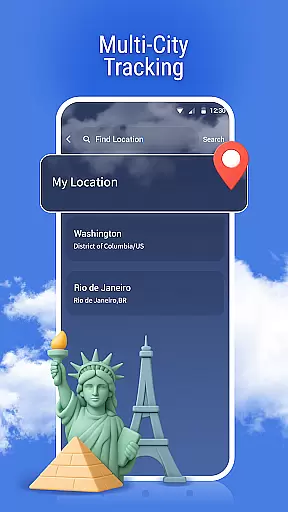
One of the standout features of Weather Pro is its multi-city tracking capability, allowing users to monitor weather conditions in various locations effortlessly. Additionally, the app provides severe weather alerts, keeping users informed and safe during unexpected weather changes.
Whether you are planning a trip or managing daily activities, Weather Pro's dynamic weather backgrounds and intuitive interface make it an essential tool for staying prepared and informed.
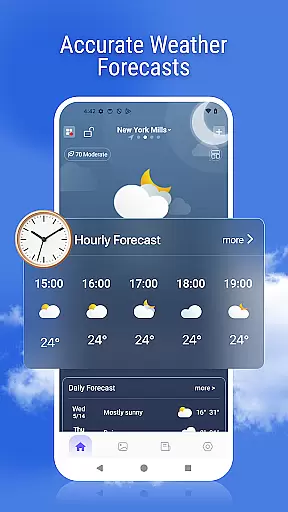
Weather Pro boasts a variety of advanced features that cater to diverse user needs. The app delivers precise hourly and daily weather forecasts for any global location, ensuring users have reliable information at their fingertips.
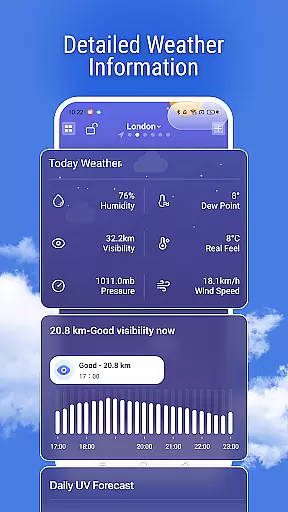
Users can access detailed weather data such as air quality, health index, and sunrise and sunset times, which are crucial for planning outdoor activities. The inclusion of a weather radar allows users to track rain and storms in real time, providing an added layer of safety.
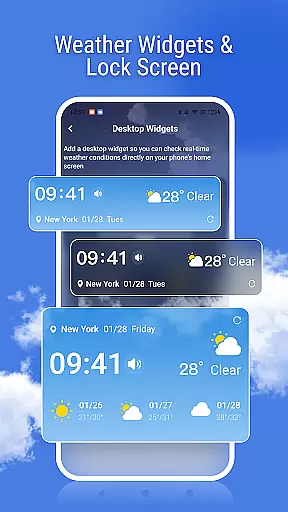
Moreover, Weather Pro enhances user experience with customizable widgets and a dynamic weather background that changes with current conditions, making weather updates visually engaging and easily accessible right from the home screen.
Weather forecasting is only as reliable as the data it relies on, and Weather Pro excels in this area by providing highly accurate forecasts. The app uses advanced algorithms and real-time data to ensure users receive precise weather updates for their location or any city worldwide.
With features like hourly and daily forecasts, Weather Pro ensures that you are always prepared for what the day holds. Whether planning your commute or an outdoor adventure, the detailed information provided helps you make informed decisions. This includes air quality, UV index, and activity recommendations tailored to current conditions.
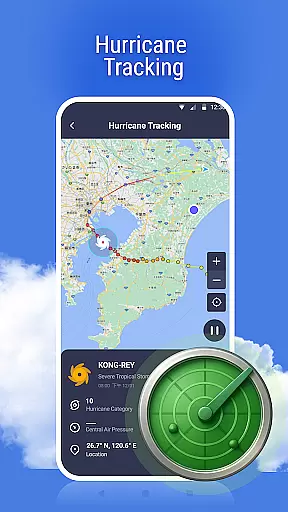
Users benefit from the app's commitment to credible sources, ensuring that all weather data is trustworthy and up-to-date. By integrating multiple data points, including radar maps and severe weather alerts, Weather Pro offers a comprehensive view of upcoming weather patterns, enhancing both safety and convenience.
Understanding weather trends over time and across different locations is crucial for effective planning. Weather Pro addresses this need by offering extensive temporal and spatial forecast coverage. Users can access detailed weather reports not just for their current location but also for multiple cities globally.
The appu2019s multi-city tracking feature allows seamless switching between various locations, making it ideal for travelers or those managing activities across different regions. With real-time updates and radar maps, users can track rain and storms as they move, ensuring timely preparation for changing conditions.
Additionally, Weather Pro provides sunrise and sunset times, further aiding in the organization of daily activities. This broad range of forecasting capabilities ensures that users have all the necessary information at their fingertips, no matter where they are or what time frame they are considering.
User-friendly interface
Accurate forecasts
Real-time alerts
Multi-city tracking
Dynamic backgrounds
Limited free features
Ads in free version
High battery usage
Occasional inaccuracies
Complex settings

A tool that provides real-time and 5-day weather info.
 4.4
4.4
Weather for Indiana, Kentucky and Ohio
4.90
Local weather forecast, reliable daily weather report
4.30
Get accurate rainfall and snowfall totals for pinpoint locations on a map.
4.60
Most precise & accurate compass app give true North South East West directions.
3.00
weather forecast, weather radar, weather widget in one local weather app
4.70
My Aurora Forecast Pro is the app for the Northern Lights and Aurora Borealis.
4.70
Powerful US and worldwide earthquake feed with earthquake alerts and maps.
4.70
All-in-one weather radar launcher with rain, temperature maps & local forecast.
4.30
Nuts Weather, your ideal choice for knowing weather forecast & weather radar
4.70
Accurate Thermometer: indoor & outdoor temperature, humidity, pressure, and wind
4.50
Accurate Weather App: various widgets, real-time storm radar, hurricane tracker.
4.50
Accurate, beautiful weather with landscapes depicting weather, sky, season.
4.50
Weather watch face for Wear OS 5+
4.40
Your Personal Weather Assistant
4.00
An unofficial app version of the National Weather Service (Weather.gov)
3.90
Storm Radar, Alerts & Live Weather Forecasts Right on Your Home Screen
3.70
Moon phase calendar with live wallpaper, lunar widget, & 3D simulation.
3.60
Dynamic weather watch face with glass effect, bold time & 7 complications.
4.1

User Reviews