

Invitation Maker - Card Creator is a versatile app designed to help users create digital invitations for various events without the need for paper. Whether you're planning a birthday, wedding, baby shower, or any other special occasion, this app provides an extensive selection of customizable designs to fit your needs. With its user-friendly interface, even beginners can easily navigate and design professional-looking invitations.
The app allows users to incorporate personal images and customize layouts, fonts, and colors, ensuring each invitation reflects the unique style and theme of the event. Additionally, Invitation Maker supports eco-friendly practices by enabling users to send out their digital invites via email or social media platforms directly from the app, reducing waste and promoting sustainability.
By using Invitation Maker - Card Creator, users not only save time and resources but also contribute to environmental conservation efforts. This makes it an ideal choice for those who value convenience, creativity, and ecological responsibility in their event planning process.
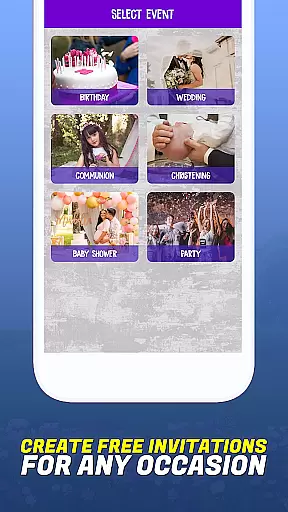
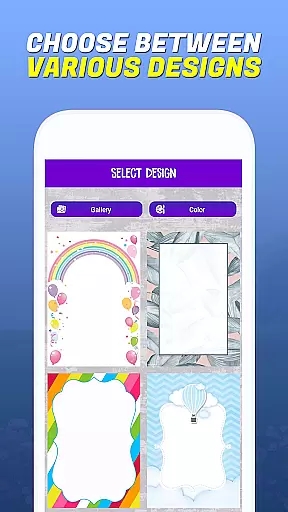
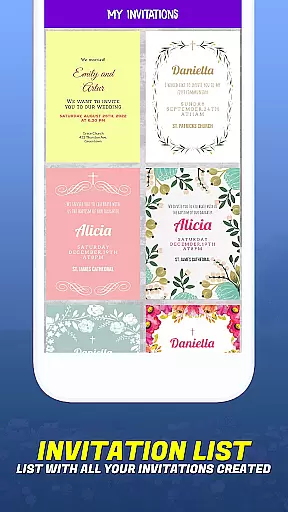
One of the standout features of Invitation Maker - Card Creator is its easy-to-use interface, which empowers users to become proficient invitation designers quickly. The app offers a wide array of templates suitable for different types of events, including birthdays, weddings, communions, baptisms, baby showers, and parties. Each template is fully customizable, allowing users to adjust fonts, colors, layouts, and text styles to match their vision perfectly.
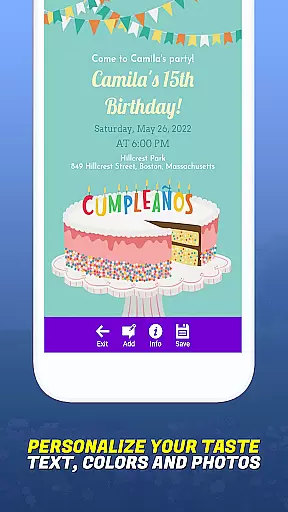
In addition to the rich template library, Invitation Maker lets users upload and use their own images within the designs. This feature enhances personalization options, making each invitation truly unique. Users can also preview their creations before finalizing them, ensuring satisfaction with the end product.
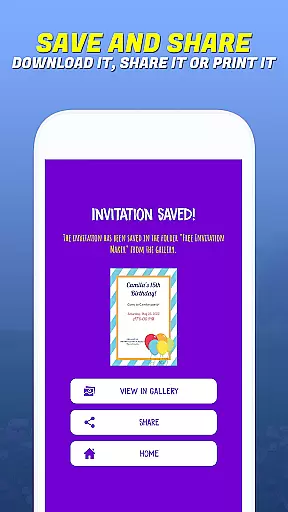
Another significant advantage is the seamless sharing capability. Once an invitation is ready, it can be sent out instantly via email or shared on social media platforms with just a few clicks. This streamlined process eliminates the need for printing and postage, offering a convenient and cost-effective solution for modern event planners.
Task creation and detail customization are essential features for any event planning application. Invitation Maker - Card Creator excels in this area by providing users with a comprehensive set of tools to design invitations that perfectly match their event's theme and personal style. The app offers an extensive selection of templates catering to various occasions, including birthdays, weddings, baby showers, and more.
The level of customization available within the app is impressive. Users can personalize every aspect of their invitations, from choosing specific fonts and colors to adjusting layouts and text styles. This ensures that each invitation not only meets but exceeds the user's expectations for their event's aesthetic and tone. Additionally, the ability to upload personal images adds another layer of personalization, allowing users to incorporate meaningful visuals into their designs.
By leveraging these detailed customization options, users can create invitations that truly stand out. Whether it's a formal wedding or a casual get-together, Invitation Maker empowers users to bring their unique vision to life. This capability significantly enhances the overall event planning experience, making it both enjoyable and stress-free.
Reminder settings play a crucial role in ensuring that events are well-organized and attendees are promptly informed. Invitation Maker - Card Creator addresses this need by integrating seamless reminder functionalities within its platform. Once invitations are created, users can easily set up reminders to notify both themselves and their guests about upcoming events.
The process of setting reminders is straightforward and efficient. Users can schedule notifications to be sent out at specific times before the event, guaranteeing that all participants are adequately prepared. These reminders can be dispatched via email or social media platforms directly through the app, eliminating the need for manual follow-ups and reducing the risk of missed communications.
This feature not only streamlines the event planning process but also contributes to a more eco-friendly approach by minimizing paper waste. By choosing digital reminders, users actively participate in sustainable practices while maintaining effective communication channels. Overall, the reminder settings in Invitation Maker enhance user engagement and ensure smooth coordination for any occasion.
User-friendly interface
Wide range of templates
Customizable designs
Eco-friendly solution
Instant sharing options
Limited free templates
Advanced features require subscription
Occasional bugs reported
Ads in free version
Learning curve for new users

The Official App
 4.4
4.4
Manage all your events, leads, ticketing, payments and check-ins.
4.30
Create Birthday Cards in Birthday Invitation Maker and Birthday Card Creator App
3.00
Some connections are better kept private
4.3
Instant photo sharing for every occasion
3.80
Soft Proxy for Your Online World
4.3
The Official App
3.70
Meet people over dinner
4.40
Introducing the official Magic: The Gathering app for mobile.
4.20
Fantasy of Lights Event App
5.00
The Ultimate Tournament Hub
4.70
Buy and Sell Tickets for Concerts, Sports, and Theater.
4.70
For weddings, parties & events
4.60
Text message invitations for birthday party, wedding, graduation, baby shower +
4.60
Microsoft Build is an annual developer conference hosted by Microsoft
4.20
Rocket Monkey - Space rocket launch schedule for launch sites around the world
4.20
Microsoft Ignite is an event that showcases latest advancements in technology
4.00
Watch live football matches and streaming events on our Arabic TV app!
3.50
Browse events, find transportation, keep up with the latest news from your team
4.3

User Reviews