

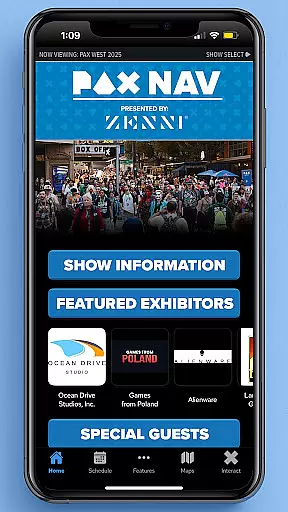
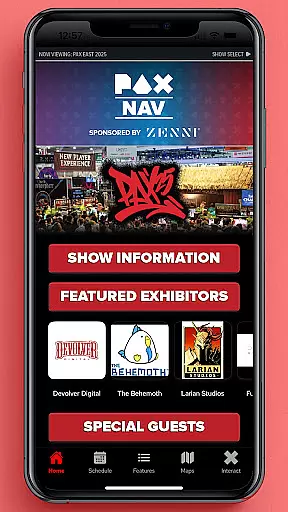
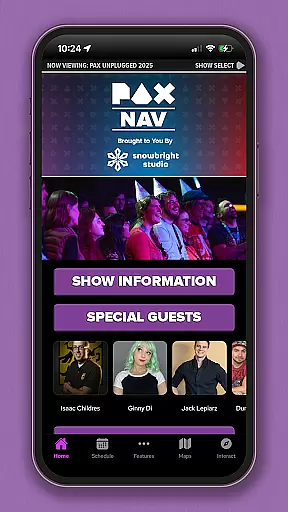
PAX Nav is the official app for PAX West, PAX East, and PAX Unplugged events. It provides users with comprehensive access to event schedules, exhibitor lists, interactive maps, exclusive show specials, and entry into the PAX XP program. Designed specifically for gaming enthusiasts and event attendees, this app enhances the overall experience by keeping users informed and engaged throughout the events.
With its user-friendly interface, PAX Nav allows seamless navigation through various features, ensuring that attendees can efficiently plan their visit and make the most out of the event. Whether you're looking to explore the exhibitor booths, find your way around the venue, or discover special promotions, PAX Nav serves as an all-in-one guide for PAX events.
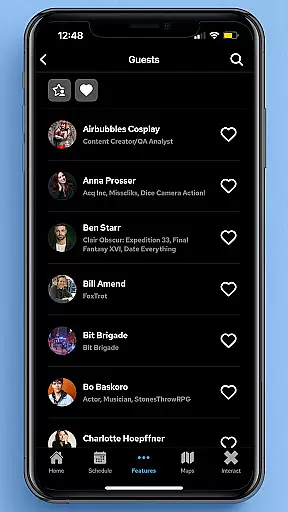
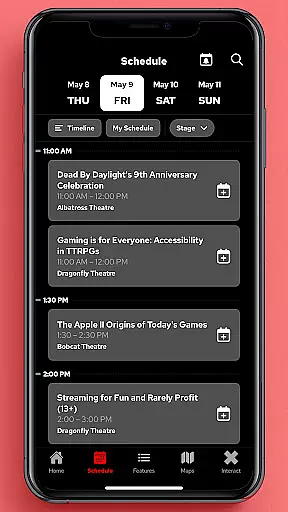
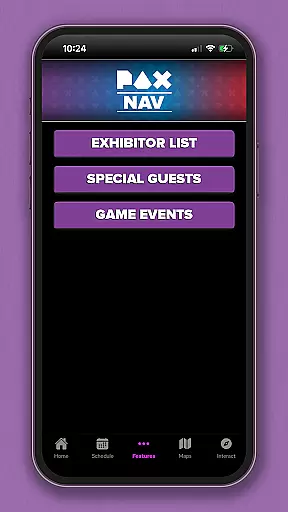
PAX Nav offers a robust set of features tailored for PAX event attendees. The app includes a complete schedule of events, allowing users to browse through panels, tournaments, and activities while planning their day. Additionally, it provides detailed exhibitor lists, enabling attendees to locate their favorite vendors and discover new ones easily.
One standout feature is the interactive map functionality, which helps users navigate large convention centers effortlessly. Users can also access exclusive show specials and discounts available only through the app. Furthermore, PAX Nav integrates with the PAX XP program, offering users a gamified experience where they can earn points and unlock rewards by engaging in various event activities.
Task creation and detail customization are essential features for event management apps like PAX Nav. This functionality allows users to create personalized schedules by selecting sessions, workshops, or panels they wish to attend.
PAX Nav offers a seamless experience in creating tasks or events within the app. Users can browse through the full schedule of PAX West, PAX East, and PAX Unplugged, and select the activities that interest them the most. The app provides detailed information about each session including time, location, and participants, enabling users to make informed decisions.
The benefit of this feature is significant as it enhances user engagement by allowing attendees to tailor their event experience according to their preferences. By customizing details such as setting reminders for upcoming sessions or marking exhibitors they want to visit, users can optimize their time at these events.
This level of personalization ensures that attendees do not miss out on important sessions or opportunities, making their participation more productive and enjoyable. Overall, task creation and detail customization empower users with control over their event itinerary, enhancing satisfaction and engagement.
Reminder settings play a crucial role in ensuring that users stay on track with their planned activities during large events such as those managed by PAX Nav. This feature enables attendees to set timely reminders for sessions, workshops, and other key happenings.
In PAX Nav, users can easily configure reminder settings for each selected activity. Whether it's a panel discussion at PAX East or an exclusive show special at PAX Unplugged, the app allows users to choose when they want to be remindedu2014be it minutes before the event starts or hours ahead.
This functionality significantly improves the attendee's experience by reducing the chances of missing important events due to oversight or scheduling conflicts. Timely notifications ensure that users can navigate between different activities smoothly without losing track of time.
Moreover, reminder settings contribute to better time management and reduce stress associated with last-minute rushes or confusion about event timings. By keeping users punctual and prepared, PAX Nav enhances overall satisfaction and maximizes the value gained from attending these vibrant conventions.
User-friendly interface
Comprehensive event coverage
Interactive maps
Exclusive show specials
Integration with PAX XP
Limited to PAX events
Requires internet connection
Occasional bugs
No offline mode
Event-specific content

Manage all your events, leads, ticketing, payments and check-ins.
 4.30
4.30
Mobile Event Guide for Greater NY Dental Meeting
4.0
CUE Live utilizes ultrasonic sound waves to sync devices at CUE enabled events
4.80
It is an Event Planning Application.
4.0
Fantasy of Lights Event App
5.00
Local events, contests, and giveaways for local dads
3.70
Get live football here
4.30
Buy tickets for any event!
3.90
Buy and sell tickets to sports, concerts, theater, festivals, and comedy events
4.10
Invitation card maker for birthday party & Wedding. Digital greeting card editor
4.90
Birthday Greetings provides Birthday Card, Frames, Gifs & Father's day Wishes
4.80
Plan your wedding for free on the go: vendors, budget, website and checklists!
4.80
Discover events, experiences, and things to do near you - Anytime, Anywhere!
4.70
Here you can choose tickets for films, performances, concerts and other events
4.60
Invitation Card Maker, Design & share wedding, birthday & party invites fast
4.40
Octrober 2025: We've updated the MyGenMobile App with a new look and feel!
4.40
Manages display and transfer of tickets from the Mundo Tickets platform
3.80
The Official App
4.1
Some connections are better kept private
4.3


User Reviews