

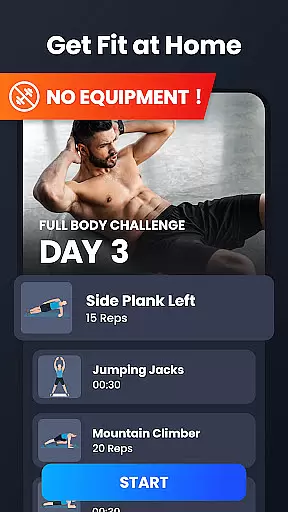
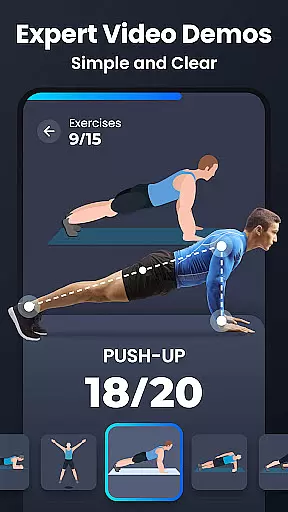
Home Workout is a comprehensive fitness application designed to provide daily workout routines for all major muscle groups. This app allows users to build muscles and maintain fitness at home without the need for gym equipment or personal trainers. With scientifically-designed warm-up and stretching routines, it ensures safe and effective exercise sessions. Each workout comes with detailed animations and video guidance, making sure users perform exercises with correct form.
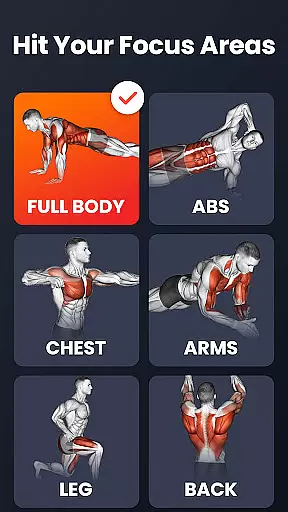
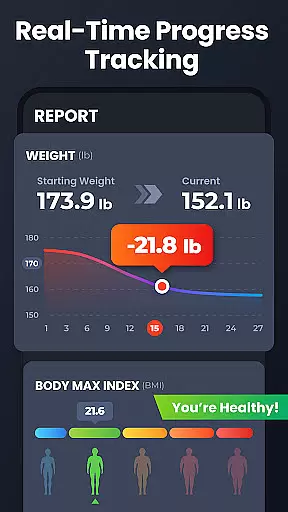
The app offers targeted workouts for abs, chest, legs, arms, and the full body, all of which are expertly crafted. By dedicating just a few minutes a day, users can effectively tone their muscles and work towards achieving six-pack abs. The app's tracking features automatically record training progress and chart weight trends over time, providing valuable insights into personal fitness journeys.
Whether you're looking for a strength training app, fat-burning HIIT workouts, or simply an easy-to-follow home workout plan, Home Workout delivers. Its customizable reminders and social sharing capabilities enhance user engagement, while its wide variety of exercises caters to different preferences and goals. Stick with this app, and noticeable physical changes can occur within weeks.
Home Workout stands out with its rich feature set tailored for optimal fitness management. One key feature is the automatic tracking of training progress, allowing users to monitor their achievements and stay motivated. Additionally, the app provides detailed video and animation guides for each exercise, ensuring proper form and technique during workouts.
Another notable feature is the ability to customize workout reminders, helping users maintain consistency in their fitness routines. The app also includes specialized warm-up and stretching routines, which are crucial for preventing injuries and enhancing performance. Furthermore, users can track their weight trends through intuitive charts, enabling them to better understand their progress over time.
Lastly, Home Workout supports social media sharing, allowing users to share their accomplishments with friends. This feature fosters a sense of community and accountability. Overall, these features collectively create a personalized and engaging fitness experience that adapts to individual needs and preferences.
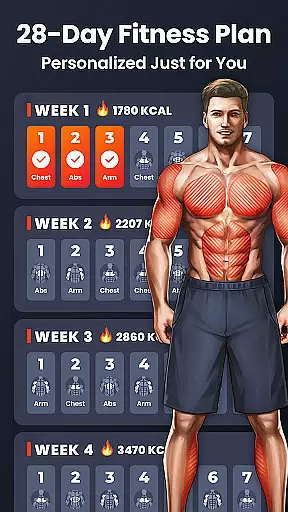
Personalized planning in fitness applications refers to the ability to tailor workout routines specifically to individual user needs and goals. This feature is crucial as it ensures that users engage in exercises that are best suited for their fitness levels and objectives.
Home Workout excels in delivering personalized planning by offering a diverse range of workouts targeting different muscle groups such as abs, chest, legs, arms, and the full body. Each exercise is designed by experts and requires no equipment, making it accessible for users at home.
The app goes further by providing warm-up and stretching routines, ensuring a scientific approach to exercising. With detailed video and animation guides, users can maintain correct form during each exercise, reducing the risk of injury and maximizing effectiveness.
By sticking with Home Workout's personalized plans, users can effectively tone muscles and work towards achieving six-pack abs within weeks. The automatic progress tracking and customizable reminders help users stay consistent and motivated on their fitness journey.
Progress visualization in fitness apps involves presenting users' achievements and milestones in an easily understandable graphical format. This feature plays a vital role in keeping users motivated by allowing them to see tangible results of their efforts over time.
Home Workout offers robust progress visualization through features like weight trend charts and automatic training progress records. These tools enable users to track their fitness journey, helping them understand how their hard work translates into visible changes in their body.
In addition to tracking, the app provides visual aids such as detailed videos and animations for each exercise. These aids ensure users perform exercises correctly, contributing directly to their progress and overall success in reaching their fitness goals.
Sharing progress on social media is another aspect of Home Workout's visualization strategy. By enabling users to share their achievements, the app fosters a sense of community and accountability, which can be powerful motivators for maintaining a regular workout routine.
User-friendly interface
Effective workout plans
Detailed video guidance
Automatic progress tracking
Customizable reminders
Limited advanced options
No live coaching
Premium subscription required
Occasional ads
Basic nutritional advice




Meditation app, head space app provides calm music to help you meditate & sleep
 5.00
5.00
Binaural Beats - Fully Customizable Waves - Pure Sound - No Loops
4.50
Monitor, analyze, track, and convert blood sugar & help you control diabetes.
4.10
Pilates, Calisthenics, Yoga
4.50
Personal step counter for you, private and accurate
4.50
FODMAP, Gluten, Allergy, Vegan
4.50
Your personal BP tracking companion, focus on helping you achieve wellness goal.
4.10
Make sense of your health data.
3.80
Control your blood pressure, heart rate and blood sugar in a fast way.
4.00
Easy access to health benefits
4.70
You deserve easy access to important insurance information. Download for FREE.
4.70
Effortlessly and naturally release anxiety by harnessing the power of your brain
4.60
Get lasting results with Chair Yoga, Wall Pilates, and Walking workouts!
4.60
“Overcoming pain based on EMDR” helps you to alleviate chronic pain and stress.
4.10
Histamine intolerance, low FODMAP diet and irritable bowel syndrome (IBS)
4.00
Your Health Has Met Its App (℠)
3.90
Enjoy the Gluten Free living with the best app. SCAN the barcodes & SEARCH.
3.60
3D Body Measurement System
3.60
HRV4Training helps you optimize goals and improve performance. No sensors needed
3.30


User Reviews