

ZOZOFIT is a comprehensive fitness tracking app that combines precise 3D body scanning with AI-powered nutrition monitoring. The app provides users with accurate body measurements, detailed progress tracking, and insightful data visualization tools like ColorMetric and Goal Setting. With its innovative features, ZOZOFIT helps users monitor their fitness journey beyond simple weight tracking.
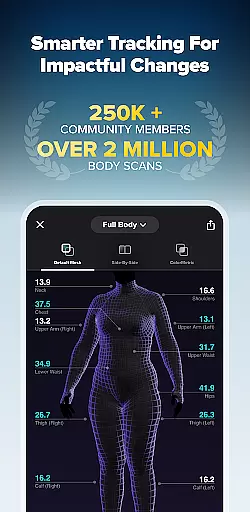
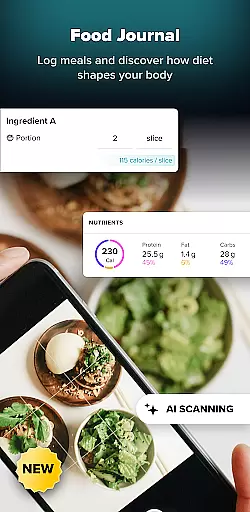
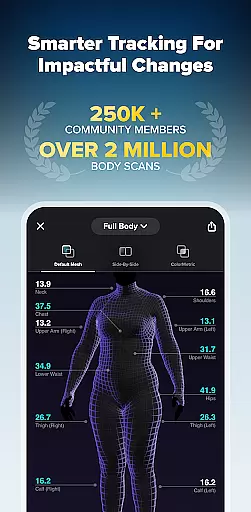
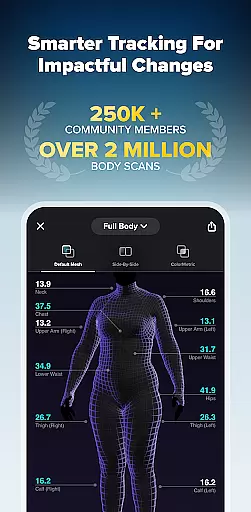
The app's standout feature is its ability to create a digital 3D mesh of the user's body, capturing measurements from 12 key locations. It also includes specialized views such as Booty Mode and Side-by-Side comparison, allowing for targeted progress evaluation. The newly added Food Journal makes nutrition tracking effortless through AI recognition of meal photos. This complete package empowers users to take control of both their physical and nutritional wellness.
Designed for select Android devices running OS 11 or later, ZOZOFIT caters to health-conscious individuals seeking precise tracking tools. Whether you're monitoring body composition changes or managing dietary goals, the app provides the necessary tools to stay accountable and motivated throughout your fitness journey.
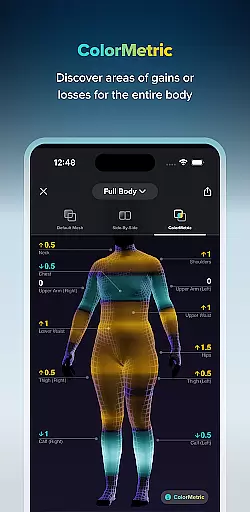
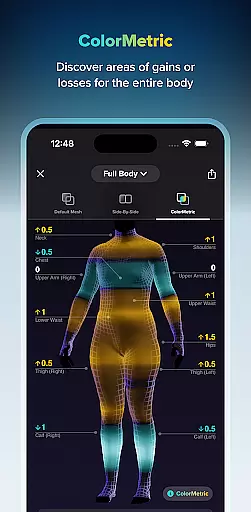
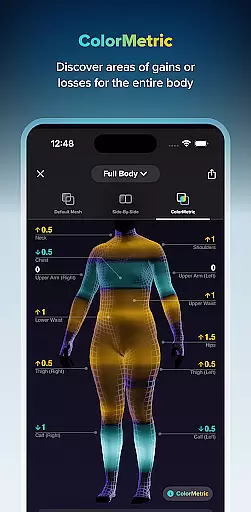
ZOZOFIT distinguishes itself through its advanced 3D body scanning technology and comprehensive fitness tracking features. The app creates a detailed 3D mesh model of the user's body, capturing precise measurements across 12 key areas. Its ColorMetric system uses color gradients to visually represent changes in body shape, making progress tracking more intuitive and engaging.
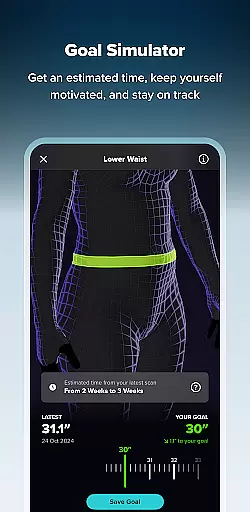
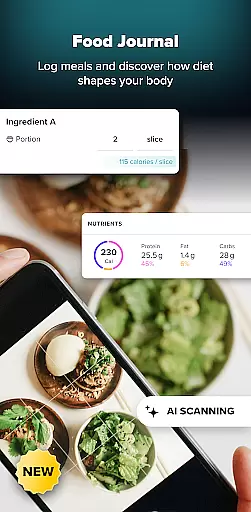
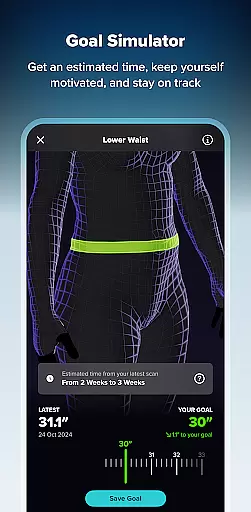
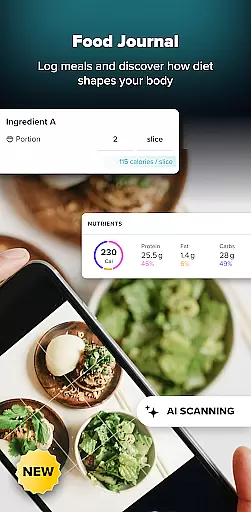
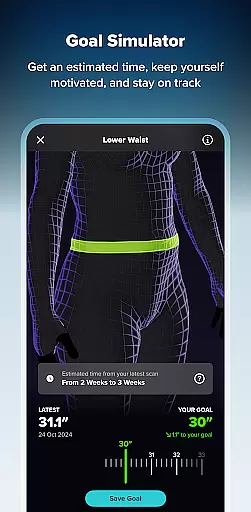
Beyond body scanning, ZOZOFIT offers practical goal-setting tools that allow users to define specific measurement targets and track their achievements. The Goal Simulator lets users visualize potential body changes by adjusting measurements in real-time. Additionally, the new Food Journal feature simplifies nutrition tracking through AI-powered meal recognition, enabling users to log meals by simply taking photos of their food.
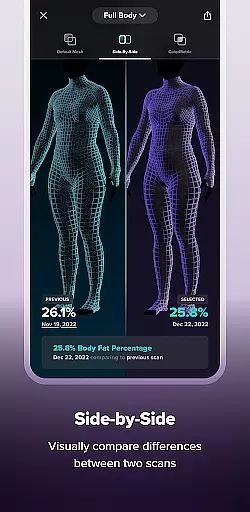
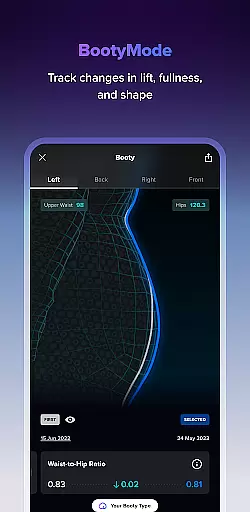
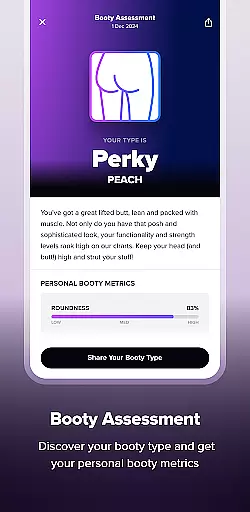
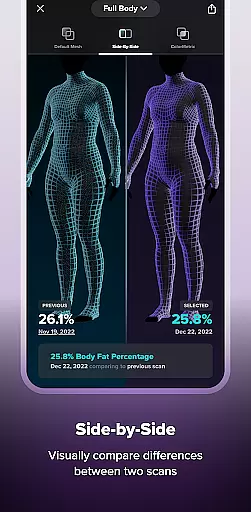
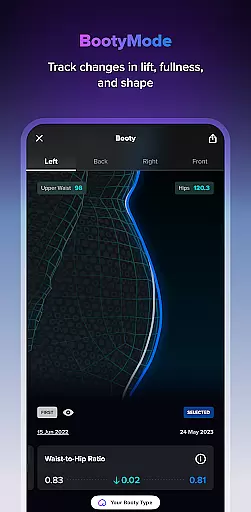
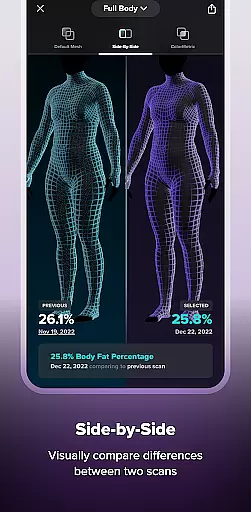
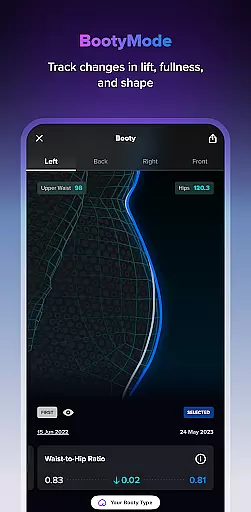
Specialized views like Booty Mode provide focused tracking for specific body areas, while the Side-by-Side comparison tool allows users to analyze progress between different scans. These features work together to create a holistic fitness tracking experience that goes beyond basic weight monitoring, providing users with valuable insights into their body transformation journey.
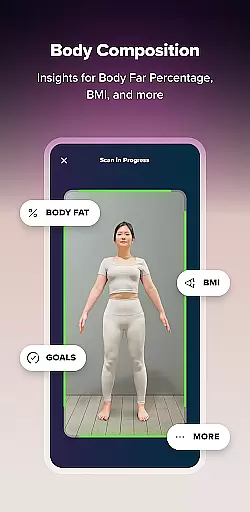
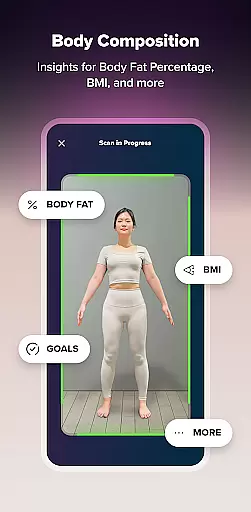
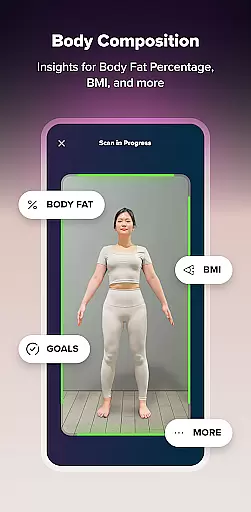
In the realm of health and fitness, personalized planning is pivotal for achieving individual goals efficiently. ZOZOFIT stands out by offering tailored solutions that adapt to your unique body composition and fitness objectives. The app's AI-driven approach provides precise measurements and body fat percentage calculations, enabling users to set specific goals for different areas of their body.
What sets ZOZOFIT apart is its Goal Setting and Goal Simulator features. These innovative tools allow users to visualize changes and track progress in a tangible way. By adjusting expectations and simulating potential outcomes, individuals can create realistic plans that keep them motivated throughout their fitness journey.
The integration of the Food Journal feature further enhances personalized planning. With AI-powered nutrition tracking, users can effortlessly log meals and monitor dietary habits. This holistic approach ensures that every aspect of personal health is covered, from physical activity to nutritional intake, making ZOZOFIT an indispensable companion for anyone serious about their fitness goals.
Visualizing progress is crucial for maintaining motivation and ensuring that fitness efforts are on the right track. ZOZOFIT excels in this area by providing comprehensive tools like the 3D Mesh and ColorMetric views. These features offer users a detailed, 360-degree view of their body, highlighting changes in body composition with intuitive color gradients that signify growth or reduction in specific areas.
The Side-by-Side comparison tool allows users to juxtapose two different scans, making it easier to evaluate progress over time. This visual representation helps users understand how their bodies are transforming, beyond mere numbers on a scale. Additionally, the Booty Mode feature offers specialized tracking for specific body parts, such as monitoring changes in lift, fullness, and shape over time.
By combining these advanced visualization tools, ZOZOFIT empowers users to see their hard work paying off. This not only boosts morale but also encourages continued dedication to personal fitness goals. With clear, visual feedback, users can make informed decisions about their fitness routines and dietary choices, ensuring sustained progress and success.
Precise 3D body scanning
AI-powered nutrition tracking
Comprehensive measurement data
Intuitive progress visualization
Specialized tracking modes
Limited device compatibility
Requires newer Android OS
Premium feature costs
Complex initial setup
Internet connection needed

SportWerks - Workout Tracker for Wear OS Watches
 3.90
3.90
Live Heart Rate Pro - Real Time Heart & Workout Data For Wear OS & Bluetooth BLE
3.20
Create powerful subliminal audio with custom affirmations and background music.
4.00
Period Tracker, the easiest way to track your periods!
4.50
A simple way to calculate peptide doses and also to convert different units.
4.2
Eat smarter with Eato, your personal calorie counter and nutrition tracker!
4.40
Dexcom G7 Continuous Glucose Monitoring
3.70
Scan food & cosmetic products and evaluate their impact on your health
4.80
Control your blood pressure, heart rate and blood sugar in a fast way.
4.00
Show your support for the development of FitNotes - Gym Workout Log
4.90
A brain game that moves you
4.70
Walk. Earn: Get rewarded for every step! Walk, move, and earn real rewards.
4.70
Point, scan, and unlock truth in every bite.
4.50
Interval timer for High Intensity Interval Training, Tabata and Circuit Training
4.20
Pack of 66 calming lullabies for smooth fall asleep and relaxation
4.10
Histamine intolerance, low FODMAP diet and irritable bowel syndrome (IBS)
4.00
Pupillary distance PD with camera quick and easy, checking glasses frames on you
3.70
GloryFit is a companion app for the smart bracelet.
3.60
Your plan in your pocket 24/7
3.00

User Reviews