

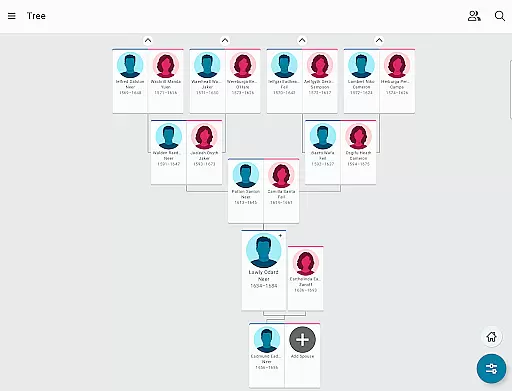
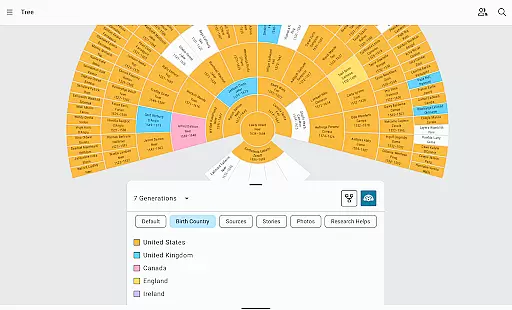
FamilySearch Tree is a comprehensive genealogy application that allows users to explore and document their family history. With access to the world's largest online family tree, this app makes it easy to add branches to your lineage while preserving precious family memories through photos, written stories, and audio recordings.
The app harnesses the power of a worldwide, crowd-sourced pedigree to help you discover your family story. As you input information, FamilySearch begins searching historical records like birth and death certificates for your ancestors. You can share unique family details, confirm accurate data with sources, and ensure everyone has up-to-date records.
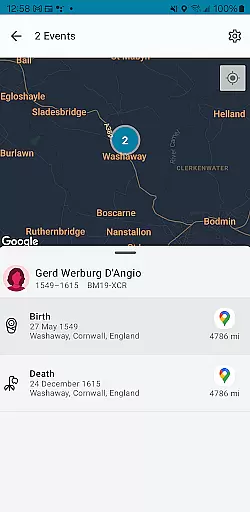
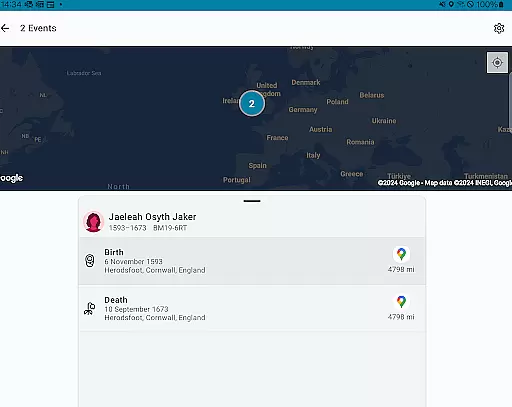
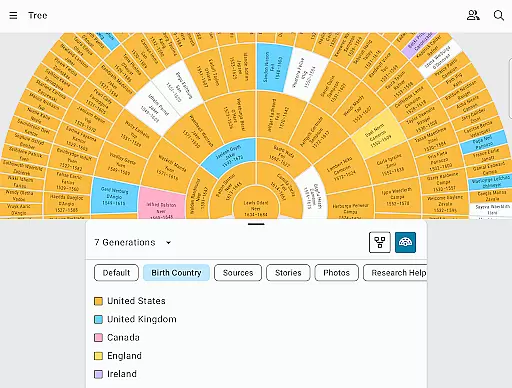
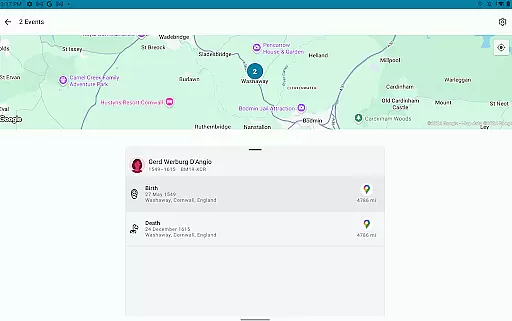
Whether you're browsing your family tree or exploring maps that show where key life events took place, FamilySearch Tree offers an engaging way to connect with your heritage and share meaningful stories that impact both your life and those of your loved ones.
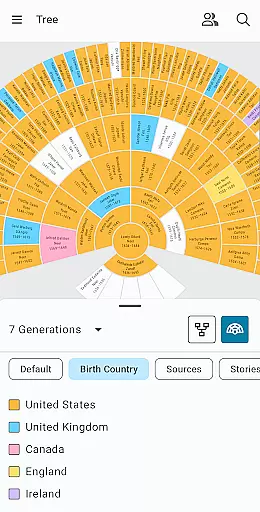
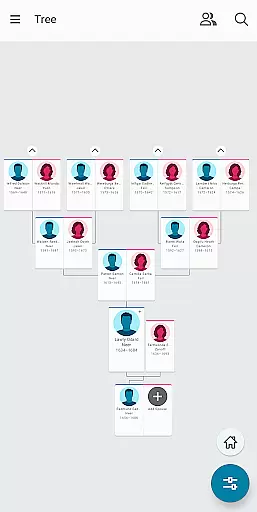
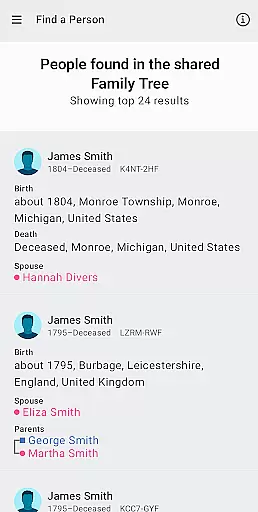
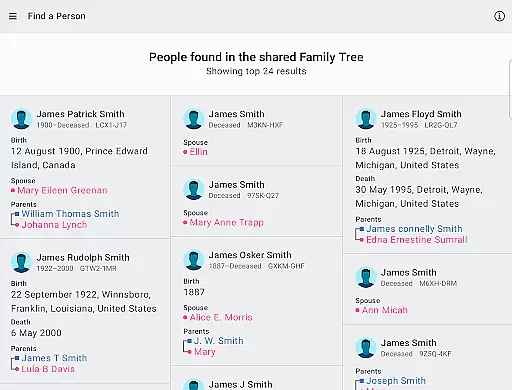
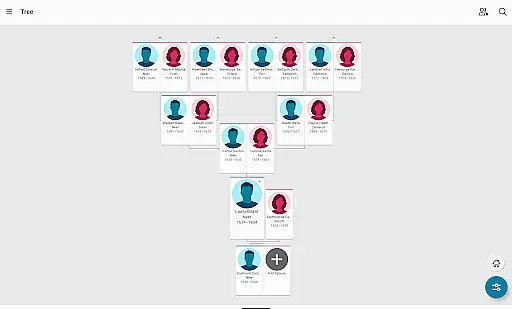
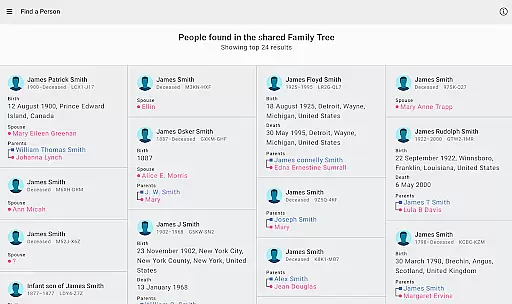
FamilySearch Tree stands out with its robust set of features tailored for genealogical research. The app provides seamless integration into the world's largest online family tree network, enabling users to build their family history effortlessly by adding or finding family members directly within the app.
Once you add a deceased relative, FamilySearch attempts to connect you with any available information about that person from its extensive database. Users can also discover new relatives in the community tree and explore their heritage through interactive maps highlighting significant ancestral events.
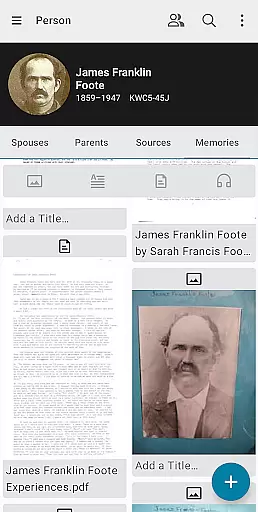
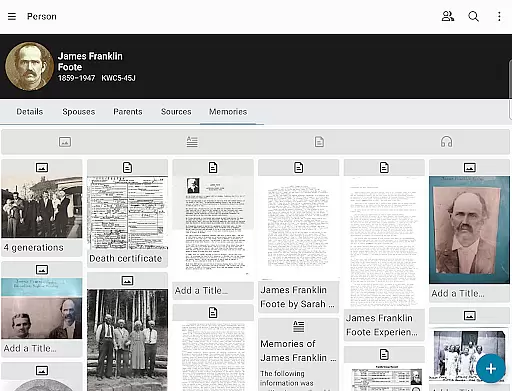
Collaboration is another strong suit of FamilySearch Tree. It allows users to connect with other family members, exchange unknown information, view and edit ancestor details, and enhance trees with multimedia content. In-app messaging facilitates communication among users, making it easier than ever to collaborate on building a complete family history.
FamilySearch Tree offers an extensive e-book library that includes billions of records, making it a comprehensive resource for genealogical research. The app provides access to historical documents such as birth and death certificates, which are crucial for authenticating family trees and individual profiles.
The platform ensures copyright authenticity by sourcing its records from verified and legal repositories. This means users can trust the integrity of the information they find, whether they're looking at written stories, photos, or audio recordings shared by other family members.
For users, this vast and verified collection means endless possibilities for discovery. They can easily find new relatives, fill gaps in their family history, and enrich their tree with credible sources. The availability of such a large and authentic database enhances the overall experience of exploring one's heritage.
Moreover, FamilySearch Tree allows users to contribute their own findings, ensuring that the library continues to grow while maintaining high standards of copyright compliance and authenticity. This collaborative approach not only benefits individual users but also contributes to the global effort of documenting human history.
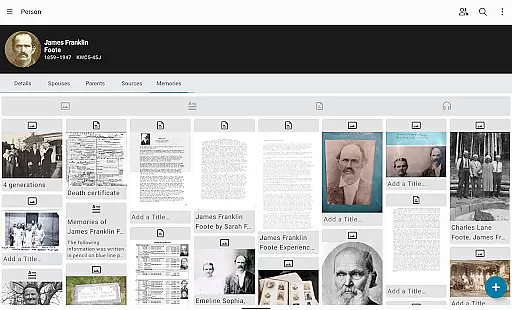
FamilySearch Tree excels in format compatibility, supporting a wide array of document types including photos, written stories, and audio recordings. This versatility ensures that users can preserve and share their family memories in the most meaningful formats, whether they are digitizing old letters, recording oral histories, or uploading photographs.
The app is designed to handle various file formats seamlessly, providing a user-friendly interface for adding and managing multimedia content. Users can upload files directly through the app, confident that their data will be stored and displayed correctly, without loss of quality or formatting issues.
This commitment to format compatibility extends to the way information is shared and viewed within the app. Whether collaborating with distant relatives or browsing the community tree, users can expect consistent and reliable presentation of content across different devices and platforms.
By prioritizing format compatibility, FamilySearch Tree empowers users to create a richer, more engaging family history. The ability to incorporate diverse media types not only preserves the integrity of personal and historical records but also makes the process of building and sharing family trees more interactive and enjoyable.
User-friendly interface
Extensive record database
Interactive heritage maps
Multimedia integration
Community collaboration tools
Limited privacy controls
Potential data accuracy issues
Dependent on user contributions
Occasional syncing problems
Basic mobile editing capabilities

Bible, Catechism, Study, Saints, Mass Readings, Rosary, Prayer, Bible in a Year
 4.80
4.80
Improve your vocabulary and grammar with the 15 biggest Oxford Dictionaries.
4.30
Find, discuss, and organize your world of books and shows.
4.60
Zerobooks Light Novel Reader by GOLDENAGATO
4.20
"When tweetle beetles fight, it's called a tweetle beetle battle."
4.90
A companion for prayer, with Azan alarm, Quibla direction, and Holy Quran book
4.10
A lightweight reader for comics and mangas files (.cbr, .cbz, .cbt, .pdf, ...)
4.80
Premium reader for ePub, PDF, and more. TTS and translation. Great on any screen
3.50
A Comprehensive Restoration of Sacred Scripture
4.50
A KJV Bible with Apocrypha and precept-based study concordance
5.00
Daily rosary and gospel reflections for catholic
4.90
Learn Thai with 195,000+ entries, crisp Thai sounds, big text; works offline.
4.80
Translate into 100+ languages with the world’s most accurate AI translator.
4.70
Watch real short episodes in just minutes— addictive, you won't be able to stop!
4.70
Unlock unlimited access to bestselling ebooks, novels, stories, and audiobooks
4.60
Master AKC Rally signs with in-depth hints, diagrams, and expert guidance.
4.50
Read the Quran in Arabic alongside its translation, with color coded Tajweed.
4.50
ISAIAH EXPLAINED with Avraham Gileadi Ph.D.
4.00
A guide for the Court of Atonement spiritual healing process.
4.5


User Reviews