

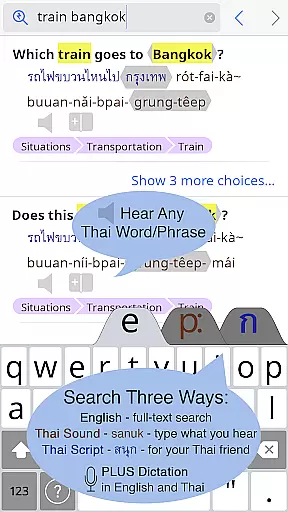
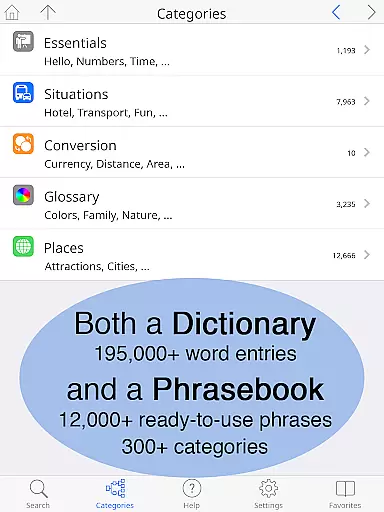
Thai <> English Dictionary is a comprehensive language tool designed for travelers, professionals, and language learners. With over 195,000 entries and 250,000 translations, it offers extensive coverage for Thai and English languages. The app provides clear native sound recordings for every Thai word, even available offline, ensuring accurate pronunciation guidance.
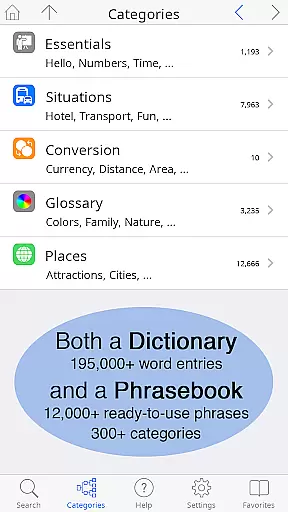
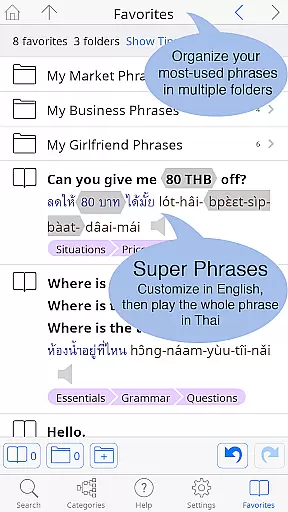
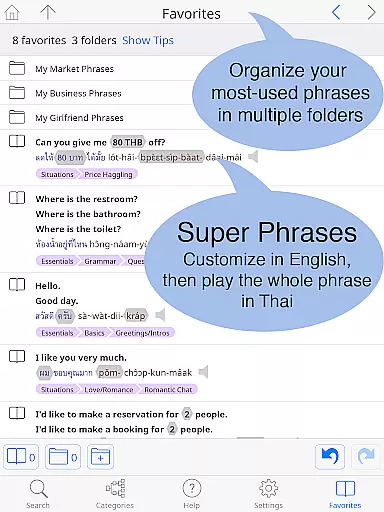
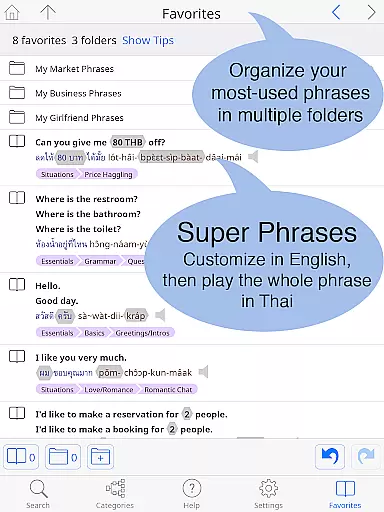
The dictionary includes unique learning tools such as a built-in phrasebook with 300+ categories and 12,000+ ready-to-use phrases. Users can customize their experience with multiple folders for organizing words and phrases. It features both Thai script and pronunciation guides in 12 different systems, making it accessible for all levels of learners.
Ideal for those studying Thai or working with Thai speakers, this app clarifies critical shades of word meaning and formality using English explanations. Whether you're traveling, working, or studying, this dictionary ensures effective communication and deeper understanding of the Thai language.
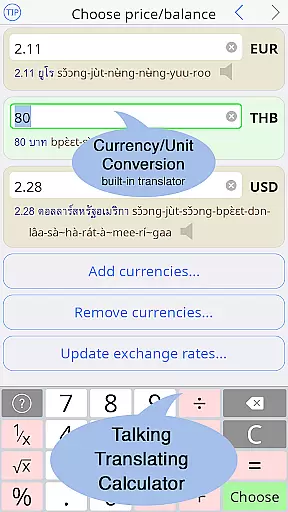
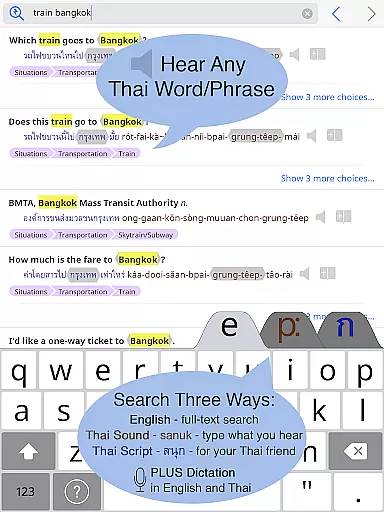
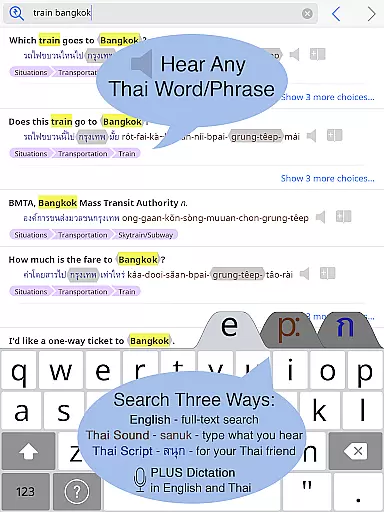
This dictionary app stands out with its hand-crafted entries by Paiboon Publishing, specifically designed for English speakers learning Thai. Unlike typical dictionaries, it allows users to look up Thai words by their sound using easy-to-read pronunciation guides. All Thai words are presented in both Thai script and chosen pronunciation systems, catering to various learning preferences.
One remarkable feature is the inclusion of more than 29 hours of studio-recorded native speaker audio, accessible even without an internet connection. This ensures users can learn proper pronunciation anywhere. Additionally, the app provides detailed breakdowns of Thai words, showing component words and syllable stress, which aids in faster vocabulary acquisition.
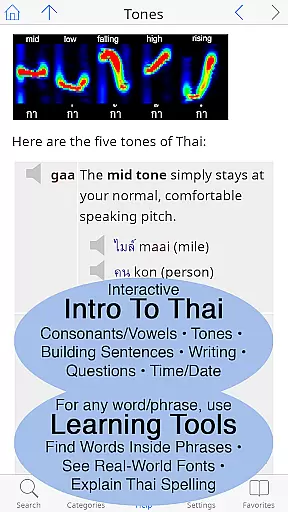
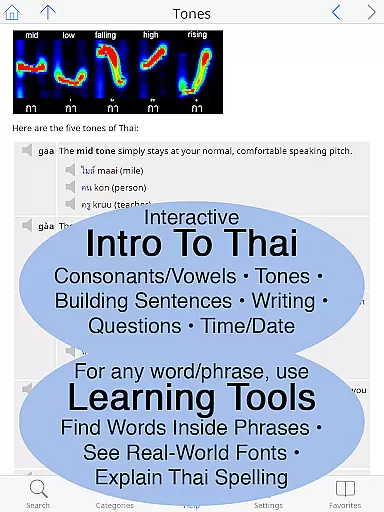
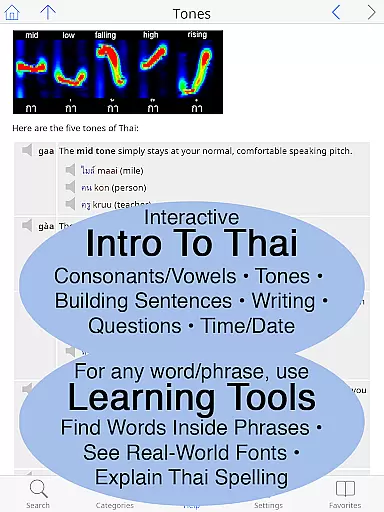
The built-in phrasebook covers everyday situations like shopping, transportation, and health, featuring a two-way conversational format. Furthermore, the app includes an introduction to Thai language with clickable sounds and grammar coverage, making it not just a dictionary but a complete learning tool for mastering Thai.
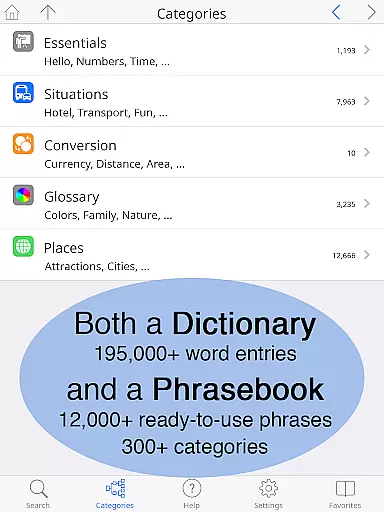
When evaluating a dictionary app like the Thai <> English Dictionary, the size of the e-book library and copyright authenticity are crucial factors. This app boasts an impressive collection of 195,000+ entries with over 250,000 translations, ensuring users have access to extensive vocabulary resources. The inclusion of a built-in phrasebook with 300+ categories and 12,000+ ready-to-use customizable phrases further enriches its content offering.
Copyright authenticity is equally important, especially for language learners who rely on accurate and legally obtained materials. The app's content is hand-crafted by Paiboon Publishing, indicating that the material is original and specifically designed for those learning Thai. This level of detail and care in content creation assures users that they are accessing high-quality, legitimate educational resources.
The combination of a vast e-book library and verified copyright authenticity provides significant value to users. With lifetime free upgrades promising additional vocabulary and features, users can trust that their investment in this app will continue to grow in value over time. Such comprehensive resources make it an indispensable tool for anyone serious about mastering the Thai language.
For a dictionary app, format compatibility plays a vital role in user experience. The Thai <> English Dictionary excels in this area by supporting multiple formats that cater to different user preferences and needs. Users can choose from 12 different pronunciation guide systems, allowing them to look up Thai words by sound even if they are not familiar with the Thai alphabet. This flexibility ensures that both beginners and advanced learners can effectively utilize the app.
In addition to pronunciation guides, the app also supports Thai Script, providing a dual representation of words that enhances comprehension and learning. The ability to customize the layout, including selecting a standard or big-key Thai keyboard, further demonstrates the app's commitment to accommodating diverse user requirements. These features collectively contribute to a more personalized and accessible learning experience.
Moreover, the app's offline functionality highlights another aspect of format compatibility. By storing all entries and sounds directly on the user's device, it eliminates the need for an internet connection while traveling or in areas with limited connectivity. This practical feature ensures uninterrupted access to essential language resources, making the Thai <> English Dictionary a reliable companion for learners and travelers alike.
Extensive entry coverage
Offline audio access
Customizable layout options
Unique learning tools included
Comprehensive phrasebook
Premium price point
Large app size
Complex for beginners
Limited visual design
No social features

“I am the Lorax. I speak for the trees.”
 4.80
4.80
Flora of Virginia Project (www.floraofvirginia.org)
5.00
Offline dictionary for learning Cantonese as a second language
4.90
Knots 360 Pro ( 3D ) shows you animated 192 knots in 3D perspective
4.10
Shop over 13 million new and used books at up to 80% off list price
4.20
A wonderful reader for good time spend.
4.20
Read popular romance books and web novels on the fantastic ebook reader
3.50
King James Bible read offline, AI Priest, Bible Quiz, Guiding Prayers & Plans
4.80
Daily Devotional Widgets & Hourly Verses. Listen to Bible & Watch Holy Stories
4.70
A KJV Bible with Apocrypha and precept-based study concordance
5.00
Daily rosary and gospel reflections for catholic
4.90
The favorite Christmas story comes to life!
4.80
Daily Prayer, personalized Bible Study, AI-guided Insights, and Spiritual Growth
4.80
My Bible offers a comprehensive app by providing offline access, daily verses.
4.80
A lightweight reader for comics and mangas files (.cbr, .cbz, .cbt, .pdf, ...)
4.80
"Five Dr. Seuss titles in one omBook!"
4.60
Scan. Price. Grade.
4.60
“There was one last piece of cake. My little sister said ‘Me too!’”
4.00
ISAIAH EXPLAINED with Avraham Gileadi Ph.D.
4.00


User Reviews