

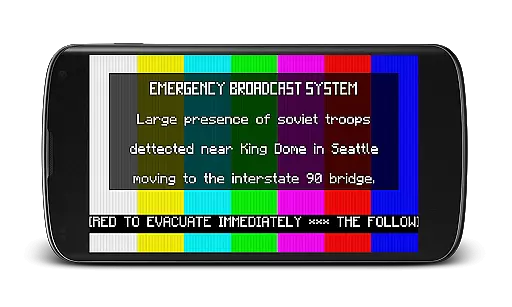
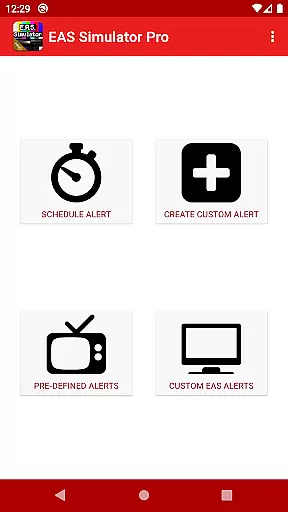
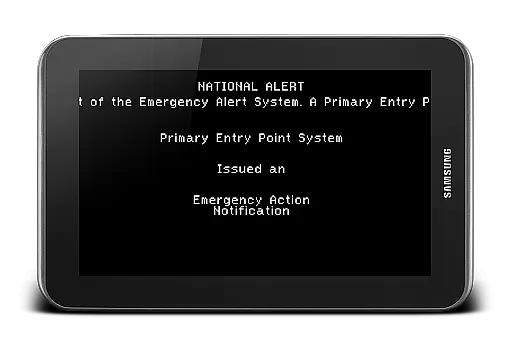
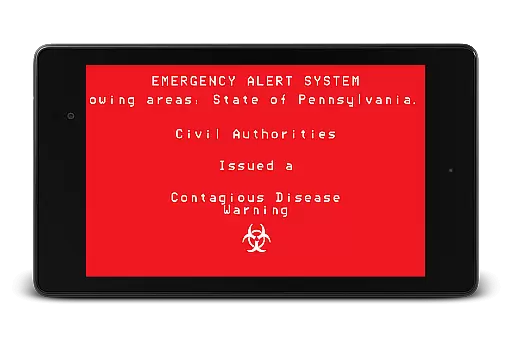
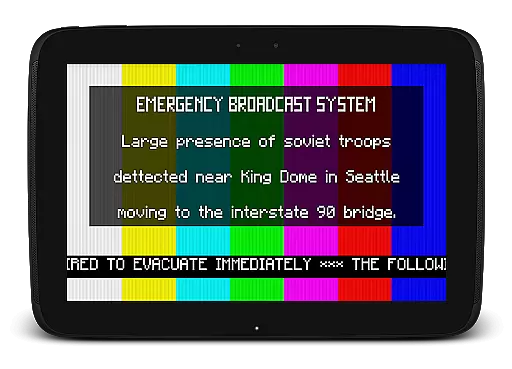
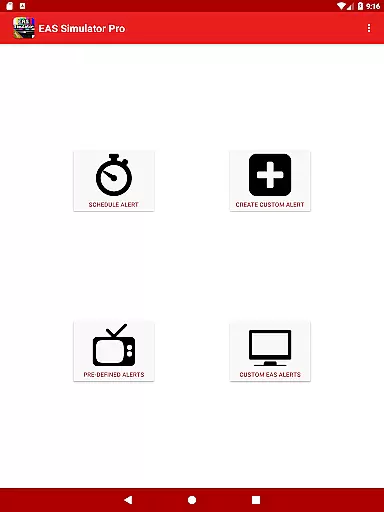
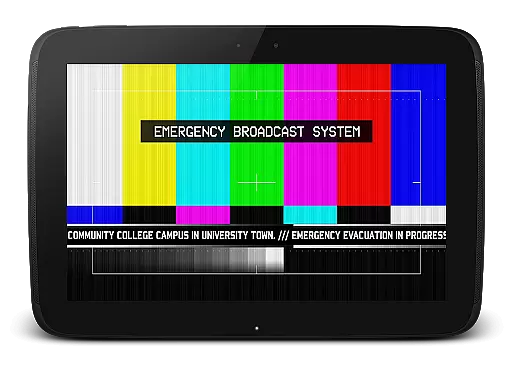
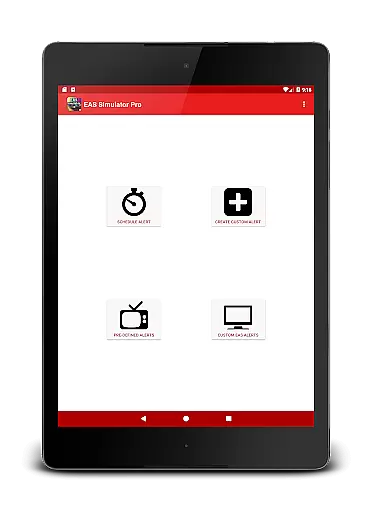
EAS Simulator Pro is a unique entertainment app that allows users to simulate realistic Emergency Alert System (EAS) messages on their Android devices. With this app, you can create and play mock alerts for various scenarios, including natural disasters, nuclear wars, and even zombie apocalypses. The app offers an extensive set of features such as creating custom alerts, converting them into videos, scheduling drills or pranks, and playing pre-defined alerts based on real-life events and fictional scenarios.
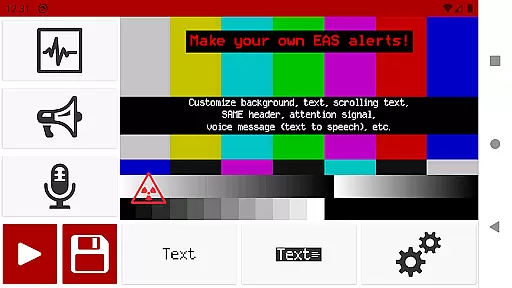
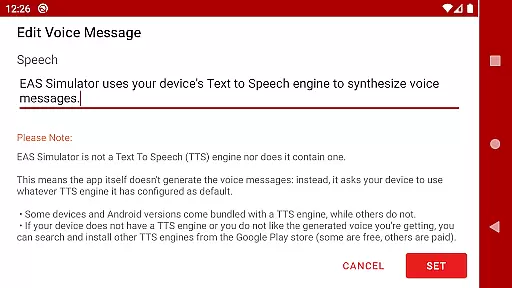
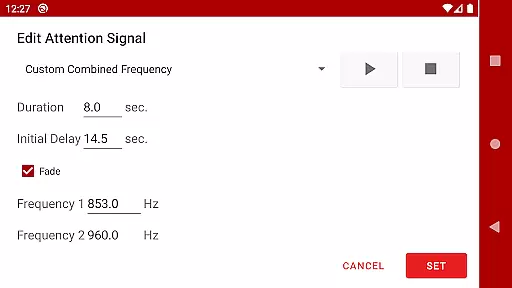
One of the key highlights of EAS Simulator Pro is its ability to provide a realistic experience with SAME headers, attention signals, scrolling texts, and voice messages generated by your device's Text to Speech engine. Whether you're using it for educational purposes, role-playing games, or simply for fun, this app delivers an immersive experience that brings emergency simulations to life.
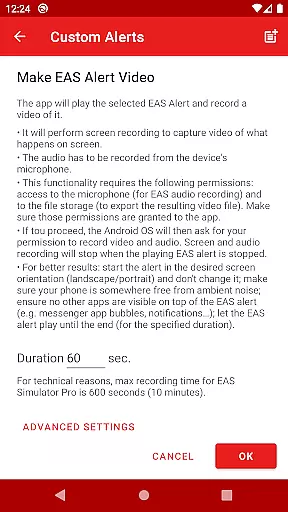
The app stands out with its comprehensive feature set tailored for both casual users and enthusiasts. EAS Simulator Pro includes full access to the alert editor, allowing users to craft detailed and customized alerts without limitations. You can export/import these alerts as files for backup or sharing with others who have either the Demo or Pro version of the app. Additionally, the app supports video conversion of alerts through screen recording combined with microphone audio, making it versatile for content creators.
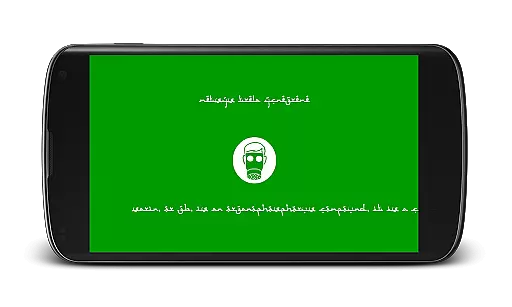
Another notable feature is the scheduling capability, which lets you set alerts to play at specific times—even if your device is locked. This makes it ideal for conducting drills or surprising friends during role-playing sessions. The app also comes loaded with pre-defined alerts covering real-life emergencies like flash floods and tornadoes, alongside thrilling fictional scenarios inspired by popular video games and movies. These include dramatic situations like a North Korean nuclear attack or zombie virus pandemics, ensuring there’s something for everyone.
In the realm of digital entertainment, content diversity is paramount to maintaining user engagement. EAS Simulator Pro excels in this area by offering a wide array of pre-defined alerts that cater to various interests and scenarios. From simulating real-life natural disasters such as flash floods and tornadoes to thrilling fictional emergency situations like a North Korean nuclear attack or zombie virus pandemics, the app ensures that users have access to a broad spectrum of content.
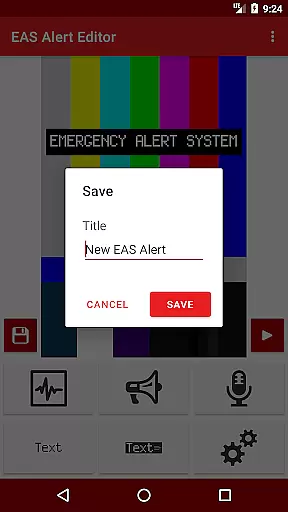
Moreover, the ability to create and save custom alerts through the Emergency Alert System editor adds another layer of variety. This feature empowers users to craft unique scenarios limited only by their imagination, thus keeping the content perpetually fresh and engaging. The inclusion of SAME headers, attention signals, and voice messages generated by the device's Text to Speech engine further enriches the diversity of content available within the app.
The app also supports the conversion of EAS alerts into video format, allowing for an even wider distribution and consumption of content. By enabling users to export and import their creations, EAS Simulator Pro fosters a community-driven approach to content creation, ensuring that there is always something new and exciting to explore.
User engagement duration and retention are critical metrics for any entertainment application, and EAS Simulator Pro addresses these aspects effectively. By providing a rich set of features such as scheduling alerts to play at specific timesu2014even when the device is lockedu2014the app encourages prolonged usage sessions. This scheduling capability not only enhances user interaction but also allows for immersive role-playing experiences that can captivate users for extended periods.
Additionally, the appu2019s realistic simulation of Emergency Alert System messages, complete with backgrounds similar to those used on TV alerts, static or blinking texts, scrolling texts, and attention signals, creates an engaging environment that keeps users invested. The thrill of crafting and experiencing these simulated emergencies contributes significantly to longer user engagement durations.
Retention is further bolstered by the appu2019s support for exporting and importing alerts, facilitating sharing among friends and communities. This social aspect, combined with the appu2019s robust feature set, ensures that users remain engaged over time, continually returning to explore new possibilities and refine their creations. Such sustained engagement ultimately leads to higher retention rates, making EAS Simulator Pro a standout choice in the entertainment category.
User-friendly interface
Highly customizable alerts
Realistic simulation effects
No ads in Pro version
Export/import functionality
Requires TTS engine
Video export may fail
Limited OS compatibility
Paid version only
Permissions needed

Watch whatever you want, whenever you want, wherever you want.
 3.30
3.30
Music visualizer and party effects for your Nanoleaf devices
4.0
Journey to the world’s oldest rainforest and meet its Indigenous Custodians.
4.1
Create melty bead designs by numbers, photos or your imagination
4.40
Direct access to the most complete Guitar Tab Archive in Spanish: LaCuerda.net
4.60
Stream videos to VIDAA & VEWD TVs from Hisense, Sharp, Skyworth, Vestel & TiVo
3.00
The JBL Portable app works with JBL portable Bluetooth speakers.
4.60
The classic game of rock, paper, scissors
4.4
An app made just for kids
4.20
Time tracking, lap counting and much more for Carrera® Digital 132/124
4.80
Classic dynamic pixel art from Mark Ferrari.
4.70
Watch Reels, Drama Shorts & TV Series Anytime. Download DramaWave Now!
4.70
Find out if you're on Santa's Naughty or Nice List with this magical scanner!
4.60
Unleash Your AI Imagination
4.60
Underrated short-drama gems that hit hard and keep your heart hooked.
4.50
Browser for Chromecast to stream webvideos, online movies, IPTV & HD livestreams
4.40
Watch New Episodes & Live TV
3.80
Stream live TV shows, sports, news, movies & more - all without cable.
3.00
Explore the unknown!
3.00

User Reviews