

CDisplayEx Comic Reader is a premier comic book reader designed for enthusiasts who demand both functionality and efficiency. This app supports all major comic formats including .cbr, .cbz, and .pdf, making it versatile for various reading preferences. Its hallmark is the immediate loading capability and fluid reading experience, ensuring users can seamlessly browse through their favorite comics.
Beyond basic reading, CDisplayEx offers advanced features such as access to cloud services like OneDrive and Dropbox in its Pro version, alongside continuous page scrolling options. The application also integrates library management, allowing users to organize their collections by series or easily find the next read through an intuitive search function. Whether you're at home or on the go, this app provides a comprehensive solution for comic lovers.
One of the standout features of CDisplayEx Comic Reader is its support for multiple comic formats, which includes .cbr, .cbz, and .pdf files. This ensures that no matter the source of your comic, the app will handle it with ease. Additionally, the Pro version unlocks enhanced capabilities such as access to cloud storage solutions like OneDrive, Dropbox, and Mega, providing flexibility in how and where you store your files.
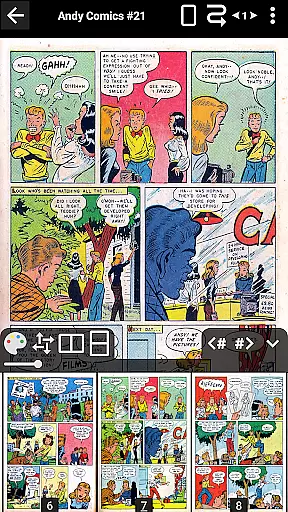
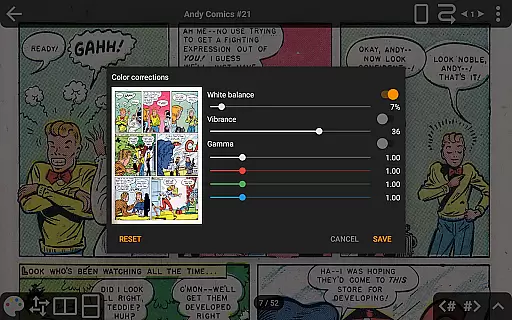
The app also boasts advanced page scaling options and continuous horizontal and vertical scrolling, catering to user preference in navigation. Integrated library management allows for effortless organization and retrieval of your collection, while network file opening lets you read comics directly from shared drives without full downloads. With added benefits like night mode, S-Pen support, and customizable interface language, CDisplayEx delivers a tailored reading experience.
CDisplayEx Comic Reader offers an extensive and versatile comic library that caters to a wide array of preferences. The application supports all popular comic book formats, including .cbr, .cbz, and .pdf files, ensuring that users can access their favorite comics without compatibility issues.
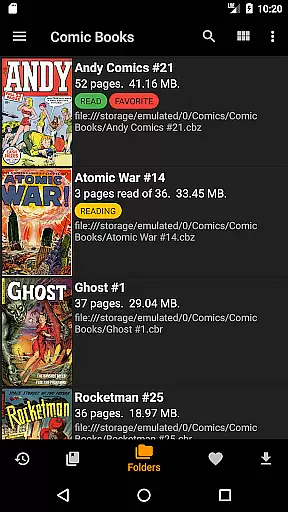
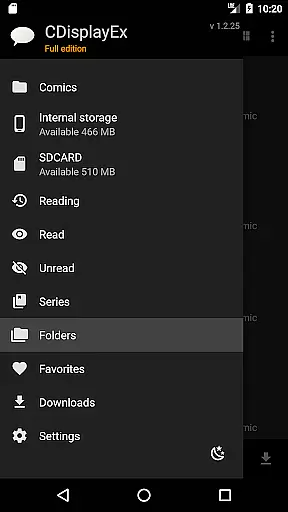
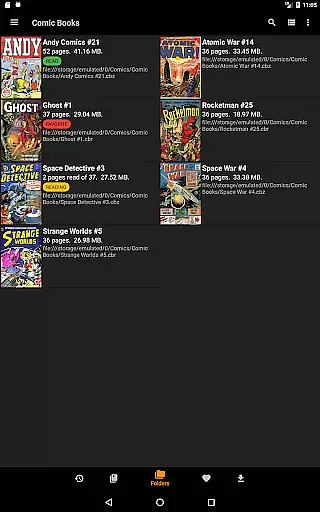
The app's integrated library management system allows users to organize their collections efficiently. By simply indicating where your comics are stored, CDisplayEx groups them by series and suggests the next album to read, streamlining the reading experience. This feature is particularly beneficial for users with large collections, as it simplifies navigation and enhances accessibility.
Moreover, the integrated search functionality enables users to find specific volumes instantly, saving time and effort. Whether you're searching for a particular issue or exploring new series, CDisplayEx ensures that your comic library is both comprehensive and easy to manage.
Authenticity and proper licensing are crucial aspects of any digital content platform, and CDisplayEx Comic Reader excels in these areas. The app provides users with access to legitimate comic book files, ensuring that creators' rights are respected and users receive high-quality content.
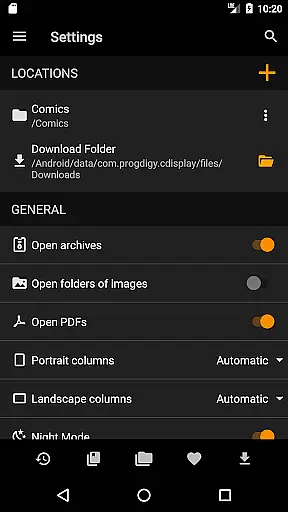
While the app previously offered Google Drive integration, changes in certification requirements have led to the removal of this feature. However, users can still connect to other cloud storage services like OneDrive, Dropbox, Komga, Kavita, and Mega in the Pro version, ensuring continued access to authentic content from various sources.
Additionally, the Pro version includes features such as advanced page scaling options, night mode, and interface language customization, enhancing the overall reading experience while maintaining content integrity. These premium features not only improve usability but also support the developers in their efforts to provide a reliable and legally compliant comic reading platform.
User-friendly interface
Supports multiple formats
Advanced Pro features
Integrated library management
Cloud service integration
Google Drive access ending
Pro version is paid
No native iOS support
Limited free features
Occasional ads in free version

Webtoons, comics, web novels, and e-books are all here! RIDI, my own space to enjoy stories
 4.30
4.30
Read officially manga titles from Japan including Attack on Titan
3.80
The most popular comic book reader.
4.40
Browse and read all your comics and mangas from YACReaderLibrary
4.20
Pose Tool 3D for the Artists, create any human figure pose quickly for your art.
4.00
Read latest manga with this minimal reader with NO ADS.
4.30
Kodansha official Manga app
4.30
Official from Japan
4.80
Get the latest manga chapters daily, released simultaneously with Japan.
3.10
See the newest comic book releases and manage your comic collection or pull list
4.70
Joke book collection with the funniest dad jokes and riddles for you to enjoy!
4.60
Manga reader for manga, manhua, manhwa & webtoon, online & offline, update daily
4.50
Draw the comics with glow brushes! Easy and relax!
4.40
Read Manga, Comics & Manhwa of Romance, Action, Fantasy, Drama, BL and more!
4.40
Pocket Toons: Free Webtoons, Comics, & Manga - New Chapter Drops Everyday
4.30
Instantly create comic-style art with AI.
3.90
Comic Scanner - Book Value - Identify and sell your comic collection with AI.
3.80
You can create comics, manga and manwha using AI with Arcstory comic book maker
2.70
A free paradise specially built for comic lovers. When you step into this comic universe full of surprises, it is like opening a door to endless joy. You are immediately immersed in the wonderful world brought by reading and enjoy the infinite charm of reading.
4.1

User Reviews