

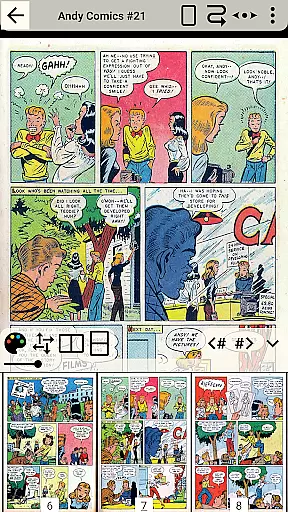
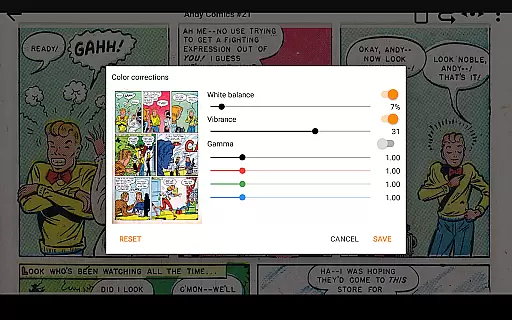
CDisplayEx Comic Reader Lite is a versatile and efficient comic book reader designed for comic enthusiasts. This app supports all major comic formats including .cbr, .cbz, and .pdf, making it the go-to solution for reading Manga and other graphic novels. Its optimized performance ensures instant loading and smooth browsing, providing an exceptional reading experience.
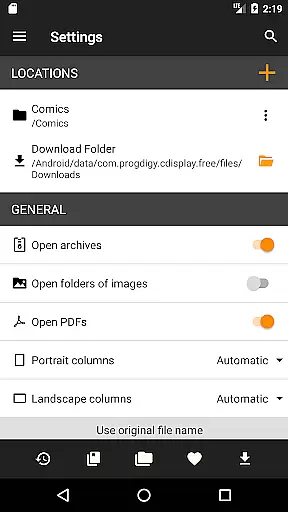
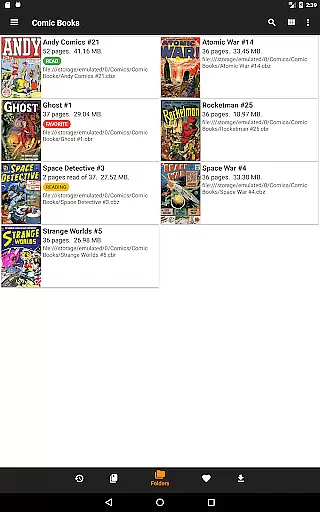
Beyond its core functionality, CDisplayEx offers advanced library management features. Users can organize their collections by series, preload files for offline reading, and even connect to network shares for expanded access. The integrated search function allows quick retrieval of specific volumes, ensuring that users can manage extensive libraries with ease.
Whether you're a casual reader or a dedicated collector, CDisplayEx enhances your comic reading experience by combining powerful features with user-friendly navigation. It's particularly useful for those with large digital collections who need efficient ways to access and enjoy their favorite comics on mobile devices.
CDisplayEx Comic Reader Lite stands out with its comprehensive feature set tailored for comic lovers. One of its key strengths is the ability to handle multiple comic book formats such as .cbr, .cbz, and .pdf seamlessly. This versatility ensures that no matter the source of your comics, the app provides a unified and high-quality reading experience.
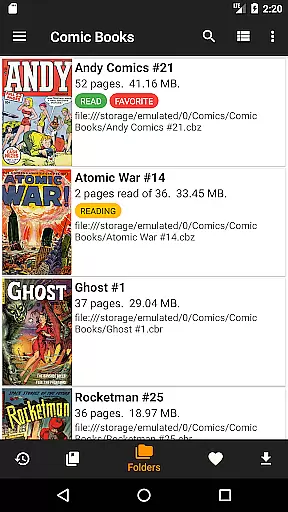
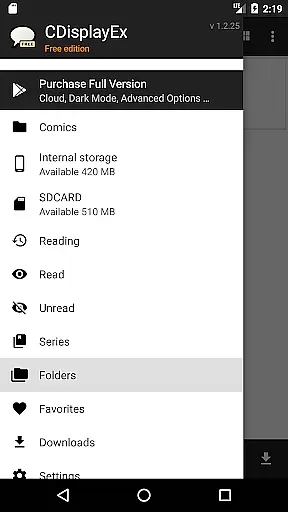
The app also includes sophisticated library management tools. Users can browse through their folders effortlessly, categorize comics by series, and receive recommendations for the next album to read. Additionally, CDisplayEx supports network share connections, enabling users to access comics stored on remote servers directly from their mobile devices.
Another notable feature is the integrated search functionality, which allows users to find specific volumes instantly. With options to preload files for offline reading, CDisplayEx ensures that your comics are always accessible, whether you're online or not. These features collectively enhance the overall usability and convenience of managing and enjoying digital comics.
CDisplayEx Comic Reader Lite offers an extensive comic library that supports all major comic book formats including .cbr, .cbz, and .pdf. This ensures that users can access a wide variety of comics without compatibility issues.
The application allows users to browse through their folders effortlessly, making it easy to find and read comics. Its integrated library management system organizes comics by series, enhancing the user's ability to manage large collections efficiently.
With the capability to connect to network shares and preload files onto mobile devices, CDisplayEx provides seamless access to your entire comic collection wherever you are. This feature significantly boosts the variety of accessible content.
Authenticity is crucial for comic enthusiasts, and CDisplayEx Comic Reader Lite takes this seriously by ensuring all content is properly licensed and authorized. Users can trust that they are accessing legitimate copies of their favorite comics.
The app includes an integrated search function that helps users instantly locate specific volumes within their collection. This not only enhances the reading experience but also ensures that users are engaging with verified content.
By supporting various file types and offering features like grouping comics by series, CDisplayEx guarantees that users enjoy a diverse yet authentic selection of comics. The emphasis on proper licensing adds another layer of credibility to the platform.
User-friendly interface
Supports multiple formats
Instant loading speed
Integrated library management
Network share connectivity
Limited customization options
No cloud sync feature
Occasional bugs reported
Ads in free version
Advanced features require paid upgrade

Follow your favorite manga and get notifications for new chapters!
 4.50
4.50
A free paradise specially built for comic lovers. When you step into this comic universe full of surprises, it is like opening a door to endless joy. You are immediately immersed in the wonderful world brought by reading and enjoy the infinite charm of reading.
4.3
TMOLector is an app to read all kinds of manga and stories!
4.50
More fun from BOM! Hurry up and do the following self-test, if you meet more than one item, come and experience the brand new world of comics!
3.40
Find free mangas in Spanish
4.70
Catalog your collection. Just scan covers with your device camera. (US $20/yr)
4.80
Artists wanting to use decent hand reference on the go, this app is for you!
4.70
The most popular comic book reader.
4.80
Read comics, manhwa, manga & novels Official webtoons with daily updates
4.30
This application will enable donated users only function in Perfect Viewer.
4.90
File management and show images, comics and pictures in compressed cbr, pdf file
4.70
Dive into creative online comics, short video, graphic novels and web novels!
4.60
Read your favorite mangas for free
4.50
Crunchyroll Manga—unlimited, uninterrupted reading with offline access & more!
4.50
Manga Reader for Comics, Webtoons & Manhwa. Read Mangas, Chat Stories and Novel.
4.30
Read webcomics & webnovels
4.20
Arabic manga reader
4.00
Pose Tool 3D for the Artists, create any human figure pose quickly for your art.
4.00
Read officially manga titles from Japan including Attack on Titan
3.80

User Reviews