

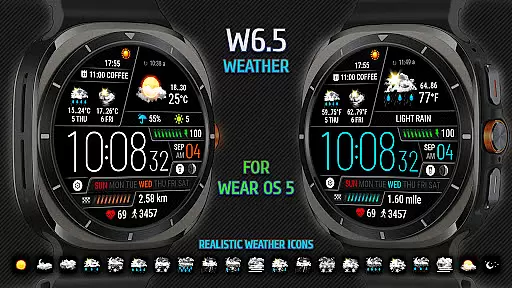
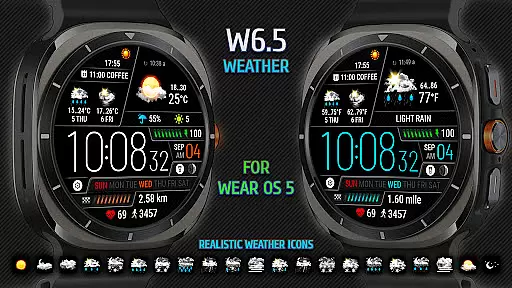
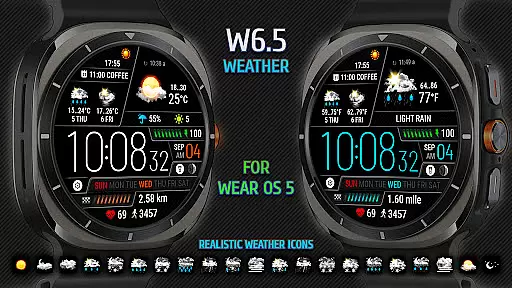
Weather Watch Face W6.5 is a sophisticated watch face designed exclusively for Wear OS 5+ (API 34+), optimized for the latest Galaxy Watch and Pixel Watch models. This app transforms your smartwatch into a comprehensive weather station right on your wrist.
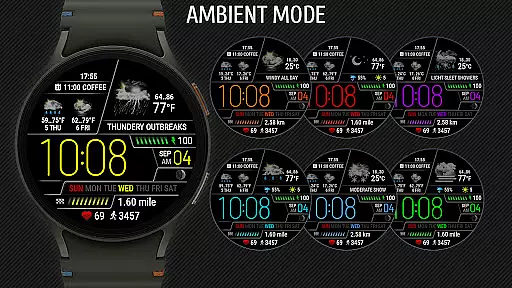
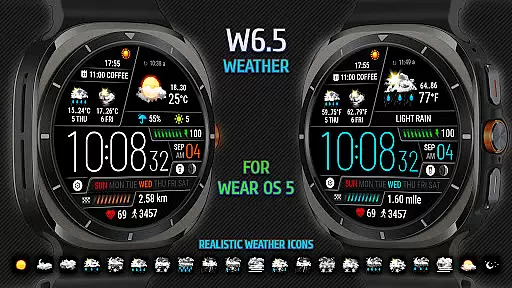
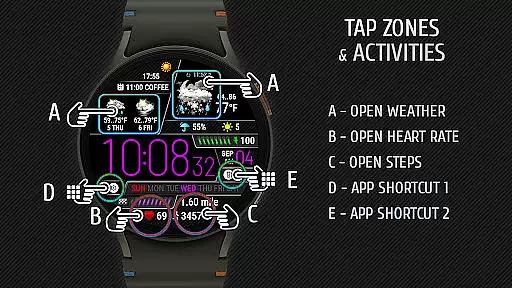
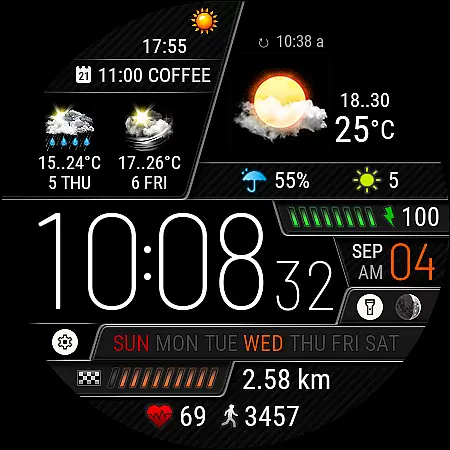
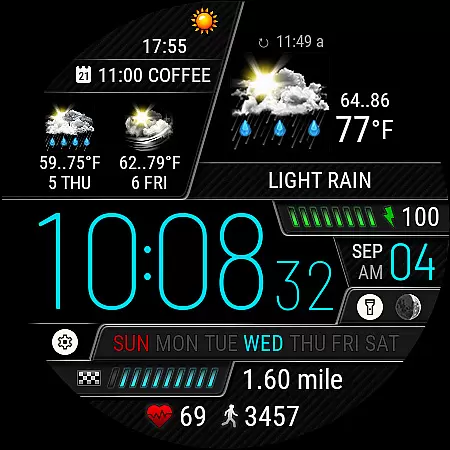
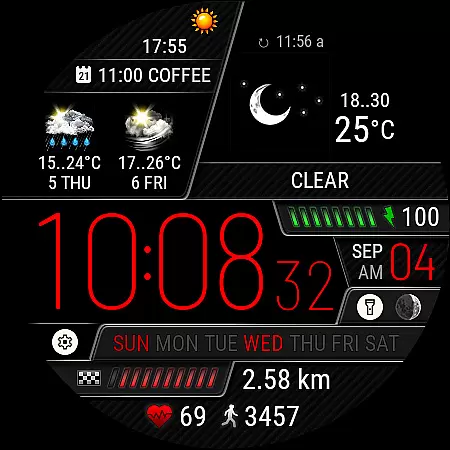
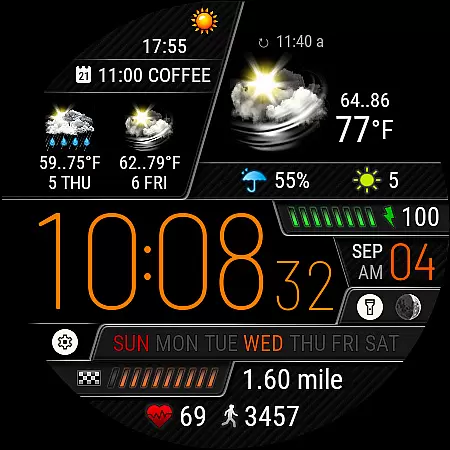
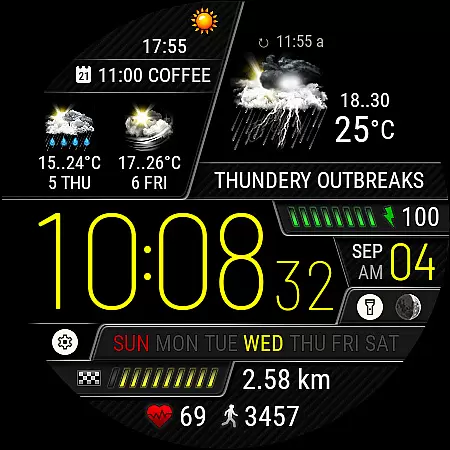
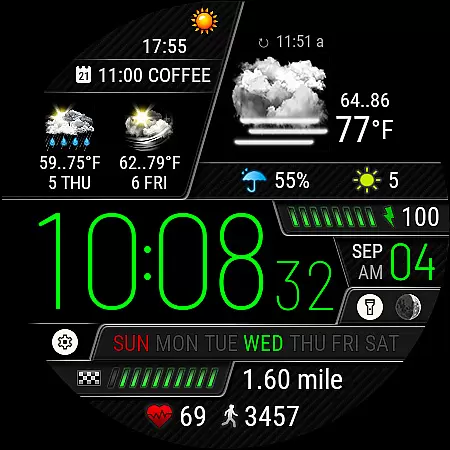
The watch face displays digital time, current weather conditions with realistic icons, precipitation probability, UV index, and a 2-day forecast. It also tracks health metrics like heart rate, steps, and distance traveled, making it an all-in-one utility for both fitness enthusiasts and everyday users.
With its intuitive design and customizable features, Weather Watch Face W6.5 provides real-time weather updates and personalized settings to enhance user experience. Whether you're planning your day or monitoring your fitness goals, this app ensures you have all necessary information at a glance.
Weather Watch Face W6.5 offers a rich set of features tailored for users seeking both functionality and aesthetics. The app supports 15 different weather conditions displayed as realistic icons, providing an accurate visual representation of the current weather.
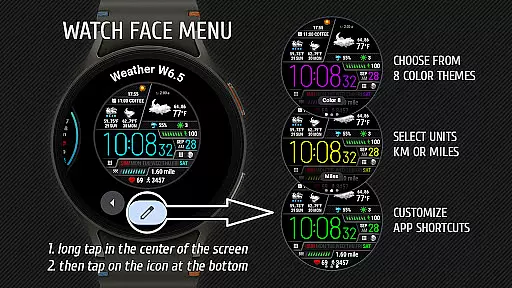
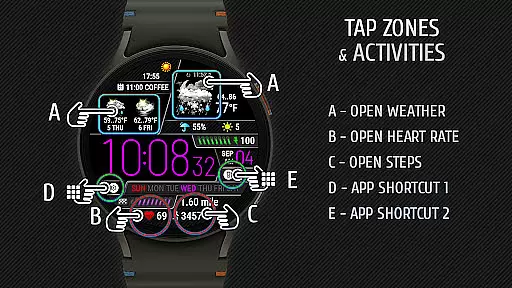
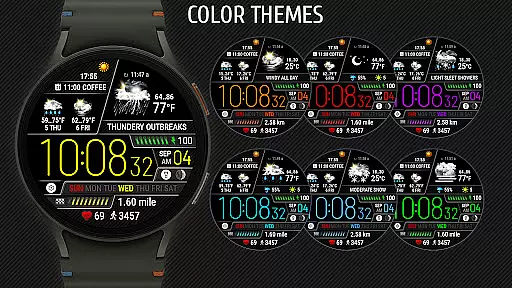
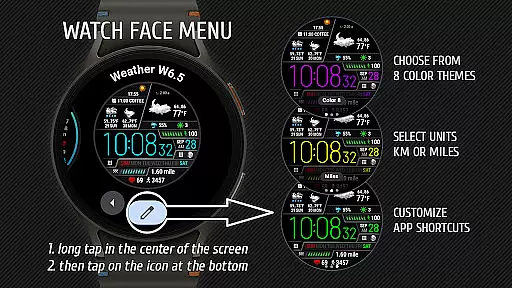
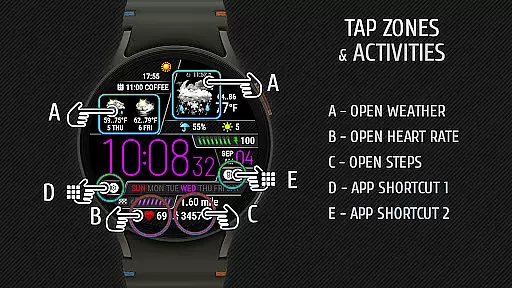
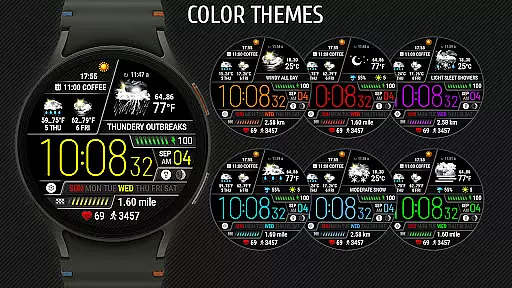
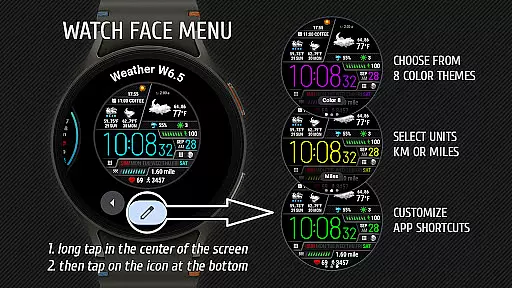
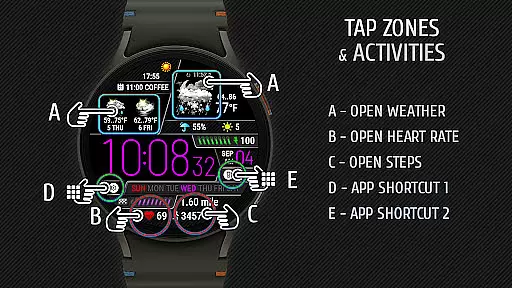
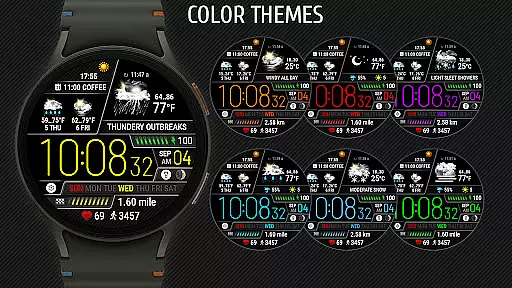
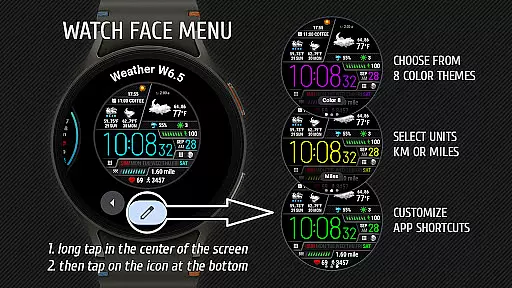
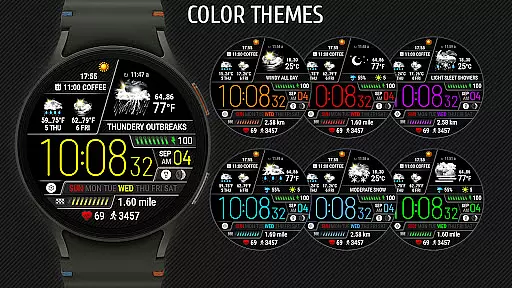
Users can customize their experience by selecting from 8 color themes and setting up 2 app shortcuts for quick access to frequently used applications. The watch face also includes essential health metrics such as heart rate, step count, and distance traveled, ensuring that users stay informed about their fitness progress.
Additionally, the app integrates seamlessly with The Weather Channel and other system weather sources to deliver reliable weather forecasts. With dedicated areas for app shortcuts and comprehensive settings, Weather Watch Face W6.5 combines practicality with personalization, offering a superior user experience on supported devices.
Weather watch face W6.5 provides highly accurate weather forecasts tailored specifically for Wear OS 5+ users. The application sources its data from The Weather Channel, a trusted and authoritative provider in meteorological information.
The integration with reliable weather sources ensures that users receive credible updates on current weather conditions, precipitation probability, UV index, and even a two-day forecast directly on their smartwatch display. This level of accuracy is crucial for individuals who need to plan their day based on the latest weather developments.
By offering realistic weather icons representing fifteen distinct weather conditions, the app enhances user experience by delivering easily understandable visual cues. These icons are not only visually appealing but also designed to convey precise information at a glance, making it easier for users to interpret complex weather data quickly.
One of the standout features of Weather watch face W6.5 is its ability to provide both temporal and spatial forecast ranges. Users can access detailed weather predictions that span across different times of the day as well as geographical locations relevant to their current position.
This functionality allows users to stay informed about changing weather patterns throughout the day, ensuring they are prepared for any eventuality. Whether planning an outdoor activity or deciding what to wear, having access to timely and location-specific forecasts adds significant value to daily routines.
In addition to localized weather insights, the app supports broader spatial coverage, which means users traveling between cities or regions will still receive accurate and pertinent weather updates. This comprehensive approach to forecasting empowers users with actionable insights no matter where they go.
Realistic weather icons
Customizable color themes
Health metrics tracking
App shortcuts for convenience
Optimized for latest watches
Not compatible with older OS
Limited device support
No standalone use
Requires internet
Premium features locked

Ultimate Lunar Calendar for 2021!
 4.80
4.80
Retro TV-style digital watch face with weather, heart rate, steps & events!
4.5
Instant weather updates, easy to check anytime on your home screen.
3.50
Your local weather app with storm radar, rain tracker, weather maps & AQI.
4.4
Weather watch face for Wear OS 5
4.40
Powerful US and worldwide earthquake feed with earthquake alerts and maps.
4.70
NOAA forecast & radar for your exact location.
4.80
Local weather forecast app, your personal 7*24 local weather forecast assistant.
4.90
Hyperlocal Forecasts, Live Radar, Severe Weather alerts & Homescreen Widgets
4.30
Weather for Indiana, Kentucky and Ohio
4.90
Local Weather provides accurate and current hourly and daily forecasts.
4.80
Hourly and daily weather forecast, current condition, temperature, UV and more!
4.70
weather forecast, weather radar, weather widget in one local weather app
4.70
My Aurora Forecast Pro is the app for the Northern Lights and Aurora Borealis.
4.70
The weather channel, tiempo weather forecast, weather radar & weather map
4.70
Weather radar map, storm tracker, local forecast, live rain alerts & daily news.
4.60
Live NOAA weather app to track storm, rain, wind, lightning & real local updates
4.20
An unofficial app version of the National Weather Service (Weather.gov)
3.90
Quickly check the Hanalei river gauge height during heavy rains on Kaua'i.
4.0
User Reviews