

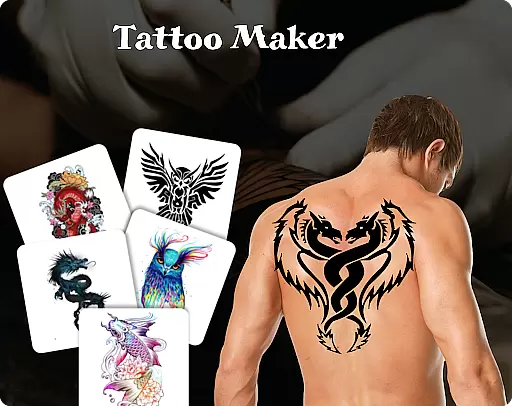
Tattoo Maker: Design & Art is a creative app that allows users to design custom tattoos and preview them on their body. With a vast art library, it offers numerous tattoo designs ranging from small to intricate patterns.
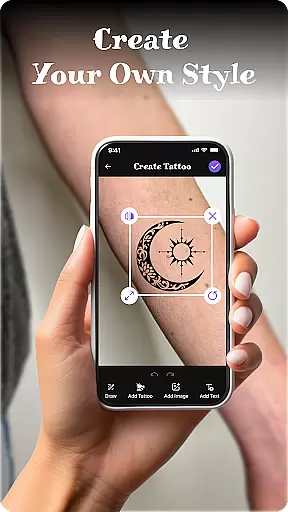
Users can craft unique tattoos using creative tools, add text with cool fonts, and adjust colors. The app also provides a realistic AR tattoo view by uploading a photo, making it perfect for tattoo enthusiasts and artists.
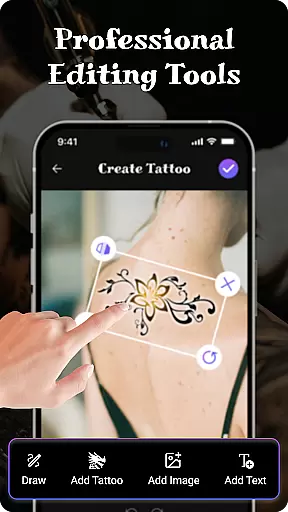
This app stands out with its pro art tools, enabling users to draw with different brushes, sizes, and vibrant colors. It supports flipping, rotating, and fitting designs perfectly onto the skin.
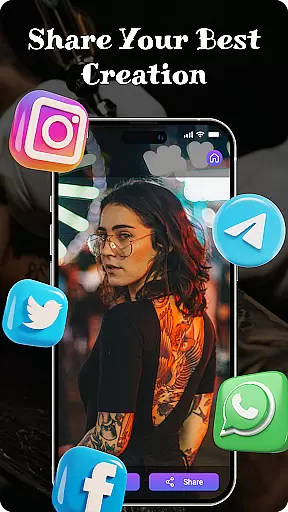
Another key feature is the ability to add text to art, allowing customization of fonts and colors. Users can explore a wide range of tattoo designs and easily share their creations with friends.
The realistic AR preview feature lets users see how a tattoo would look on their body, enhancing the design experience.
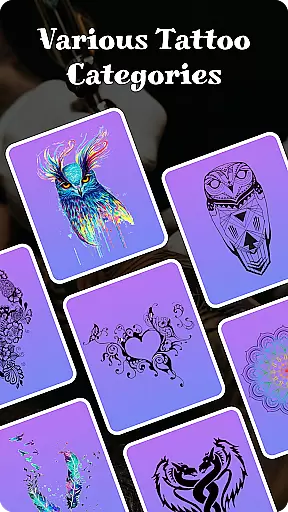
When it comes to designing tattoos, having access to a comprehensive product database is essential. Tattoo Maker: Design & Art offers an extensive collection of tattoo designs that cater to all preferences and styles. This app provides users with a rich repository of small to intricate designs, ensuring that everyone can find something that resonates with their personal taste.
The depth of the product database in Tattoo Maker is one of its standout features. Users can explore various categories and discover new design ideas they may not have considered before. Whether you're looking for classic symbols or modern art pieces, this app has got you covered. Each design is carefully curated to provide inspiration and serve as a starting point for your custom creations.
Moreover, detailed information about each design element is readily available. Users can learn about different patterns, their origins, and meanings, which adds an educational aspect to the tattoo-making process. With such a profound database at their fingertips, artists and enthusiasts can make informed decisions about their tattoo choices, leading to more personalized and meaningful body art.
Personalization is at the heart of Tattoo Maker: Design & Art. The app offers precise tools that allow users to create tattoos tailored specifically to their vision. With features like flipping, rotating, and fitting designs perfectly onto images of the body, users have complete control over how their final tattoo will look.
The level of personalization precision extends to the drawing tools provided by the app. Users can choose from a variety of brushes, sizes, and vibrant colors to draw their designs with accuracy. Additionally, adding text with cool fonts and colors enables further customization, allowing for unique statements or names to be included in the artwork seamlessly.
Tattoo Maker also excels in offering a realistic AR tattoo view. By uploading a photo, users can preview how their design would appear on their skin, adjusting scale and rotation for optimal placement. This feature ensures that when it comes time for the real tattoo, there are no surprises u2013 just a perfect match between expectation and reality, thanks to the meticulous attention to personalization detail within the app.
User-friendly interface
Vibrant color options
Realistic AR preview
Extensive art library
Easy sharing functionality
Limited free features
In-app purchases required
Occasional bugs
Ads present
Design limitations

A tool that brings skin care and technology together at your fingertips.
 4.50
4.50
Professional HD Camera App: Capture Bright HD Selfie & Record Stunning Moments
4.40
The mirror app you were looking for, simple and easy to use. Try Mirror now.
4.60
Beauty/age defining ai coach guides you through the exercises in daily routine.
3.30
Change your hairstyle and color instantly with AI-powered virtual makeovers.
3.90
This barber game allows you to create and design hair styles on diverse people
3.80
Unleash your (Pro)tential with the hottest hair, nails and beauty brands!
4.60
Monthly Perfume Subscription
4.70
Never run out of your go-to beauty & get 5% off with auto-replenish deliveries!
4.00
Use your phone as a makeup mirror, shaving mirror. Magnifying mirror with light!
4.80
Photo enhancer 360, image enhancement, restore old photos, colorize photo ai
4.70
Enhance your selfies with face beauty makeup tool and an easy background remover
4.70
Beauty Mirror - True mirror app with light, shaving mirror, makeup mirror app
4.50
Seasonal color palettes for shopping clothes and makeup products with confidence
4.20
True mirror app with zoom, LED light, for makeup & shaving anywhere!
4.20
The all new Cosmo Prof app offers exclusive pro products, deals, and training.
4.00
Design your nails, manicure and pedicure with nail paint art and nail idea app
3.90
Create, design and dress up your own beautiful characters in cute fashion styles
3.50
Your Personal Stylist for Smart Shopping, Beauty & Styling Outfits.
4.0

User Reviews