

Mirror is a premier beauty app designed to help users check their appearance conveniently on the go. This simple yet powerful mirror app offers all essential features, making it stand out from other similar apps. With its unique 360º mirror functionality, Mirror allows users to view themselves from multiple angles, providing an experience that surpasses even traditional mirrors.
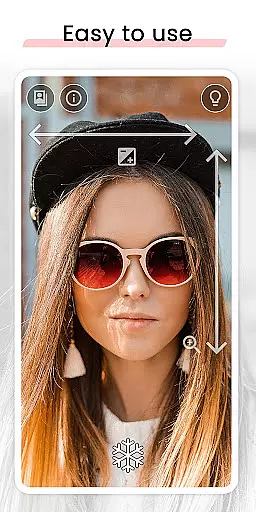
One of the standout features of Mirror is its lighting frame, which ensures perfect visibility even in low-light conditions. The app also includes intuitive gesture controls for zoom and exposure adjustments, allowing users to fine-tune their view effortlessly. Whether you need to freeze an image to avoid taking unnecessary pictures or share your best selfies directly from the app, Mirror has got you covered. Its super clear image quality and quick settings tile further enhance user convenience, ensuring that Mirror is always just a tap away.
Designed with user experience at its core, Mirror eliminates the hassle of switching between front and back cameras and provides better visibility than standard camera apps. Ideal for anyone who wants to ensure they look their best at all times, Mirror is a must-have tool for daily beauty routines and special occasions alike.
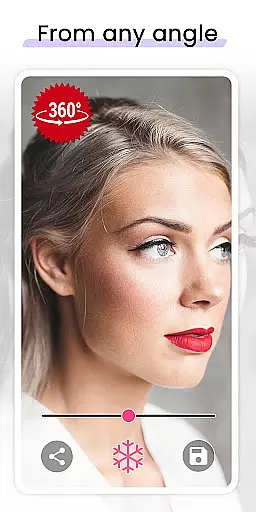
Mirror stands out due to its rich array of innovative features tailored to enhance user experience. One of its most notable functionalities is the 360º mirror, which allows users to record themselves from different angles simply by turning their heads or moving the device around them. This feature alone makes Mirror superior to conventional mirror apps and even real mirrors.
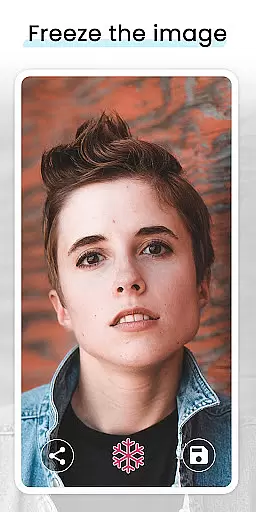
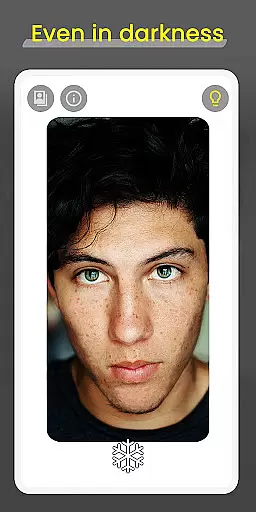
In addition to the 360º mirror, Mirror offers a lighting frame feature that is perfect for low-light environments. This ensures that users can see themselves clearly even in total darkness. The app also includes intuitive gesture controls for zoom and exposure, enabling quick and easy adjustments with just one finger. Users can freeze images to avoid taking unnecessary pictures, thus saving storage space and time.
Sharing your best moments has never been easier; Mirror allows users to share or save their favorite selfies and video selfies effortlessly. The app's super clear image quality guarantees that every detail is captured perfectly. Furthermore, the quick settings tile feature lets users open the mirror quickly, adding another layer of convenience. These comprehensive features make Mirror an indispensable tool for anyone looking to maintain their appearance with ease and precision.
When it comes to beauty applications, having a comprehensive product database is crucial for user satisfaction. Mirror stands out by offering an extensive collection of features that cater to various user needs. The app includes functionalities such as 360-degree mirror viewing, lighting adjustments for low-light environments, and intuitive gesture controls for zoom and exposure settings.
The depth of Mirror's feature set ensures that users can customize their experience according to their preferences. Whether it's adjusting the lighting frame or freezing an image to capture the perfect look, the app provides tools that allow for precise personalization. This level of detail in the product database enhances the overall user experience, making daily beauty routines more efficient and enjoyable.
By integrating advanced features like quick settings tiles and seamless sharing options, Mirror demonstrates its commitment to providing a robust platform. Users benefit from not just superficial enhancements but genuine utility that simplifies their interaction with the digital mirror. Such depth in functionality reassures users of the app's reliability and versatility.
Personalization is at the heart of Mirroru2019s design philosophy, ensuring that each user enjoys a tailored experience. With unique features like the 360-degree mirror, users can view themselves from multiple angles, which is particularly beneficial when checking appearance details. This innovative approach surpasses traditional mirror apps by offering dynamic perspectives that adapt to user movements.
The app also excels in delivering precise personalization through its gesture controls. Users can effortlessly adjust zoom and exposure with simple finger gestures, allowing for quick modifications without disrupting their routine. Additionally, the freeze image feature enables users to pause and analyze their reflection without capturing unnecessary photos, thus streamlining the process of perfecting one's look.
Mirroru2019s dedication to personalization extends beyond mere aesthetics; it encompasses practicality and ease of use. By focusing on user-centric design elements, the app ensures that individuals can achieve their desired outcomes efficiently. This precision in personalization not only meets but exceeds user expectations, establishing Mirror as a leader in personalized beauty solutions.
User-friendly interface
Super clear image quality
Lighting frame for low light
Intuitive gesture controls
Unique 360º mirror
Requires good lighting
Occasional lag
Limited customization
No advanced editing tools
Basic design
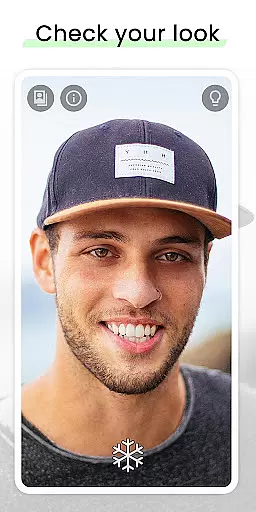

Beauty camera for perfect selfie with makeup, sticker and filter
 4.50
4.50
Enhance Your Look with Face Analysis, Hair Style Changer, Beauty Score, Rating
3.90
Your on-demand aesthetician
4.40
Edit Your Photos and Videos with Beauty Filters & Get Makeup Artist Tutorials
3.60
Unique selfie filter camera! Upload live sticker & face filter every week!
4.70
Try On Style with AI: Virtual Dressing Room & Personal Fashion Stylist App
4.00
Beauty Camera & Selfie Camera snap Beauty selfie with filter, makeup, stickers
4.80
Unleash your (Pro)tential with the hottest hair, nails and beauty brands!
4.60
Mirror app that shows your image with photo editor, zoom and light!
4.70
Blushify is a beauty camera for makeup, face editing, and glowing selfies!
4.70
HD Camera, Selfie Camera, Camera filters, is a fully featured 4K camera
4.60
For businesses, Booksy Biz allows you to manage your schedule & more on the go.
4.60
Top brand haircare & fragrance
4.60
Beauty Camera - Selfie Camera with sweet selfie, makeup, filter, sticker, editor
4.50
Beauty Mirror - True mirror app with light, shaving mirror, makeup mirror app
4.50
Winter picture editor: Christmas stickers, frames for photos & Christmas cards.
4.40
Healthier, more beautiful with Medicube Digital Clinic AGE-R!
4.10
Try on different hairstyles and hair colors, glasses and jackets | Cartoon face
4.10
Enjoy convenience wherever you are with the Tune Up, The Manly Salon app.
3.20

User Reviews