

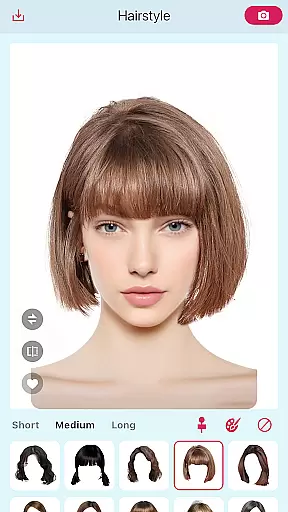
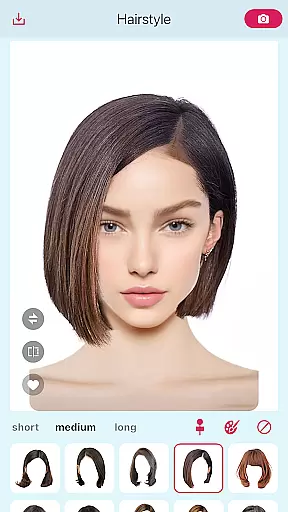
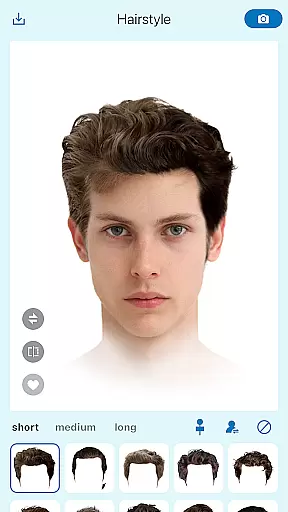
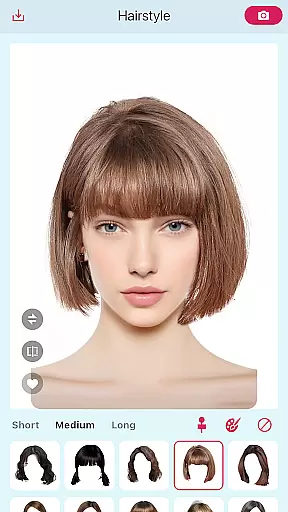
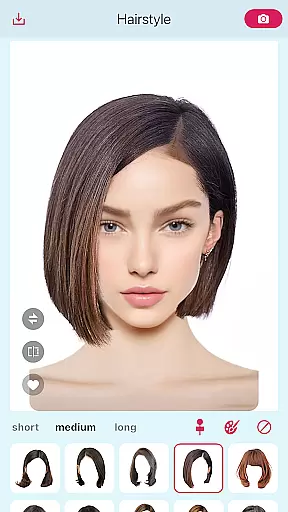
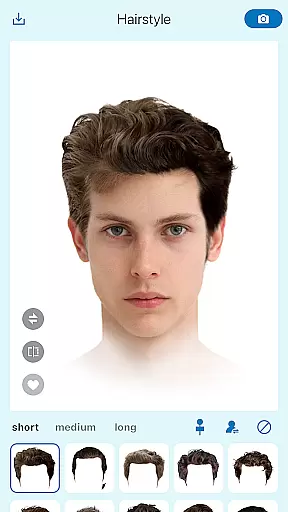
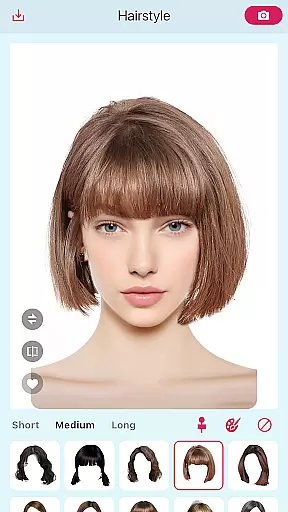
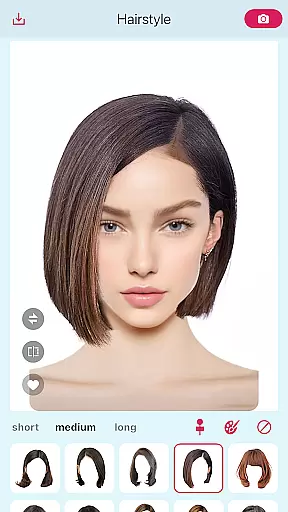
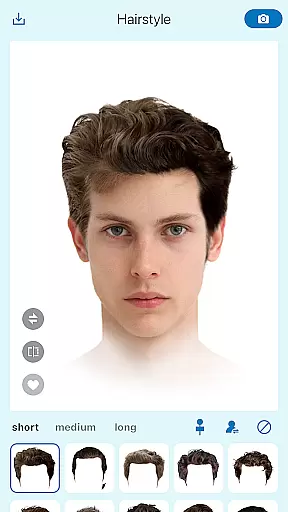
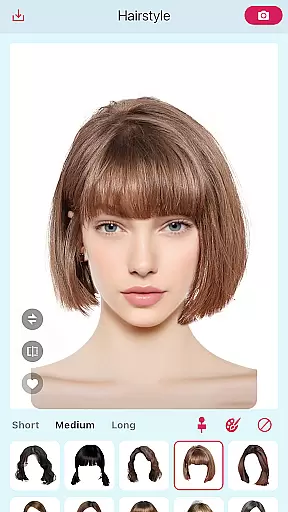
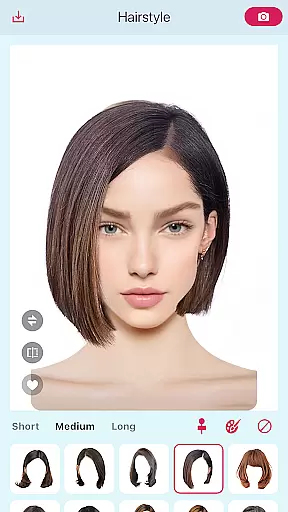
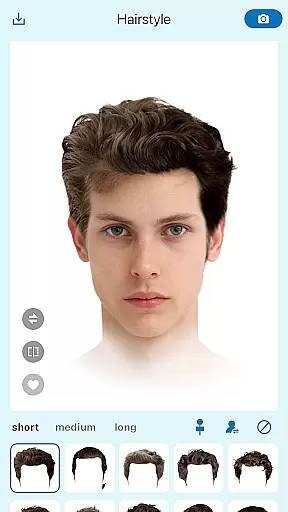
Hairstyle Try On-600+ Haircuts is a beauty app that allows users to virtually try on different hairstyles using AI technology. The app's core function is detecting and segmenting hairstyles from any target image, enabling users to preview looks before visiting a salon or purchasing wigs.
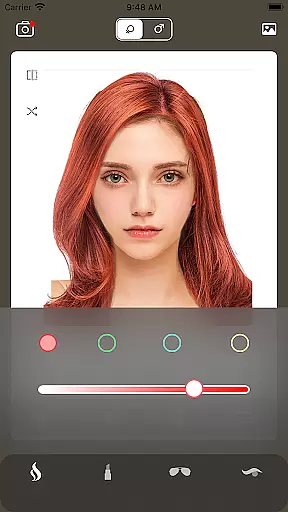
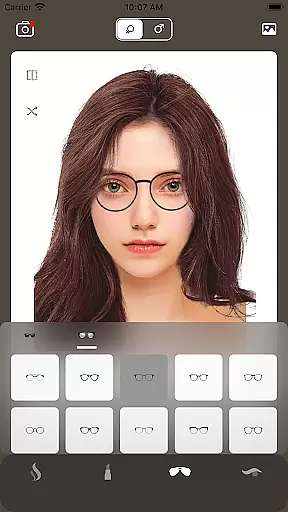
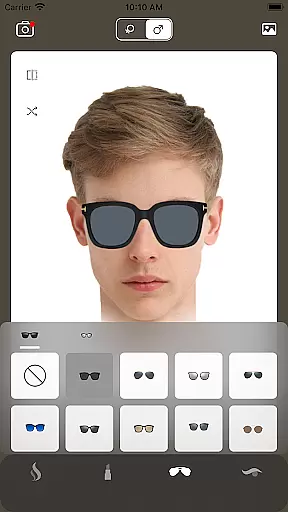
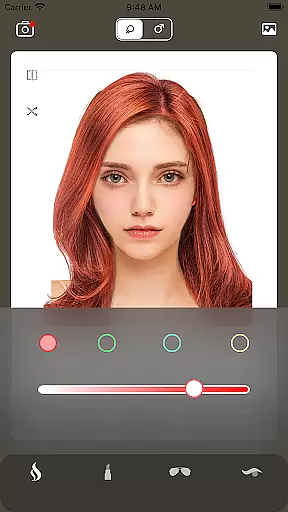
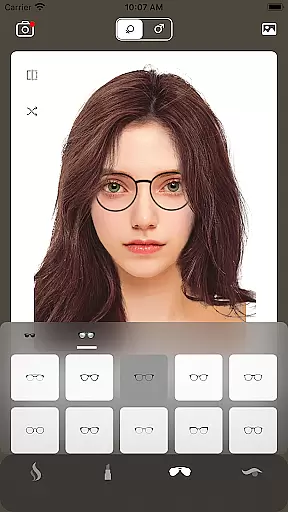
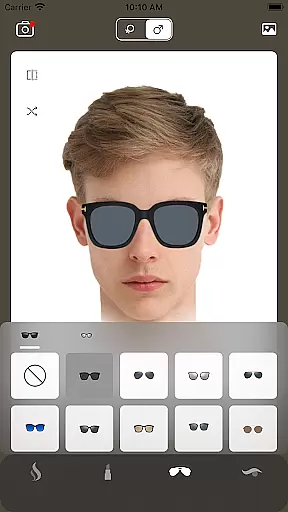
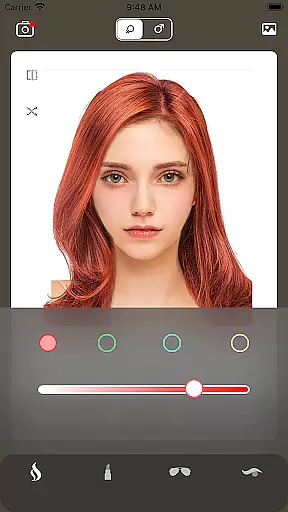
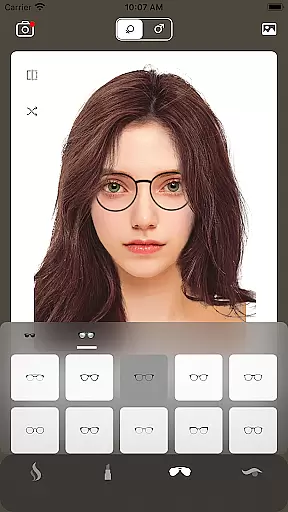
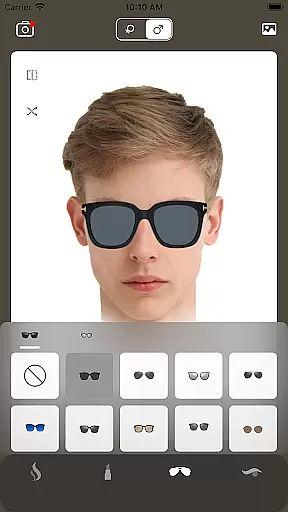
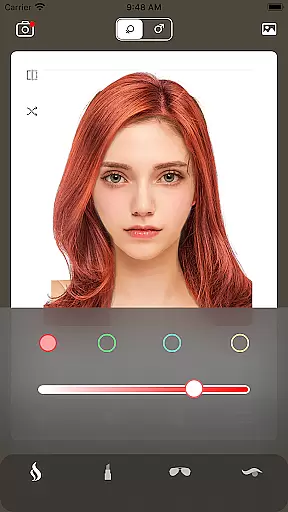
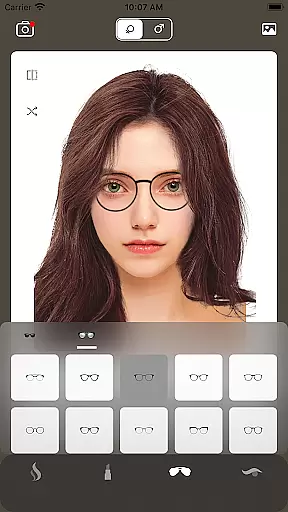
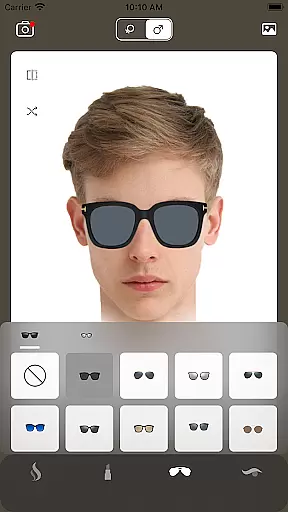
In addition to its AI-powered detection, the app features over 600 preloaded hairstyles for both men and women. These include various lengths, textures, bangs, and styles, professionally designed for instant use. Users can also customize hair colors and add accessories like glasses or sunglasses, making it a versatile tool for exploring new looks.
This app is particularly useful for individuals considering a drastic hairstyle change or those who frequently experiment with their appearance. By providing realistic previews of different styles, it helps users make informed decisions about their hair, saving both time and money.
One of the standout features of Hairstyle Try On-600+ Haircuts is its advanced AI technology, which detects and segments hairstyles from uploaded images. This functionality ensures accurate placement of hairstyles onto the user's photo, creating realistic previews. Additionally, the app offers over 600 preloaded hairstyles, catering to a wide range of preferences and ensuring there's something for everyone.
The app also supports extensive customization options. Users can modify hair colors, choosing from classic shades like blonde, black, and brunette, as well as bold hues such as pink, blue, and silver. With over 100 stylish glasses and sunglasses available, users can complete their look and save favorite combinations for future reference.
These features collectively provide a comprehensive virtual salon experience, empowering users to explore new styles confidently while offering practical value through its innovative design tools.
Hairstyle Try On-600+ Haircuts offers an extensive product database that caters to a wide variety of user needs. The app's AI-powered detection and segmentation technology allows users to extract hairstyles from any target image, providing a personalized experience for those looking to preview salon styles or visualize wigs. This feature ensures that users are not limited to pre-existing options but can also experiment with real-world styles they encounter.
In addition to the custom extraction feature, the app includes over 600 preloaded hairstyles designed for both men and women. These professionally crafted styles encompass a broad spectrum of lengths, textures, bangs, and cuts, ensuring there is something for everyone. Whether you're considering a classic bob or exploring edgier looks, the app provides ample choices to suit different preferences and face shapes.
The app goes beyond just offering hairstyle options by including detailed hair color customization. Users can experiment with traditional shades such as blonde, black, and brunette, or push creative boundaries with bold colors like pink, blue, and silver. This level of detail in the product database ensures that users have complete freedom to explore every possible variation of their desired look.
One of the standout features of Hairstyle Try On-600+ Haircuts is its advanced personalization precision. The app uses sophisticated AI algorithms to accurately detect and segment hairstyles from target images, allowing users to try on virtually any hairstyle they find in photos. This high degree of accuracy ensures that the virtual try-on experience closely mirrors how the style would look in real life, making it an invaluable tool for those planning to visit a salon or invest in a wig.
Beyond image-based personalization, the app offers over 600 preloaded hairstyles that cover a diverse range of options. Each style is meticulously designed to cater to different user profiles, ensuring that recommendations are relevant and appealing. The inclusion of various lengths, textures, and cuts means that users can find styles that not only match their aesthetic preferences but also complement their unique features.
To further enhance personalization, the app supports detailed hair color editing. Whether users prefer subtle changes or dramatic transformations, they can customize each style with precision. Additionally, the app offers over 100 stylish glasses and sunglasses, allowing users to complete their look with accessories. By saving favorite combinations, users can easily revisit and refine their choices, ensuring a highly tailored and satisfying experience.
User-friendly interface
Extensive hairstyle library
Realistic AI previews
Versatile color options
Accessory integration
Limited ethnic hairstyles
Occasional detection errors
Premium feature costs
Ads in free version
Device compatibility issues

Professional HD Camera App: Capture Bright HD Selfie & Record Stunning Moments
 4.40
4.40
Shop Smarter, Dress Better, and Shine Brighter!
4.10
True mirror app with zoom, LED light, for makeup & shaving anywhere!
4.20
Use your phone as a makeup mirror, shaving mirror. Magnifying mirror with light!
4.80
Beauty camera & Selfie camera for perfect selfie with filter, sticker, makeup
4.70
Book beauty salon, hair or health and wellness experiences in an instant
4.90
Try On Style with AI: Virtual Dressing Room & Personal Fashion Stylist App
4.00
Beauty Camera & Selfie Camera snap Beauty selfie with filter, makeup, stickers
4.80
This barber game allows you to create and design hair styles on diverse people
3.80
Blushify is a beauty camera for makeup, face editing, and glowing selfies!
4.70
Try interesting trending filters allows you switch to a cute girl
4.70
The ultimate beauty membership
4.70
Unleash your (Pro)tential with the hottest hair, nails and beauty brands!
4.60
Winter picture editor: Christmas stickers, frames for photos & Christmas cards.
4.40
Seasonal color palettes for shopping clothes and makeup products with confidence
4.20
Glow up with science: cosmetics, ingredients scanner, tracking & face analysis
4.10
Snap stunning selfies with AI from the Sweet Beauty Camera editor
4.10
Enhance Your Look with Face Analysis, Hair Style Changer, Beauty Score, Rating
3.90
Beauty/age defining ai coach guides you through the exercises in daily routine.
3.30

User Reviews