

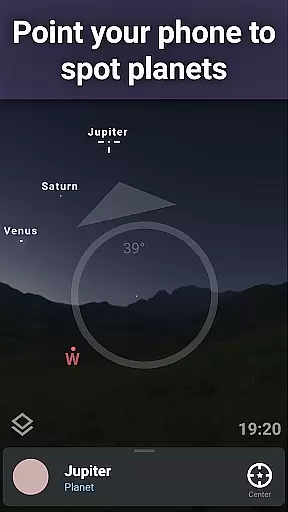
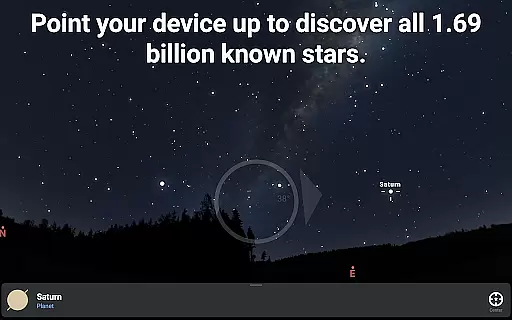
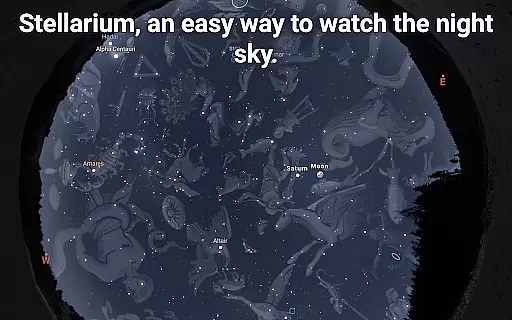
Stellarium Mobile - Star Map is an advanced planetarium app designed for both amateur stargazers and professional astronomers. This application provides a real-time representation of the night sky, accurately displaying stars, planets, constellations, and deep-sky objects visible to the naked eye or through telescopes. With its intuitive interface and precise celestial mechanics, users can explore the universe by simply pointing their device at the sky.
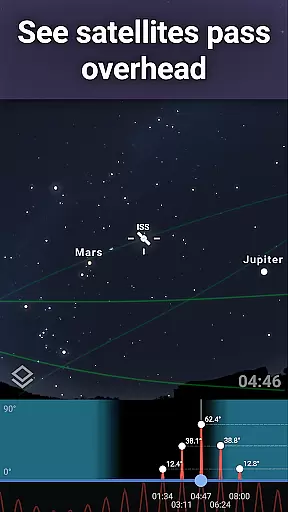
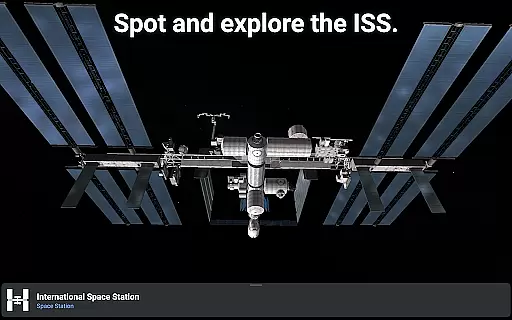
The app offers a comprehensive suite of astronomical tools including realistic Milky Way rendering, detailed 3D models of solar system planets, and even landscape and atmospheric simulations. Its unique features allow users to understand how different cultures perceive constellations and track artificial satellites like the International Space Station (ISS). Whether you're an educator, student, or hobbyist, Stellarium Mobile transforms your device into a powerful tool for exploring the cosmos.
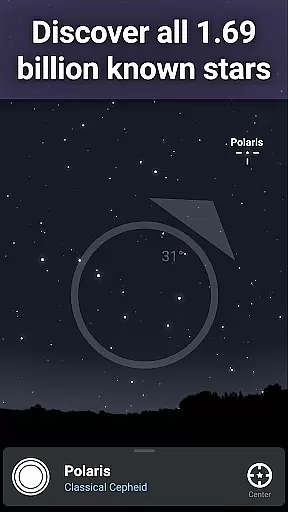
For advanced users, the Stellarium Plus upgrade unlocks professional-grade features such as access to over 1.69 billion stars from the Gaia DR2 catalog, millions of deep-sky objects, and telescope control capabilities. These functionalities make it an indispensable companion for serious astronomical observation and research.
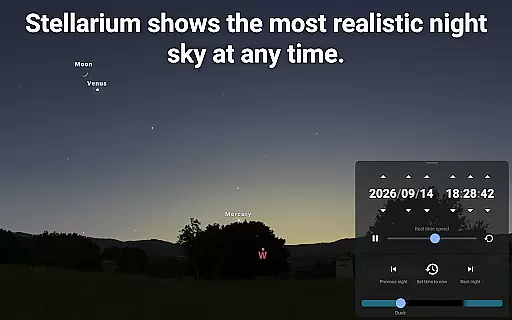
Stellarium Mobile stands out with its extensive feature set tailored for astronomy enthusiasts. The app's core functionality includes a highly accurate simulation of the night sky, showing celestial objects' positions for any date, time, and location. It supports real-time tracking of stars, planets, comets, satellites, and deep-sky objects, making it easy to identify what you're observing in the sky above you.
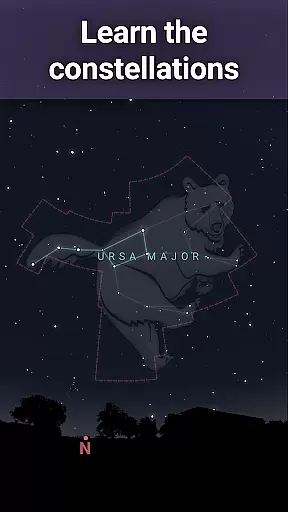
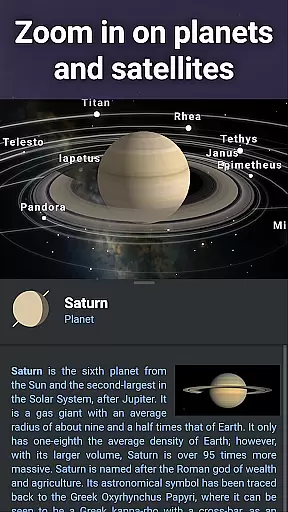
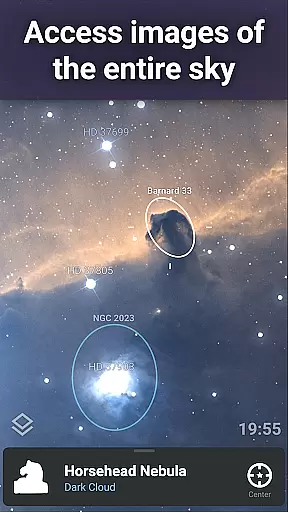
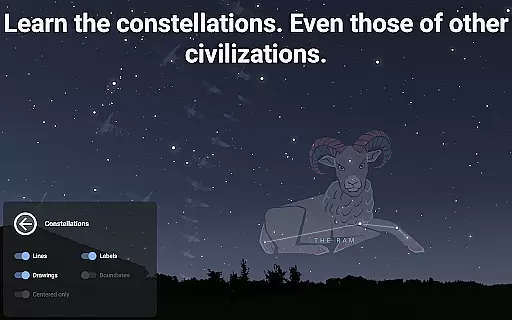
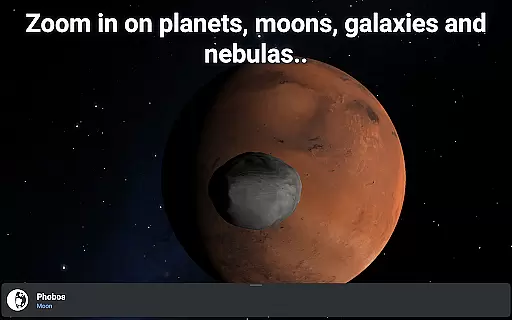
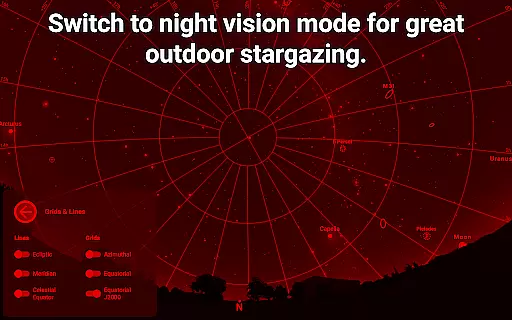
One of the app's most notable aspects is its rich collection of astronomical data. Users can explore detailed representations of nebulae, galaxies, star clusters, and other deep-sky objects. The app also provides high-resolution images of planetary surfaces and allows users to switch between constellation illustrations from various cultures. Advanced features include landscape and atmosphere rendering, red night mode for better dark adaptation, and 3D renderings of planets and their moons.
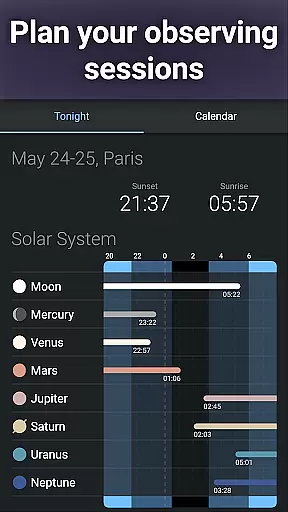
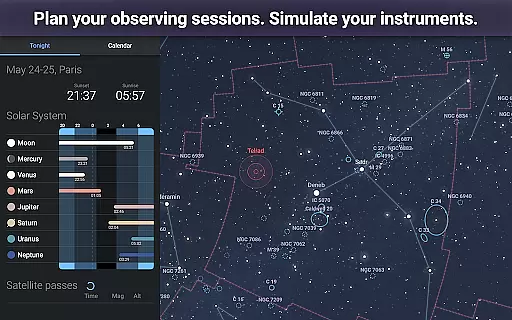
For those seeking more, Stellarium Plus offers unparalleled depth. It includes massive catalogs containing all known stars, minor solar system objects, and deep-sky objects. The ability to operate offline with reduced datasets and control telescopes via Bluetooth or Wi-Fi makes this app suitable for field observations. Additionally, advanced planning tools help users optimize their observation sessions by predicting object visibility and transit times.
When it comes to educational applications, content accuracy is paramount. Stellarium Mobile - Star Map delivers precise simulations of the night sky, featuring stars, planets, and deep-sky objects for any date, time, and location. This app provides a vast collection of celestial bodies, including nebulas, galaxies, and star clusters, ensuring that users explore the universe with reliable information.
The app draws from authoritative astronomical catalogs, such as the Gaia DR2 which includes over 1.69 billion stars, offering an extensive and accurate representation of the cosmos. With this level of detail, learners can trust the authenticity of their stargazing experiences while using the app's real-time identification features to discover constellations, comets, satellites, and more.
For advanced enthusiasts, Stellarium Plus offers an expanded catalog reaching objects as faint as magnitude 22, alongside detailed planetary renderings and high-resolution images. These features not only enhance the learning experience but also support serious astronomical study by providing data previously accessible only to professionals.
Stellarium Mobile supports personalized learning paths by allowing users to tailor their exploration of the universe according to their interests and knowledge level. Whether you're a novice stargazer or an experienced astronomer, the app adapts to your needs through its user-friendly interface and customizable settings.
Users can select different constellation illustrations representing various cultural perspectives, thus broadening their understanding of how different civilizations perceive the stars. The app also enables tracking of artificial satellites, offering a modern twist to traditional astronomy education and engaging users with contemporary space phenomena.
Moreover, Stellarium Plus enhances personalized learning with advanced observation tools that predict celestial object observability and transit times, preparing users for their own real-world observations. By simulating atmospheric conditions like sunrise and sunset, it further enriches the educational journey, making each interaction with Stellarium Mobile a step forward in a unique astronomical learning path.
User-friendly interface
Accurate celestial simulation
Extensive object database
Offline functionality
Cultural constellation views
Premium features locked
High system requirements
Complex for beginners
Limited free content
Occasional performance issues


scanner body part for fun Prank friends realistic scan effects
 3.00
3.00
Bebefinn and Baby Shark educational, animated videos & games for kids
3.40
THE MOST COMPREHENSIVE JUMPMASTER STUDY RESOURCE AVAILABLE.
3.40
Astronomy Guide to the Night Sky
4.40
Practice Casino Roulette Payouts for Table Game Dealers and Croupiers
4.40
Explore numbers the Starfall way!
4.00
A collection of favorite stories from Daniel Tiger's Neighborhood
2.00
SkyView®, an augmented reality space app, brings stargazing to everyone!
4.40
Educational Activities for 2-8
3.70
Learning the ancient Viking language made simple
4.70
Stack the States makes learning about the 50 states fun!
4.70
Latest TLC Practice Questions! Multiple languages available!
4.50
Turns you phone or tablet into TI graphing calculator (ROM required).
4.20
A magical world of fun, building, and learning with Mickey Mouse and more!
4.20
For medical training - Visualize complex vein maps and structures in real-time.
4.10
An aviator’s preparation, study and test tool for FAA Knowledge Exams.
4.10
Hasbro's Classic Board Game - Make Cavity Sam better or get the buzzer!
3.50
Learn and joke with the Silly Turkey!
4.5
Pickleball guide complete with illustrated Pickleball drills and helpful info
4.4


User Reviews