

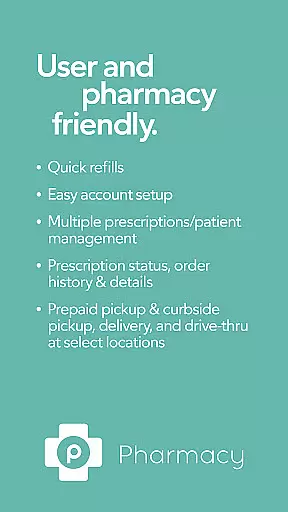
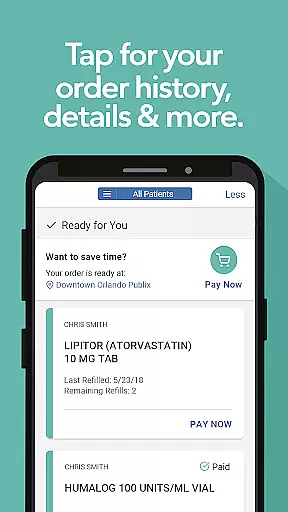
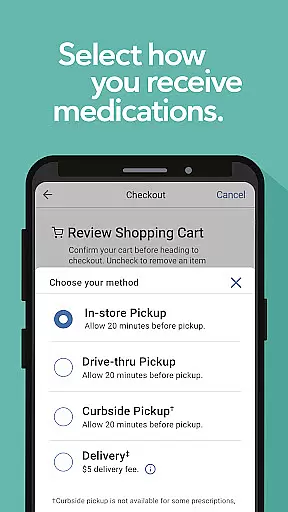
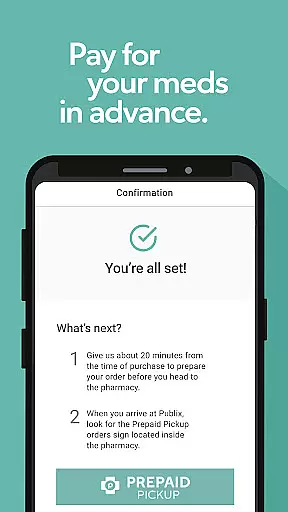
Publix Pharmacy is a comprehensive medication management app designed to simplify the prescription process for users. The app offers quick refills through bottle scanning, easy account setup, and supports multiple prescriptions and patient management. Users can view prescription statuses, order history, and details while enjoying convenient pickup options like prepaid pickup, curbside service, and drive-thru at select locations.
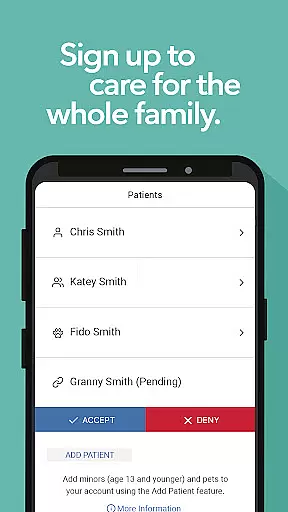
The app provides essential features such as one-tap refill requests, advance payment options, and family care capabilities that allow adding minors and pets to profiles. With an intuitive interface, Publix Pharmacy ensures important prescription information is easily accessible. Whether managing personal medications or caring for loved ones, this app streamlines pharmacy interactions making healthcare more efficient.
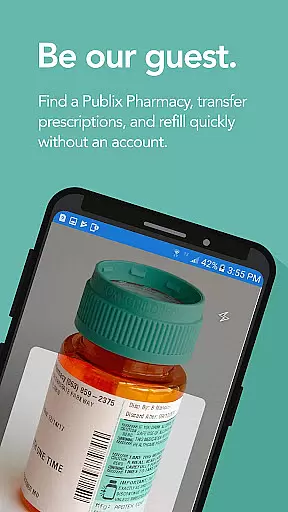
Publix Pharmacy stands out with its innovative features tailored for user convenience. A key highlight is the ability to scan prescription bottles using your phone's camera for instant refills, eliminating manual entry. The app also facilitates guest access, allowing users to find pharmacies, transfer prescriptions, and refill without needing an account.
For registered users, Publix Pharmacy offers advanced functionalities including automatic updates when doctors call in new prescriptions, customizable notifications, and reminders. Family care features enable adding dependents and pets to profiles, while shared access allows designated members to view prescription details. These robust features ensure seamless prescription management and enhance overall user experience.
In the realm of digital health services, ensuring the credibility of medical content is paramount. The Publix Pharmacy app excels in this area by providing users with accurate and reliable prescription management features that are vetted by healthcare professionals. This commitment to accuracy ensures that patients receive the correct information regarding their medications, dosages, and refill timings.
The app's functionality is designed to support the complex needs of pharmacy operations, which inherently require a high level of expert review. By integrating features such as prescription status updates, order history, and detailed medication information, Publix Pharmacy maintains a robust system where every piece of data is aligned with professional medical standards.
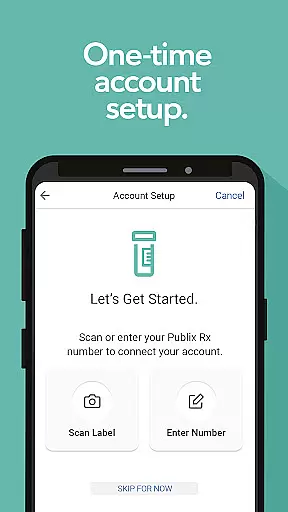
For users, this means peace of mind knowing that their health information is managed with the utmost care and precision. Whether it's through easy account setup using scanned prescription bottles or managing multiple prescriptions for different family members, each feature is crafted to uphold the integrity of medical data.
Ultimately, the credibility of the Publix Pharmacy app's content empowers users to take control of their healthcare with confidence. With options like prepaid pickup, curbside service, and delivery, patients can trust that their medication needs are handled efficiently and accurately, reflecting the app's dedication to quality and reliability.
While the Publix Pharmacy app does not directly offer teleconsultation services, it enhances the overall telehealth experience by streamlining the prescription management process. A key component of effective teleconsultations is the seamless integration between digital health tools and pharmacy services, ensuring that prescribed medications are accurately processed and readily available for patients.
By incorporating advanced features such as automatic prescription updates when doctors call in new orders, the app indirectly supports high-quality teleconsultations. Patients can easily track their prescriptions' statusu2014whether they're ready for refill, in progress, or prepared for pickupu2014thus reducing the friction often associated with obtaining medications post-consultation.
Additionally, the app's ability to manage multiple patients' profiles within a single account facilitates coordinated care among family members, including minors and pets. This organizational capability ensures that all household members' medication needs are met promptly following any teleconsultation, contributing to a smoother healthcare journey.
Although focused on prescription management, the Publix Pharmacy app plays a crucial role in the broader telehealth ecosystem by providing reliable, user-friendly tools that complement virtual consultations, ultimately enhancing patient satisfaction and adherence to prescribed treatments.
User-friendly interface
Quick prescription refills
Family and pet profile integration
Multiple pickup options
Guest access without account
Limited to Publix pharmacies
No multilingual support
Account setup required for full features
Select locations only
Dependent on network connectivity

Adaptive-learning flashcards and quizzes for the Top 250 Drugs
 4.60
4.60
A comprehensive medical disease app.
5.00
Blue Cross and Blue Shield of Texas member information
4.60
Control your hearing aids discreetly with the touch of a finger
4.30
Manage your prescriptions and pharmacy care anytime, anywhere.
4.80
Assess and treat left neglect more effectively in stroke and brain injury rehab.
4.30
Download OctaApp for easy access to your plasma donation info
4.40
Manage your health care in one easy place
4.40
The Client Portal app empowers you to manage care from one secure place
4.10
The Better Pharmacy Experience
4.90
Want to make it easier to manage your health? We’re with you, wherever you are.
4.70
Hear far away sounds, conversations, TV and surrounding sounds more clearly.
4.70
Personalized hearing experience and health data tracking
4.50
Explore human anatomy with this rich learning experience.
4.00
Easy access to benefits and rewards
3.70
HealtheLife lets you easily manage your health online.
3.20
MHealth is the mobile version of MEDITECH’s Patient and Consumer Health Portal.
3.10
A fantastic 3d reference that includes over 300 structures and a quiz function.
3.00
ECG modules improve rhythm ID. ACLS is a simulator for cardiac arrest scenarios.
4.2


User Reviews