

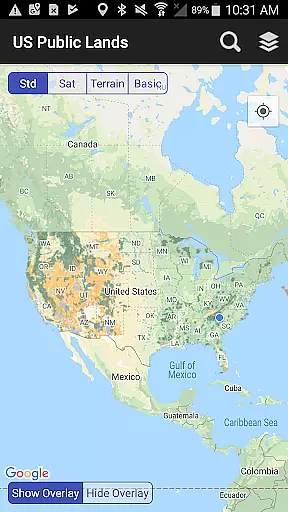
US Public Lands is a comprehensive mapping application that provides users with detailed information about federal lands across the United States. The app allows users to access boundaries and details of public lands managed by various government agencies, all available offline.
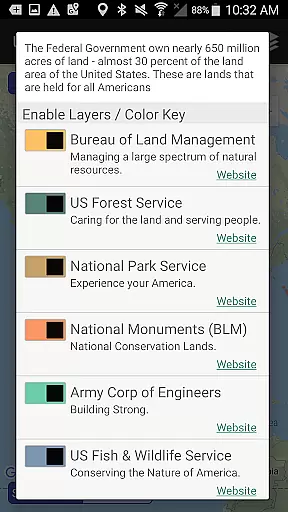
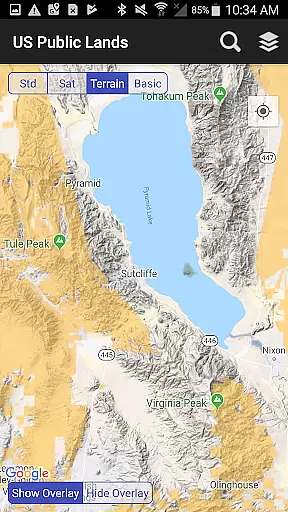
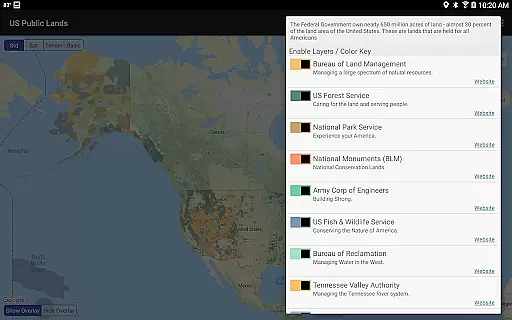
Key features include individually selectable layers for different agencies such as the Bureau of Land Management (BLM), US Forest Service (FS), and National Park Service (NPS). Users can create custom maps, access agency websites, and view public land labels without an internet connection. With GPS functionality, users can locate their current position and determine the type of land they are on.
This app is particularly useful for outdoor enthusiasts, researchers, and anyone interested in understanding land use in the United States. By providing critical information at users' fingertips, US Public Lands enhances exploration and ensures compliance with land use regulations.
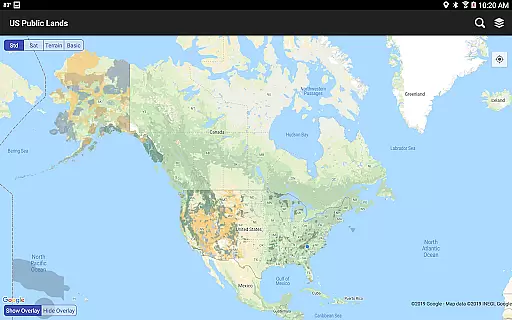
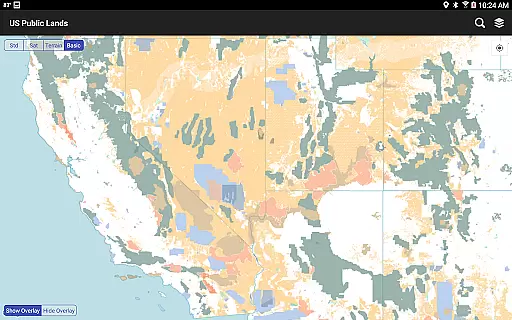
The US Public Lands app offers a rich set of features designed to enhance user experience and provide valuable information. One of its standout features is the ability to display beautifully colored layers for properties administered by federal agencies, which can be toggled on and off to create custom maps tailored to individual needs.
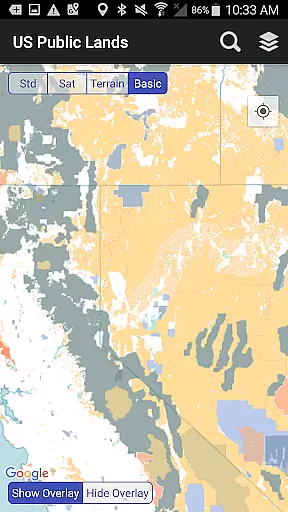
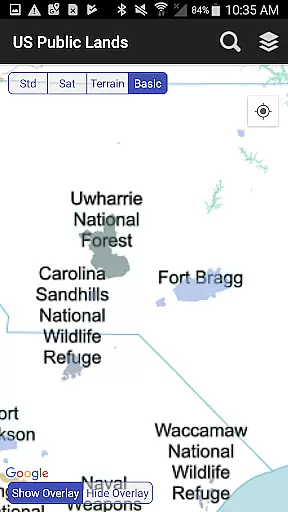
Another significant feature is the offline functionality. All map layers are stored on the device, allowing users to access crucial information without an internet connection. This includes the 'Basic' base map, which displays US Public Land labels and can be used to conserve bandwidth or when internet access is unavailable.
Additionally, the app provides links to each agency's website, enabling users to research land use rules, permits, fees, and other regulations. Outdoor adventurers will appreciate the built-in search tool and 'Locate Me' icon, which help identify current locations and points of interest, making it an invaluable tool for navigation and exploration.
Booking authenticity is a crucial aspect for any travel-related application, ensuring that all reservations and land information provided is accurate and reliable. The US Public Lands app offers an extensive overview of federal lands across the United States, with data sourced from the Protected Area Database (PAD-US) of the U.S. Geological Survey.
This app provides users with on-device layers for various federal properties, which are individually selectable and beautifully colored for easy identification. These layers ensure that users can trust the authenticity of the land boundaries they access within the app, without needing an internet connection.
By integrating official agency websites directly into the app, users can further verify land use rules, permits, fees, and activities allowed. This feature enhances the booking authenticity by allowing users to cross-check information and regulations directly from authoritative sources.
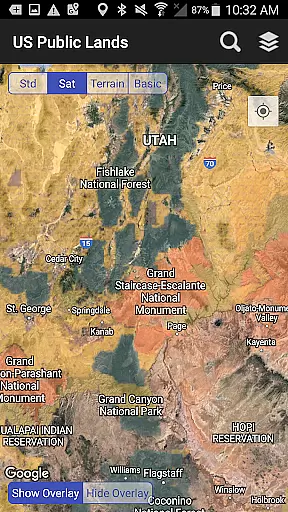
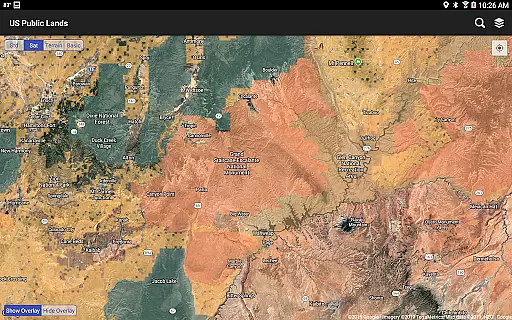
The inclusion of detailed satellite views and the ability to scout out dispersed camping locations adds another layer of reliability. Users can confidently plan their trips knowing that the information provided has been meticulously gathered and regularly updated to reflect the most current data available.
Price transparency in the context of the US Public Lands app refers to the clarity and availability of information regarding any potential costs associated with accessing or using public lands. While the majority of public lands are free to access, certain areas may require permits or have associated fees.
The app provides links to each agency's website, enabling users to research specific land use rules including any applicable charges such as entrance fees, camping permits, or activity-specific licenses. This ensures that users have a clear understanding of what costs they might incur before visiting a location.
Additionally, the app includes a built-in search tool that locates cities, states, zip codes, addresses, and points of interest, potentially saving users time and money by simplifying the planning process. By having these resources at their fingertips, users can avoid unexpected expenses related to navigation or lack of preparation.
While the US Public Lands app itself is free to use, it empowers users with the necessary information to budget effectively for their trips. This level of price transparency allows travelers to make informed decisions about their visits to public lands, enhancing overall satisfaction and trust in the application.
Comprehensive offline maps
User-friendly interface
Customizable map layers
Access to agency websites
GPS location services
No campsite database
Varied resolution quality
Potential data inaccuracies
Limited private land info
Requires updates for accuracy

INDOT Trafficwise is a traffic and traveler information mobile app.
 4.00
4.00
A packing list app that helps you remember what to pack for a trip.
3.10
The Official Freedom Trail Foundation app.
4.30
View current Idaho road conditions, road cameras, and timelapse videos.
4.3
Book neighborhood dog boarding, dog walking, pet sitting, and doggy day care.
4.60
Vacationing on CARNIVAL? Maximize your fun on board with the ultimate cruise app
4.60
Stay at Motel 6 for less - book fast, save more with MY6 app!
4.70
The best way to book travel
4.60
Get the app that knows where you’re going - view your flight, check in & more
4.50
All-in-one delivery and taxi app. Ride, food, & grocery delivery app.
4.80
The travel app that makes booking cheap flights, hotels, and car rentals easy.
4.80
View current Montana road conditions, cameras, plows, and timelapse videos.
4.70
Get faster fuel rewards, exclusive offers, and helpful tools!
4.70
Navigation on hikes is no longer a problem. Download the map, put notes and go!
4.60
The mobile panorama panel. Works offline - worldwide!
4.40
Explore our parks like never before with the completely reimagined Six Flags app
4.30
Navigate your world faster and easier with voice navigation & street view map
4.20
Listen live to pilots and air traffic controllers around the world
3.80
Locate and navigate to local holiday displays
4.5


User Reviews