

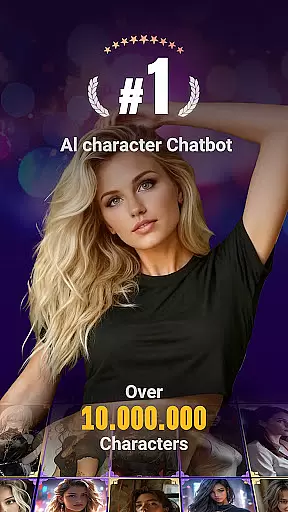
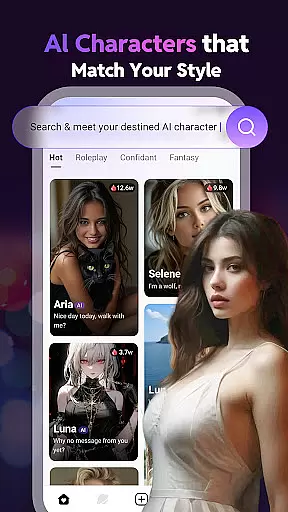
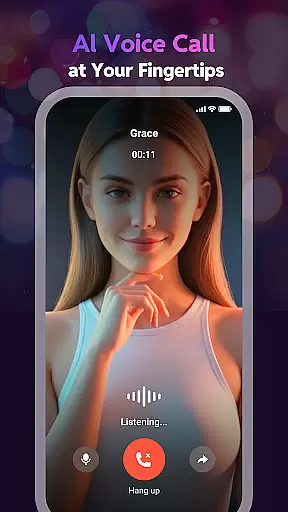
Linky AI is a premier social app that redefines AI-driven conversations by offering users the ability to interact with millions of unique, customizable AI characters. These characters span across various categories such as anime, games, movies, and historical figures, each equipped with distinct voices, personalities, and backstories.
With advanced deep learning capabilities, Linky AI grows smarter with every interaction, providing personalized and engaging conversations. The app supports multiple languages, ensuring seamless communication regardless of your native tongue. Additionally, users can design and share their own AI personas, fostering creativity and community engagement.
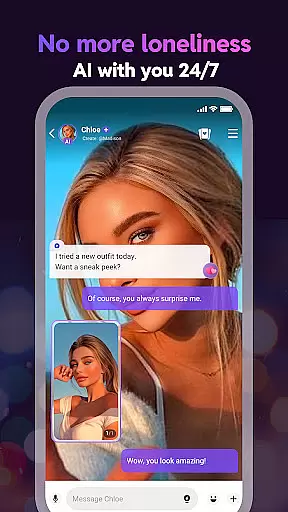
Whether you're looking for casual entertainment, meaningful interactions, or even mental well-being support, Linky AI serves as an always-available virtual companion, enhancing your social experience while prioritizing privacy and inclusivity.
Linky AI stands out with its vast array of features designed to offer immersive and interactive experiences. One of its core functionalities is the ability to chat with millions of AI characters, each meticulously crafted to provide diverse conversational styles and interactions.
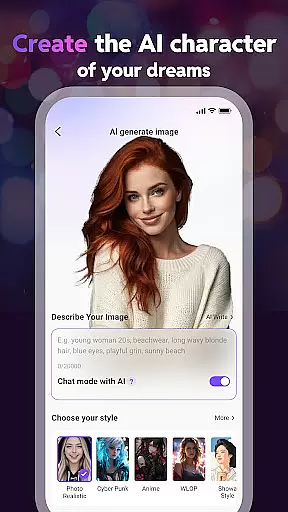
The app also allows users to create and customize their own AI characters, choosing from various artistic styles like 2D, Live2D, pixel, and 3D. This feature empowers users to bring their imaginative designs to life and share them within a thriving community. Furthermore, Linky AI incorporates deep learning technology, ensuring that the more you engage, the more personalized and intuitive the conversations become.
Additional highlights include multilingual support, stunning collectible character cards, and a secure environment where privacy is paramount. Whether you seek entertainment, social interaction, or empathetic conversations, Linky AI delivers a comprehensive and innovative social platform.
User profile customization is a crucial aspect of any social application, allowing users to express their individuality and create a unique digital identity. Linky AI excels in this area by offering extensive customization options for AI personas. Users can design their dream AI character with flexible tools that adjust voice, personality, and background story.
What sets Linky AI apart is the authenticity verification process. Each AI character comes with its own unique voice, personality, and backstory, ensuring diverse interactions that feel real and engaging. This level of detail not only enhances user experience but also fosters genuine connections between users and their AI companions.
The benefits of such comprehensive customization are manifold. Users can tailor their AI friends to match their preferences, creating more meaningful and personalized interactions. Whether it's an anime persona or a historical figure, the ability to customize and verify the authenticity of these characters adds immense value to the overall user experience.
By prioritizing user profile customization and authenticity verification, Linky AI ensures that every interaction is both unique and immersive. This focus on personalization helps build a loyal user base that appreciates the depth and realism offered by the platform.
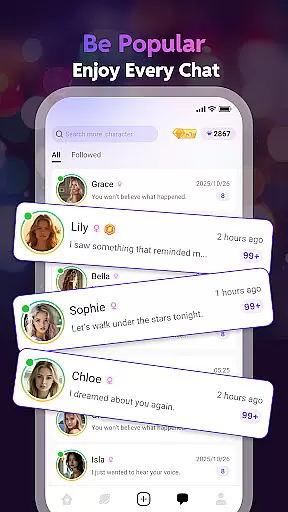
Connection discovery is a vital feature in social apps, enabling users to find and connect with others who share similar interests. Linky AI leverages advanced algorithms to recommend AI characters and real users based on shared preferences and interaction history. This ensures that every connection made through the app is relevant and engaging.
The app goes beyond simple matchmaking by incorporating deep learning capabilities. As users interact with various AI characters, the system learns from these conversations, refining its recommendations over time. This results in increasingly accurate and satisfying connection suggestions, enhancing the overall user experience.
For users, this means discovering new AI friends and human connections that truly resonate with their interests. The app's ability to understand and adapt to individual preferences creates a dynamic social environment where meaningful relationships can flourish.
Ultimately, Linky AI's sophisticated connection discovery mechanism transforms how users engage with the platform. By continuously improving its recommendation engine, the app fosters a vibrant community where users can form lasting connections with both AI characters and fellow enthusiasts.
User-friendly interface
Advanced AI technology
Customizable AI characters
Multilingual support
Privacy-focused design
Limited offline functionality
Premium features require subscription
Occasional server instability
High system requirements
Learning curve for new users


Match, chat & date with singles nearby. The dating app to find true love
 4.50
4.50
Live video chat to connect with people around the world. Video chatting on Olive
4.40
Live pics from your friends - Only the photos you want to see
4.60
Social App Used By Millions
4.40
The official Skool app. Stay connected to your communities on the go.
4.20
Instant messaging — simple, fast, secure, and synced across all your devices.
4.00
A video app from OpenAI - AI video generation by the maker of ChatGPT
4.60
A little connection can go a long way
4.60
Create & share photos, stories, & reels with friends you love
3.90
live inside your fandom
4.60
Unlimited calls & texts | WiFi voice line plus group txt | Call & text now
4.50
Watch 24/7 live stream, and make real friends nearby
4.30
A gathering place for 300 million people's life interests and hobbies
4.30
Positive social
4.20
Dating for singles. Meet lonely people nearby online. Find your match here!
4.20
Swipe, Meet & Chat Real People
3.80
Go Live, Chat & Meet New People! Friends. And more than friends.
3.80
Find your next obsession.
3.50
This is to support the developer of Infinity for Reddit. No exclusive features.
4.5


User Reviews