

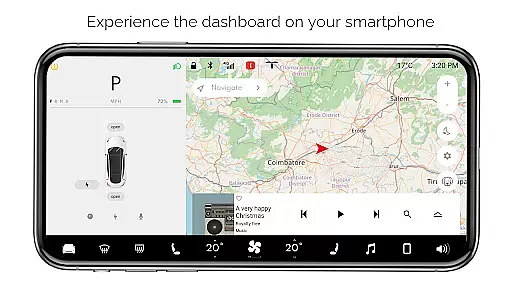
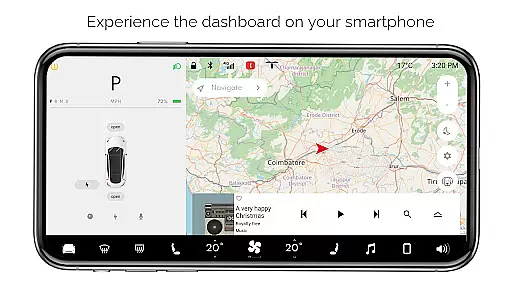
For Tesla is a premium simulator app designed for Tesla enthusiasts who want to experience the native dashboard touchscreen interface on their smartphones. The app offers an interactive simulation of the Tesla system, allowing users to explore nearly all features of the car's dashboard without needing an actual vehicle.
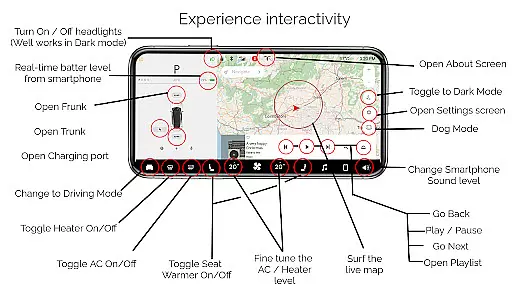
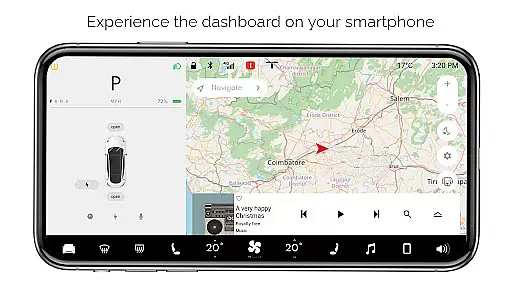
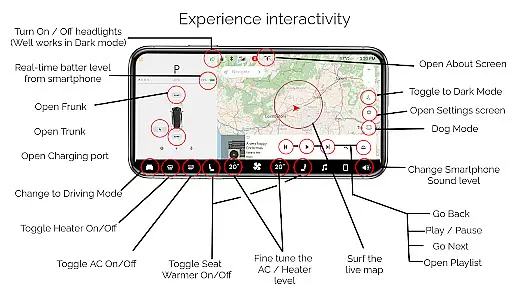
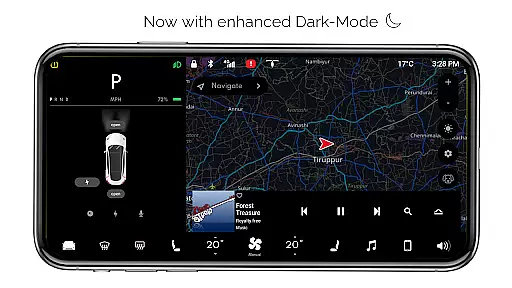
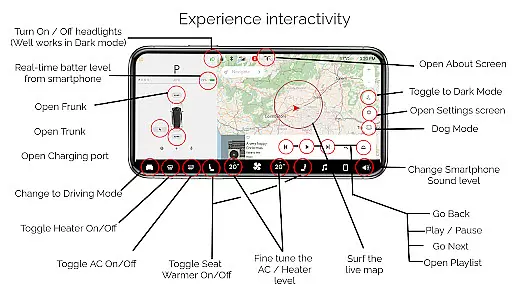
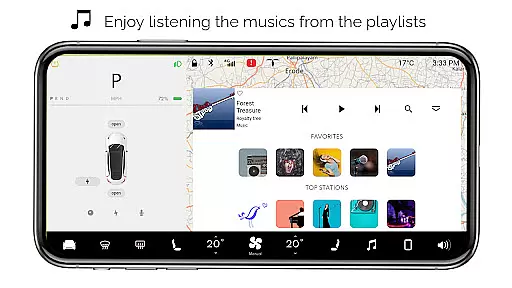
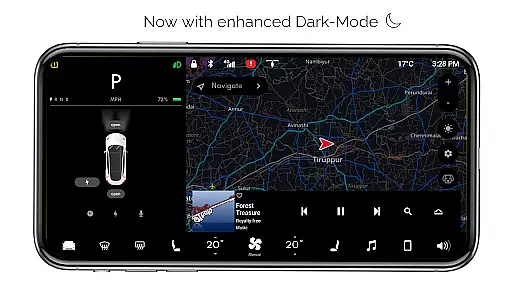
Key functionalities include interactive maps with live location tracking, control over headlights in dark mode, temperature adjustments, real-time battery level monitoring, and access to driving modes. Additionally, users can simulate opening or closing the trunk, frunk, and charging port, as well as engage with settings screens, dark mode, dog mode, and an interactive music player complete with playlists.
This app is ideal for Tesla fans who wish to familiarize themselves with the dashboard interface or simply enjoy a simulated Tesla experience on their mobile devices. While it does not interact with real Tesla vehicles, it provides valuable insight into the user experience and design of Tesla's native systems.
For Tesla stands out with its comprehensive set of simulated features that mirror the Tesla dashboard experience. Users can interact with a variety of controls such as turning headlights on or off, adjusting cabin temperature, and monitoring their smartphone's battery level as if it were a Tesla vehicle.
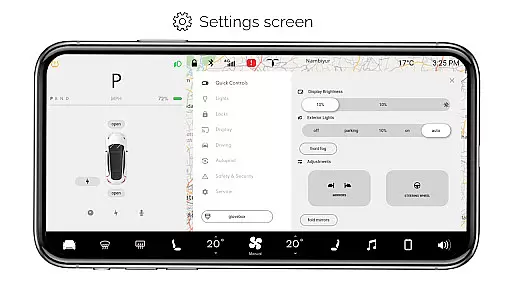
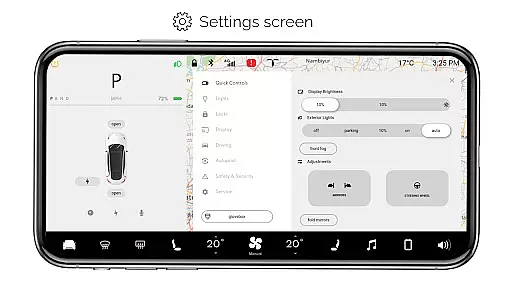
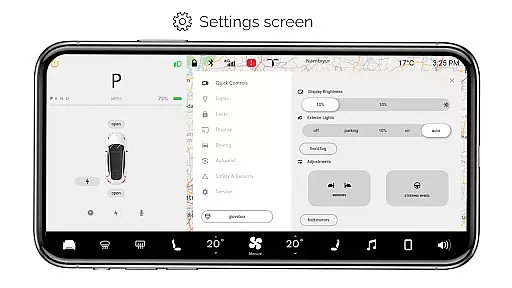
The app includes an interactive map feature that tracks live location, providing a realistic navigation experience. It also simulates various car functions like opening or closing the trunk, frunk, and charging port. Driving mode offers a snapshot of what the driving screen might look like, while the settings screen allows exploration of available options.
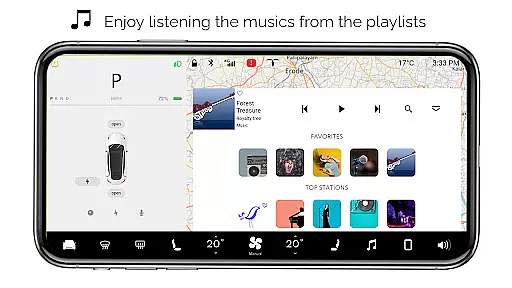
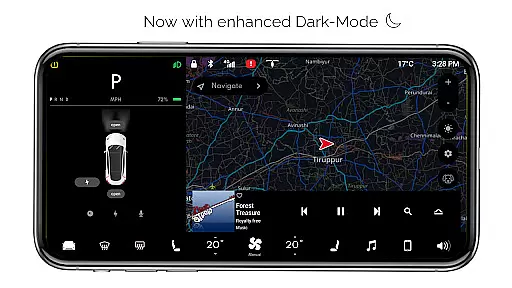
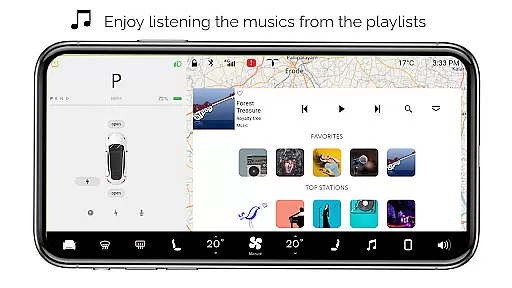
Additional highlights include dark mode for better visibility at night, dog mode to keep pets comfortable, and an about screen detailing model information. The interactive music player supports playlists, enhancing the overall entertainment value. These features collectively deliver an immersive Tesla-like experience tailored for fans and curious users alike.
In the realm of entertainment applications, content variety and freshness are crucial for maintaining user interest and engagement. For Tesla, this premium app offers a simulated experience of the Tesla system's dashboard on your smartphone, providing an array of interactive features that mimic the native user experience.
Users can explore numerous dashboard functions such as Interactive Maps for live location tracking, fine-tuning the temperature, monitoring real-time battery levels, and controlling various parts of the car like the trunk, frunk, and charging port. The app also includes Driving mode, a Settings Screen, Dark Mode, Dog Mode, an About Screen, and an Interactive Music player with playlists.
Although all features are simulated and not compatible with the actual Tesla system, the app is regularly updated to enhance the realism of the simulation. This commitment to updating ensures that users have access to a fresh and varied content experience each time they engage with the app.
By offering a broad spectrum of features inspired by the Tesla system, the app keeps its content dynamic and engaging, encouraging users to frequently interact with the simulator and explore new functionalities as they are added.
User engagement duration and retention are vital metrics for entertainment apps, indicating how well the app maintains user interest over time. For Tesla, despite being a simulator without connection to an actual vehicle, it manages to captivate Tesla fans through its detailed replication of the Tesla dashboard experience.
The app provides a realistic simulation of the Tesla touchscreen interface, allowing users to interact with features like turning headlights ON/OFF, adjusting temperatures, and accessing different modes such as Driving mode and Dog Mode. These immersive interactions contribute significantly to prolonging user engagement within the app.
Moreover, the application is crafted exclusively for Tesla enthusiasts who are keen on exploring what their favorite car's system might offer. By catering specifically to this audience, the app fosters a dedicated user base that is likely to return frequently, thus enhancing retention rates.
Continuous updates and potential new feature additions further ensure that users remain engaged, knowing that their feedback can shape future versions of this fan-made application. This ongoing development strategy helps in sustaining long-term user interest and loyalty towards the app.
User-friendly interface
Comprehensive feature set
Realistic simulation
Interactive maps
Engaging music player
No real car integration
Limited functionality
Some features inactive
Premium version only
Not officially endorsed

Create melty bead designs by numbers, photos or your imagination
 4.40
4.40
Fool your friends & Family with Fake ultrasound test report
3.60
Scan sets, track your builds, and enjoy intuitive digital instructions.
4.70
Chat with AI characters! Anime, games, roleplay & more.
4.50
NFL, NBA, NHL, MLB, local sports coverage, shows, movies & news!
3.20
Stream live TV shows, sports, news, movies & more - all without cable.
3.00
Explore the unknown!
3.00
Connect. Discover. Control.
3.60
Create your Songs. Cover Maker with any Voice, Song Generator
3.30
Pathfinder 2e initiative tracker with bestiary, HP, reaction, conditions, etc
4.80
Original short dramas with diverse genres for a rich viewing experience!
4.80
Direct access to the most complete Guitar Tab Archive in Spanish: LaCuerda.net
4.60
Earn gift cards for playing games. Become a real game tester!
4.40
Rain and lightning effects for your Philips Hue lights
4.30
Practice and master your ESP and intuition with five mode trainer.
4.20
Catch the latest episodes of The Voice or live stream NFL games with The NBC App
4.20
Binaural Brainwave Doses for Every Imaginable Mood
3.60
EVP Recorder / Voice Recorder for ghost hunting, to communicate with ghosts.
4.4
Neon Christmas Tree Animated: Festive Wear OS watch face with fitness info
4.3

User Reviews