

EVP Recorder is a specialized application designed for paranormal enthusiasts who are interested in ghost hunting. The app utilizes the device's built-in microphone to capture Electronic Voice Phenomena (EVP), which are believed to be responses from spirits. With features such as recording, playback, and the ability to save and share recordings via social media platforms, EVP Recorder offers a comprehensive toolset for those seeking to communicate with the other side.
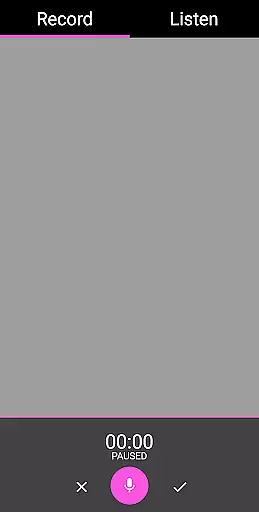
Designed with user experience in mind, this app provides an intuitive interface that includes audio visualization, pause functionality during recording, and options to rename or delete recordings. It also supports loading existing recordings into the app, allowing users to manage their EVP sessions efficiently. With no ads or in-app purchases, EVP Recorder ensures uninterrupted ghost hunting sessions.
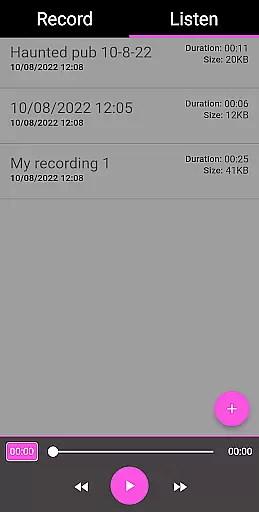
Whether you're a seasoned paranormal investigator or a curious beginner, EVP Recorder serves as an essential tool for capturing and analyzing potential spirit communications. Its detailed recording information, including time, duration, and file size, helps users keep track of their sessions, making it easier to document and review evidence collected during investigations.
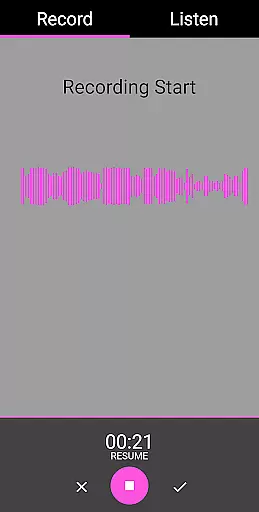
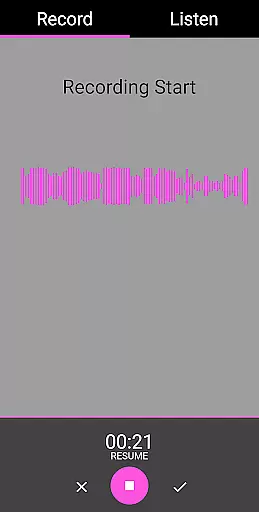
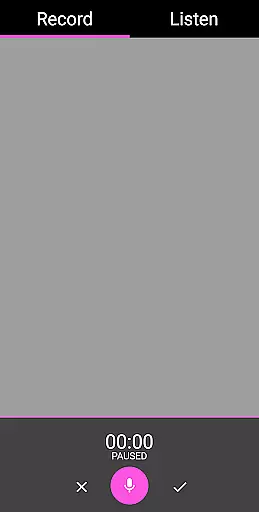
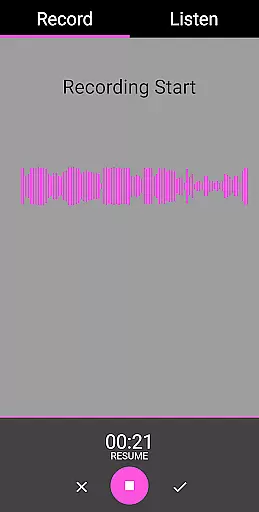
EVP Recorder stands out with its array of specialized features tailored for ghost hunting. One of the key functionalities is the ability to record EVP sessions using the device’s microphone, capturing potential spirit voices that may not be audible to the human ear. This feature is complemented by an easy-to-use interface that displays audio visualizations, providing users with both auditory and visual feedback during recordings.
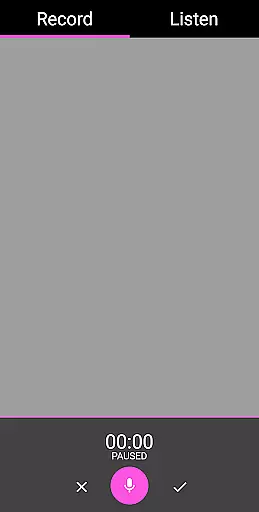
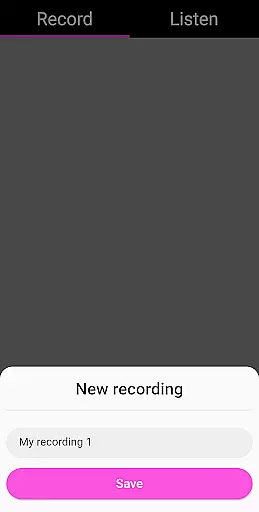
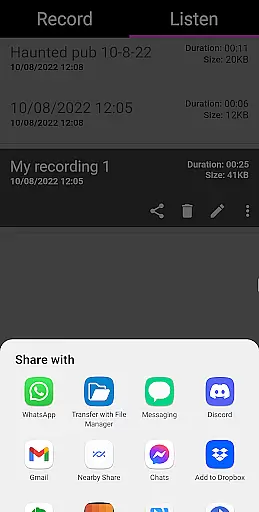
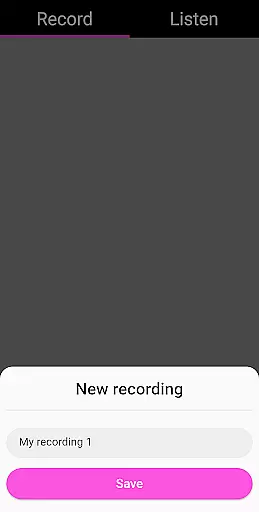
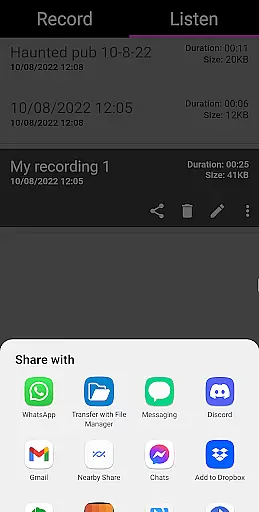
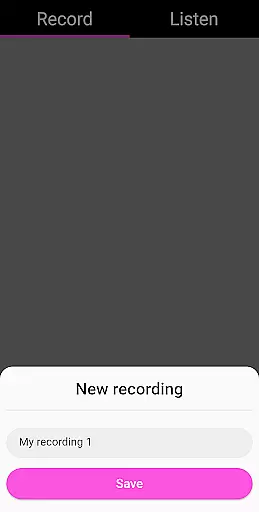
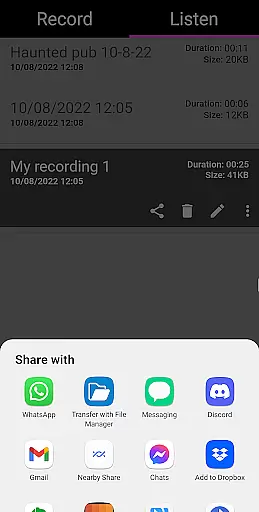
The app allows users to save their recordings directly onto their devices, ensuring that valuable EVP data is not lost. Additionally, users can pause recordings, giving them flexibility during sessions. Sharing options enable seamless distribution of recordings through popular platforms like Facebook and WhatsApp, facilitating collaboration and discussion among fellow investigators.
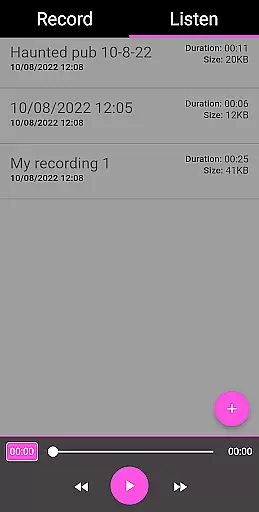
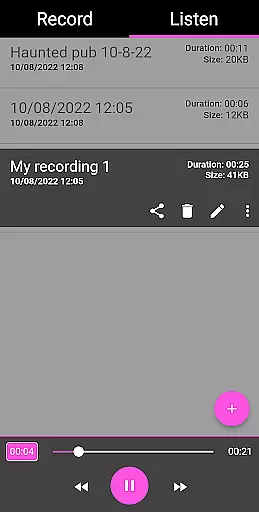
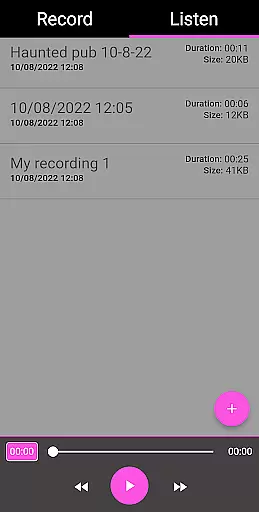
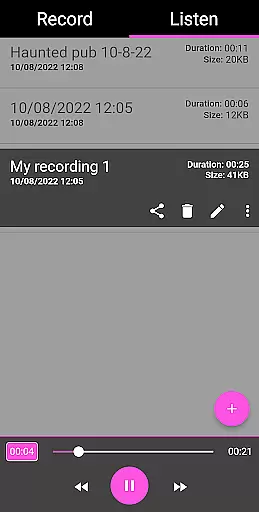
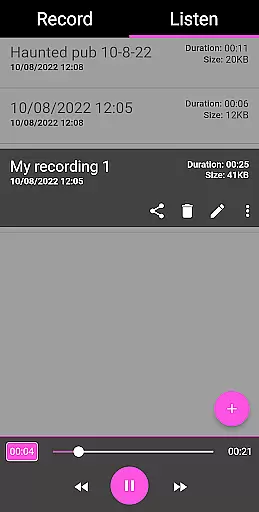
Further enhancing its utility, EVP Recorder includes playback controls with fast forward and reverse options, making it easier to analyze recordings. Users can also rename files for better organization and delete unwanted recordings to manage storage space effectively. These features collectively contribute to a robust tool that empowers users to conduct thorough and efficient paranormal investigations.
The EVP Recorder app offers a diverse range of features that cater to both novice and experienced ghost hunters. With functionalities such as EVP recording, pause function during recording, and the ability to save and rename recordings, users can capture electronic voice phenomena with precision and ease.
One of the standout aspects is the audio visualization feature, which allows users to see responses visually, adding another layer of interaction. The app also supports sharing options via social media platforms like Facebook and WhatsApp, making it easy to distribute your findings quickly.
In addition to its core recording capabilities, the EVP Recorder provides playback options with fast forward and reverse functions, giving users full control over how they review their sessions. This flexibility ensures that each recording can be thoroughly analyzed for any captured EVPs.
Continuous updates and new feature integrations ensure that the app remains fresh and up-to-date, offering users an evolving toolset for their paranormal investigations.
User engagement in the EVP Recorder app is significantly enhanced by its intuitive design and comprehensive feature set. The app's beautiful and easy-to-use interface encourages prolonged use, allowing even beginners to navigate effortlessly through different tabs such as 'Record' and 'Listen'.
During recording sessions, users are prompted to ask questions and listen carefully for responses, creating an immersive experience that holds their attention. Features like the ability to load existing recordings into the app and detailed recording informationu2014including time recorded, filename, duration, and file sizeu2014further enrich this engagement.
Retention is bolstered by practical tips provided within the app on how to conduct effective ghost hunting sessions. These guidelines help maintain user interest over time, encouraging repeated use. Additionally, the lack of ads or in-app purchases creates a seamless experience devoid of interruptions, fostering long-term user loyalty.
By continuously refining its features based on user feedback and technological advancements, the EVP Recorder app ensures sustained user interest and active participation in exploring the mysteries of the paranormal world.
User-friendly interface
No in-app purchases
Comprehensive EVP tools
Free lifetime updates
Effective audio visualization
Limited to EVP phenomena
Requires haunted locations
No live monitoring
Dependent on device quality
Potential false positives

Tarot & Oracle Card Readings
 4.50
4.50
Practice and master your ESP and intuition with five mode trainer.
4.20
Direct access to the most complete Guitar Tab Archive in Spanish: LaCuerda.net
4.60
Stream videos to VIDAA & VEWD TVs from Hisense, Sharp, Skyworth, Vestel & TiVo
3.00
The Xbox app keeps you connected to your gaming community.
4.50
Unleash Your AI Imagination
4.60
VR 360 Cinema Player is the ultimate VR player for playing videos on mobile
3.50
Original short dramas with diverse genres for a rich viewing experience!
4.80
Create your Songs. Cover Maker with any Voice, Song Generator
3.30
The OFFICIAL PeeWee Purpdrank Soundboard!
4.80
Hand-drawn, cartoon OC creator - original character creator
4.70
Watch Reels, Drama Shorts & TV Series Anytime. Download DramaWave Now!
4.70
Stream Online TV - Watch Live IPTV Playlist & Channel with Built-In Player
4.50
Underrated short-drama gems that hit hard and keep your heart hooked.
4.50
Chat with AI characters! Anime, games, roleplay & more.
4.50
Everything FOX in one place. Watch FOX News, NFL, MLB, TV shows and more.
4.50
Catch the latest episodes of The Voice or live stream NFL games with The NBC App
4.20
With the credits you earn play more games
2.90
Christmas Globe: Transform your Wear OS device into a festive timekeeper!
4.1


User Reviews