

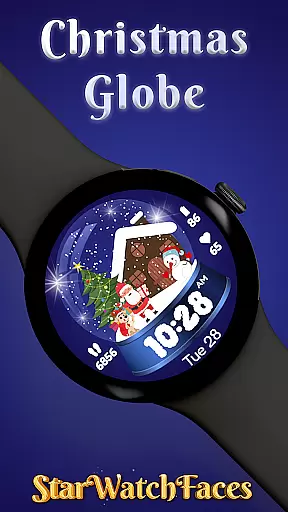
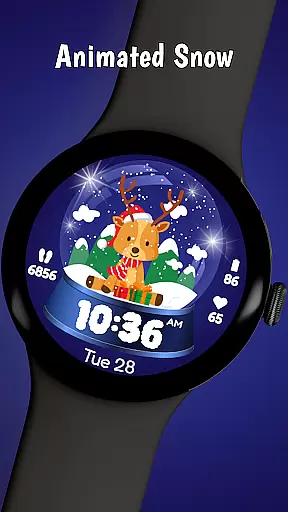
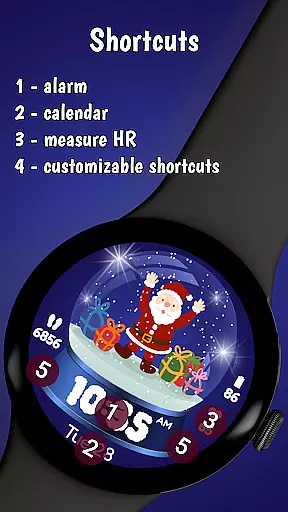
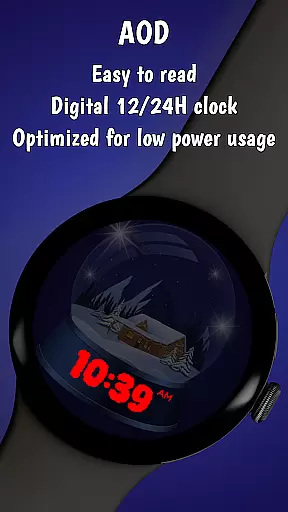
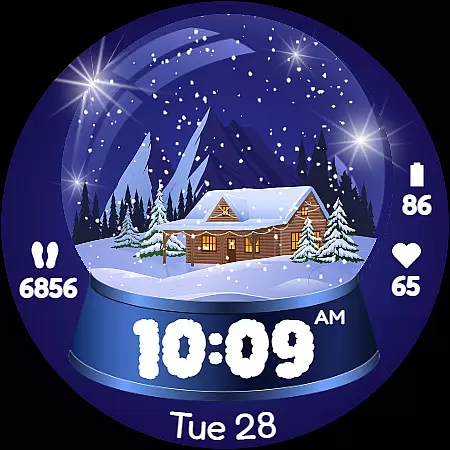
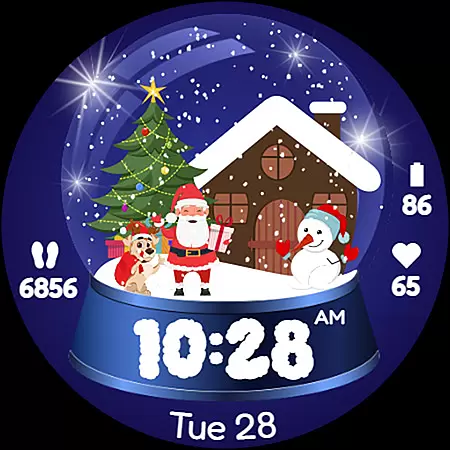
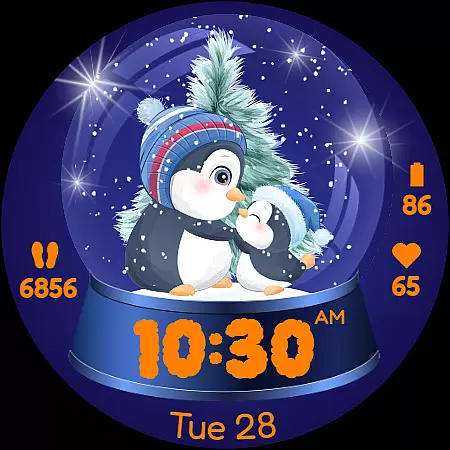
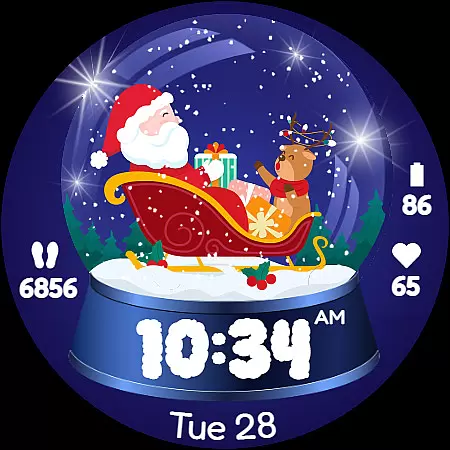
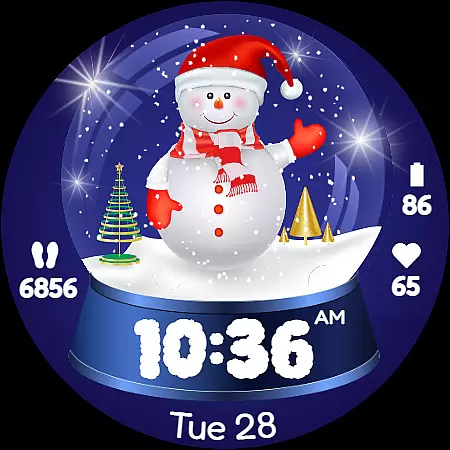
Christmas Globe is a festive watch face for Wear OS devices that transforms your smartwatch into a winter wonderland. Featuring an animated snow globe with 10 customizable backgrounds, it offers users the ability to personalize their experience with holiday-themed designs such as Santa Claus and Christmas trees.
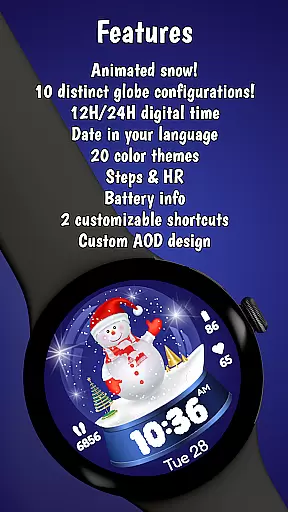
Beyond its charming aesthetics, this watch face provides practical features including 20 color themes, 12/24-hour time formats, date display in English, step counter, heart rate monitor, and battery level indicator. These functions ensure both style and utility during the holiday season while keeping users health-conscious and informed.
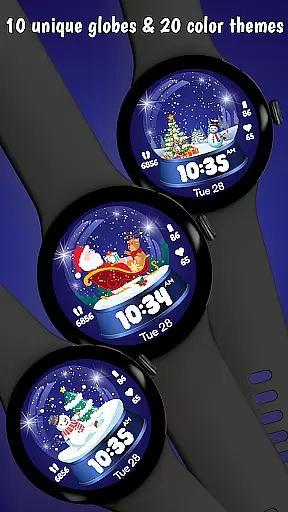
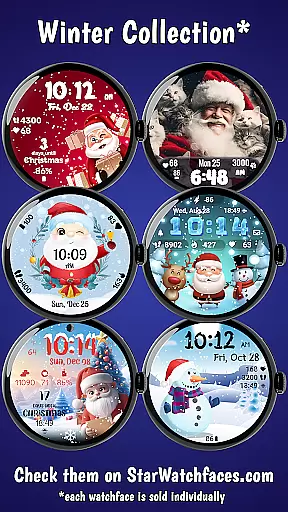
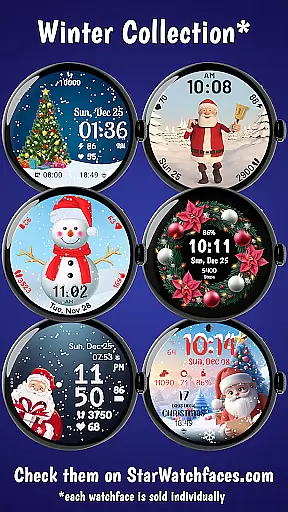
The Christmas Globe watch face stands out with its unique combination of festive charm and smart functionality. Users can choose from 10 beautifully designed backgrounds featuring classic Christmas motifs like Santa Claus, snowmen, and winter landscapes, allowing for a personalized touch to their smartwatch display.
Functionality meets customization with 20 color themes catering to various preferences, supporting both 12-hour and 24-hour time formats. The inclusion of essential tools such as a step counter, heart rate monitor, and battery level indicator ensures that users maintain their fitness goals and stay connected without sacrificing style or festive spirit.
Christmas Globe Watch Face for Wear OS offers a delightful mix of entertainment and functionality, ensuring users enjoy both variety and freshness in their smartwatch experience. The app provides ten unique festive backgrounds, ranging from animated snow globes with Santa Claus to serene winter landscapes, each designed to bring holiday cheer directly to the user's wrist.
In addition to the diverse background options, the watch face also includes twenty customizable color themes. This feature allows users to tailor the appearance of their smartwatch to match their personal style or mood, whether they prefer classic Christmas colors like red and green or cooler tones such as blue and silver. With these extensive customization possibilities, users can keep their watch faces feeling new and exciting throughout the holiday season.
Beyond its aesthetic appeal, the watch face ensures that essential information is always accessible. It supports both 12-hour and 24-hour time formats, displays the current date in English, and even integrates health features like a step counter and heart rate monitor. These practical elements guarantee that while users revel in the magic of the holidays, they remain connected to their daily schedules and health goals.
The combination of varied festive designs, customizable color schemes, and functional features makes Christmas Globe Watch Face a standout choice for anyone looking to infuse their smartwatch with the spirit of Christmas. By regularly updating the available themes and maintaining accurate, useful functionalities, this app keeps users engaged and delighted every day.
User engagement duration and retention are critical factors for any successful application, and Christmas Globe Watch Face excels in these areas by offering an immersive and enduring user experience. The watch face captivates users with its beautifully animated snow globe and ten distinctive festive backgrounds, encouraging prolonged interaction as users explore different customization options.
One key aspect that enhances user retention is the ability to personalize the watch face extensively. With twenty unique color themes available, users can modify the look of their smartwatch to suit their preferences or outfit of the day. This high level of personalization not only makes the watch face more appealing but also motivates users to continue using it beyond the initial novelty period.
Moreover, the integration of practical features such as step counters, heart rate monitors, and battery level indicators adds significant value to the overall user experience. By combining entertainment with utility, Christmas Globe ensures that users find ongoing reasons to engage with the app. These health and convenience features help maintain user interest over time, contributing positively to retention rates.
Ultimately, Christmas Globe Watch Face fosters long-term user engagement by delivering a perfect blend of holiday charm and everyday functionality. Its captivating design, coupled with useful tools, encourages users to make the watch face a permanent part of their smartwatch setup, ensuring sustained enjoyment and utility throughout the festive season and beyond.
Festive design
Customizable options
Health tracking features
Variety of color themes
Practical time and date display
Limited to Wear OS
No advanced fitness metrics
Holiday-specific appeal
Potential battery drain
Requires companion app

Binge-worthy short dramas on DramaRush—engaging stories that fit your day.
 3.90
3.90
Rain and lightning effects for your Philips Hue lights
4.30
Find out if you're on Santa's Naughty or Nice List with this magical scanner!
4.60
A companion app for the game Elite Dangerous
4.10
Catalog & tracker of your DVD, Blu-ray & Digital Movie and TV Collection Library
4.80
Control your AWTRIX 3 easily
4.4
Start EVP/Spirit Box tonight: real EMF, offline, recording. One-time purchase.
4.10
Explore the unknown!
3.00
Your Avatar, Endless Fun
4.60
The OFFICIAL PeeWee Purpdrank Soundboard!
4.80
Time tracking, lap counting and much more for Carrera® Digital 132/124
4.80
Stream Live TV, News & Documentaries. Watch Full Seasons with PBS Passport.
4.80
5 funny and lovely ponies waiting for you to style them!
4.80
Unleash Your AI Imagination
4.60
Fool your friends & Family with Fake ultrasound test report
3.60
Binaural Brainwave Doses for Every Imaginable Mood
3.60
With the Steam Mobile App, you can take Steam with you anywhere.
3.00
Watch everything you want.
2.90
Simulation of Dashboard / Touch Screen for Tesla. (Works without actual Tesla).
4.0

User Reviews