

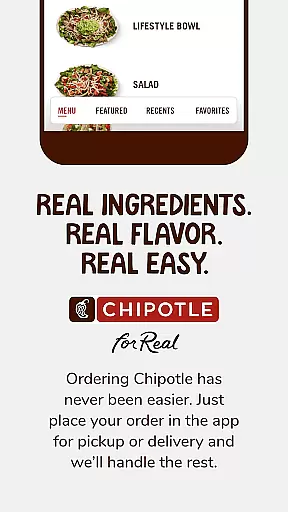
Chipotle is a mobile app designed for food lovers who appreciate convenience and quality. This application allows users to order delicious, real food for either pickup or delivery, streamlining the entire process with just a few taps on their smartphones. The app serves as a digital extension of the popular Chipotle restaurant chain, bringing its renowned offerings right to your fingertips.
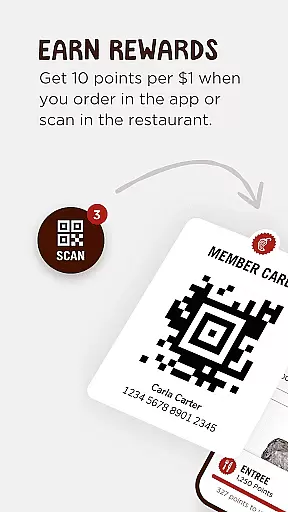
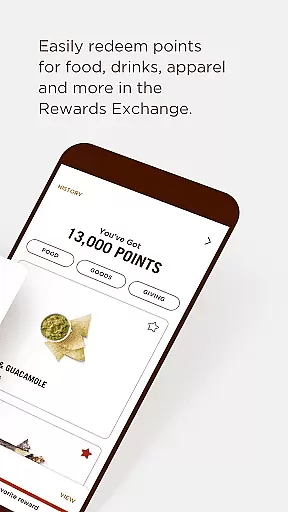
One of the standout features of the Chipotle app is its integration with Chipotle Rewards. Members can effortlessly accumulate points for every in-app order they place, which can later be redeemed for various rewards. These include discounts on food, exclusive merchandise, and even charitable contributions through the Rewards Exchange. Additionally, users can set favorite rewards, track their progress, and enjoy perks such as early access to new menu items and special birthday treats.
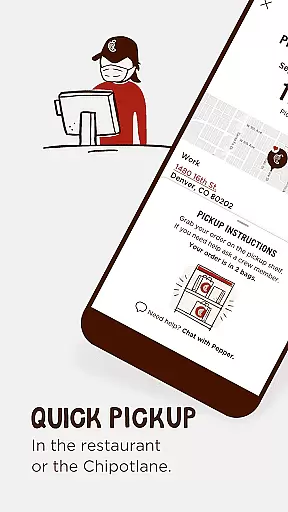
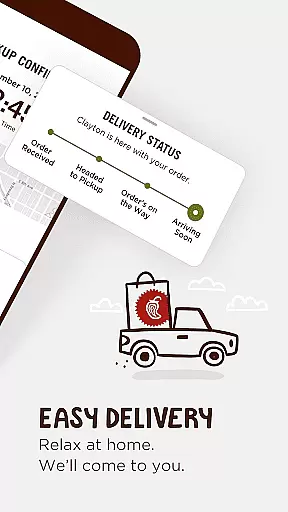
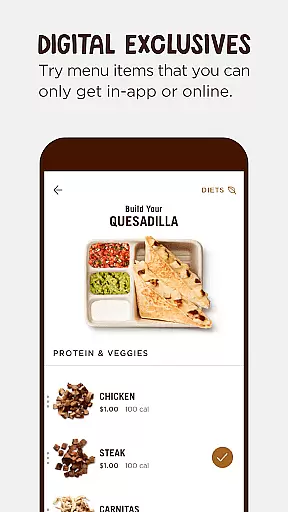
The app also enhances user experience by offering functionalities like mobile pickup shelves and Chipotlane for faster pickups, along with seamless delivery options. Users can explore unique menu items available exclusively through the app, save their favorite meals, and customize orders extensively. With features like split payments, Google Pay integration, and sustainability impact tracking via Real Foodprint metrics, Chipotle ensures a comprehensive and satisfying user experience.
The Chipotle app boasts an array of features that cater to both convenience and customization. One of the primary highlights is the ability to earn and redeem rewards seamlessly. By simply placing orders through the app, users can accumulate points that translate into tangible benefits. These range from free menu items to exclusive goods and charitable contributions, all accessible through the intuitive Rewards Exchange interface.
In addition to its robust rewards system, the app offers several practical functionalities. For instance, it supports mobile pickup shelves and Chipotlane, allowing customers to grab their orders quickly without any hassle. Delivery services are equally efficient, ensuring that food reaches users promptly and in perfect condition. Moreover, the app provides access to unique menu items not available elsewhere, encouraging culinary exploration.
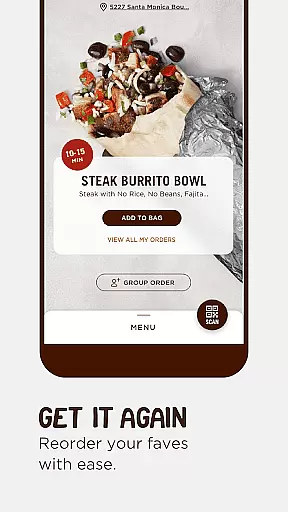
Customization is another area where the Chipotle app truly shines. Users can tailor their orders extensively, specifying preferences such as 'extra,' 'light,' or 'on-the-side' modifications. Saved meals and recent orders make reordering favorites a breeze, while features like split payments and Google Pay offer flexible payment options. Lastly, the inclusion of Real Foodprint metrics allows environmentally conscious consumers to monitor the sustainability impact of their choices, adding another layer of value to the overall dining experience.
Chipotle's store locator feature is designed to help users find the nearest Chipotle location with ease and accuracy. This functionality uses advanced geolocation technology to pinpoint your exact location and display nearby restaurants on an interactive map.
The app provides essential details about each store, including operating hours, contact information, and specific services offered such as mobile pickup shelves and Chipotlane for quick pickups. These features ensure that customers can plan their visits efficiently and choose the most convenient option based on their needs.
For those who prefer dining in or need to know the busiest times of the day, the app also offers insights into peak hours, helping users avoid long waits. By integrating these comprehensive details, Chipotle enhances user experience by making every step from finding a store to picking up food seamless and hassle-free.
Chipotle's app excels in offering flexible delivery and pickup options, ensuring that customers receive their favorite meals conveniently. With partnerships established across various delivery platforms, users can opt to have their orders delivered straight to their doorsteps, maintaining the quality and taste Chipotle is known for.
In addition to delivery, the app supports innovative pickup methods like mobile pickup shelves and Chipotlane. Mobile pickup shelves allow customers to grab their pre-prepared orders at designated shelves inside the restaurant, minimizing wait times significantly. Meanwhile, Chipotlane caters to those who prefer drive-thru pickups, streamlining the process further.
These diverse options not only cater to different customer preferences but also enhance overall satisfaction by providing reliable and swift service. Whether you're at home or on the go, Chipotle ensures that getting your meal is as effortless and enjoyable as possible.
User-friendly interface
Extensive customization options
Seamless rewards program
Fast and reliable delivery
Exclusive in-app menu items
Limited international availability
Occasional technical glitches
Delivery fees may apply
Requires account creation
Some features are location-specific


Get 20% Back at thousands of 4+ star restaurants when you pay using inKind
 4.90
4.90
Restaurant Reservations
4.90
Denny's newest online ordering experience
4.50
Sweeten the season!
4.90
Discover. Create. Plate.
4.40
Eating fresh just got a whole lot better with the new Subway app.
4.20
Bringing a piece of Louisiana to your fingertips!
4.90
Order ahead, receive points with qualifying purchase & redeem available rewards.
4.50
Exclusive deals, mobile ordering & find your nearest BK® restaurant anytime
4.40
Get food, grocery, and retail essentials delivered fast with DoorDash.
4.70
Simple recipes and kitchen tips for easy meal planning. Your digital cookbook.
4.60
Mobile Ordering - Order your favorite burgers, chicken, breakfast, and desserts
4.60
Earn rewards when you order online for delivery or pickup from Sonic Drive-In.
4.60
NEW digital gift cards available in exclusive designs!
4.60
The ultimate app to save recipes from Instagram, TikTok, Facebook & more.
4.60
Order your Buffalo Wild Wings favorites for takeout & delivery
4.50
Home baked, made easy! Passionate baking with Mauela Kjeilen @passionforbaking
4.40
Krispy Kreme Mobile Ordering, Loyalty and Hot Light
3.20
My Recipes Your personal recipe collection in one APP. Private, offline, adfree.
4.2


User Reviews