

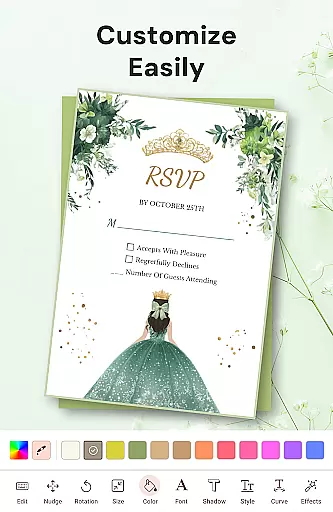
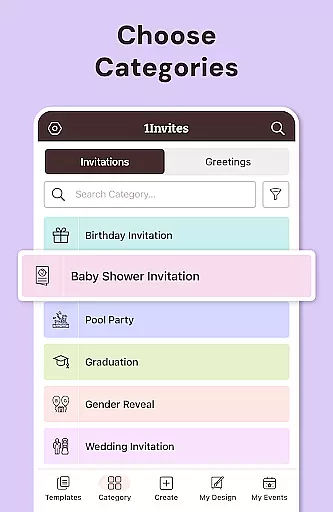
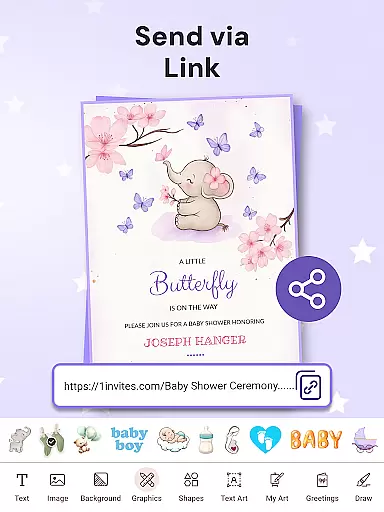
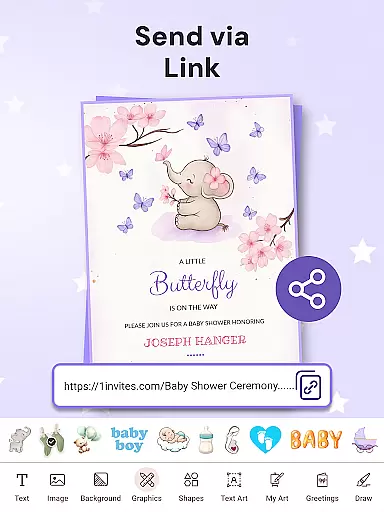
1Invites is a comprehensive event management application designed to simplify the process of creating invitations and managing guest lists. With over 20,000 customizable templates, users can design stunning invitations for weddings, birthdays, corporate events, and more, all without any prior design experience. The app's intuitive interface allows for easy customization with fonts, stickers, and backgrounds, while its smart RSVP tracking system ensures real-time updates on attendee statuses.
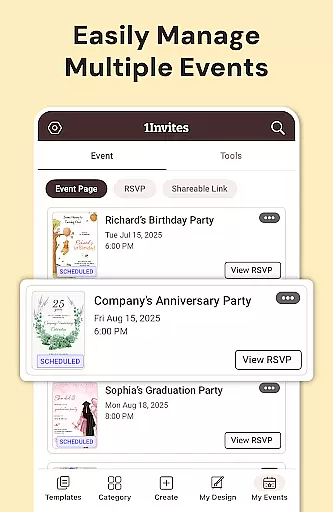
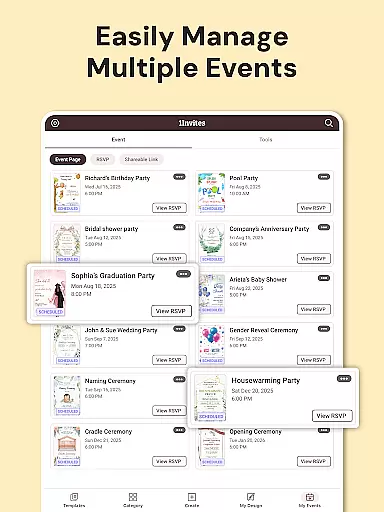
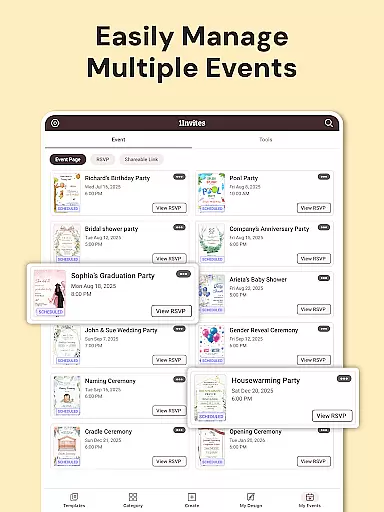
Beyond invitation design, 1Invites offers a complete suite for event planning. Users can create detailed event profiles, manage guest lists, and incorporate clickable PDF links for maps and websites. This makes it an invaluable tool for anyone looking to streamline their event coordination process. Whether you're organizing an intimate gathering or a large celebration, 1Invites provides the tools necessary to ensure a stress-free planning experience.
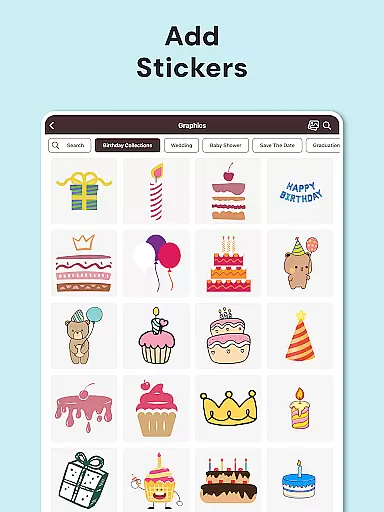
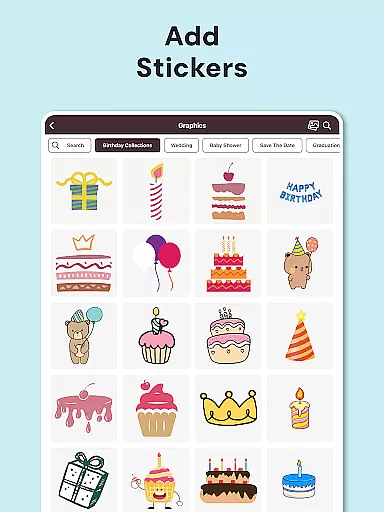
1Invites stands out with its extensive feature set tailored for both invitation design and event management. The app includes an advanced editor with a rich library of design elements such as fonts, stickers, frames, and decorative components. This allows users to craft personalized and professional-looking invitations effortlessly. Additionally, the inclusion of a photo editor enables users to enhance images directly within the app, ensuring every invitation looks its best.
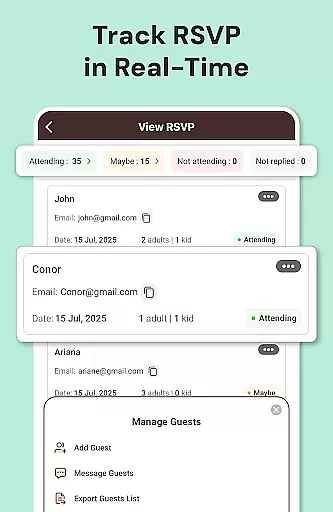
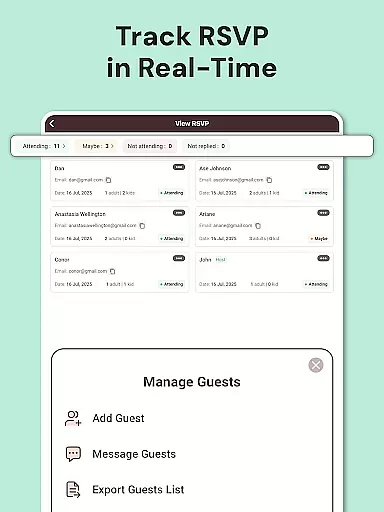
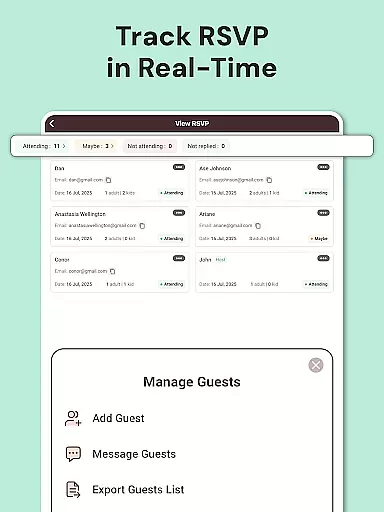
The RSVP management system is another highlight, offering real-time tracking of guest responses. Users can easily see who has confirmed attendance, declined, or not yet responded. The event creation tools provide a centralized location for managing all event details, including date, time, venue, and guest list. Furthermore, smart links embedded in PDF invitations allow guests quick access to essential information like Google Maps and event websites, making 1Invites a versatile solution for modern event planners.
Task creation and detail customization are essential features for any event planning application. With 1Invites, users can effortlessly create comprehensive event profiles that include all necessary details such as date, time, venue, and guest list. This functionality ensures that every aspect of the event is meticulously planned and communicated to guests.
The app provides an intuitive interface that allows users to customize each element of their event with ease. From selecting one of the 20,000 stunning invitation templates to inputting specific event information, 1Invites makes it simple to tailor invitations to match the theme and tone of any occasion. Users can add personal touches like photos, colors, and style, ensuring that each invitation is unique and memorable.
Moreover, 1Invites goes beyond just creating tasks by offering smart RSVP tracking. This feature enables event organizers to monitor responses in real-time, providing clarity on attendee numbers and statuses. The ability to track confirmations, dietary preferences, plus-ones, and special notes within the app streamlines the entire planning process.
By integrating task creation with detailed customization options, 1Invites empowers users to plan their events confidently. Knowing exactly who is attending and having all event details organized in one place allows hosts to focus on enjoying the celebration rather than managing logistics.
Reminder settings play a crucial role in ensuring that guests respond to invitations promptly and that event organizers can plan accordingly. 1Invites offers robust reminder functionalities that help maintain timely communication between hosts and invitees. These reminders are vital for keeping the planning process on track and reducing last-minute uncertainties.
Within the app, users can set up automatic notifications for pending RSVPs. This feature sends gentle prompts to guests who have not yet responded, increasing the likelihood of receiving timely replies. By automating this follow-up process, 1Invites eliminates the need for manual reminders, saving event planners valuable time and effort.
In addition to RSVP reminders, 1Invites also supports scheduling reminders for various pre-event tasks. Whether it's finalizing the guest list, confirming vendor bookings, or sending thank-you notes post-event, these customizable alerts ensure that no important detail is overlooked. Users can configure reminder frequencies and timings based on their specific needs.
Ultimately, the reminder settings in 1Invites contribute significantly to stress-free event management. By keeping both hosts and guests informed and engaged throughout the planning journey, the app facilitates seamless coordination and enhances overall event success.
User-friendly interface
Extensive template library
Real-time RSVP tracking
Comprehensive event management
Smart PDF links
Limited free templates
Premium features require subscription
Occasional bugs reported
Learning curve for new users
Export options could be improved





















The Official App
 4.5
4.5
Browse events, find transportation, keep up with the latest news from your team
4.2
Community for Mods, Addons, Melsaves, Melmods for Melon Playground
4.0
Create Wedding Invitation and Wedding Anniversary Cards using our app
4.60
Everything you need for the Best Thursday Ever.
4.40
Find EDM shows near you! See your favorite artists live, and discover new music.
4.90
Thanksgiving Wishes, Thanksgiving Stickers & Animated GIF for Whatsapp Stickers
4.4
Freebie Games for Epic Games, Steam, Amazon, Rockstar etc.
4.40
Find Live Event Ticket Deals to Sports, Concerts, Festivals, & Comedy For Less!
4.80
Fantasy of Lights Event App
5.00
Here you can choose tickets for films, performances, concerts and other events
4.60
Get live football here
4.30
Rocket Monkey - Space rocket launch schedule for launch sites around the world
4.20
Track birthdays, habits & goals. Unlimited countdowns and count-ups
4.20
Introducing the official Magic: The Gathering app for mobile.
4.20
An App for Bhutanese
4.0
Mobile Event Guide for Greater NY Dental Meeting
4.2
It is an Event Planning Application.
4.5
The Official Football Ticketing App for Fans in Qatar
4.3


User Reviews