

Wordfeud Premium is an advanced version of the popular multiplayer word game, offering an uninterrupted experience by removing ads while providing detailed statistics. This app allows users to engage in intellectually stimulating word battles with friends or random opponents across the globe. With support for multiple languages and the ability to play up to 30 games at once, it offers a rich platform for vocabulary enthusiasts.
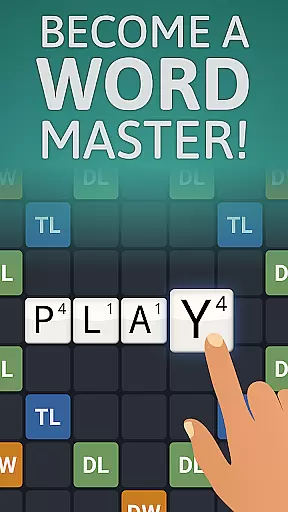
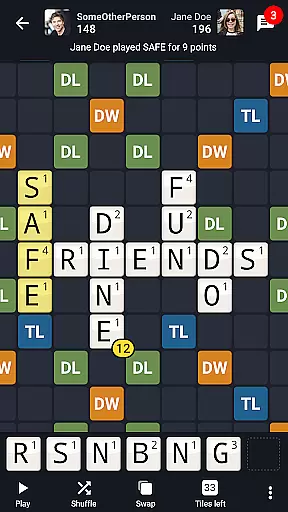
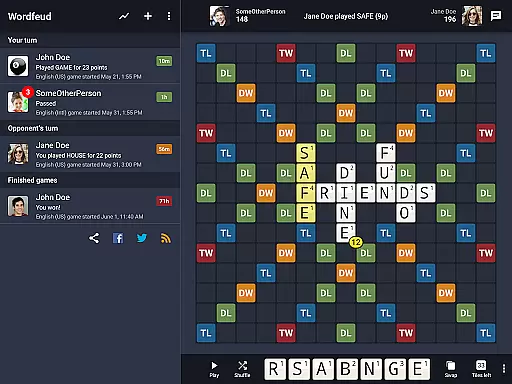
The application stands out with its customizable gaming options such as randomized boards which add a unique twist to each match. Players can strategize using the classic scoring system of Double and Triple Letter or Word tiles. Additionally, features like in-game chat and push notifications make interactions seamless and keep players updated on their ongoing games.
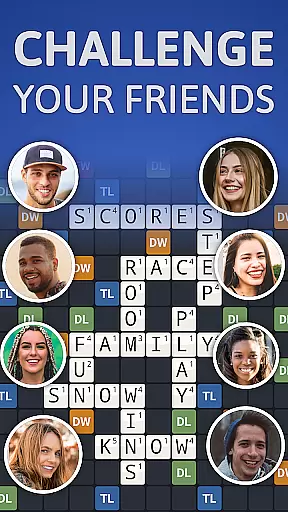
Whether you're looking to challenge your friends or meet new people through random matchmaking, Wordfeud Premium provides a versatile environment that enhances both casual and competitive play. Its comprehensive dictionary support spanning English, German, Spanish, Portuguese, French, Dutch, Norwegian, Swedish, Danish, and Finnish ensures fair play and broad accessibility.
Wordfeud Premium boasts a variety of features designed to enhance user engagement and provide a dynamic gaming experience. One notable feature is the option to randomize boards, which changes the placement of special scoring tiles, ensuring that no two games feel the same. This adds an element of surprise and requires players to constantly adapt their strategies.
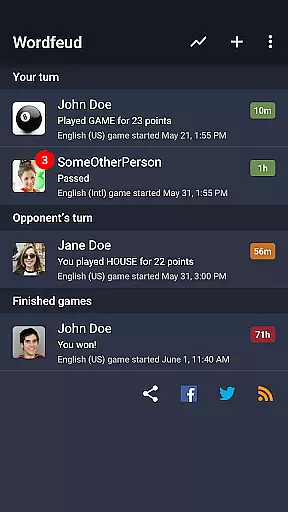
In addition to customizable boards, the app supports real-time interaction through its chat functionality, allowing players to communicate with their opponents. The inclusion of push notifications keeps users informed about their opponents' moves, prompting timely responses. Furthermore, the app's compatibility with multiple dictionaries means that players from different linguistic backgrounds can enjoy fair gameplay tailored to their language preferences.
With the capacity to handle up to 30 simultaneous games, Wordfeud Premium caters to both casual gamers who prefer playing a few games at a time and hardcore enthusiasts looking to maximize their gaming sessions. The premium version removes ads, creating a distraction-free environment that lets players focus solely on their word-building skills.
Clue quality and clarity are essential in word games like Wordfeud Premium. This feature ensures that players receive accurate hints or clues during gameplay, enhancing their overall experience.
In Wordfeud Premium, clue quality is maintained through the use of verified dictionaries in multiple languages including English, German, Spanish, Portuguese, French, Dutch, Norwegian, Swedish, Danish, and Finnish. These dictionaries provide reliable word suggestions, ensuring that players receive clear and valid options when forming words on the board.
The benefit of high-quality clues is that players can strategize better and improve their gameplay. With clear hints, users can make informed decisions about word placement to maximize their scores, especially on high-scoring tiles such as Double Letter, Double Word, Triple Letter, and Triple Word squares.
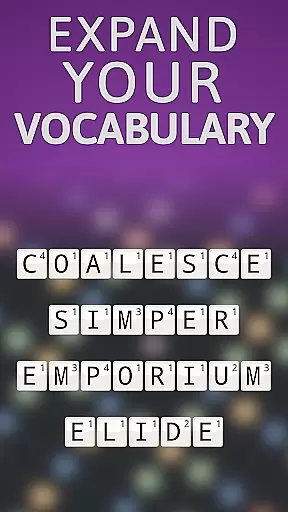
Overall, the emphasis on clue quality and clarity in Wordfeud Premium not only makes the game more engaging but also helps players expand their vocabulary while enjoying a competitive multiplayer experience.
Puzzle variety refers to the diversity and complexity of challenges presented in a word game. In Wordfeud Premium, this aspect is crucial for keeping players engaged over time by offering different types of puzzles within each match.
One way Wordfeud Premium achieves puzzle variety is through its randomized board option. By changing the positions of special tiles (Double Letter, Triple Letter, Double Word, Triple Word), every game becomes unique. This randomness forces players to adapt their strategies constantly, providing a fresh experience with every match.
Additionally, the ability to play up to 30 simultaneous games against different opponents adds another layer of variety. Each opponent may have a distinct playing style, which further diversifies the challenges faced by the player. The inclusion of chat functionality also enhances interaction, allowing for dynamic exchanges during gameplay.
By focusing on puzzle variety, Wordfeud Premium ensures that players remain interested and invested in the game, leading to longer engagement and enjoyment.
Ad-free experience
Multi-language support
Randomized boards
Real-time notifications
Simultaneous gameplay
Premium cost required
Limited offline play
No voice chat
Complex for beginners
Occasional bugs


Word search puzzle game for brain training
 4.70
4.70
Word search games, anagram, crossword & logic puzzle! Brain training and relax!
4.90
Heads Up, charades for kids family & friends. Enjoy guessing game in holiday!
4.60
Challenge your brain with online learning and solve word puzzles!
4.90
750 professional casual crosswords to keep you busy during coffee break.
4.10
Word puzzles with cute bears to enjoy, just don’t let the bubble bee bother you!
4.0
The 2 player games of hangman: save the hangman! Hangman 2player come! Ahorcado!
4.90
Unleash your inner codebreaker! Solve challenging cryptograms & word puzzles.
4.70
Daily crossword puzzles for brain training! Master vocabulary with word games!
4.50
Relax your mind with calming word puzzle games! A brain focusing game of words
4.90
Word Trip – where players relax, solve word puzzles, and boost your brainpower!
4.90
Great Word Game with Friends!
4.80
Zen Word - where challengers relax, solve word games, and train their minds!
4.80
The classic word game with advanced AI and built-in definitions
4.60
3000+ levels of word puzzles fun. Connect words, improve vocabulary, boost IQ!
4.60
Group words by category and solve relaxing association puzzles in a word game!
4.60
Find words from the same topic, group them by association, win the word puzzle!
4.50
Try to find the hidden words!
4.30
Guessing word game for smartphones and smartwatches
4.5

User Reviews